










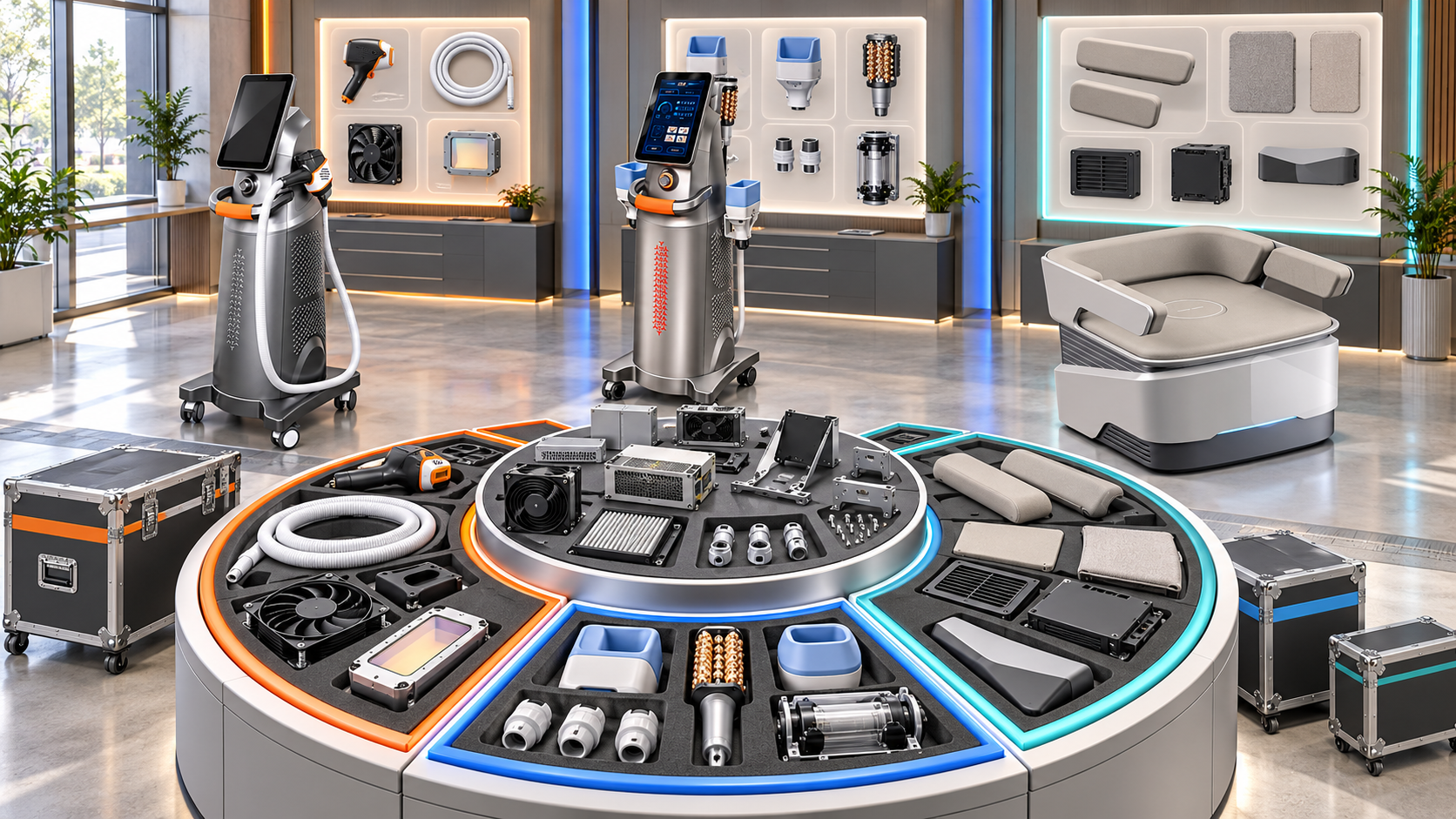
A distributor that supplies facial platforms, RF-microneedling devices, HIFU systems, laser hair-removal equipment, and body-care machines cannot manage every replacement component with one stocking rule. A hydro facial handpiece, a HIFU cartridge, a laser handle, and a body applicator differ in compatibility risk, replacement frequency, cost, service impact, and lifecycle exposure.
Replacement-component planning creates a support structure for the equipment already operating in customer businesses. It identifies which components deserve local stock, which should be shared regionally, which require case-by-case ordering, and which must remain available for older installed configurations. This guide explains how to build that structure across a multi-category SHEFMON beauty-device portfolio.
Sumário executivo
- Start with verified installed devices, configurations, and component sets rather than the current sales catalog alone.
- Separate durable replacements, periodic treatment components, routine consumables, service parts, and optional upgrades.
- Give every replacement component a stable ID, exact compatibility record, order unit, lifecycle state, and support owner.
- Rank components by service impact, installed exposure, compatibility complexity, supply conditions, and obsolescence risk.
- Use local stock for selected high-impact items, regional pools for shared low-frequency exposure, and supply-to-order for controlled variants.
- Plan facial, RF-microneedling, HIFU, laser, and body-care components according to their own device architecture.
- Keep A0423 and A0426 laser-handle relationships separate unless a current approved record confirms a shared component.
- Preserve predecessor and successor relationships for devices that remain active after a new configuration launches.
- Release replacements only after the installed model, revision, handle or module, market, and failure or replacement context are verified.
- Review the component portfolio whenever equipment, installed population, compatibility, supply status, or lifecycle changes.
1. What Replacement-Component Planning Covers
Replacement-component planning determines how a distributor will support durable or controlled device components after equipment has been placed in service.
The scope can include:
- powered handles and handpieces;
- body applicators;
- treatment cartridges or heads when they follow a controlled replacement cycle;
- containers, tubing sets, cables, connectors, and holders with approved replacement paths;
- control accessories supplied as identified components;
- adapters or companion items required by a replacement;
- complete replacement kits;
- legacy components retained for supported installed equipment;
- direct or conditional successor components.
The scope should not automatically include every internal part. Service-restricted items may require technical diagnosis, authorization, or a separate maintenance process.
2. Separate Replacement Components from Other Item Classes
Clear classification prevents a consumable forecast from being applied to a durable handle or a service part from being sold as an ordinary accessory.
| Item class | Typical reason for demand | Planning approach | Release control |
|---|---|---|---|
| Routine consumable | Normal service use | Forecast from active compatible units and actual reorder behavior | Validate item and pack compatibility |
| Periodic treatment component | Usage limit, condition, or scheduled operating need | Plan by installed handle population and verified replacement pattern | Confirm exact handle, depth, size, or version |
| Durable replacement component | Damage, wear, failure, or approved replacement decision | Use installed exposure, service impact, and supply strategy | Verify the physical installed unit and replaced item |
| Service part | Controlled repair or maintenance | Restricted technical inventory | Require diagnosis or service authorization |
| Optional upgrade | Adds an approved capability or configuration | Demand-led commercial planning | Confirm that the installed unit supports the upgrade |
| Opening component | Supplied with a new device | Reserve against the equipment order | Tie to the selected new-device configuration |
The same general component name can appear in more than one class. Assign the class at item-and-relationship level rather than from the product category alone.
3. Build the Plan Around the Installed Portfolio
The current catalog shows what can be offered now. Replacement obligations come from equipment already delivered, including older configurations.
For every installed device, record:
- physical unit or serial identifier where available;
- official model number;
- configuration and hardware revision;
- installed handles, applicators, modules, cartridges, and controlled accessories;
- customer site and servicing region;
- installation or acceptance date;
- active, inactive, loan, demonstration, replacement-only, retired, or decommissioned state;
- replacement history;
- current support status;
- last verification date and evidence source.
Count component exposure, not only console exposure. One device configuration can carry several handles, while another device of the same model may have a smaller component set.
4. Create a Replacement Component Master
Every orderable replacement needs a controlled item record.
Recommended fields include:
- component ID and approved name;
- component class;
- parent device model and configuration;
- parent handle or module if the item sits lower in the structure;
- component and device revision scope;
- market and electrical conditions;
- standard, optional, replacement-only, service-only, or legacy role;
- order unit and minimum order where confirmed;
- stocked, pooled, supply-to-order, restricted, end-of-sale, or retired state;
- predecessor and successor references;
- lead-time record and confirmation date;
- storage or handling requirements where documented;
- compatibility evidence;
- record owner and next review date.
Price and current warehouse quantity should link to the component record without becoming part of its identity.
5. Build a Device-to-Replacement Coverage Matrix
Use one relationship row for each supported component and exact device configuration.
| Coverage field | Planning purpose |
|---|---|
| Device model and configuration | Identifies the supported platform |
| Installed revision | Limits the relationship to the correct equipment population |
| Replacement component ID | Identifies the physical item to order and pick |
| Parent handle or module | Preserves the immediate compatibility dependency |
| Installed component quantity | Measures the number of components exposed in the field |
| Active installed units | Defines the supported device population |
| Compatibility status | Confirms, limits, blocks, or flags the relationship |
| Replacement role | Distinguishes routine replacement, service-only, upgrade, or legacy support |
| Servicing region | Connects demand exposure to a warehouse or pool |
| Current supply state | Shows stocked, pooled, supply-to-order, restricted, or retired status |
| Successor path | Preserves continuity when the original item changes |
| Evidence and review date | Shows why the relationship is trusted and when it was checked |
The matrix should reveal both sides of the support position: active installed components without a replacement path and stocked replacements without a supported installed population.
6. Rank Components by Operational Criticality
Not every replacement deserves the same response time or inventory position. Create a criticality tier using defined business criteria.
Tier 1: Service-blocking component
Failure prevents the device or a core service category from operating. The component has a verified installed population and no practical approved alternative. Selected local or regional protection may be appropriate.
Tier 2: Function-limiting component
Failure removes one function or treatment area while other parts of a multifunction platform remain available. Regional pooling or controlled stock can balance continuity and inventory exposure.
Tier 3: Convenience or secondary component
Failure affects workflow or a secondary feature but does not remove the main device function. Supply-to-order may be suitable when confirmation and transport are reliable.
Tier 4: Rare, legacy, or service-restricted item
Demand is uncommon, technically controlled, or tied to a small older population. Central stock, final-order planning, or case review is usually more appropriate than broad local duplication.
The tier should reflect the role in the confirmed device configuration. A handle can be essential in one package and optional in another.
7. Score Replacement Exposure Without Inventing Failure Rates
Distributors may lack enough history for a statistical failure model. A transparent qualitative score can still support decisions.
Review each component against:
- number of active compatible installed components;
- concentration by country or warehouse;
- service impact if unavailable;
- verified replacement history;
- configuration and revision complexity;
- ability to diagnose the correct item remotely;
- confirmed supply lead time;
- availability of a direct successor;
- component value and minimum purchase quantity;
- transfer capability between regions;
- storage or handling constraints;
- risk that the installed population will decline before the stock is used.
Label assumptions and confidence. Do not create a precise failure percentage from a few support cases or from equipment age alone.
8. Choose a Stocking Policy for Each Component
Assign one primary policy rather than allowing every regional team to decide independently.
| Política | Suitable situation | Controles necessários |
|---|---|---|
| Local protected stock | Concentrated active population and high service impact | Exact version mapping, reservation rule, regular count |
| Regional shared pool | Several markets can use a confirmed item but demand is irregular | Transfer process, ownership, response target, visibility |
| Central support stock | Low-frequency or high-variant components | Fast identification, reliable shipment, current legacy map |
| Supply to order | Low exposure, manageable lead time, or high obsolescence risk | Clear buyer expectation and pre-order compatibility check |
| Service-controlled stock | Diagnosis or technical installation is required | Restricted access and case authorization |
| Final-order or legacy reserve | Component is leaving normal supply while installed units remain | Installed-population review, last-order decision, successor plan |
A single component can move from local stock to a central pool as the installed population ages or declines. Record the effective date and reason for every policy change.
9. Plan A0648 Facial-Platform Replacements by Supplied Tool Set
O SHEFMON A0648 hydro microdermabrasion machine is presented as a multifunction facial platform. Replacement planning should start with the actual tools and handpieces supplied in each active configuration.
For the A0648 installed population, distinguish:
- durable handpieces;
- reusable tips or tools;
- routine disposable or refill items;
- containers, tubing, cables, or holders with confirmed replacement paths;
- opening-package items;
- service-restricted components;
- legacy versions.
Do not treat every item associated with the platform as a durable replacement. Assign the class, compatible handpiece relationship, configuration revision, and supply policy separately.
A multifunction device can continue operating some services when one secondary tool is unavailable. Criticality should therefore reflect the function that the component supports, not just the device’s overall importance to the salon.
10. Separate A0152 Handles from Needle-Head Consumables
O SHEFMON A0152 RF-microneedling device currently lists different working-handle arrangements and several tip configurations. The durable handle and the recurring needle head require different plans.
For durable A0152 replacement components, record:
- installed device configuration;
- working-handle arrangement;
- handle ID and revision;
- electrical or control conditions where relevant;
- installed quantity;
- replacement-only or service-controlled role;
- compatible needle-head relationships;
- current supply and successor status;
- professional-setting and market conditions.
Needle-head packs belong in the consumable replenishment plan. A replacement handle belongs in the controlled component plan. Connecting both to the installed A0152 configuration prevents the sales team from confusing a recurring order with a service event.
RF-microneedling equipment should be supplied and operated according to applicable qualifications and local requirements.
11. Plan A0204 Cartridges and Optional Handles as Separate Pools
O SHEFMON A0204 focused HIFU platform lists several functions, cartridge groups, and optional handles. A distributor should not create one replacement pool labeled “A0204 parts.”
Separate the planning population by:
- A0204 configuration and revision;
- installed 9D or 7D arrangement where applicable;
- parent handle or optional module;
- exact cartridge identity and depth or size;
- periodic treatment-component versus durable-handle classification;
- standard, optional, replacement, or service role;
- installed quantity by region;
- successor and retirement state.
A cartridge can follow usage or condition-based replacement, while an optional handle may create low-frequency durable exposure. These items need different stocking policies even though they appear under the same platform.
HIFU components and optional modules should be supplied for qualified professional settings in accordance with the rules of the destination market.
12. Keep A0423 and A0426 Laser Handles Model Specific
As páginas atuais para o SHEFMON A0423 diode laser e SHEFMON A0426 diode laser list configuration choices involving wavelength arrangement, handle power, and spot size. These similarities help buyers compare systems, but they do not establish component interchangeability.
For every replacement handle, maintain:
- A0423 or A0426 model identity;
- installed device configuration and revision;
- handle ID and revision;
- wavelength profile;
- handle-power relationship;
- supported spot-size choice or set;
- cooling and electrical conditions where applicable;
- replacement approval path;
- regional stock policy;
- current compatibility evidence.
Do not share stock between A0423 and A0426 populations unless an approved compatibility record confirms the same identified handle for both exact configurations. Similar product-page values are not sufficient evidence.
13. Plan B0155 Body Applicators Around Installed Exposure
O SHEFMON B0155 body-care system is described with handles for body and smaller-area applications. These are durable component exposures rather than routine single-use consumables.
Registro:
- B0155 configuration and revision;
- installed handle set;
- handle role by function or application area;
- quantity of each handle operating in the field;
- model-specific compatibility evidence;
- historical replacement cases;
- service impact if a handle is unavailable;
- regional concentration;
- replacement-only, pooled, or supply-to-order policy;
- successor and legacy status.
A smaller installed population does not automatically justify local stock. Regional pooling may offer better coverage when version control and transfer procedures are reliable.
14. Build Category-Specific Component Families
A multi-category portfolio needs a shared governance structure and category-specific planning views.
| Categoria | Replacement focus | Main planning risk |
|---|---|---|
| Multifunction facial | Handpieces, reusable tools, containers, tubing, cables, controlled accessories | Mixing replacements with routine refill items |
| Microagulhamento por radiofrequência | Durable working handles and connected control components | Confusing handle replacement with needle-head replenishment |
| HIFU | Handles, modules, cartridges, and required companions | Combining different handle or depth populations |
| Depilação a laser | Powered handles and approved spot-size relationships | Assuming cross-model or cross-revision interchangeability |
| Cuidados com o corpo | Durable applicators, handles, cables, and support accessories | Stocking expensive variants without enough installed exposure |
The portfolio dashboard can compare categories, but component-level decisions should retain the technical structure of each platform.
15. Match Stock Location to the Installed Population
Global on-hand quantity can conceal a regional support gap. Assign every active installed unit to a servicing warehouse or support pool.
Análise:
- active compatible components by region;
- usable replacement stock by location;
- reserved or service-controlled quantity;
- stock in transit;
- transfer time and process;
- market or electrical restrictions;
- local technical capability;
- open replacement cases;
- upcoming installations or relocations.
A component in another region is useful only when it is compatible, releasable, and transferable within an acceptable support process. Keep current usable stock separate from expected incoming supply.
16. Use Replacement Kits Carefully
A controlled kit can simplify support when several items must be changed together. It can also hide incompatible or obsolete child components if the contents are not maintained.
For every kit, record:
- kit ID and revision;
- supported device configuration;
- child component IDs and quantities;
- required tools or companion items;
- market restrictions;
- replacement or service-only role;
- parent compatibility evidence;
- current child-item lifecycle states;
- substitution rules;
- assembly, issue, or return instructions where documented.
Do not use one kit code as proof that every child item fits every revision. The kit relationship must identify the exact supported population.
17. Preserve Successor and Legacy Support Paths
When a component changes, identify whether the new item is:
- a direct successor for the same installed population;
- a conditional successor requiring a confirmed adapter, control change, or companion item;
- valid only for later device revisions;
- a new-sales option rather than a replacement;
- incompatible with older installed units.
For lifecycle planning:
- identify all active installed configurations using the original component;
- verify stock, open purchase orders, and open support cases;
- define the successor relationship and conditions;
- set last-order, service-only, or retirement dates;
- update catalogs, quotation tools, installed-unit records, and warehouse labels;
- decide whether a legacy reserve is needed;
- retain the old relationship for historical traceability;
- schedule the next installed-population review.
Do not clear legacy stock merely because the current sales catalog has moved to a newer configuration.
18. Control the Customer Replacement Workflow
Replacement requests should begin with equipment identification, not with a broad component description.
Use a standard workflow:
- identify the customer, site, and physical device;
- confirm the exact model and configuration revision;
- identify the installed component and its revision;
- capture the reason for replacement or support case;
- retrieve only approved compatible replacement records;
- verify required companions and market conditions;
- determine whether technical approval is required;
- check local, regional, central, or supply-to-order availability;
- issue a controlled quotation or service instruction;
- record the installed replacement and disposition of the removed component.
If the customer cannot identify the installed item, request reliable label, configuration, order, or service evidence before selecting a replacement.
19. Handle Returns and Removed Components
Returned or removed components should not re-enter usable stock automatically.
Registro:
- customer and installed-unit reference;
- removed component ID and revision;
- reason for removal;
- condition on receipt;
- quarantine status;
- inspection or technical decision;
- repair, restricted reuse, return-to-source, or disposal outcome where applicable;
- replacement component installed;
- dates and responsible owners.
Keep quarantine, service evaluation, and sellable inventory separate. Follow documented technical, environmental, transport, and local disposal requirements for the component involved.
20. Distinguish Replacement from Upgrade
A replacement restores an approved installed configuration or follows an approved successor path. An upgrade changes the configuration or adds capability.
Before classifying the transaction, ask:
- Does the new component have the same controlled role as the removed item?
- Does it require a new module, adapter, software state, or configuration code?
- Does it alter the supported consumable set?
- Does it change documents, training, market eligibility, or operating requirements?
- Is the item approved for replacement, upgrade, or both?
If the configuration changes, update the installed-unit record and affected compatibility relationships. Do not process an upgrade under a simple replacement code merely because the physical item occupies a similar position.
21. Plan New Models Before the First Replacement Request
A new device has no replacement history, but its support structure should exist at launch.
Before release:
- identify durable components and periodic treatment items;
- classify service-only and buyer-orderable items;
- create compatibility and replacement relationships;
- define component IDs and order units;
- identify criticality tiers;
- confirm opening-package versus replacement quantities;
- assign a preliminary stock policy;
- reserve any demonstration or training components separately;
- define installed-unit capture requirements;
- schedule an early review after field experience becomes available.
Use scenarios rather than unsupported failure assumptions. Replace launch estimates with verified support history as the installed population grows.
22. Connect Replacement Planning to Business Systems
The component plan should connect product, customer, inventory, and support data.
Useful relationships include:
- device configuration to approved replacement components;
- installed unit to current component set;
- component to compatible revisions and market profiles;
- regional installed exposure to servicing warehouse;
- replacement case to removed and installed component IDs;
- inventory to usable, reserved, blocked, and in-transit quantities;
- predecessor to direct or conditional successor;
- quotation to the compatibility revision used for approval;
- kit to current child items;
- component to review owner and lifecycle state.
The exact software platform can vary. The important requirement is that teams use the same stable identities and approved relationships.
23. Review the Portfolio with Practical Metrics
Useful measures include:
- percentage of active installed units with verified component configurations;
- percentage of critical replacement components with an approved supply path;
- number of active components without a confirmed successor or legacy decision;
- replacement inventory with no supported installed population;
- open cases waiting for equipment identification;
- returns caused by incorrect model or revision selection;
- regional transfers triggered by component-location mismatch;
- records with expired evidence or overdue review dates;
- number of service-controlled items appearing in ordinary sales channels;
- value and quantity of stock in quarantine or blocked status.
These metrics measure support readiness and data quality. They should not be used as clinical, treatment, or revenue-performance claims.
24. Implementation Plan
Phase 1: Define scope and classifications
List all device categories, active configurations, component classes, and support responsibilities. Agree on the boundary between consumables, replacements, upgrades, and service parts.
Phase 2: Prioritize high-impact exposure
Start with powered handles, major applicators, configuration-dependent cartridges, and components that can stop a core service. Validate the installed population and relationship evidence.
Phase 3: Assign supply policies
Choose local, regional, central, supply-to-order, service-controlled, or legacy-reserve treatment for each component. Record the reason, owner, and next review date.
Phase 4: Connect transactions and installed units
Make quotations, support cases, warehouse issues, returns, and replacements reference the exact component and installed device.
Phase 5: Review and refine
Use verified replacement history, installed-base changes, supply changes, and lifecycle events to revise policies. Avoid broad stock increases that do not resolve a defined compatibility or location gap.
25. Replacement-Component Planning Checklist
- Every physical device has a verified installed-unit record.
- Installed handles, applicators, modules, and controlled accessories are recorded.
- Consumables, periodic treatment components, durable replacements, upgrades, and service parts are separated.
- Each replacement item has a stable ID and lifecycle state.
- Compatibility is controlled by model, configuration, revision, and parent component.
- Criticality and installed exposure are assessed with documented criteria.
- Local, regional, central, supply-to-order, service, or legacy policies are assigned.
- A0423 and A0426 laser-handle populations are not combined without confirmation.
- Opening-package quantities remain separate from replacement stock.
- Regional usable stock excludes reserved, blocked, and quarantine quantities.
- Kits preserve child-item identities and revisions.
- Predecessor, successor, and legacy support relationships are current.
- Customer requests verify the installed component before release.
- Removed items follow a controlled return or disposition process.
- Review dates, owners, and evidence are complete.
Perguntas frequentes
1. What is a beauty-device replacement component?
It is an identified durable or controlled item supplied to restore an approved device function, replace an installed component, or follow a confirmed successor path. Its classification should be defined for the exact item and device relationship.
2. How is replacement-component planning different from consumable planning?
Consumables create recurring demand during normal service use. Durable replacements usually follow wear, damage, failure, or a support decision and require verification of the installed device and component version.
3. Should every replacement component be stocked locally?
No. Local stock should be reserved for justified installed exposure and service impact. Regional pooling, central support stock, supply-to-order, or service-controlled treatment may be better for irregular, expensive, high-variant, or legacy components.
4. How should multifunction facial-device replacements be planned?
Record the actual supplied handpieces and tools, separate durable items from refill consumables, identify the function affected by each component, and assign stock based on installed exposure, criticality, compatibility, and supply conditions.
5. How should A0152 handles and needle heads be managed?
Treat working handles as durable controlled components and needle-head packs as recurring consumables. Link both to the exact installed A0152 configuration and handle arrangement, but use separate demand and release rules.
6. How should A0204 cartridges and handles be planned?
Segment them by A0204 configuration, parent handle or module, cartridge identity and depth or size, item class, installed quantity, lifecycle, and regional support policy. Do not use one combined A0204 replacement pool.
7. Can A0423 and A0426 use the same replacement-handle stock?
Only when an approved current relationship confirms the same identified handle for both exact configurations. Similar wavelength, power, cooling, or spot-size descriptions do not prove interchangeability.
8. What should happen when a replacement component is discontinued?
Review the active installed population, current stock, open cases, final-order conditions, and the proposed successor. Confirm whether the successor is direct, conditional, or revision limited before updating support and quotation systems.
9. How should a distributor handle a replacement request with an unknown device version?
Pause component selection and obtain reliable model, label, configuration, order, or service evidence. Do not send several possible components and ask the customer to test which one fits.
10. Quando se deve contactar a SHEFMON?
Contact SHEFMON when the current approved records do not confirm a replacement component, installed-version relationship, successor, required companion, market condition, supply state, or order unit. Provide the exact model, configuration, installed component, market, and available identification details.
Conclusão
A multi-category replacement plan should protect active customer equipment without filling every warehouse with every possible component. The distributor needs verified installed configurations, controlled replacement identities, category-specific criticality, clear regional policies, and lifecycle records that remain valid for older equipment.
Review the relevant facial, RF-microneedling, HIFU, laser, and body-care platforms in the SHEFMON beauty-machine range. To confirm a model-specific replacement or successor relationship, contate SHEFMON with the device configuration, component details, market, and installed-unit information.

























