










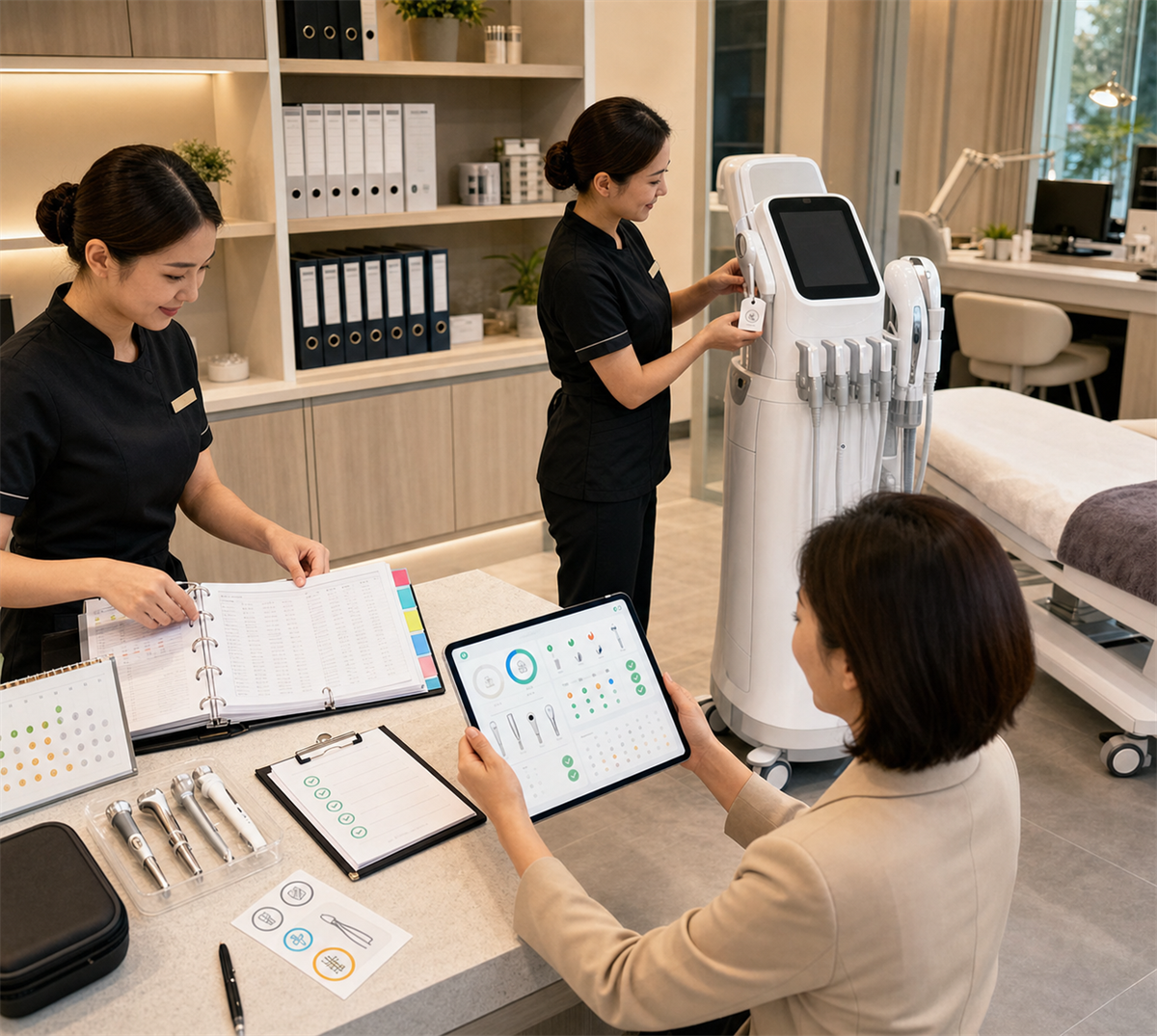
Beauty salons should establish beauty equipment usage and maintenance records as soon as a machine enters the store. A good record system does not need to be complicated, but it must be consistent. It should show who used the machine, when it was used, which project was performed, how the equipment was cleaned, what consumables were used, what maintenance was completed, what problems appeared, and how repairs were handled.
For salons, these records protect daily operation, customer experience, warranty rights, staff responsibility, and project profitability. For distributors and manufacturers, good records make after-sales support faster because technicians can see the machine history instead of guessing from a vague message.
The most practical rule is: one machine, one file, one responsible person, one daily checklist, and one repair history.
Why Usage And Maintenance Records Matter
Many salons only start recording equipment information after a machine breaks. By then, important details may already be missing. Nobody remembers when the error code first appeared, which staff used the machine, when the filter was changed, whether the handpiece was dropped, or whether cleaning was done after the last customer.
Equipment records help salons:
- Reduce wrong operation.
- Track staff responsibility.
- Prove cleaning and maintenance were completed.
- Protect warranty claims.
- Support remote troubleshooting.
- Identify repeated faults.
- Control consumable cost.
- Reduce downtime.
- Treine novos funcionários mais rapidamente.
- Analyze whether the machine is profitable.
- Decide whether to repair, replace, or promote the equipment.
The purpose is not paperwork for paperwork’s sake. The purpose is to keep machines usable, safe, clean, and profitable.
The Core System: One Machine, One File
Every beauty machine should have its own equipment file. This file can be paper, digital, or both. The key is that staff can find the information quickly.
Each machine file should include:
- Equipment name.
- Internal equipment ID.
- Brand and model.
- Número de série.
- Data da compra.
- Supplier name and contact.
- Distributor or manufacturer service contact.
- Invoice, contract, and warranty card.
- Warranty start and end date.
- Main unit warranty scope.
- Handpiece warranty scope.
- Accessory and consumable list.
- Manual do usuário.
- Instruções de limpeza e manutenção.
- Materiais de treinamento.
- Lista de preços de peças de reposição.
- Histórico de reparos.
- Software account information if applicable.
For example, a salon can label one machine as RF-001, another as HYDRO-001, and a skin analyzer as SKIN-001. The same ID should appear on the machine, log sheet, maintenance record, and repair form.
Record Type 1: Equipment Asset Record
The asset record is the basic identity card of the machine. It tells the salon what the machine is and how to contact the supplier when support is needed.
Recommended fields:
- Equipment ID.
- Equipment name.
- Brand.
- Model.
- Número de série.
- Treatment room.
- Data da compra.
- Data de entrega.
- Data de instalação.
- Supplier contact.
- Período de garantia.
- Included handpieces.
- Included accessories.
- Included consumables.
- Software or account details.
- Notes about voltage, plug, water, cooling, or ventilation requirements.
This record is especially important when the salon has multiple similar machines or when staff turnover is high.
Record Type 2: Staff Training And Authorization Record
Not every employee should operate every machine. Staff should be trained and authorized before using equipment on customers.
Training records should include:
- Staff name.
- Machine ID.
- Training date.
- Trainer name.
- Método de treinamento.
- Functions covered.
- Cleaning and disinfection training.
- Contraindication and precaution training.
- Treinamento de manutenção.
- Treinamento em resolução de problemas.
- Practical operation result.
- Authorization status.
- Refresher training date.
For higher-complexity machines such as IPL, laser, HIFU, RF, cryolipolysis, vacuum body contouring, and AI skin analyzers, training records are especially important. If a problem happens, the salon needs to know whether the operator was actually trained.
Record Type 3: Daily Startup And Shutdown Checklist
Daily records should be simple enough for staff to complete every day. If the checklist is too long, staff may stop using it.
Lista de verificação diária para inicialização:
- Date.
- Machine ID.
- Treatment room.
- Operator.
- Power cord and plug checked.
- Screen starts normally.
- Handpieces connected.
- No visible cracks or damage.
- No error code.
- Filters, tubes, bottles, or water level checked if applicable.
- Consumables available.
- Room and equipment surface clean.
- Startup result.
Daily shutdown checklist:
- Machine cleaned.
- Reusable accessories disinfected according to SOP.
- Single-use items discarded.
- Bottles or waste containers handled.
- Tubes or tips cleaned if required.
- Handpieces stored correctly.
- Machine powered off.
- Abnormal issue recorded.
- Operator signature or confirmation.
The daily checklist helps prevent small issues from being ignored until the machine fails.
Record Type 4: Treatment Usage Log
The usage log records how the machine is used for actual projects. This is useful for maintenance, consumable cost, package tracking, and customer service consistency.
Recommended fields:
- Date.
- Machine ID.
- Operator.
- Customer code or appointment number.
- Projeto de tratamento.
- Área de tratamento.
- Function or handle used.
- Intervalo de parâmetros.
- Tempo de tratamento.
- Materiais de consumo utilizados.
- Sensação do cliente.
- Aftercare provided.
- Abnormal feedback.
- Staff note.
To protect privacy, salons can use customer codes instead of writing full customer personal information on the machine log. Detailed customer information can stay in the salon’s customer management system with appropriate access control.
Record Type 5: Cleaning And Disinfection Record
Cleaning records are important because many beauty machines contact skin, gel, solution, tubes, tips, probes, handpieces, or reusable accessories. Cleaning should follow the manufacturer manual and the salon’s hygiene SOP.
Recommended fields:
- Date.
- Machine ID.
- Part cleaned.
- Cleaning method.
- Disinfectant or cleaning agent used.
- Concentration or dilution if applicable.
- Contact time if required by product instructions.
- Disposable items replaced.
- Reusable parts dried and stored.
- Staff name.
- Supervisor check if needed.
Cleaning records are especially important for small bubble, hydro facial, oxygen spray, vacuum, RF probes, ultrasound probes, EMS accessories, body contouring handles, skin analyzer contact surfaces, and any reusable item touching customers.
Record Type 6: Consumable And Spare Part Record
Consumables affect both project quality and profit. A machine may stop not because it is broken, but because the salon runs out of filters, tips, gels, membranes, tubes, cartridges, or lamps.
Consumable records should include:
- Machine ID.
- Consumable name.
- Brand or part code.
- Quantity received.
- Quantity used.
- Remaining stock.
- Expiry date.
- Opening date if applicable.
- Supplier.
- Unit cost.
- Reorder point.
- Staff responsible.
Spare part records should include:
- Part name.
- Part code.
- Compatible machine model.
- Data da compra.
- Warranty status.
- Replacement date.
- Reason for replacement.
- Technician or operator.
- Cost.
This record helps salons calculate real cost per treatment and avoid surprise stockouts.
Record Type 7: Maintenance Inspection Record
Maintenance records show whether the salon is actively caring for the machine. They also help when suppliers ask for evidence during warranty claims.
Maintenance inspection may include:
- Weekly filter and tube check.
- Weekly cable and handpiece inspection.
- Monthly deep cleaning.
- Monthly fan, vent, and dust check.
- Monthly software backup if applicable.
- Monthly usage count review.
- Quarterly supplier inspection if available.
- Cooling system check.
- Optical window check.
- Pump or suction test.
- Probe surface inspection.
- Battery condition check for portable devices.
Recommended fields:
- Date.
- Machine ID.
- Maintenance item.
- Result.
- Problem found.
- Action taken.
- Part replaced.
- Next maintenance date.
- Staff name.
- Supervisor confirmation.
The schedule should follow the manufacturer manual. If the manual does not provide a clear schedule, the salon can create a conservative checklist and confirm it with the supplier.
Record Type 8: Fault And Abnormal Issue Record
Abnormal issues should be recorded immediately. Small problems often become repair disputes because nobody wrote down what happened.
Registro:
- Date and time.
- Machine ID.
- Operator.
- Customer code if involved.
- Código de erro.
- Abnormal sound, smell, heat, output, suction, light, current, or vibration.
- What happened before the issue.
- Whether the machine was stopped.
- Photos or videos taken.
- Supplier contacted.
- Supplier response.
- Temporary solution.
- Whether customer appointment was affected.
Stop-use signals should be taken seriously. Burning smell, smoke, exposed wire, abnormal heat, repeated error codes, unstable output, water leakage, or customer discomfort should be reported before the machine is used again.
Record Type 9: Repair And Service Record
Every repair should leave a complete record. This helps the salon understand whether a machine has repeated issues and whether the supplier’s service is reliable.
Repair records should include:
- Machine ID.
- Fault date.
- Report date.
- Supplier or technician contacted.
- Warranty status.
- Diagnosis result.
- Part replaced.
- Custo da mão de obra.
- Parts cost.
- Shipping cost.
- Downtime days.
- Repair completion date.
- Test result after repair.
- Staff confirmation.
- Customer impact if any.
If the same problem happens again, the salon can use the repair history to ask for deeper diagnosis, replacement, or warranty support.
Record Type 10: Software, App, And Account Record
Modern beauty equipment may include software accounts, skin analyzer reports, AI detection, cloud storage, firmware updates, app control, and customer files. These require their own records.
Software records should include:
- Machine ID.
- Software name.
- Account owner.
- Login contact.
- Subscription period.
- Renewal date.
- Versão do software.
- Firmware version.
- Update date.
- Update notes.
- Backup status.
- Report export test.
- Remote access record if supplier support was used.
Passwords should be managed securely. Do not write passwords on a public paper log or in a shared chat group. Limit access to staff who need it.
Record Type 11: Customer Treatment Record
The machine log and customer record are connected but not identical. The machine log records equipment use. The customer record records the customer’s treatment history and response.
Customer treatment records may include:
- Customer name or customer ID.
- Date.
- Project.
- Máquina utilizada.
- Área de tratamento.
- Intervalo de parâmetros.
- Sensação do cliente.
- Skin or body condition before treatment.
- Conselhos sobre cuidados pós-operatórios.
- Feedback do cliente.
- Agendamento da próxima consulta.
- Staff name.
Because customer records may contain personal information and photos, salons should control access, collect only necessary information, and keep data secure.
Record Type 12: Monthly Equipment Performance Review
A machine is not only a technical asset. It is a revenue asset. Monthly review helps the salon decide whether the equipment is worth promoting, repairing, replacing, or retraining staff on.
Monthly review should include:
- Number of treatments.
- Number of new customers.
- Number of repeat customers.
- Taxa de conversão de pacotes.
- Revenue by machine.
- Custo dos materiais de consumo.
- Custo de manutenção.
- Repair cost.
- Downtime days.
- Reclamações de clientes.
- Staff usage rate.
- Payback progress.
- Next action.
For example, if a machine has high inquiry but low conversion, the issue may be staff sales training. If it has high revenue but frequent downtime, the issue may be maintenance or spare parts. If it has low usage, the project may need repackaging.
Paper Records Or Digital Records?
Both can work. The best system is the one staff actually use.
Paper Records
Paper logs are easy for small salons. They can be placed near the machine or in a manager folder. They work well for daily checks and simple cleaning logs.
Limitations:
- Easy to lose.
- Hard to analyze.
- Hard to search.
- Photos and videos are not attached.
- Access control is weak.
Digital Records
Digital records can be created in spreadsheets, salon management systems, maintenance apps, shared drives, or QR code forms.
Vantagens:
- Easy to search.
- Easy to attach photos and videos.
- Easy to calculate costs.
- Easier to share with supplier.
- Easier to review monthly.
- Can be backed up.
Limitations:
- Staff need training.
- Access permissions must be managed.
- Data backup is required.
Many salons use a hybrid system: paper checklist near the machine and digital summary for maintenance, faults, repairs, costs, and monthly performance.
How To Build The System Step By Step
Step 1: List All Machines
Create a complete equipment list. Include every beauty machine, skin analyzer, portable device, cart-based device, and high-value accessory.
Step 2: Assign Equipment IDs
Give every machine a simple code. Example:
- RF-001.
- HYDRO-001.
- LED-001.
- HIFU-001.
- SKIN-001.
Put the code on the machine and use it in every record.
Step 3: Assign Responsible People
Every machine should have one primary responsible person and one backup person. Operators can complete daily logs, but the responsible person checks whether records are complete.
Step 4: Create Templates
Prepare templates for daily use, cleaning, maintenance, consumables, faults, repairs, training, and monthly review.
Step 5: Train Staff
Explain why records matter. If staff think logs are meaningless, they will fill them casually. Connect records with warranty, safety, customer experience, and project income.
Step 6: Review Weekly
The manager or equipment owner should review logs weekly. Missing records should be corrected quickly.
Step 7: Review Monthly
Use records to analyze equipment revenue, consumable cost, downtime, staff usage, and customer feedback.
Step 8: Improve The SOP
If a form is too complicated, simplify it. If important information is missing, add it. The system should be practical, not decorative.
Suggested Daily Usage Log Template
Daily usage log fields:
- Date.
- Machine ID.
- Operator.
- Treatment room.
- Customer code.
- Nome do projeto.
- Alça ou função utilizada.
- Intervalo de parâmetros.
- Tempo de tratamento.
- Materiais de consumo utilizados.
- Cleaning completed.
- Feedback do cliente.
- Abnormal issue.
- Staff signature.
This log can be one row per treatment or one row per machine per day, depending on salon volume.
Suggested Maintenance Log Template
Maintenance log fields:
- Date.
- Machine ID.
- Maintenance type.
- Checklist item.
- Result.
- Part replaced.
- Consumable replaced.
- Problem found.
- Action taken.
- Next check date.
- Staff name.
- Supervisor confirmation.
Keep the maintenance log with the machine file and save photos or videos for important issues.
Suggested Repair Record Template
Repair record fields:
- Machine ID.
- Problem date.
- Código de erro.
- Fault description.
- Photo or video evidence.
- Supplier contacted.
- Warranty status.
- Diagnosis.
- Repair method.
- Part replaced.
- Cost.
- Downtime days.
- Repair completion date.
- Test result.
- Follow-up needed.
This record is useful when negotiating warranty, replacement, or future purchase decisions.
How Long Should Records Be Kept?
There is no single retention period for every salon in every country. A practical approach is:
- Keep equipment asset records for as long as the machine is owned.
- Keep warranty, invoice, and contract documents at least through the warranty period and as long as needed for tax, accounting, or dispute purposes.
- Keep repair and maintenance records for the machine’s useful life if possible.
- Keep customer-related records according to local privacy, consumer protection, and salon policy.
- Keep financial records according to accountant or tax requirements in the local market.
For business records linked to expenses, tax deductions, or accounting, salons should consult their accountant or local rules. The important point is to keep records orderly and searchable.
Data Privacy And Access Control
Equipment records may include customer names, photos, treatment history, staff names, software accounts, and supplier contacts. Salons should control access.
As boas práticas incluem:
- Collect only information needed for business and service.
- Use customer codes on machine logs when possible.
- Limit access to customer photos and reports.
- Keep passwords out of paper logs.
- Back up digital records.
- Use strong passwords for cloud systems.
- Remove access for former staff.
- Dispose of old records securely.
- Define who can share records with suppliers.
When sending photos or videos to suppliers, avoid exposing unnecessary customer personal information.
How Records Help Warranty Claims
When a machine fails, suppliers often ask for evidence. Good records make the claim stronger.
Useful warranty evidence includes:
- Data da compra.
- Número de série.
- Cartão de garantia.
- Operation log.
- Registro de limpeza.
- Maintenance log.
- Registro de código de erro.
- Photos and videos.
- Registro de treinamento da equipe.
- Histórico de reparos.
- Comunicação com fornecedores.
If the salon can show normal use and regular maintenance, it is easier to discuss warranty repair. If there are no records, the supplier may argue that the machine was misused or poorly maintained.
How Records Help Project Profitability
Equipment records are also useful for business analysis. Many salons do not know whether a machine is truly profitable because they only look at revenue, not consumables, maintenance, repairs, and downtime.
Records help answer:
- Which machine brings the most revenue?
- Which machine has the highest consumable cost?
- Which machine has the most complaints?
- Which staff member sells the project best?
- Which machine is underused?
- Which project needs repackaging?
- Which machine needs replacement or upgrade?
- Which supplier provides better after-sales support?
This makes equipment purchasing more data-driven.
Erros comuns a evitar
The first mistake is recording only repairs. Usage, cleaning, consumables, and maintenance are just as important.
The second mistake is writing logs only when the manager is watching. Records must be part of daily workflow.
The third mistake is using vague descriptions such as machine has problem. Write the error code, sound, smell, output issue, handle used, and condition.
The fourth mistake is mixing all machines in one unclear notebook. Each machine should have a clear ID and separate history.
The fifth mistake is keeping paper records but never reviewing them. Records should lead to decisions.
The sixth mistake is exposing customer data unnecessarily. Use customer codes and access control where possible.
How Distributors Can Help Salons Build Records
Distributors can provide value by giving salons ready-to-use record templates.
O suporte útil do distribuidor inclui:
- Equipment asset card.
- Daily use log.
- Cleaning checklist.
- Consumable tracking sheet.
- Cronograma de manutenção.
- Fault report form.
- Repair record template.
- Staff authorization form.
- Monthly ROI review sheet.
- QR code form for service requests.
When salons keep better records, distributors can diagnose problems faster and reduce after-sales conflict.
How Manufacturers Can Support Recordkeeping
Manufacturers can make recordkeeping easier by providing:
- Serial number labels.
- Digital manuals.
- Cronograma de manutenção.
- Guia de códigos de erro.
- Tabela de vida útil consumível.
- Lista de peças substituíveis pelo usuário.
- Lista de serviços exclusivos para técnicos.
- Formulário de reclamação de garantia.
- Service record template.
- Software usage report if supported.
Smart devices can also include usage counts, error logs, software update records, and cartridge counts. These features help salons manage machines more accurately.
Perguntas frequentes
Do beauty salons really need equipment usage records?
Yes. Usage records help track who used the machine, what project was performed, which consumables were used, whether cleaning was completed, and whether any abnormal issue appeared.
What is the most important maintenance record?
The most important records are daily checks, cleaning and disinfection logs, consumable replacement, abnormal issue reports, and repair history. Together, they show whether the machine is being managed properly.
Should records be paper or digital?
Both can work. Small salons may start with paper logs, while larger salons may use spreadsheets, QR code forms, or salon management software. Digital records are easier to search, analyze, and share with suppliers.
Who should be responsible for equipment records?
Each machine should have one responsible person and one backup person. Operators fill in daily records, while the equipment owner or store manager reviews them regularly.
How do maintenance records help after-sales service?
They help suppliers diagnose problems, verify warranty claims, identify repeated faults, and decide whether remote guidance, part replacement, on-site service, or factory repair is needed.
Conclusão
Beauty salons can establish equipment usage and maintenance records by building a simple but consistent system: one machine, one file, one responsible person, one daily checklist, and one repair history. The system should include asset records, training authorization, daily use logs, cleaning records, consumable tracking, maintenance checks, abnormal issue reports, repair records, software records, customer treatment records, and monthly performance reviews.
For salons, good records protect machine performance, customer experience, warranty rights, and project profitability. For distributors and manufacturers, they make technical support faster and more accurate. The best record system is not the most complicated one. It is the one staff can complete every day and managers can use to make better decisions.

























