










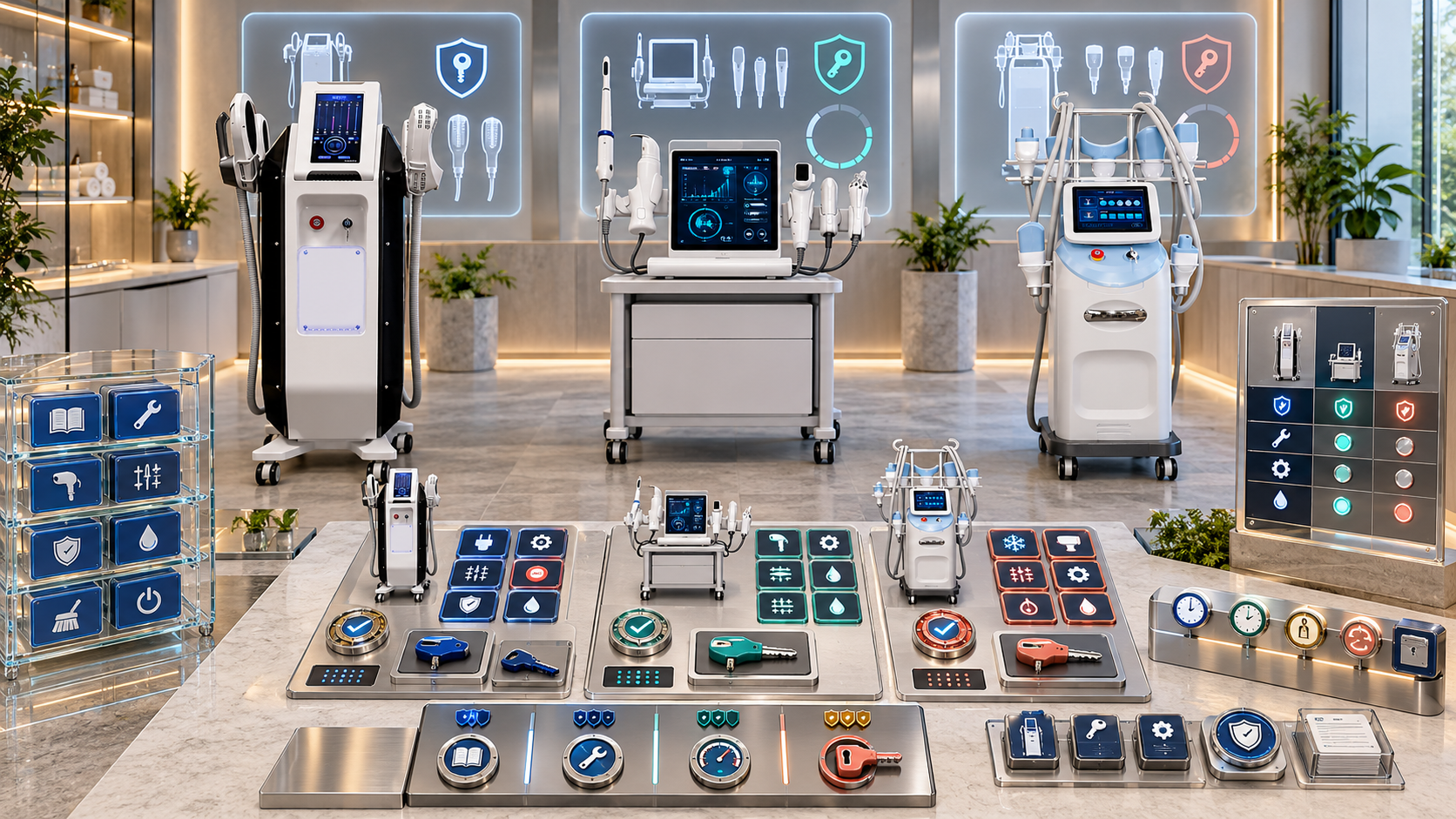
A training record that says only “completed device training” is difficult to use. It does not show which model the person learned, which installed configuration was present, which handles or cartridges were covered, which course materials applied, or whether the record still fits the equipment now located at the site. The same problem appears when an asset record lists a device but cannot show who received training for it.
Linking training records to installed equipment creates a traceable relationship among people, learning events, course versions, physical units, configurations, components, and locations. This guide explains how salons, clinics, med spas, body studios, and distributors can build that relationship for SHEFMON facial, hair-removal, HIFU, RF-microneedling, and body-care equipment without treating training attendance as proof of competence or authorization.
エグゼクティブサマリー
- Keep training completion, competency assessment, internal authorization, professional eligibility, and device availability as separate statuses.
- Link each training event to a controlled course version and the relevant installed asset, model, configuration, or component scope.
- Use stable staff, training-event, course, asset, site, and component IDs rather than names alone.
- Bind training to a specific serial when the exact unit, interface, installed components, or site setup materially affects the learning.
- Allow model-and-configuration links only when the business has defined when learning transfers across equivalent installed units.
- Record covered tasks and explicit exclusions, not merely a device category or attendance result.
- Recheck applicability after a unit replacement, configuration change, added handle, document revision, relocation, long gap in use, or role change.
- Keep course materials, trainer scope, practical evidence, and acknowledgments linked to the same event.
- Provide role-based views for operators, managers, booking teams, technical teams, and auditors.
- Use the installed-asset record as the equipment anchor while preserving the person’s complete learning history.
1. Why Training Records Need an Equipment Link
An equipment link helps the business answer:
- Which people completed learning relevant to this physical device?
- Which model and configuration did each person encounter?
- Which functions, handles, heads, cartridges, or tasks were included?
- Which course and document versions were used?
- Was the learning unit-specific, configuration-specific, model-wide, or category-level?
- Does the training still apply after the equipment changes?
- Which records need review before a newly installed unit is used?
- Which training gaps affect onboarding or scheduling?
Without this relationship, staff records and equipment records become two incomplete lists.
2. Keep Five Statuses Separate
| 状態 | Question answered | Does not prove |
|---|---|---|
| Training completed | Did the person complete the defined learning event? | Practical competence or permission to work independently |
| Competency assessed | Did the person meet defined assessment criteria? | Current business authorization or legal eligibility |
| Internally authorized | Has the business permitted the named work under stated conditions? | Skills outside the authorized scope |
| Eligible under applicable requirements | Are relevant professional, premises, supervision, or local conditions met? | Competence on every device configuration |
| Equipment available and released | Is the physical unit ready for the authorized work? | Staff training, competence, or permission |
Link these records, but do not collapse them into one “trained” checkbox.
3. Build a Relationship Model
The minimum relationship contains six objects:
| 物体 | Example identity | 主な目的 |
|---|---|---|
| Person | Staff ID | Identifies the learner |
| Training event | Event ID | Records one delivery of learning |
| Course version | Course ID and revision | Defines what content was taught |
| Installed asset | Asset ID and serial | Identifies the physical device |
| Configuration or component | Configuration, handle, head, or cartridge ID | Defines technical scope |
| サイト | Site and room ID | Preserves location context |
A training event can involve several people and several assets. One person can complete several events. Use relationship tables rather than duplicating entire records.
4. Use Stable IDs Across Systems
Recommended identifiers include:
- staff ID;
- customer account ID;
- site ID;
- installed-asset ID;
- permanent unit serial;
- model ID;
- 構成コードとリビジョン。;
- component or handle ID;
- course ID and version;
- training-event ID;
- trainer ID;
- assessment and authorization IDs where applicable.
Names help people read the record. IDs prevent two people, units, sites, or course versions with similar names from being confused.
5. Decide the Correct Equipment Link Level
Training can be linked at several levels.
| Link level | 使用する場合 | 制限 |
|---|---|---|
| カテゴリ | Learning covers common concepts across a device family | Does not prove familiarity with a model or unit |
| モデル | The course covers one model with controlled common features | May not cover configuration differences |
| Model and configuration | Installed units share the same relevant interface and components | Requires equivalence rules and current configuration data |
| Specific installed unit | The exact serial, setup, room, or installed components matter | Link may not transfer automatically to another unit |
| Component or function | One handle, applicator, head, cartridge family, or task needs separate learning | Must be connected to its parent model and configuration |
| Site or room | Local workflow or environment affects the learning | Does not replace model and configuration scope |
Choose the narrowest level that reflects what actually occurred.
6. Know When a Serial-Specific Link Is Needed
Bind the event to the exact installed asset when training includes:
- unit-specific interface or setup;
- the components physically supplied with that serial;
- local room placement or utilities;
- unit-specific corrective information;
- installed software or control revision where relevant;
- a handover for one customer asset;
- a replacement or loan unit with meaningful differences;
- a documented issue or restriction on that unit.
Serial-specific linking is also useful during installation handover. It should not imply that every learning item is unique to that single unit.
7. Define Transfer Across Equivalent Units
A person may work with several units of the same model. Define when a prior training record can apply to another asset.
チェック:
- 正確なモデル;
- 構成変更;
- interface and control version where relevant;
- installed handles, heads, modules, or applicators;
- destination electrical and language profile;
- approved documents and course version;
- service and task scope;
- site or room differences;
- time since training and recent use;
- business authorization rules.
Record the decision as applicable, applicable after orientation, partial、 または new training required. Do not copy the original event to make it look as though training occurred twice.
8. Create the Minimum Training-Event Record
| フィールドグループ | Required information |
|---|---|
| Event identity | Training-event ID, course ID, course version, date, delivery format |
| Learner | Staff ID, role, primary site, attendance status |
| Trainer | Trainer ID, role, organization, approved teaching scope |
| 装置 | Asset ID, serial, model, configuration, site, room |
| Component scope | Handles, applicators, tips, heads, cartridges, modules, or functions covered |
| Task scope | Setup, pre-use checks, operation, turnover, documentation, escalation, or technical task |
| 材料 | Manual, guide, presentation, checklist, and revision references |
| 証拠 | Attendance, practical exercise, acknowledgment, quiz, or observation as applicable |
| 結果 | Completed, partially completed, absent, stopped, or follow-up required |
| 除外事項 | Tasks, components, and functions not covered |
| フォローアップ | Assessment, supervised practice, refresher, or authorization actions |
| Review triggers | Date or equipment, document, role, site, or incident change |
Completion should reflect the course requirements, not a general opinion of the learner.
9. Build the Equipment Side of the Link
The installed-asset record should expose:
- asset ID and serial;
- model and configuration revision;
- current site and room;
- accepted handle, applicator, module, cartridge, or head relationships;
- applicable manuals and controlled documents;
- installation and operational status;
- training events linked to the unit;
- people with related competency and authorization records;
- open equipment changes that may affect training applicability;
- last training-link review date.
This view helps an asset owner see the people and learning history surrounding one unit.
10. Control Course Versions
A course title can remain unchanged while its content changes. Give every course version:
- stable course ID;
- 改訂番号;
- effective date;
- owner and approver;
- intended roles;
- product category, model, and configuration scope;
- component and task coverage;
- required materials and their versions;
- prerequisites;
- completion criteria;
- explicit exclusions;
- superseded version;
- retraining or update rule.
The training event should preserve the version actually delivered, even after a new version becomes active.
11. Link Manuals and Controlled Materials
Training records should identify the materials used:
- model-specific manual;
- configuration schedule;
- setup or handover guide;
- cleaning and maintenance information;
- component or consumable instructions;
- internal workflow checklist;
- escalation guide;
- applicable site document;
- course presentation or recording;
- assessment criteria where used.
Store document IDs, revisions, languages, and scope. A file name such as final_manual.pdf is not enough for later review.
12. Record Task Scope and Exclusions
Use task-level entries such as:
- identify the installed unit and components;
- prepare the room and equipment;
- complete pre-use checks;
- connect or select the covered handle or applicator;
- navigate the interface within the taught scope;
- perform cleaning and turnover steps;
- document the equipment use;
- identify stop and escalation conditions;
- store consumables and accessories correctly;
- complete allowed user care;
- avoid technical work outside the role.
Record what was not covered. “A0152 trained” should not imply that every handle arrangement, head format, service, or technical task was included.
13. Record Training Type
Keep separate types for:
- sales and buyer-selection training;
- operator product training;
- room and workflow orientation;
- technical support training;
- maintenance or user-care training;
- trainer development;
- refresher or update briefing;
- replacement-unit orientation;
- component-specific update;
- site-transfer orientation.
One person may complete several types. A sales course should not create an operator-training link, and operator training should not create technical-service permission.
14. Record Trainer Scope
The trainer record should show:
- identity and organization;
- training types they may deliver;
- categories, models, and configurations covered;
- component or task restrictions;
- 有効日および見直し日。;
- evidence supporting the trainer role;
- materials they are approved to use;
- whether they may assess competence or only deliver training;
- sites or languages covered;
- current status.
Attendance at a train-the-trainer session should not be treated as unlimited authority to teach every category.
15. Preserve Practical Evidence Without Inflating It
Possible evidence includes:
- signed or digital attendance;
- asset and serial used;
- component checklist;
- practical exercise record;
- questions completed;
- trainer notes tied to course outcomes;
- learner acknowledgment;
- フォローアップ作業。;
- separate assessment record.
A photo of a person beside a device can support attendance context but does not by itself prove course completion, competence, or authorization.
16. Link Training to Competency and Authorization
Use a controlled sequence:
- training event is completed;
- prerequisites for assessment are checked;
- competency is assessed against defined criteria;
- limitations or supervised tasks are recorded;
- applicable professional and site requirements are reviewed;
- internal authorization is granted, limited, suspended, or denied;
- booking, access, and supervision rules read the current authorization;
- equipment changes trigger applicability review.
The training event is an input, not the final permission decision.
17. Link A0648 Training to the Installed Facial Configuration
For the SHEFMON A0648 9-in-1 ハイドロマイクロダーマブレーションシステム, link training to:
- A0648 asset ID and serial;
- accepted facial-tool configuration;
- tips, bottles, tubing, and relevant accessories covered;
- solution and consumable workflow taught;
- room setup;
- interface and function scope;
- cleaning and turnover materials;
- tasks or functions excluded from the event.
If another A0648 unit has the same controlled configuration, the business may apply an equivalence rule. Document the comparison and any local orientation required.
18. Link A0423 and A0426 Training Separately
Maintain distinct training scopes for the SHEFMON A0423ダイオードレーザーシステム そして SHEFMON A0426ダイオードレーザーシステム, because each has its own model record.
Training links should identify:
- exact model and asset serial;
- physical format;
- wavelength configuration covered;
- installed handle power and spot-size choice;
- インターフェース言語;
- room and destination profile;
- operator or technical track;
- controlled documents used;
- model-specific exclusions.
Do not transfer an A0423 training record to A0426 automatically because the product pages share some specification categories. Review the actual configuration and task differences.
19. Link A0204 Training to Handles and Cartridges
その SHEFMON A0204 9D/7D 集束型HIFUシステム page identifies several handles and cartridge choices.
記録:
- A0204 asset and serial;
- exact handle types included in the event;
- cartridges and depth groups covered for each handle;
- standard and optional configuration distinctions;
- interface and setup scope;
- component-identification tasks;
- document revisions;
- functions or handles not taught;
- follow-up assessment or supervised-practice requirement.
Adding a handle later should trigger a component-specific training review instead of broadening the old record silently.
20. Link A0152 Training to Handle Arrangement and Head Formats
その SHEFMON A0152 デスクトップ型RFマイクロニードリングシステム page presents alternative working-handle arrangements and 12-pin, 24-pin, 40-pin, and nano formats.
Link the record to:
- A0152 asset and serial;
- one- or two-handle configuration;
- cooling-hammer selection where present;
- needle-head formats covered;
- single-use item identification and handling workflow included in the course;
- interface and task scope;
- applicable documentation;
- head formats or tasks excluded;
- competency and authorization follow-up.
A record covering one head format should not be expanded to every format without evidence.
21. Link B0155 Training to the Actual Handle Set
The product information for the SHEFMON B0155 デスクトップボディケアシステム identifies multiple handle functions intended for body zones and smaller areas.
記録:
- B0155 asset and serial;
- installed handle set;
- body and smaller-area handles covered;
- room setup and handle storage;
- interface and function scope;
- cleaning and turnover tasks;
- service-record workflow;
- handles not included in the event;
- later component additions that require review.
Do not use “B0155 complete” when the person received learning on only one part of the handle set.
22. Link Multi-Device Training by Separate Asset Lines
A multi-device onboarding day may cover several systems. Create one event header and separate equipment-scope lines.
| Event line | Equipment link | Scope example |
|---|---|---|
| 1 | A0648 asset and configuration | Facial tools and turnover workflow |
| 2 | A0426 asset and configuration | Operator orientation within stated scope |
| 3 | A0204 asset, handle, and cartridge matrix | Component identification and setup |
| 4 | A0152 asset and head formats | Handle and consumable workflow |
| 5 | B0155 asset and handle set | Body-platform setup and cleaning |
Each line can have a different completion result, exclusion, follow-up action, and applicability decision.
23. Link Training Across Multiple Locations
For multi-location businesses, record:
- person’s primary and permitted sites;
- asset and serial used in training;
- training site and room;
- other sites requesting recognition;
- unit-equivalence review;
- local room or workflow differences;
- local orientation completed;
- site-specific authorization decision;
- 有効日および見直し日。.
Training history can follow the person. Authorization and local equipment applicability may still need separate decisions at each site.
24. Handle New Hires with Previous Training
When a new hire presents an earlier record:
- verify the person’s identity;
- identify the issuing organization;
- confirm course title and version;
- identify the exact model, configuration, and asset used;
- compare it with the new site’s installed unit;
- review time since training and recent use;
- identify missing components or tasks;
- determine orientation, refresher, or new training needs;
- complete a separate competency and authorization process;
- preserve the original record without changing its scope.
A certificate without model and configuration detail is evidence of attendance only to the degree its source supports.
25. Handle Replacement and Loan Units
When a unit is replaced or temporarily loaned:
- link the new asset and serial;
- compare model and configuration;
- compare handles, heads, cartridges, applicators, interface, and documents;
- record whether existing training remains applicable;
- provide orientation for meaningful differences;
- update local equipment links;
- preserve the original training event;
- avoid changing the old serial inside historical records;
- review competency and authorization where the change affects the work.
The asset relationship changes; the historical event does not.
26. Trigger Review After Configuration Changes
Review linked training when:
- a handle, applicator, module, cartridge family, or head format is added;
- the interface or control version changes materially;
- the operating documents change;
- the service scope expands;
- the device moves to a different room or site with relevant workflow differences;
- a model substitution occurs;
- the asset is replaced;
- repeated deviations or an incident reveal a learning gap;
- the person changes role;
- a long gap in use occurs;
- the trainer or course version is withdrawn.
The result may be no action, acknowledgment, targeted update, orientation, refresher, reassessment, or new training.
27. Use a Training Applicability Status
| 状態 | 意味 |
|---|---|
| Current | Course and equipment relationship remain applicable |
| Current with local orientation | Core training applies; site-specific orientation is complete |
| 部分的 | Some components or tasks remain covered, while others require learning |
| レビューが必要です | A change occurred and applicability has not been decided |
| 置き換えられました | A newer course or event replaces the active learning record |
| Expired by policy | The required review date passed |
| 一時停止中 | The business temporarily blocks reliance on the record |
| Historical only | Preserved for evidence but not used for current decisions |
Do not delete an old training event simply because it is no longer current.
28. Connect Training to Booking and Access Carefully
Booking or access systems should normally read the current authorization record, which in turn depends on training and competency evidence.
考えられる制御方法には以下が含まれます。
- show eligible operators for the installed asset and service;
- prevent assignment when authorization is absent or suspended;
- require supervision where authorization is limited;
- alert managers when training applicability is under review;
- block a new component from service menus until staff coverage is confirmed;
- distinguish technical access from operator access;
- display site restrictions.
Do not let a completed course alone unlock every function on a multifunction device.
29. Build Role-Specific Views
Operator view
Shows the person’s current courses, linked assets, covered components, exclusions, follow-up actions, and applicable documents.
Manager view
Shows staff coverage by asset, site, service, shift, and authorization status.
Asset owner view
Shows who completed relevant training for one unit and which changes require review.
Trainer view
Shows approved course versions, equipment scope, scheduled learners, and outstanding evidence.
Booking view
Shows current permission to deliver named services, without exposing sensitive personnel details.
Audit view
Shows source records, revisions, decisions, changes, and historical applicability.
30. Protect Training and Personnel Data
Training records may contain personnel identifiers, attendance, performance notes, limitations, signatures, and assessment links. Apply:
- role-based access;
- controlled editing;
- version and change history;
- restricted exports;
- retention rules;
- separation of sensitive personnel notes from operational views;
- accurate staff-status updates;
- regional data requirements;
- audit logs for scope and authorization changes.
The asset view should show only the personnel information needed for the operational purpose.
31. Audit the Links in Both Directions
From person to equipment
- Does every active record identify a model, configuration, or asset scope?
- Are exclusions and course versions visible?
- Do current equipment links still exist?
From equipment to people
- Does every active installed unit show relevant trained staff?
- Are component additions reflected?
- Are inactive or departed staff removed from current coverage views without deleting history?
From course to assets
- Does the active course version match the models and configurations it claims to cover?
- Are superseded materials excluded from new events?
Bidirectional checks expose orphan training records and unstaffed equipment.
32. Measure Record Quality
有用な指標には以下が含まれます。
- training events with a controlled course version;
- events linked to a model, configuration, or asset;
- installed units with current relevant training coverage;
- records missing component scope;
- records using retired course versions;
- assets changed without a training-applicability review;
- staff transferred between sites without local review;
- replacement units awaiting orientation decisions;
- time from asset activation to required training completion;
- overdue follow-up assessments;
- booking or access conflicts caused by incomplete links;
- duplicate or contradictory training events.
Measure specificity and currency, not only the number of certificates issued.
33. Implement the Linkage in Five Stages
Stage 1: Clean identity records
Reconcile staff IDs, customer sites, installed assets, serials, models, configurations, and course IDs.
Stage 2: Define scope rules
Decide when category, model, configuration, serial, component, and site links are required.
Stage 3: Link priority assets
Start with active high-use devices and categories where configuration differences matter most.
Stage 4: Add applicability reviews
Connect replacement, component, document, site, and role changes to training review tasks.
Stage 5: Integrate downstream controls
Feed current competency and authorization decisions into scheduling, access, onboarding, and audit views.
34. Training-to-Equipment Link Checklist
Before treating a training record as relevant to installed equipment, confirm that:
- the learner has a stable staff ID;
- the event has a unique training-event ID;
- the course ID and delivered version are recorded;
- the training type is explicit;
- the exact model is identified;
- the configuration revision is recorded where relevant;
- the installed asset and serial are linked when unit-specific learning occurred;
- handles, applicators, cartridges, heads, modules, or functions covered are itemized;
- task scope and exclusions are recorded;
- trainer identity and teaching scope are current;
- materials and revisions used are linked;
- completion evidence is retained;
- training completion is not being treated as competence or authorization;
- transfer to equivalent units follows a documented rule;
- replacement, loan, relocation, and component additions trigger review;
- old events remain historical rather than being overwritten;
- role-based views protect personnel data;
- the installed asset shows its current training coverage.
よくある質問
1. Must every training record be linked to one serial number?
No. Category, model, or configuration training may apply across equivalent units. Use a serial-specific link when the exact device, installed components, interface, room, or handover context materially affects the learning.
2. Is training completion the same as competency?
No. Training completion shows that the defined learning event was completed. Competency requires a separate assessment against stated criteria, and internal authorization requires another decision.
3. Can one training event cover several beauty devices?
Yes. Use one event header with separate asset-scope lines for each model, serial, configuration, component set, completion result, and exclusion.
4. Can training on one unit apply to another identical unit?
It may apply when the model, configuration, components, interface, documents, task scope, and relevant site conditions are equivalent. Record the applicability review and any required orientation.
5. What happens when a new handle or applicator is added?
Create an equipment-change event and review the existing training scope. Add targeted learning, assessment, and authorization for the new component where required.
6. How should A0204 training be recorded?
Link the event to the A0204 asset, exact handles, cartridge groups, course version, tasks covered, documents used, and excluded handles or functions.
7. How should A0152 training be recorded?
Identify the installed handle arrangement, cooling-hammer selection where present, and the 12-pin, 24-pin, 40-pin, or nano formats actually included in the learning.
8. Does training transfer when a person moves to another salon location?
The historical training follows the person, but the new site should compare its installed equipment, configuration, documents, room workflow, and authorization requirements before recognizing the record.
9. What happens when a device is replaced?
Keep the original event linked to the old asset, connect the replacement asset through an applicability review, and document whether prior learning remains current, needs orientation, or requires new training.
10. When should SHEFMON be contacted about training-to-equipment links?
Contact SHEFMON when model, configuration, component, document, or replacement differences cannot be resolved from the controlled product and installed-asset records needed to define the training scope.
結論
Linking beauty device training records to installed equipment makes both records more useful. The person record shows exactly which models, configurations, components, tasks, course versions, and sites were covered. The asset record shows whether the team has current learning coverage for the equipment actually installed. Clear links also reveal when a replacement, added handle, revised document, relocation, or role change requires review.
使用する SHEFMONの美容機器シリーズ to confirm relevant model pages when building training-to-asset relationships. For help clarifying current model, configuration, component, or document scope before creating a course link, シェフモンに連絡してください with the installed asset, serial evidence, configuration, site, intended training type, and open question.

























