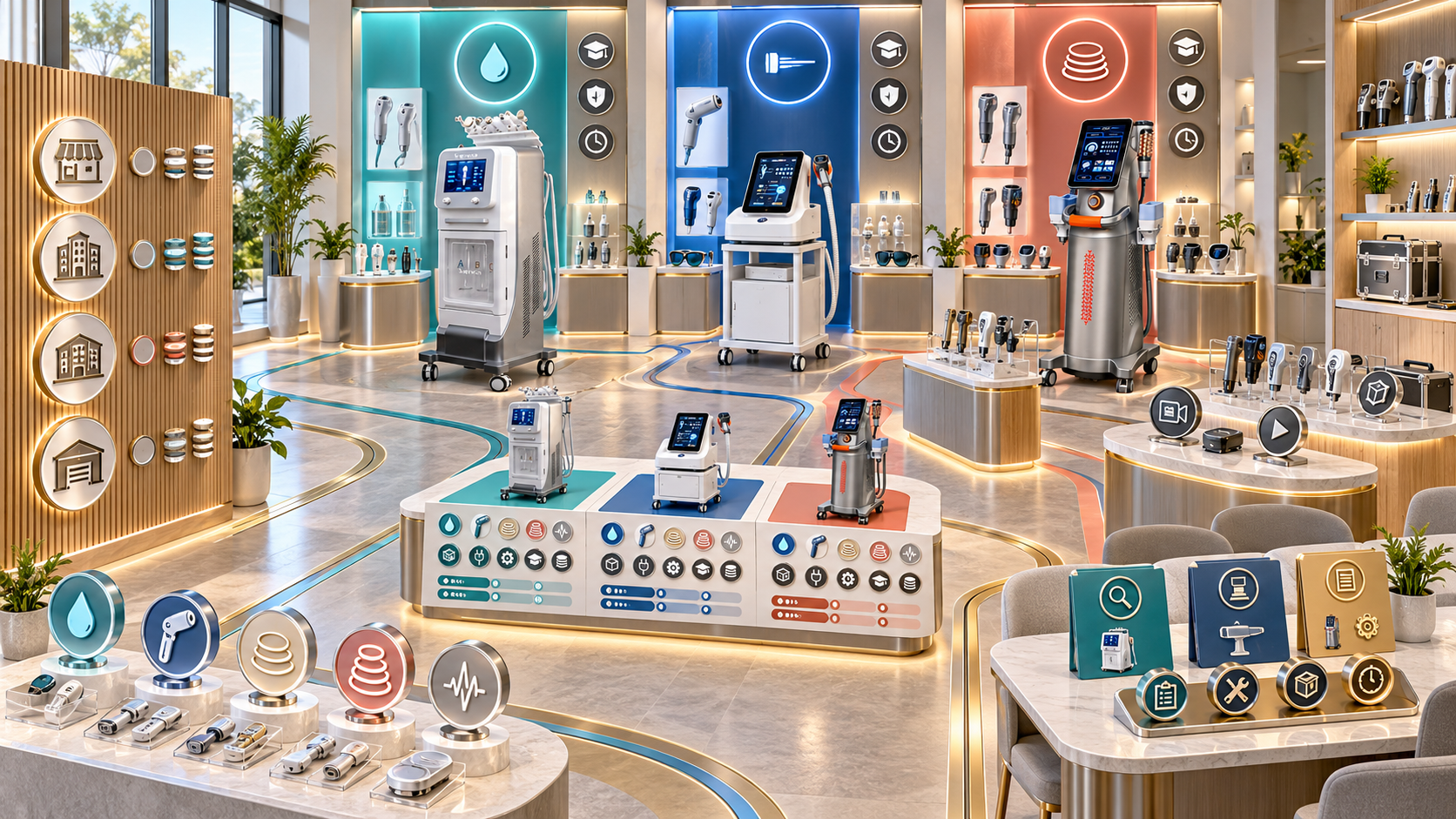
A beauty device showroom should help buyers make a sequence of decisions. The visitor first needs to define a business goal, then identify a relevant service category, compare suitable models, understand configuration and operating requirements, and leave with a documented next step.
Many showrooms reverse this process. Machines are placed by size, arrival date, or visual impact, while buyers move from one technical presentation to another without a clear connection to their salon, clinic, med spa, body studio, or distribution plan. The result may look impressive but still produce confused comparisons and incomplete quotations.
This guide explains how to organize a distributor showroom around buyer decision journeys using relevant SHEFMON beauty device categories. It covers physical zones, appointment routes, product examples, configuration controls, staff roles, information capture, and the handoff from demonstration to quotation.
Executive Summary
Build the showroom as a guided decision system:
- Start with consultation. Record the buyer type, current services, target clients, treatment rooms, staff capability, budget stage, and priority business goal before presenting equipment.
- Show categories before models. Help the buyer choose among facial foundation, hair removal, body services, and advanced rejuvenation rather than comparing unrelated machines.
- Use representative devices. A0648 can anchor a facial-service discussion, A0426 can support a controlled hair-removal path, B0155 can represent multifunction body care, and A0204 or A0152 can sit within a specialist advanced-device path.
- Separate discovery from detailed configuration. The first zone explains service roles; later stations confirm handles, applicators, cartridges, accessories, electrical details, consumables, training, and support.
- Create different visitor routes. A new facial salon, an established med spa, a body studio, and a regional reseller should not receive the same showroom tour.
- End with a decision record. Every qualified visit should produce a shortlist, configuration brief, readiness gap, follow-up action, or reason to stop.
The showroom succeeds when buyers leave with a clearer business decision, not when they have seen the largest number of devices.
1. Define the Decisions the Showroom Must Support
Before moving equipment, define the decisions visitors should be able to make:
- Which service category fits the business?
- Which buyer and client needs will that category address?
- Which model format suits the room and team?
- What functions and components belong in the required configuration?
- What training, consumables, maintenance, and support are involved?
- Is the business ready now, or must it close a gap first?
- Which model or package should enter quotation review?
These decisions create the showroom plan. A display that does not support one of them may be visual decoration rather than useful sales infrastructure.
2. Map the Buyer Journey Before Designing Zones
The journey should describe what the buyer knows, needs, sees, and decides at each stage.
| Journey stage | Buyer question | Showroom response | Required output |
|---|---|---|---|
| Qualification | What problem am I trying to solve? | Consultation desk and business-profile form | Defined buyer goal and constraints |
| Category choice | Should I add facial, hair, body, or advanced services? | Category map with service roles and buyer profiles | One or two relevant categories |
| Model comparison | Which model format fits my business? | Representative device zones and comparison cards | Model shortlist |
| Configuration | What exactly is included or optional? | Component wall or configuration station | Configuration brief |
| Readiness | Can my site and team support this device? | Room, staffing, training, consumable, and support checklist | Readiness record |
| Commercial handoff | What should be quoted next? | Review table and digital record | Quote-ready request or follow-up task |
Do not force every visitor through every zone. The map creates a modular journey, so staff can select the relevant stages while preserving the correct order.
3. Segment Visitors by Business Model
Ask who is buying before deciding what to show.
New or basic-service salon
This buyer often needs a clear first category, compact room planning, understandable staff workflow, consumable visibility, and a controlled growth path. Avoid beginning with several advanced platforms.
Established facial salon or skin studio
This visitor may compare a facial foundation device with a targeted firming or rejuvenation category. The conversation should identify service overlap and a distinct role for each addition.
Med spa or skin clinic
The journey may include more advanced systems, professional scope, consultation, consumables, infection-control processes, staff authorization, and technical support. Qualification should precede any application-focused presentation.
Body contouring center
This buyer needs handle and applicator clarity, room workflow, service differentiation, appointment planning, storage, and a clear separation between body technologies.
Regional reseller or distributor
This visitor may need category coverage, representative demo models, configuration data, training routes, support resources, and a plan for presenting products to several downstream buyer types.
4. Create a Consultation and Qualification Zone
Place the first conversation before the main device display. A quiet table, screen, category map, and structured form are more useful here than a row of machines.
Capture:
- buyer type and number of locations;
- existing services and devices;
- target client concerns;
- priority new service category;
- treatment-room dimensions and utilities;
- staff roles, training, and professional setting;
- expected appointment length and menu position;
- purchasing stage and decision participants;
- required delivery or launch timing; and
- unresolved business or technical questions.
The advisor should use this information to choose the showroom route. If the buyer is not ready for model comparison, use the visit to clarify category and readiness rather than forcing a quotation.
5. Build a Visual Category Map
The category map gives buyers an overview without asking them to interpret technical product names immediately.
| Category | Typical business goal | Suitable buyer examples | Showroom message |
|---|---|---|---|
| Facial cleansing and hydration | Build or strengthen a repeat facial menu | Facial salons, beauty studios, med spas | Foundation service role and workflow |
| Hair removal | Add a dedicated recurring treatment category | Hair-removal studios, salons, med spas, clinics | Configuration, room, cooling, and controlled operating requirements |
| Multifunction body care | Expand into body-focused services | Body studios and established salons | Handle roles, room flow, and service separation |
| Focused lifting and rejuvenation | Add targeted advanced services | Qualified aesthetic businesses | Specialist selection, cartridges, training, and professional boundaries |
| RF microneedling | Build a controlled advanced skin pathway | Appropriately prepared clinics and med spas | Applicator, needle or cartridge, infection-control, and oversight requirements |
Use plain language first. Introduce technology and model detail after the buyer selects a relevant business category.
6. Design the Facial Foundation Zone Around A0648
The A0648 9-in-1 hydro microdermabrasion system can anchor the showroom’s facial foundation zone. It supports discussion of cleansing and hydration-oriented services, exfoliation, vacuum-assisted extraction, accessories, tips, solution planning, and multifunction workflow.
The zone should help the buyer decide:
- whether a multifunction facial platform fits the intended menu;
- how the device and accessories fit the treatment room;
- which functions belong in the buyer’s core facial service;
- what storage, cleaning, tips, liquids, and daily checks require planning;
- how staff will explain the service to clients; and
- whether a single foundation platform is a better first step than several narrow devices.
Keep the display coherent. Place the console, treatment bed or room mockup, accessory map, consumable examples, cleaning checklist, and sample service structure together. Do not scatter components across the showroom.
7. Create a Controlled Hair-Removal Journey Around A0426
The A0426 diode laser hair-removal device lists 755, 810, 940, and 1064 nm wavelengths. Its showroom path should explain the actual configuration on display, handpiece, cooling, spot-size discussion, electrical needs, protective setup, room planning, staff preparation, and local requirements.
Use a three-step presentation:
- Business fit: buyer type, intended hair-removal menu, rooms, staffing, and demand.
- Physical system: device format, interface, handpiece, cooling, accessories, and protective arrangements.
- Configuration review: what the display unit contains, what other options exist, and what the buyer requests.
Do not position the device in an open self-service area. Access should be guided by an authorized presenter, and application-related discussion should remain within appropriate professional and local boundaries.
8. Build a Body-Service Zone Around B0155
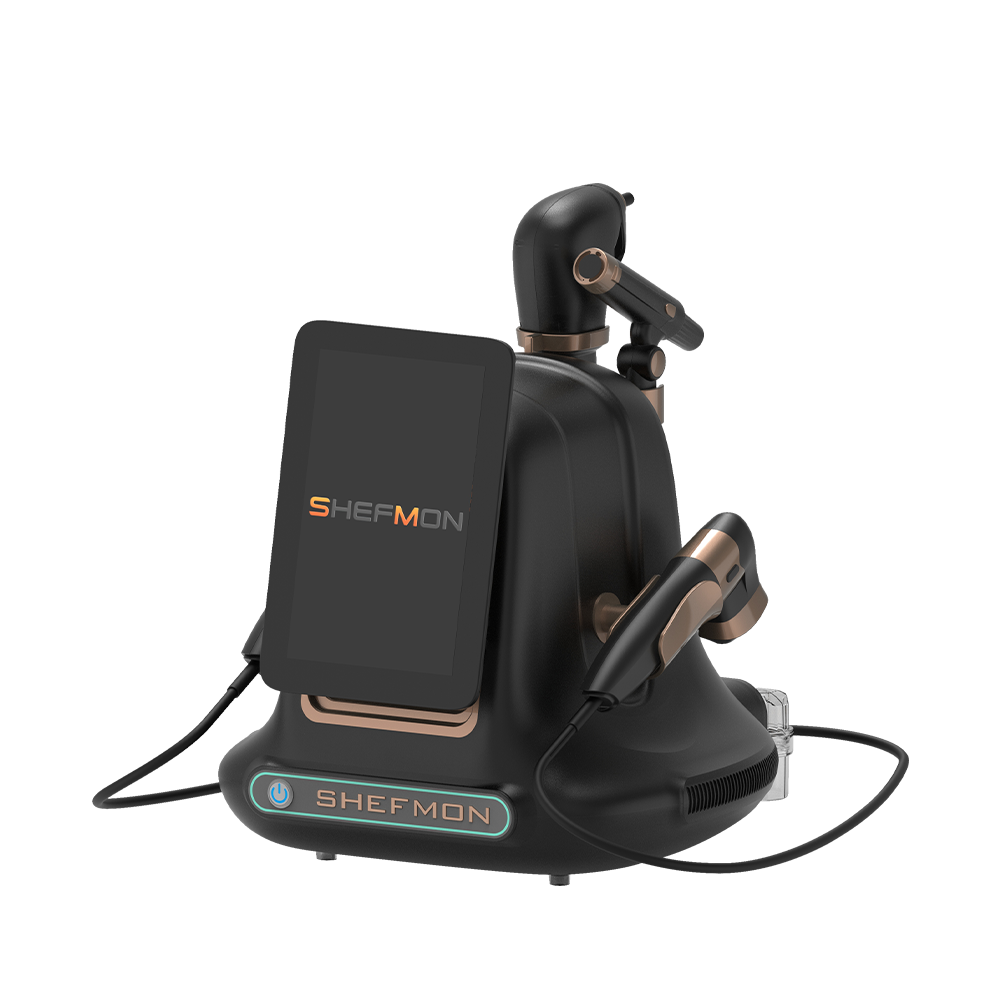
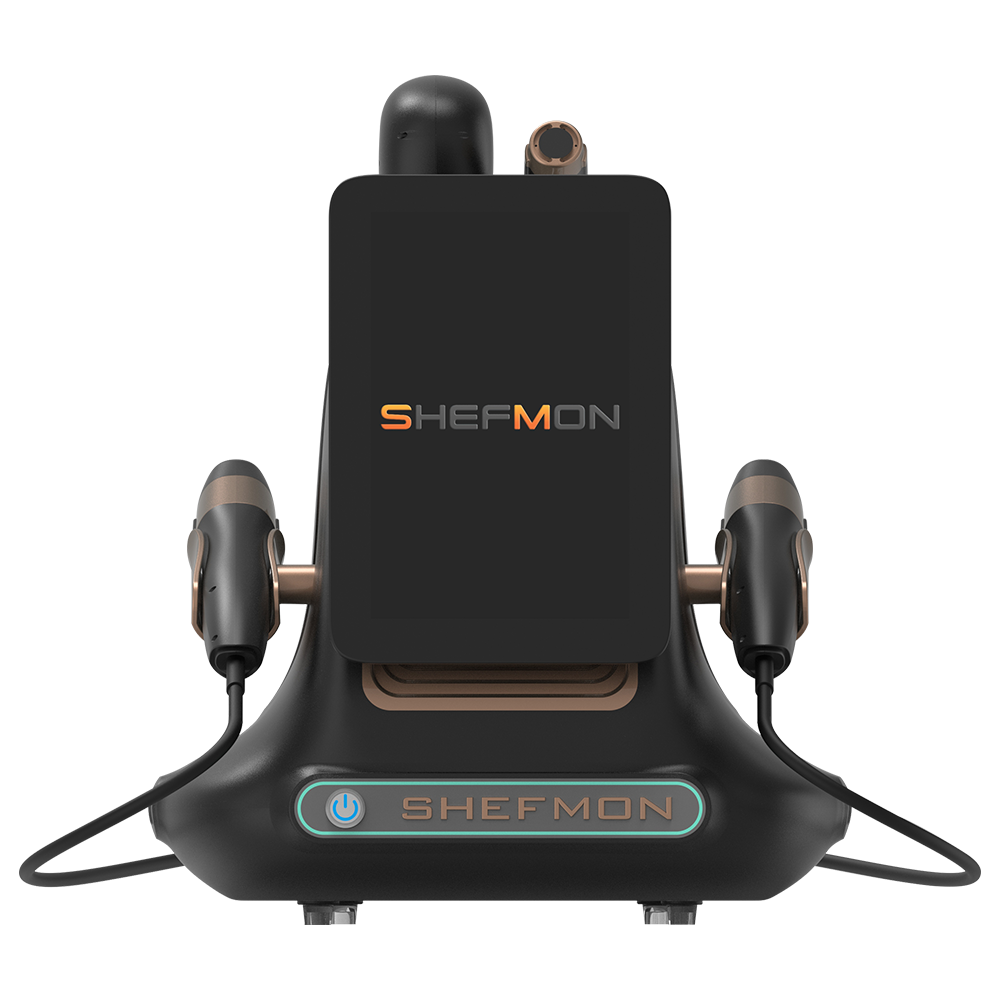
The B0155 Desktop Endos Velapro lists vacuum roller, RF, rotating massage, and 80K cavitation functions. It can represent a multifunction body-care path for salons and body studios.
Organize this zone around a handle map rather than a long list of functions. Show:
- each relevant handle and its stated technology;
- connections and setup sequence;
- storage and room movement;
- cleaning and changeover responsibilities;
- distinct menu roles that the business may create;
- staff and consultation requirements; and
- included versus optional components.
The buyer should leave understanding how the platform may support clearly named body services. The display should not imply that every function belongs in one session or that all clients follow the same pathway.
9. Create a Specialist Advanced-Device Zone
Advanced devices benefit from a quieter, appointment-led area where configuration and professional readiness can be discussed without interruption.
The A0204 9D/7D focused HIFU system can support discussion of focused lifting categories, handpieces, cartridges, depth options, consumables, treatment planning boundaries, training, and support. The A0152 RF microneedling system requires clear applicator and needle or cartridge controls, infection-control considerations, a suitable professional setting, training, and local review.
This zone can combine:
- an appointment table;
- secured devices and components;
- configuration sheets;
- cartridge or applicator maps;
- consumable and replenishment information;
- staff-competency questions;
- room and workflow checklists; and
- a screen for specialist or remote technical participation.
Only qualified visitors need this path. A general salon exploring its first advanced category should receive a readiness discussion before a detailed device session.
10. Separate Discovery Displays from Configuration Stations
Discovery displays answer, “What role could this category play?” Configuration stations answer, “Which exact version and components should be quoted?” Combining both conversations too early overwhelms buyers.
At the configuration station, record:
- selected model and version;
- exact display-unit configuration;
- standard included components;
- optional components physically shown;
- requested options not present;
- handles, applicators, cartridges, tips, and accessories;
- electrical version and plug;
- consumables and replenishment needs;
- training and support requirements; and
- unresolved technical questions.
Use one verified source for product data. The labels beside the device, comparison sheet, digital presentation, and quotation request should use the same names and option status.
11. Add a Room and Workflow Planning Station
Buyers often understand a device better when they can see its operating environment. Use scaled floor plans, movable furniture markers, power-location notes, storage examples, and photos or diagrams of room arrangements.
Review:
- device footprint and access clearance;
- treatment bed and operator position;
- cable and handpiece movement;
- trolley or accessory storage;
- consumable and waste flow;
- cleaning area and turnaround;
- client privacy and consultation flow;
- power, ventilation, cooling, or protective needs where relevant; and
- movement between reception, consultation, treatment, and follow-up.
The goal is to identify constraints before the buyer receives a final configuration. Showroom staff should avoid promising that a device will fit until the actual room information is reviewed.
12. Make Consumables and Support Visible
Equipment selection is incomplete without the items and processes that keep services operating. Create a clearly labeled support station rather than hiding these questions at the end.
Include relevant examples of:
- tips, cartridges, needles, filters, or other model-specific items;
- reusable accessories and cleaning responsibilities;
- replacement components;
- reorder information;
- daily, weekly, and periodic checks;
- training and onboarding path;
- technical contact and escalation route;
- maintenance and downtime planning; and
- warranty or support-document review.
The SHEFMON after-sales support overview can support discussion of training, warranty, troubleshooting, spare parts, and service routes. The distributor should also explain its own local process and response ownership.
13. Design Different Showroom Routes
Use predefined routes to keep visits relevant.
| Visitor profile | Recommended route | Likely device focus | Expected output |
|---|---|---|---|
| First-device facial salon | Consultation → category map → facial foundation → room planning → support → handoff | A0648 | Core facial configuration and readiness list |
| Salon adding body services | Consultation → facial baseline review → body zone → handle map → room planning → handoff | B0155 | Distinct body-service shortlist |
| Hair-removal business | Consultation → controlled hair-removal zone → configuration → site readiness → support | A0426 | Exact system and room requirement record |
| Med spa expanding advanced services | Consultation → current-menu gap review → specialist zone → consumables → professional readiness | A0204 or A0152 as relevant | Advanced shortlist or readiness actions |
| Regional reseller | Consultation → category map → representative zones → configuration governance → training and support | Selected category anchors | Demonstration and catalog plan |
Staff may adjust the route after qualification. They should not add unrelated zones simply because time remains.
14. Organize the Physical Layout by Decision Sequence
A practical showroom can use the following order:
- reception and appointment check-in;
- consultation and qualification area;
- visual category map;
- facial foundation zone;
- controlled hair-removal zone;
- body-service zone;
- secured advanced-device area;
- shared configuration and comparison station;
- room, consumable, training, and support station; and
- commercial review and next-step table.
The building may require a different physical order. Preserve the logical journey through signage, guided appointments, partitions, and digital tools. Advanced areas should not become walk-through shortcuts.
15. Use Signage That Helps Buyers Decide
Each device card should answer a consistent set of questions:
- What category does this model represent?
- Which business profiles may consider it?
- What service role does it support?
- Which configuration is physically displayed?
- Which visible components are standard or optional?
- What room, staff, consumable, and support questions require review?
- What is the next comparison or consultation step?
Avoid unsupported superlatives, fixed outcome claims, or performance percentages. Technical detail should come from verified product data, and the sign should identify when a specialist explanation is required.
16. Build Comparison Without Creating False Equivalence
Comparison works best within a category or business goal. Do not place A0648, A0426, B0155, A0204, and A0152 in a single “best machine” table; they serve different service pathways.
Compare relevant attributes such as:
- service category and buyer profile;
- device format and room implications;
- functions or technologies;
- included and optional components;
- staff and professional requirements;
- consumables and replacement items;
- training and support pathway; and
- suitability for a buyer’s current versus future menu.
If two devices do not solve the same buyer problem, explain their distinct roles instead of scoring them against each other.
17. Integrate Virtual and Remote Demonstrations
The showroom does not need every model permanently installed. Use a screen and scheduled specialist connection for:
- lower-frequency models;
- configuration variants not physically present;
- remote technical explanations;
- live views from another demonstration center;
- component or interface walkthroughs;
- buyers with several decision-makers in different locations; and
- follow-up sessions after the physical visit.
Label the difference between the physical sample and the remote model. Record which version the buyer saw and which configuration was discussed.
18. Create Demonstration Rules for Each Zone
Define what staff may show in each area.
The zone record should state:
- authorized presenters;
- visitor qualification required;
- permitted demonstration scope;
- room or protective controls;
- pre-session checks;
- consumables allowed;
- cleaning and reset process;
- maximum group size if relevant;
- technical escalation route; and
- post-session documentation.
Open-display access can work for general product inspection. Configuration-sensitive and advanced systems need guided access. The rules should follow the device and professional context rather than the salesperson’s confidence alone.
19. Assign Clear Showroom Roles
A complete visit may involve several people.
| Role | Main responsibility |
|---|---|
| Visit coordinator | Confirms appointment, participants, route, rooms, and equipment readiness |
| Business consultant | Qualifies buyer goals, current menu, constraints, and purchasing stage |
| Product presenter | Explains device role, physical format, interface, and displayed configuration |
| Technical specialist | Answers configuration, setup, maintenance, and escalation questions |
| Clinical or professional specialist where relevant | Maintains application boundaries and qualified-device discussion |
| Sales owner | Records decisions, unresolved questions, and next commercial step |
| Asset custodian | Keeps units, accessories, labels, cleaning, and condition ready |
One person may hold several roles in a small team, but the responsibilities should still be explicit.
20. Prepare the Showroom Before Every Qualified Visit
Use an appointment-specific readiness check:
- buyer profile and decision objective reviewed;
- planned route and device list approved;
- units powered, inspected, clean, and complete;
- configuration cards current;
- handles, applicators, accessories, and consumables counted;
- rooms and screens ready;
- presenters and specialists confirmed;
- comparison materials use current data;
- local language or accessibility needs addressed;
- quotation and follow-up templates prepared; and
- unrelated or unavailable products removed from the route.
Preparation makes the visit feel concise because the buyer sees only what matters.
21. Capture Decisions During the Visit
Do not wait until the buyer leaves to reconstruct the conversation. Use a shared record for:
- business goal and selected category;
- models presented;
- exact demo configurations;
- buyer questions and answers;
- preferred functions and components;
- options rejected and reasons;
- room, staff, training, and support constraints;
- consumable and replenishment requirements;
- unresolved technical items;
- selected shortlist; and
- agreed next action, owner, and date.
Ask the buyer to confirm the important requirements. This reduces the risk that enthusiasm for one visible feature becomes an incorrect order assumption.
22. End at a Commercial Handoff Table
The last zone should convert the visit into a practical outcome.
Possible outcomes are:
- quote-ready configuration;
- two-model shortlist requiring a focused comparison;
- site or staff readiness action before quoting;
- technical question requiring written confirmation;
- specialist demonstration appointment;
- phased device-package plan; or
- documented decision that the category is not currently suitable.
The salesperson should show the buyer what will happen next. Avoid sending a generic quotation containing every device seen during the tour.
23. Measure the Showroom by Decision Quality
Visitor count alone cannot show whether the showroom works.
| Metric | What it tests | Useful review question |
|---|---|---|
| Qualified visits | Relevance of appointments | Are the right buyer profiles entering each route? |
| Route completion | Journey design | Do visitors reach the decisions planned for their stage? |
| Category-to-shortlist rate | Clarity of category and model displays | Can buyers narrow the choice without unrelated comparisons? |
| Configuration-complete visits | Accuracy of the configuration station | Are included, optional, and requested items documented? |
| Readiness gaps identified | Quality of consultation | Are site, staff, and support constraints found before quotation? |
| Quote-ready handoffs | Commercial usefulness | Does the visit produce enough information for a controlled offer? |
| Post-visit corrections | Information consistency | Which labels, explanations, or forms caused misunderstanding? |
| Demonstration downtime | Asset and preparation quality | How often do missing parts or faults disrupt the route? |
| Time by journey stage | Efficiency | Where do buyers become stuck or overloaded? |
Review results by buyer profile and category. A specialist med-spa journey will naturally differ from a first-device salon visit.
24. Refresh the Showroom When Buyer Decisions Change
Review the layout and journey quarterly or after a significant product, market, or staffing change.
Update when:
- buyer questions shift toward a different service category;
- one zone creates repeated confusion;
- a displayed configuration is no longer representative;
- local demand no longer supports a permanent unit;
- a new model fills a documented service-menu gap;
- staff authorization changes;
- room or protective requirements change;
- consumable or support information changes; or
- virtual demonstrations can replace a low-value physical display.
Remove obsolete cards, comparison sheets, QR destinations, and configuration records at the same time. A current machine with outdated material still creates an outdated journey.
25. Distributor Showroom Checklist
- ☐ The showroom starts with buyer qualification rather than product presentation.
- ☐ Categories are explained before specific models.
- ☐ Each zone supports a defined decision and buyer profile.
- ☐ A0648, A0426, B0155, A0204, and A0152 appear only where relevant.
- ☐ Physical configuration cards distinguish standard, optional, and absent items.
- ☐ Room, staff, consumable, training, maintenance, and support needs are visible.
- ☐ Advanced-device access follows appropriate qualification and professional controls.
- ☐ Different visitors have predefined but adaptable routes.
- ☐ Every qualified visit creates a shared decision record.
- ☐ The final handoff leads to an accurate quote, follow-up task, or documented stop.
FAQ
1. Should a distributor showroom display every beauty device model?
No. It should display representative models that support frequent and important buyer decisions. Lower-frequency, advanced, or configuration-specific models can use scheduled specialist, rotating, or remote demonstrations.
2. What should buyers see first in the showroom?
Begin with a consultation and a category map. The buyer should define business goals, current services, target clients, rooms, staff, and priority service category before comparing machines.
3. Which model can anchor a facial-salon journey?
A0648 can anchor a facial foundation zone for salons exploring cleansing and hydration-oriented services. The presentation should connect its functions, accessories, tips, solution planning, cleaning, and room workflow to a clear facial menu.
4. Where should a diode laser be placed?
A0426 belongs in a guided hair-removal zone with controlled access, exact configuration information, suitable room and protective arrangements, and an authorized presenter. It should not function as an unsupervised walk-up display.
5. How should a body device be presented?
Use a handle map, setup sequence, storage plan, room-flow example, cleaning process, and separate service roles. B0155 can support this journey for qualified body studios and salons adding body services.
6. Do advanced devices need a separate showroom area?
A quieter appointment-led area is useful for A0204, A0152, and similar categories. It allows focused discussion of cartridges or applicators, consumables, professional setting, training, infection control where relevant, and technical support.
7. How long should a showroom visit take?
The route should be long enough to reach the buyer’s current decision and no longer. A first category consultation may need a different schedule from an advanced configuration review. Define the intended output before setting the agenda.
8. Can virtual demonstrations replace physical showroom units?
They can replace or supplement physical displays when buyers mainly need interface, configuration, specialist, or lower-frequency model information. Physical access remains valuable when format, handles, room fit, or workflow materially affect selection.
9. What information should be collected before issuing a quotation?
Record the buyer profile, selected category, exact model, requested configuration, standard and optional components, room and electrical constraints, staff and training needs, consumables, support requirements, unresolved questions, and target timing.
10. How should showroom success be measured?
Measure qualified visits, category-to-shortlist progress, complete configurations, readiness gaps found, quote-ready handoffs, post-visit corrections, demonstration downtime, and time spent at each journey stage. Visitor volume alone is insufficient.
Conclusion
A distributor showroom should guide buyers through connected decisions: business need, service category, model, configuration, readiness, and commercial next step. Organize the space around these decisions rather than around a crowded line of equipment.
Use A0648 to explain a facial foundation path, A0426 for controlled hair-removal selection, B0155 for multifunction body-service planning, and A0204 or A0152 for qualified advanced-device discussions. Support every zone with accurate configuration data, room and workflow planning, consumable visibility, trained staff, and a documented handoff.
Review the SHEFMON beauty device categories and contact SHEFMON with your target buyer profiles, showroom size, priority service categories, existing demo units, staff capability, and typical buyer questions. SHEFMON can help provide relevant product and configuration information for a clear showroom journey.