










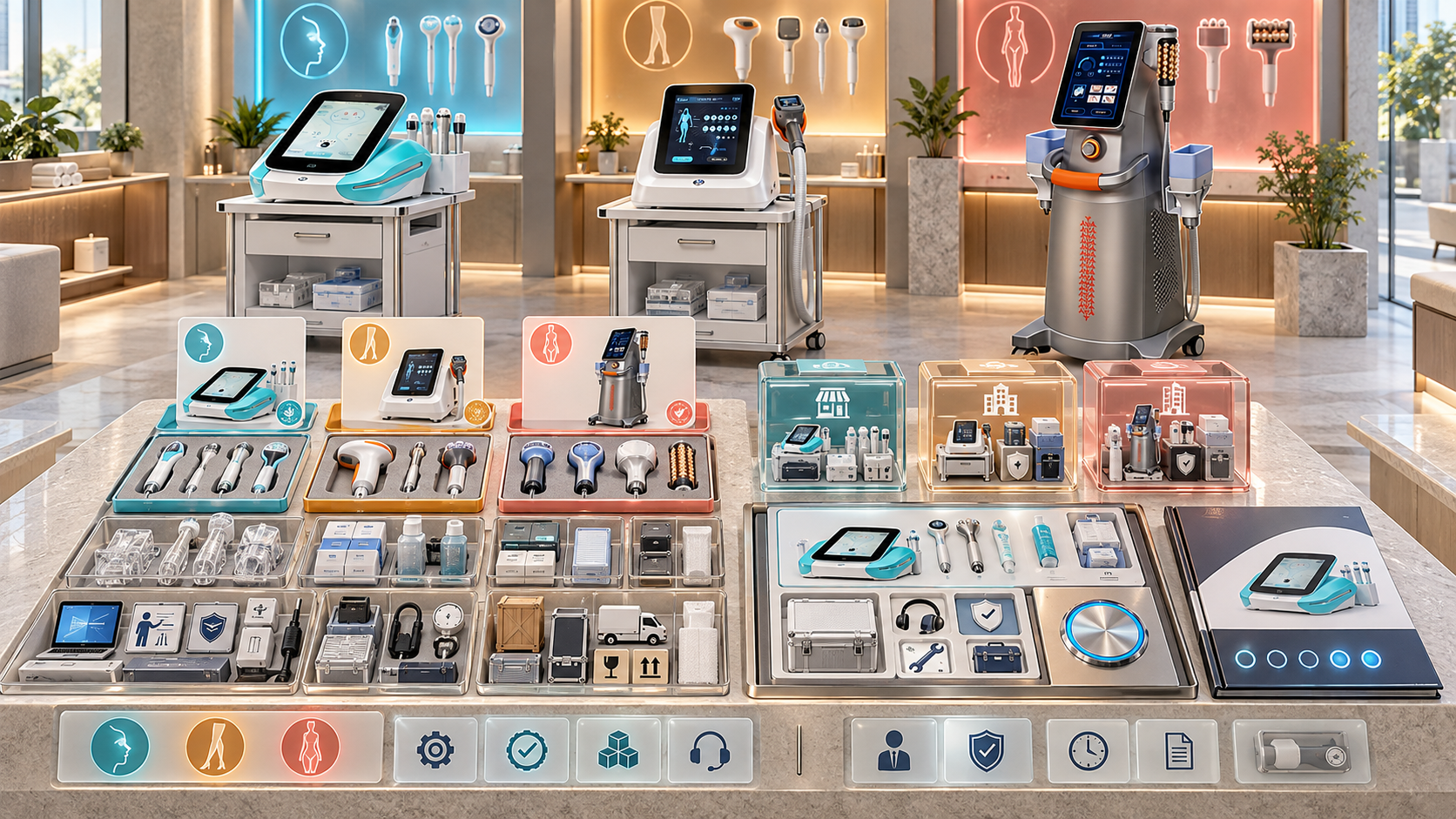
Beauty device quotations slow down when salespeople must reconstruct every package from product pages, old quotes, chat histories, and personal spreadsheets. A model name alone may not show which handles, tips, cartridges, needle heads, applicators, consumables, voltage profile, documents, or services belong in the offer. Reusing a previous quotation may feel fast, but it can carry forward an outdated configuration or an option that does not fit the new buyer.
A controlled option library gives distributor sales teams a faster path. It stores approved, selectable product and package elements with their relationships, status, market scope, and quotation language. Salespeople can start from a qualified buyer brief, load the correct model baseline, select only valid options, and generate a complete quotation schedule for review. This guide explains how to design that library for facial, diode-laser, HIFU, RF-microneedling, and body-care equipment without confusing technical configuration, availability, and price.
エグゼクティブサマリー
- Build the option library from controlled product objects, not copied quotations.
- Separate parent models, base configurations, selectable options, consumables, replacements, services, and commercial data.
- Give every option a stable ID, definition, lifecycle status, compatibility scope, market profile, and source date.
- Organize choices into option groups with minimum, maximum, required, exclusive, and dependency rules.
- Distinguish Standard, Optional, Special Order, Replacement, Consumable, and Service items.
- Filter the library by buyer need, model, market, voltage, site, operator, and quotation stage.
- Keep price, stock, and delivery information separate from stable technical option definitions.
- Use category-specific templates for A0648, A0423, A0426, A0204, A0152, and B0155.
- Snapshot the selected option versions inside every issued quotation.
- Measure speed together with configuration accuracy, exception rate, and revision quality.
1. What Is a Beauty Device Option Library?
An option library is a controlled collection of items and rules that sales teams can use to assemble valid device quotations. It answers:
- Which base device configurations may be quoted?
- Which components can be selected with each model?
- Which items are included, optional, special order, consumable, replacement, or service-related?
- Which combinations are required, allowed, exclusive, or incompatible?
- Which market, voltage, language, and document profiles apply?
- Which quotation wording should describe each selection?
- Which source and version support the option?
- Who may activate, change, approve, or retire it?
The library is not a flat catalog and not a price list. It is the controlled selection layer between product data and a buyer-specific quotation.
2. Why Old Quotations Are a Poor Option Library
Previous quotations contain historical buyer decisions. They are not reliable templates for new configurations.
An old quote may contain:
- a component that was optional for that buyer but standard elsewhere;
- a market-specific voltage or language profile;
- a discontinued or replaced option;
- negotiated commercial terms;
- an unrecorded exception;
- a bundle name with no component definition;
- a configuration that was valid only at that time;
- a typo or unsupported combination;
- missing exclusions;
- buyer-specific services or opening supplies.
Reuse the approved library objects that produced the quote. Do not reuse the quote as though it were the source of product truth.
3. Separate the Product Objects
Use distinct objects for distinct decisions.
| Object | 目的 | Example content |
|---|---|---|
| Parent model | Identifies the product family | A0648, A0423, A0426, A0204, A0152, B0155 |
| Base configuration | Defines a repeatable sellable starting point | Model, format, included core items, market profile |
| Option item | Adds or changes a selectable element | Handle, cartridge, needle head, applicator, tool, document profile |
| Consumable item | Supports repeated use | Tips, needles, solutions, cartridges where applicable |
| Replacement item | Restores an approved installed configuration | Approved replacement handle or component |
| Service item | Adds onboarding, training, installation, or support scope | Defined service line with market conditions |
| Package template | Groups approved objects for a buyer type or service role | Core facial opening package |
| Market overlay | Applies local electrical, language, document, or delivery rules | Region-specific profile |
| Commercial record | Stores price, currency, validity, tax, stock, or delivery data | Current commercial terms |
One item may connect to several objects, but each relationship should be explicit. Avoid copying the same handle description into multiple package records.
4. Give Every Option a Minimum Data Record
Each selectable item should contain:
身元
- stable option ID;
- controlled name;
- category and component type;
- parent model or compatible model set;
- current revision;
- ライフサイクルステータス;
- owner and approver.
Technical and supply definition
- exact component or service description;
- compatibility relationship;
- included, optional, special-order, consumable, replacement, or service classification;
- quantity rules;
- prerequisites;
- mutually exclusive items;
- 必須の付属品。;
- market or voltage restrictions;
- configuration evidence and source date;
- permitted substitutions;
- quotation description.
Commercial connection
- commercial item or price reference;
- currency and market context;
- validity or review date;
- availability status source;
- delivery or special-order review flag;
- approval level.
Keep technical definitions stable even when commercial information changes.
5. Build Option Groups Instead of Long Lists
Group items by the decision the salesperson must make.
| Option group | Rule example | Sales question |
|---|---|---|
| Device format | Select exactly one | Which format fits the site and workflow? |
| Electrical profile | Select one valid market profile | Where will the device be used? |
| Primary handle | At least one; model-specific | Which service role must the device support? |
| Additional handle | Zero to defined maximum | Which verified buyer need justifies the addition? |
| Cartridge or head set | Choose from compatible set | Which areas and workflows are approved? |
| Opening consumables | Select quantity or package | What is needed for launch and reorder planning? |
| Documents/language | Select valid profile | Which market and team will receive the device? |
| Training/support | Select according to buyer and market | What onboarding scope is required? |
Groups make a large configuration easier to navigate and allow systems to validate completeness.
6. Define Selection Rules Explicitly
Use rules such as:
- Required: item must be present for the selected base configuration.
- オプション: buyer may add it when requirements support the choice.
- Minimum/maximum: group must contain a defined number of selections.
- Dependency: selecting one item requires another.
- Exclusion: two items cannot be selected together.
- 条件付き: option becomes available only for a model, market, format, or buyer setting.
- Special review: selection needs technical or commercial confirmation.
- Substitution: one item may replace another only under defined conditions.
- Quantity rule: item quantity follows units, handles, operators, or opening volume.
Write rules in data fields where possible. A note saying “check compatibility” cannot reliably prevent an invalid quote.
7. Classify Options Without Mixing Different Statuses
An option needs several separate status dimensions.
| Status dimension | Values may include | Question answered |
|---|---|---|
| Supply role | Standard, Optional, Special Order | How does it enter the offer? |
| Item role | Device component, Consumable, Replacement, Service | What kind of object is it? |
| Compatibility | Compatible, Incompatible, Conditional, Unknown | Can it be used with the assessed model and revision? |
| Lifecycle | Draft, Active, Restricted, Replacement-Only, Retired | May it be selected now? |
| Availability | In stock, planned, unavailable, confirmation required | Can it be supplied in the current context? |
| Approval | Sales-selectable, reviewer-required, blocked | Who may choose it? |
An Optional handle is not necessarily available. A compatible cartridge is not necessarily included. A Standard item can be temporarily unavailable without changing its normal supply role.
8. Keep Technical and Commercial Data Separate
Technical option data changes when the product or configuration changes. Commercial data can change by date, currency, region, quantity, or agreement.
Keep separate records for:
- option identity and description;
- compatibility and configuration rules;
- supply classification;
- quotation language;
- price and currency;
- stock or availability;
- estimated delivery basis;
- discount authority;
- tax, shipping, and commercial terms.
The quotation builder should join the current commercial record to the selected technical option. A price change should not create a new compatibility record.
9. Define the Quotation Workflow
Use a controlled sequence:
- Load the buyer and opportunity record.
- Confirm category and model shortlist.
- Select the destination market and site profile.
- Load an approved base configuration.
- Filter option groups by model, market, and buyer setting.
- Select options tied to verified requirements.
- Add opening consumables and services.
- Run completeness, dependency, exclusion, and compatibility checks.
- Join current commercial data.
- Generate the quotation schedule.
- Route exceptions and required reviews.
- Freeze the option and commercial versions on release.
The fastest flow is the one that prevents rework before the document reaches the buyer.
10. Start from a Qualified Buyer Brief
The option library should not decide what the buyer needs. Before opening it, confirm:
- buyer type and business setting;
- service or catalog gap;
- selected device category;
- intended operator;
- room and utility conditions;
- required functions and service areas;
- existing equipment and overlap;
- 目的地市場;
- quantity and locations;
- launch timing;
- decision stage;
- material Unknowns.
The library then narrows valid selections. It should not turn a vague request into an arbitrary package.
11. Create Approved Base Configurations
A base configuration gives salespeople a safe starting point. It should contain:
- exact model and format;
- standard included components;
- default quantity logic;
- 電気的特性;
- market or language profile;
- required documents;
- quotation description;
- permitted option groups;
- excluded or incompatible items;
- lifecycle and review status.
Create only recurring, reviewed baselines. Do not activate every mathematically possible combination.
12. Use Package Templates as Guided Selections
Package templates can speed common offers such as:
- core facial salon opening package;
- facial-service growth package;
- professional hair-removal package;
- specialist advanced-skin package;
- body-studio package;
- multi-location standard package;
- distributor demonstration set.
A template should reference library objects rather than duplicate them. It may preselect recommended items, but the salesperson must still confirm buyer fit, market, quantity, and site conditions.
13. Design an A0648 Facial Option Library
その SHEFMON A0648 9-in-1 hydro and diamond microdermabrasion system page describes a multifunction facial platform for cleansing, exfoliation, extraction, and hydration-oriented workflows.
An A0648 library should control:
- base device identity;
- actual included tool set;
- selectable tools or functions when applicable;
- solution and container workflow;
- tips and other opening supplies;
- cleaning and maintenance items;
- 電気特性および市場概況;
- training or onboarding line;
- quotation description;
- package revision.
Do not use “9-in-1” as the complete configuration definition. The quotation should state what the buyer will receive.
14. Design A0423 and A0426 Laser Option Libraries
その シェフモン A0423 そして シェフモン A0426 pages list model-level details including wavelengths, handle power, spot sizes, cooling, voltage, and physical format.
Keep the models in separate base records. Create option groups for:
- model and device format;
- wavelength profile;
- handle-power choice;
- スポットサイズの選択;
- included and optional handle configuration;
- 電気的特性;
- market and language profile;
- room or professional-review flag;
- training and support scope;
- opening and replacement items.
Rules should prevent a handle, format, or specification from being copied between the two models without verified compatibility. A salesperson should see only selections valid for the chosen base record.
15. Design an A0204 HIFU Option Library
その SHEFMON A0204 multifunction HIFU system belongs in an advanced-service category.
Build groups for:
- main device and physical format;
- handles or functional modules;
- compatible cartridge families;
- included cartridge set;
- optional or reorder cartridges;
- opening quantities;
- training and professional-review status;
- 市場および電気特性に関する概要。;
- quotation notes and exclusions.
The library should not allow a cartridge to be selected only because it appears on another HIFU record. Compatibility must point to the assessed A0204 configuration.
16. Design an A0152 RF-Microneedling Option Library
その SHEFMON A0152 desktop RF-microneedling system page identifies several needle-head formats, computerized depth settings, handle arrangements, and face/body target areas.
Control:
- main device;
- handle arrangement;
- 互換性のある針頭タイプ。;
- standard opening heads;
- optional or reorder quantities;
- hygienic and consumable-control notes;
- cooling-hammer option where applicable;
- professional-setting and training review;
- 市場および電気特性に関する概要。;
- buyer-facing quotation wording.
Needle heads should be connected both to the compatible handle/configuration and to their consumable or reorder role. A device quote and a later reorder should use the same controlled IDs.
17. Design a B0155 Body-Care Option Library
その SHEFMON B0155 desktop body-care system page presents body and smaller-area handles that combine functions such as vacuum, rollers, RF, light, and cavitation.
Build option groups for:
- base device;
- body handle set;
- smaller-area handle set;
- broader or focused service package;
- handle storage and transport accessories where applicable;
- opening supplies;
- 電気特性および市場概況;
- training and support;
- quotation description.
The package name should not substitute for the handle list. A buyer choosing a body package must be able to see which functional handles are included and which are optional.
18. Add Buyer-Type Views
One option library can generate different guided views.
Salon view
Show service-menu role, room fit, operator needs, included tools, opening supplies, and simple upgrade options.
Clinic or med spa view
Add professional review, consultation, records, aftercare, consumable traceability, advanced training, and configuration approval.
Body-studio view
Emphasize target areas, handle roles, room movement, storage, appointment workflow, cleaning, and package tiers.
Multi-location view
Show network baseline, permitted site variants, quantities, rollout waves, language or voltage overlays, and site readiness.
Distributor or reseller view
Show demonstration set, stock versus supply-to-order status, regional overlays, product data, training, consumables, replacements, and sales-selectable limits.
Views should filter the same controlled records. They should not create separate copies of product data.
19. Control Market and Regional Overlays
Apply overlays for:
- 目的地となる国または地域。;
- 電圧と周波数。;
- interface or material language;
- document package;
- purchasing and delivery entity;
- locally selectable services;
- local professional or operating review;
- regional price list;
- stock or supply route;
- technical escalation path.
An option active in one region should not appear automatically in every sales interface. Record the reason, owner, and date for regional restrictions.
20. Distinguish Consumables, Replacements, and Upgrades
These items may look similar but serve different quotation paths.
| アイテムタイプ | 目的 | Quotation behavior |
|---|---|---|
| Opening consumable | Supports initial launch | Suggested or required with new device configuration |
| Reorder consumable | Supports ongoing use | Linked to installed model and compatible configuration |
| Replacement component | Restores an approved configuration | Requires installed-unit and compatibility check |
| Upgrade option | Adds an approved capability | Requires business need, compatibility, and sometimes review |
| Service part | Used in controlled technical service | Restricted from ordinary sales selection |
Do not expose service parts as normal buyer options. Do not describe an upgrade as a replacement if it changes the installed configuration.
21. Handle Special-Order Options
Special Order should trigger a workflow:
- Capture the buyer requirement.
- Identify the proposed item and model configuration.
- Verify technical compatibility.
- Confirm market and supply conditions.
- Create buyer-facing description and exclusions.
- Obtain required technical and commercial review.
- Record validity and expiry.
- Freeze the approved special-order reference in the quote.
Do not add a one-time special order to the standard sales-selectable library without formal review.
22. Build Validation Before Document Generation
The quotation builder should check:
- active base configuration;
- model-option compatibility;
- required option groups completed;
- minimum and maximum selections;
- dependency rules;
- mutual exclusions;
- market and voltage match;
- quantity relationships;
- opening consumable logic;
- restricted or special-order approvals;
- missing commercial data;
- expired evidence or price references;
- duplicate lines;
- selected package revision.
Block document generation for critical failures. Use warnings only for conditions that an authorized reviewer can resolve.
23. Generate a Clear Quotation Schedule
The output should separate:
Base device
Exact model, format, configuration code, quantity, and market profile.
Standard included items
Components and quantities supplied within the base configuration.
選択されたオプション
Buyer-selected or recommended additions with IDs and quantities.
Consumables and reorders
Opening quantities and separately identified future reorder items.
Services
Training, onboarding, support, or other defined service lines.
Exclusions and conditions
Unselected items, special-order conditions, buyer actions, and unresolved scope.
This structure lets the buyer see what is included and prevents optional items from appearing as standard.
24. Snapshot the Library Version in Every Quote
An issued quotation should store:
- base configuration ID and revision;
- selected option IDs and revisions;
- package template ID and revision, if used;
- market overlay version;
- commercial record or price-list version;
- quotation ID and revision;
- issue date and validity;
- approver and exception references.
Later library changes must not silently alter an open or accepted quote. The sales team can issue a revised quote after reviewing the affected items.
25. Manage Library Changes
Create a new revision when:
- included items change;
- compatibility changes;
- an option becomes required, optional, restricted, or retired;
- a permitted substitution changes;
- quotation wording changes the buyer’s understanding;
- a market overlay changes;
- a component is replaced by a successor;
- package content changes.
A price change usually belongs in the commercial record, while a product-content change belongs in the option or package revision. Preserve retired records for old quotations and installed configurations.
26. Assign Ownership by Data Type
| Data area | 典型的なオーナー |
|---|---|
| Buyer need and selected options | Sales or account team |
| Product identity and configuration | Product team |
| Compatibility and restrictions | Technical team |
| Advanced operating-review flags | Appropriate professional or category reviewer |
| Price, currency, validity, and discount limits | Commercial or finance team |
| Availability and delivery basis | Supply or logistics team |
| Quotation language and templates | 営業活動 |
| Version, approval, and audit rules | Data or process owner |
One team can perform several roles in a small distributor, but the decision responsibility should remain explicit.
27. Set Sales Permissions
Use permission levels such as:
- view active options;
- select ordinary approved options;
- request restricted options;
- create draft package templates;
- approve technical relationships;
- approve commercial conditions;
- activate or retire records;
- override warnings;
- release quotations.
Salespeople should be able to work quickly within approved choices. They should not be able to create new compatibility claims or permanently change package content inside a quote.
28. Build a Fast Path and an Exception Path
Fast path
Use when the buyer fits an approved profile, selects an active base configuration, uses valid options, and has current commercial data. The system can generate the draft immediately for routine review.
Exception path
Use when the request involves an unlisted combination, special order, new market, advanced configuration, expired data, substitution, or unsupported option. Route the exception with the buyer requirement and proposed solution.
Do not make the exception path faster by hiding the exception inside free text.
29. Connect the Library to the Sales Process
The option library should receive inputs from:
- buyer requirement matrix;
- opportunity qualification;
- product shortlist;
- recommendation rationale;
- demonstration record;
- market and site profile.
It should produce controlled outputs for:
- quotation brief;
- buyer-facing quotation;
- order confirmation;
- site allocation;
- training and onboarding;
- installed-base record;
- consumable and replacement reorders.
Stable IDs allow every stage to refer to the same model, option, and package definition.
30. Use Automation Carefully
Automation can:
- filter options;
- enforce selection rules;
- calculate quantities;
- join price records;
- generate descriptions;
- detect expired versions;
- route reviews;
- compare quote revisions;
- store snapshots.
People still decide whether the device and option package fit the buyer’s business, professional setting, service menu, site, and market. A valid configuration is not automatically a suitable recommendation.
31. Measure Speed and Accuracy Together
有効な対策としては、以下のようなものがあります。
- time from configuration-ready opportunity to first quotation draft;
- percentage of quotes built from active library records;
- manual lines added outside the library;
- invalid combinations blocked;
- quotation revisions caused by configuration errors;
- options selected without linked buyer requirements;
- exception frequency and resolution time;
- expired records used in drafts;
- accepted quotes matching order and installed configuration;
- library coverage by device category;
- duplicated or unused active options.
Faster draft creation is valuable only when the resulting quotation remains complete, current, and reviewable.
32. Implement the Library in Six Stages
Stage 1: Choose high-value models
Start with active models that have repeated quotations or several selectable components.
Stage 2: Define base configurations
Create stable model, format, included-item, market, and quotation-description records.
Stage 3: Load option groups and rules
Add handles, cartridges, needle heads, applicators, consumables, services, dependencies, exclusions, and quantities.
Stage 4: Add package templates
Create a small set of recurring, buyer-relevant starting packages.
Stage 5: Connect commercial data and quoting
Join current price records, generate schedules, and snapshot versions.
Stage 6: Audit and expand
Review errors, exceptions, unused options, and new categories before widening the library.
33. Beauty Device Option Library Checklist
Before allowing sales use, confirm that:
- every parent model has a stable identity;
- base configurations are defined and approved;
- each option has a stable ID and controlled description;
- included, optional, special-order, consumable, replacement, and service roles are separated;
- compatibility points to exact models or configurations;
- option groups have selection rules;
- dependencies and exclusions are machine-readable where possible;
- market, voltage, language, and document overlays are controlled;
- technical definitions are separate from price and stock data;
- package templates reference library objects;
- restricted selections route to the correct reviewer;
- critical validation failures block document generation;
- quotation output separates base, included items, options, consumables, services, and exclusions;
- issued quotes store option and commercial versions;
- old records remain available for historical quotes and installed units;
- ownership and permissions are assigned;
- speed and accuracy measures are reviewed together.
よくある質問
1. What is the difference between an option library and a product catalog?
A catalog helps buyers and salespeople discover products. An option library stores controlled selectable items, relationships, rules, statuses, and quotation language used to assemble a valid offer.
2. Should prices be stored directly in option records?
Link options to separate commercial records. This allows price, currency, validity, and market changes without rewriting stable technical and compatibility definitions.
3. Does every possible configuration need a base record?
No. Activate recurring, reviewed configurations. Less common combinations can use controlled options or an exception path rather than creating an unmanageable number of baselines.
4. Can salespeople create their own package templates?
They can propose drafts if permissions allow, but product content, compatibility, quotation language, and activation should follow the distributor’s review process.
5. How should optional handles appear in quotations?
Show selected handles under a separate options section with exact IDs, descriptions, quantities, compatibility basis, and commercial values. Unselected options should not look included.
6. How should consumables be handled?
Separate opening consumables from future reorders. Link both to the compatible model or handle configuration and state quantities clearly.
7. What happens when an option changes after a quote is issued?
Preserve the quotation snapshot, assess the effect, and issue a controlled revision when necessary. Do not allow a library update to rewrite the historical quote silently.
8. How can an option library support multi-location buyers?
Use one network baseline plus controlled site variants, market overlays, quantities, and rollout waves. Each site should receive the configuration that its verified requirements support.
9. What should happen when compatibility is Unknown?
Block ordinary sales selection, assign technical verification, and keep the proposed option outside the active quote until evidence supports the relationship.
10. Does a valid option package guarantee that it suits the buyer?
No. Library validation proves that the selected objects follow approved product rules. Sales discovery and recommendation review must still confirm business, service, site, operator, and market fit.
結論
A beauty device option library makes quotations faster by giving sales teams approved building blocks and reliable selection rules. The distributor can reuse product knowledge without copying historical mistakes, separate stable configuration data from changing commercial information, and show buyers exactly what is included, optional, consumable, or conditional.
Begin with the models and categories quoted most often, define their base configurations and selectable components, then connect buyer discovery, validation, quotation, order, and installed-base records through stable IDs. Review relevant facial, hair-removal, advanced skin, and body-care categories in the SHEFMON beauty device collection. For model, configuration, compatibility, or package questions that require current confirmation, シェフモンに連絡してください before activating the option for distributor quotations.

























