










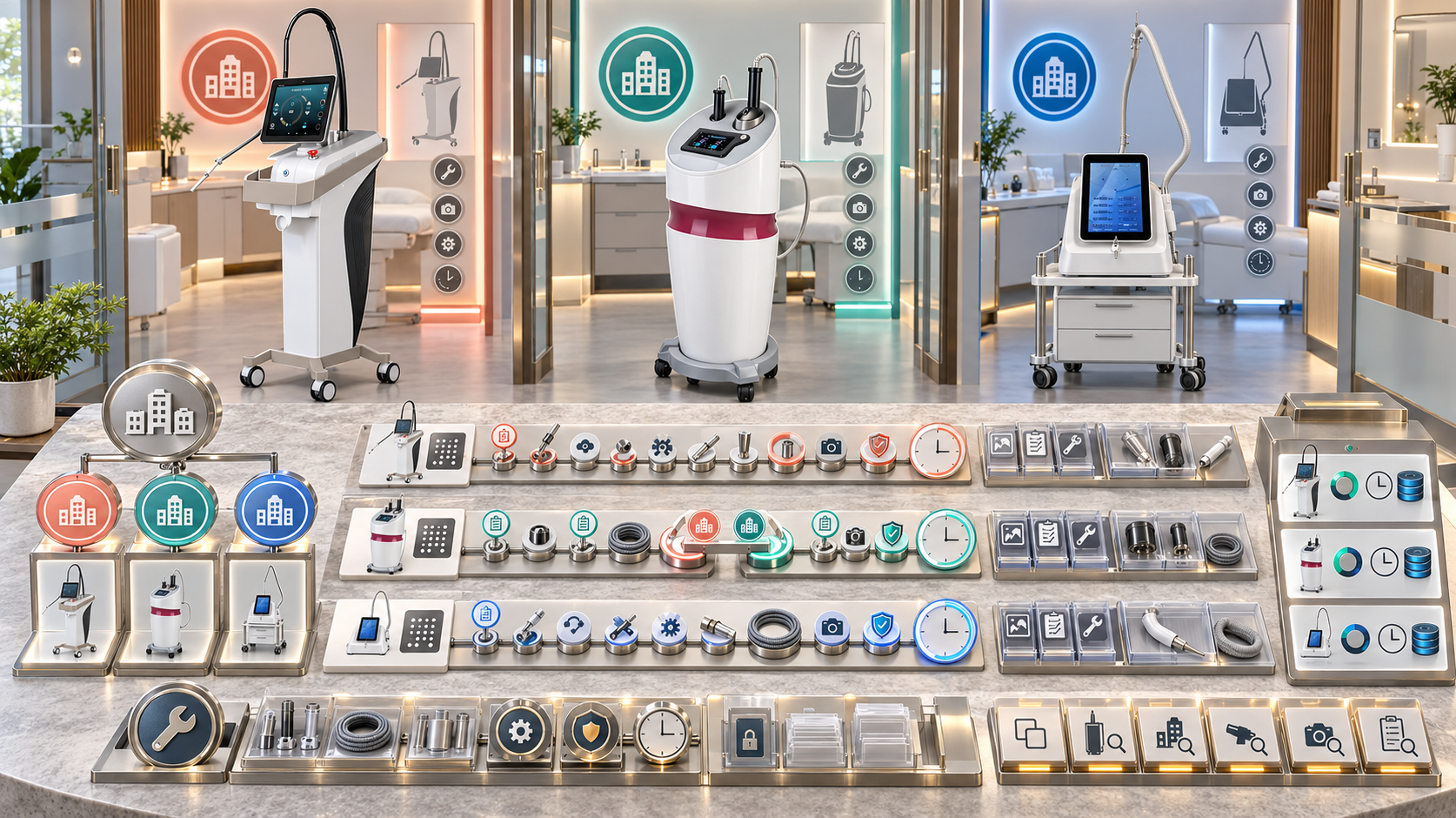
A beauty group with several locations can own multiple devices from the same category while each unit has a different configuration, operating site, maintenance history, and support status. When those histories remain in branch spreadsheets, message threads, invoices, or individual staff accounts, the central team cannot tell which device was serviced, what was changed, whether it returned to use, or where it is now.
A controlled service history gives every physical beauty device a continuous record across locations and lifecycle changes. This guide explains how salon groups, med spa networks, skin-clinic operators, body-care businesses, and regional buyers can record inspections, maintenance, faults, diagnostics, component replacements, transfers, downtime, and return-to-service decisions for SHEFMON facial, laser, HIFU, RF-microneedling, and body-care devices.
Sintesi
- Keep one permanent asset identity for each main unit, even when the device moves between locations.
- Record service events as dated, append-only transactions instead of rewriting a single “last service” field.
- Separate the asset master, location assignment, service event, technical case, maintenance schedule, warranty entitlement, and client-treatment record.
- Link every event to the exact unit, serial, configuration, component, site, date, and responsible party.
- Preserve the reported symptom, verified finding, action taken, installed component, test result, and release decision as separate fields.
- Use effective-dated transfers so the business can reconstruct which site had the device when an event occurred.
- Maintain component histories for relevant handles, applicators, cartridges, modules, and other durable items.
- Standardize event codes and evidence requirements across branches while allowing category-specific fields.
- Measure downtime, recurrence, overdue work, unresolved cases, and data completeness by unit and location.
- Give local teams simple event-entry tools while central owners control definitions, corrections, access, and portfolio reporting.
1. What Is a Beauty Device Service History?
A beauty device service history is the chronological record of work, findings, changes, restrictions, and release decisions associated with one physical device and its relevant components.
Può includere:
- receiving or installation checks;
- planned inspections and maintenance;
- cleaning or user-care events when the business requires evidence;
- operational questions that lead to device action;
- reported faults and diagnostic reviews;
- corrective work;
- component removal and installation;
- configuration updates;
- movement between sites;
- downtime and booking impact;
- technical verification and return to service;
- retirement or disposal decisions.
The history should explain what happened to the equipment. It is not the client’s consultation, treatment, or medical record.
2. Why Multi-Location Buyers Need Unit-Level History
Multi-location businesses face questions that a branch-level maintenance list cannot answer:
- Which physical unit received the work?
- Was it at the recorded branch on that date?
- Which handle or module was affected?
- Did the service provider identify a fault or only investigate a symptom?
- Was a replacement component compatible with the installed configuration?
- Did the unit pass the required checks before bookings reopened?
- Has the same issue appeared at another site or after a transfer?
- Which branches have overdue work or incomplete evidence?
- Does one model have more cases simply because more units are installed?
One service row per unit per event creates the evidence needed to answer these questions.
3. Build a Seven-Record Structure
| Documentazione | Scopo | Stable connection |
|---|---|---|
| Customer or buyer account | Identifies the organization responsible for the fleet | Customer ID |
| Site | Identifies each salon, clinic, studio, office, or storage location | Site ID |
| Device asset | Identifies one physical main unit | Asset ID and verified serial |
| Component asset or assignment | Identifies a durable handle, applicator, module, or other tracked item | Component ID and parent asset |
| Location assignment | Shows where the unit or component was held during a defined period | Asset, site, effective dates |
| Service event | Records planned or corrective work and its outcome | Event ID, asset, date |
| Technical case | Manages questions, evidence, communication, diagnosis, and resolution | Case ID linked to relevant events |
Add warranty, training, stock, and document records through links. Avoid forcing every type of information into one service-history table.
4. Separate Service History from Other Records
Asset master
The asset master contains relatively stable identity: internal asset ID, model, serial, original configuration, current configuration, lifecycle status, and current location.
Cronologia dei servizi
The service history contains dated events. Each row states what occurred, who performed or approved it, what evidence exists, and what status followed.
Programma di manutenzione
The schedule defines future tasks and due rules. A completed service event closes or advances the applicable schedule item.
Technical case
A case manages an open issue or request. It may contain several communications, diagnostic actions, shipments, and service events.
Warranty entitlement
The entitlement shows which commercial support terms apply. It should be referenced when relevant without being copied into every event.
Client record
The client record documents consultation, service delivery, consent, aftercare, and follow-up under the business’s professional and privacy rules. Do not place identifiable client details in the equipment history unless a defined, lawful link is required and access is controlled.
5. Give Every Unit a Permanent Asset ID
The business should assign one internal asset ID that survives:
- a room change;
- an inter-branch transfer;
- a customer-site rename;
- a configuration update;
- a repair or refurbishment;
- a temporary loan assignment;
- a change in the regional support team;
- removal from active service.
The asset ID is not the model number, carton number, order line, service-case number, or branch nickname. Store the original serial separately and preserve label evidence.
If a main unit is replaced by another serial, create a new asset. Link the replacement relationship rather than moving the old history onto the new physical unit.
6. Define the Minimum Service Event
| Data group | Minimum fields |
|---|---|
| Event identity | Event ID, event type, status, source, creation date |
| Device identity | Asset ID, model, serial, configuration revision |
| Posizione | Site, department or room, location evidence, event-time assignment |
| Timing | Reported date, work start, completion, release date where relevant |
| Ambito di applicazione | Main unit, function, handle, applicator, module, cable, accessory, or other component |
| Motivo | Scheduled task, symptom, alert, damage, transfer, update, or other trigger |
| Findings | Observations, tests, verified condition, unresolved questions |
| Work | Authorized action, part removal, part installation, cleaning, adjustment, or update |
| People | Reporter, performer, reviewer, approver, external support contact |
| Prova | Photos, video, measurements, forms, messages, shipment, or document references |
| Operational effect | Device/function status, downtime, affected services, restrictions |
| Outcome | Completed, no fault found, monitored, awaiting part, referred, withdrawn, or another controlled result |
| Release | Verification performed, result, release authority, next action |
| Relationships | Case, schedule, component, warranty, transfer, invoice, and prior event links |
Make category-specific fields conditional. A liquid pathway, laser handpiece, HIFU cartridge, RF needle head, and mechanical body applicator do not need identical event details.
7. Use Controlled Event Types
A shared event vocabulary allows branches to report consistently. Suggested top-level types include:
- acceptance or installation check;
- routine user care;
- planned inspection;
- preventive maintenance;
- calibration or verification where applicable;
- reported issue;
- remote diagnostic action;
- on-site diagnostic action;
- corrective repair;
- component replacement;
- configuration change;
- software or settings update where controlled;
- location transfer;
- temporary loan or swap;
- return-to-service verification;
- retirement or disposal.
Do not create a new event type whenever someone wants different wording. Use a controlled type plus a concise description and category-specific subcode.
8. Preserve the Event Timeline
One support case may generate several events. For example:
- a site reports an intermittent handpiece symptom;
- the equipment owner restricts the affected function;
- a remote review requests specific evidence;
- a component is shipped;
- an authorized person installs the verified replacement;
- functional checks are completed;
- the release owner reopens the service.
These steps should not be compressed into “repaired.” The timeline shows delay sources, responsibilities, and the evidence behind the release decision.
9. Keep Symptom, Finding, Cause, and Outcome Separate
| Campo | Senso | Esempio di formulazione |
|---|---|---|
| Sintomo segnalato | What the user observed | “The applicator stopped during setup” |
| Verified finding | What an authorized review established | “Connection damage visible at the cable end” |
| Cause classification | Approved explanation after review | “Physical damage,” “setup issue,” or “undetermined” |
| Action | What was done | “Applicator placed on hold and replacement reviewed” |
| Outcome | Operational result | “Replacement installed; checks passed; service released” |
Never rewrite the initial report after diagnosis. Preserving each stage prevents an assumption from becoming a recorded fact.
10. Record Uncertainty Honestly
Useful statuses include:
- Reported;
- Evidence Requested;
- Under Review;
- Blocco diagnostico;
- In attesa del componente;
- Awaiting Site Access;
- Work Scheduled;
- Work Completed;
- Verification Required;
- Rimesso in servizio;
- Monitoring;
- Closed—No Fault Verified;
- Closed—Duplicate;
- Closed—Withdrawn;
- Unresolved.
“Closed” should describe the administrative state, while the outcome states what was established. A closed case can still have an undetermined cause.
11. Use Effective-Dated Location Assignments
The current site field is useful for daily operations, but it cannot reconstruct history. Create a location-assignment record with:
- asset or component ID;
- from-site and to-site when relevant;
- department or room;
- assignment start date and time;
- assignment end date and time;
- motivo;
- custody and operational status;
- transfer record and acceptance evidence;
- person approving the move.
When a service event is created, capture the event-time location from the valid assignment. Do not change old events when the unit moves later.
12. Control Transfers Between Branches
An inter-site transfer should create a linked chain:
- transfer request and business reason;
- device and component identity check;
- source-site condition and open-case review;
- packaging and custody handover;
- destination room and utility readiness;
- destination receipt and configuration verification;
- location assignment update;
- applicable setup, training, or authorization review;
- release decision at the new site.
Do not transfer an unresolved fault without clearly assigning ownership of the open case. Do not treat arrival at the new branch as automatic permission to operate.
13. Track Components That Carry Their Own History
Some durable items need a service history distinct from the main console. Depending on the category, these may include:
- powered handpieces;
- applicators;
- cooling or vacuum modules;
- removable control modules;
- reusable heads;
- cables with dedicated identification;
- other serialized or high-value components.
For each tracked component, record its identifier, compatible model or configuration, parent unit, installation and removal dates, service events, condition, and current location. A component moved between devices should keep its own history and create assignment events for both parent units.
14. Separate Durable Components from Consumables
Not every tip, cartridge, needle head, filter, or solution bottle belongs in the permanent asset hierarchy.
Use the equipment history to record:
- the approved consumable relationship for the installed configuration;
- batch, lot, expiry, or item identity when an event requires traceability;
- consumables used for a functional check where relevant;
- a stockout or compatibility issue that affected service availability;
- replacement of defined maintenance items.
Routine warehouse receipts and issues belong in inventory records. Link the relevant transaction instead of turning the service history into a stock ledger.
15. Connect Planned Maintenance to Completed Events
Each scheduled task should define:
- applicable model, configuration, or component;
- task name and approved scope;
- trigger based on date, usage, condition, or another rule;
- due date or due threshold;
- permitted role or service provider;
- required instructions and revision;
- evidence and verification requirements;
- next-due calculation method;
- escalation when overdue.
When the work is completed, create a service event. The event should reference the schedule item and record the actual completion date, findings, work, evidence, outcome, and next due value. A checked box without this connection cannot prove what happened.
16. Record Corrective Work Without Losing Removed-Part History
For a repair or component replacement, capture:
- affected unit and component;
- removal date and reason;
- removed item identity when available;
- condition and disposition;
- installed item identity and compatibility source;
- new, repaired, returned, loan, or other item status;
- person authorized to perform the work;
- installation evidence;
- verification result;
- warranty, cost, shipment, or return references;
- effect on the current configuration.
Keep both the removed and installed items visible. Editing the current component field without an event destroys the evidence needed for later recurrence analysis.
17. Capture Downtime as a Service Impact
Device downtime should connect equipment status to the menu that branches deliver. Record:
- downtime start rule and timestamp;
- affected unit, function, or component;
- affected site and room;
- services placed on hold;
- appointments moved, cancelled, or redirected where the business tracks them;
- approved backup unit or site used;
- time diagnosis was accepted;
- parts, access, or scheduling delays;
- verification completion;
- booking-system release time;
- total technical and service-menu downtime under defined rules.
A working main console may still create menu downtime when a required handle, consumable, room, or authorized operator is unavailable. Record the actual dependency that stopped the service.
18. Require Return-to-Service Evidence
Finishing work does not automatically make a device bookable. The release record should show:
- exact unit and serviced configuration;
- work reviewed;
- required checks completed;
- results and evidence;
- unresolved restrictions;
- cleaning and room readiness;
- staff handover where the change affects use;
- documents or configuration records updated;
- authorization of the release decision;
- date and time the booking hold was removed.
If only one function is released, record the remaining restricted scope. Avoid changing the whole device to Available when another component remains on hold.
19. Link Warranty and Commercial Decisions Without Mixing Them
A technical service event states what was observed and done. A warranty record states whether the applicable terms cover a remedy or cost. Keep the decisions distinct.
Link the event to:
- warranty entitlement ID;
- claim ID where a claim exists;
- coverage decision and decision source;
- approved cost responsibility;
- part shipment or return reference;
- invoice or credit reference when applicable.
Do not alter a technical finding to fit a desired commercial outcome. The current SHEFMON support overview describes training, diagnostic, repair-guidance, warranty, and spare-parts support at a general level. Multi-location buyers should confirm the exact terms and route for their order, market, device, and component.
20. Do Not Put Client Treatment Details in the Equipment Log
The device history may need a limited reference to a separate client-related incident or service record. Use a non-identifying reference ID where appropriate and permitted.
Avoid copying into the equipment log:
- client names;
- full contact details;
- consultation responses;
- photographs intended for the client record;
- medical or treatment notes;
- consent documents;
- extensive aftercare communication.
Access to equipment support records and client records should follow their different operational, professional, and privacy purposes.
21. Adapt Fields to the Device Category
| Categoria | Service-history emphasis | Typical component or dependency detail |
|---|---|---|
| Hydra and multifunction facial | Liquid path, vacuum, filters, bottles, tips, handles, cleaning, and room reset | Record which function and pathway were checked rather than using “facial machine serviced” |
| Epilazione laser a diodo | Handpiece, cooling-related condition, controlled settings or software references, room status, and authorized release | Separate a handpiece restriction from whole-unit unavailability when technically approved |
| HIFU | Cartridge identity, compatibility, usage information where available, handle condition, and configuration | Link replacement or verification to the exact cartridge family and unit |
| Microneedling RF | Handpiece, needle-head compatibility, reusable-part care, settings records where controlled, and traceability | Keep consumable-lot references in the appropriate treatment or stock record and link only when needed |
| Mechanical body-care | Applicators, rollers or contact components, cables, cleaning, accessory condition, and room movement | Track component assignment when applicators can be exchanged between units |
These are record-design priorities, not repair instructions. Technical work should follow current device information and the approved support path.
22. Apply the Structure to Relevant SHEFMON Devices
| esempio di SHEFMON | Multi-location service role | History fields to emphasize |
|---|---|---|
| A0648 Macchina per peeling e microdermoabrasione idro-diamantata 9 in 1 | Repeatable facial-care platform across branches | Function, handle, liquid pathway, tip or filter relationship, cleaning event, and stock-related downtime |
| A0426 Apparecchio laser a diodi per epilazione 755/1064/810/940 nm | Hair-removal department device | Handpiece identity, restriction scope, room assignment, authorized service action, checks, and release |
| A0204 Macchina HIFU focalizzata 9D/7D 5 in 1 | Advanced facial and body menu | Accepted configuration, cartridge relationship, component changes, professional-use status, and transfer review |
| A0152 Microneedling RF da tavolo con profondità 8 | Advanced skin-rejuvenation service | Handpiece history, compatible needle-head reference, traceability link, room status, and authorization-sensitive release |
| B0155 Desktop Endos Velapro | Face and body-care services | Applicator assignment, cable and component condition, cleaning, appointment impact, and inter-site movement |
The table shows how one central data model can support different categories. It does not imply that every location needs every device.
23. Choose the Right Level of Central Standardization
The central team should standardize:
- asset, site, component, event, case, and schedule identifiers;
- model and configuration names;
- required event fields;
- controlled event types, statuses, outcomes, and severity rules;
- evidence and approval expectations;
- correction and deletion rules;
- location-transfer logic;
- return-to-service authority;
- dashboard definitions;
- retention and access requirements.
Local teams should supply factual observations, event-time location, operational impact, available evidence, and completed actions within their permission. A branch should not invent new model names, close technical cases without authority, or overwrite serials.
24. Divide Central and Local Responsibilities
| Activity | Local site | Central or regional owner |
|---|---|---|
| Report symptoms and immediate operational impact | Creates timely factual report and applies defined hold | Reviews priority and coordinates support |
| Verify asset and site | Confirms label and current physical location | Controls master data and duplicate resolution |
| Routine user-care entry | Records completed approved task | Defines task, evidence, and audit rules |
| Technical diagnosis | Performs only permitted checks | Assigns qualified review and records verified findings |
| Component replacement | Receives or performs only within authorized scope | Controls compatibility, shipment, work authorization, and history |
| Return to service | Confirms room and local workflow readiness | Approves technical release under the defined model |
| Data correction | Requests change with evidence | Preserves audit trail and approves correction |
| Portfolio analysis | Reviews local actions | Normalizes and compares fleet data across sites |
This division can change by organization, but the authority should be explicit before an urgent case occurs.
25. Use an Append-Only Audit Trail
Service-history systems should preserve:
- original values;
- later corrections;
- who made or approved each change;
- time and reason for the change;
- source evidence;
- prior and new site assignments;
- status transitions;
- merged duplicate references;
- voided events and their replacement records.
Do not allow staff to erase an incorrect event simply because it is inconvenient. Mark it corrected or void with an explanation, then link the valid record.
26. Import Legacy Branch Records Carefully
Before combining old spreadsheets and paper files:
- create the customer, site, unit, and component master records;
- normalize model names without changing source evidence;
- match serials and identify duplicates;
- map old event types to the new vocabulary;
- preserve the source file and original wording;
- label uncertain dates, locations, and outcomes;
- separate inferred values from verified values;
- assign unmatched events to a review queue;
- reconcile current physical assets against the imported history;
- approve the migration before using it for performance comparisons.
An incomplete legacy record can remain useful if its uncertainty is visible. Do not manufacture precision to fill empty fields.
27. Create Data-Quality Rules
Useful validation checks include:
- serial required before an event closes for a main unit;
- event date cannot fall outside the unit’s known lifecycle without review;
- event-time site must match an effective location assignment or create an exception;
- component must be compatible with the recorded parent configuration;
- removed component cannot remain assigned as installed;
- return-to-service event requires the defined verification fields;
- closed case requires an outcome;
- downtime end cannot precede downtime start;
- replacement serial cannot equal the original serial unless the record explains a corrected entry;
- future maintenance date must be reproducible from an approved rule;
- deleted or merged records must retain an audit reference.
Send failed checks to an owned exception queue rather than allowing silent bypass.
28. Build Useful Multi-Location Views
Unit timeline
Shows all location, maintenance, diagnostic, repair, component, restriction, and release events for one physical device.
Site readiness view
Shows active devices, open holds, overdue work, incomplete evidence, and upcoming planned maintenance for one branch.
Component view
Shows where a tracked handle or applicator is installed, its prior assignments, open cases, and service history.
Regional fleet view
Shows active population, service-event rate, downtime, overdue work, unresolved cases, and data quality across branches.
Transfer view
Shows units in transit, awaiting receipt, under destination review, or not yet released at the new location.
Users should be able to move from a summary number to the underlying units and events.
29. Measure Service History Without Misreading It
Tra le misure utili si annoverano:
- active units with complete identity and site assignment;
- units with no service history despite expected activity;
- planned tasks completed on time;
- overdue work by site and category;
- open cases by age and status;
- average time from report to accepted diagnosis;
- average time from hold to return-to-service release;
- repeat events after a related corrective action;
- downtime by unit, function, service, and location;
- component replacements by installed exposure;
- records missing evidence, outcome, or release approval;
- transfers with unresolved history or incomplete destination acceptance.
Raw ticket totals can mislead. Compare events against active unit-months, usage measures where reliable, or another defined exposure before ranking branches or models.
30. Review Recurrence Across Locations
When similar reports appear at different sites, examine:
- modello e configurazione esatti;
- component identity and revision;
- device age and active exposure;
- site environment and electrical profile;
- maintenance completion;
- training and authorization status;
- consumable compatibility;
- service-event wording and evidence quality;
- whether the same component moved between sites;
- whether cases share a verified cause or only a similar symptom.
Do not label a portfolio-wide issue from matching words alone. Use technical review and comparable evidence.
31. Create a Record-Completion Workflow
A practical workflow is:
- local reporter selects the verified asset and current site;
- the system creates an event and, where needed, a case;
- the reporter records symptom, impact, evidence, and immediate status;
- the assigned owner reviews completeness and priority;
- diagnostic and work events are added without changing the first report;
- component and configuration records update through linked transactions;
- verification and release are recorded by the authorized role;
- the case closes with an outcome and outstanding actions;
- the maintenance schedule and dashboard recalculate;
- central quality checks review exceptions and recurrence.
This workflow can be implemented in an asset system, service platform, or controlled database. The record relationships matter more than the software label.
32. Service History Checklist for Multi-Location Buyers
- Every physical main unit has one permanent asset ID and verified serial.
- Customer, site, room, and custody assignments use effective dates.
- Original and current configurations remain distinguishable.
- Relevant durable components have identities and assignment histories.
- Service events use controlled types, statuses, and outcomes.
- Symptom, finding, cause, action, and outcome are separate.
- Planned work links to the schedule item it completes.
- Removed and installed components remain visible in replacement events.
- Downtime identifies the affected function and menu services.
- Return to service requires defined checks and release authority.
- Technical events link to warranty decisions without mixing them.
- Client details remain in the appropriate protected record system.
- Transfers preserve open cases and source-site history.
- Local and central editing permissions are documented.
- Corrections preserve the audit trail.
- Legacy uncertainties and unmatched events remain visible.
- Dashboards can drill down to specific units and events.
- Metrics are normalized before comparing models or sites.
Domande frequenti
1. Is a service history the same as a maintenance log?
No. A maintenance log usually records scheduled work. A complete service history also includes reported issues, diagnostics, repairs, component changes, transfers, restrictions, downtime, verification, and release decisions.
2. Should a device receive a new asset ID when it moves to another branch?
No. Keep the permanent asset ID and create an effective-dated location transfer. A new asset is appropriate when the physical main unit changes, such as a replacement with a different serial.
3. Can all branches use one spreadsheet tab?
A spreadsheet may support a small controlled fleet, but it must still provide unique IDs, protected definitions, linked records, editing rules, validation, history, and access control. One shared free-text tab rarely provides those controls.
4. What is the minimum evidence for a service event?
Evidence depends on the event type. At minimum, identify the unit, location, date, scope, reason, work, responsible person, outcome, and operational status. Technical cases may also require label images, display text, photos, video, test results, or shipment references.
5. Should every consumable use appear in the equipment history?
Usually no. Routine use belongs in treatment or inventory records. The equipment history should link consumables when compatibility, traceability, functional verification, stockout, or a support event makes the relationship relevant.
6. How should a replacement handle be recorded?
Record the removed handle, reason, condition, removal date, replacement identity, compatibility source, installation, verification, current assignment, and any return or warranty reference. Preserve both component histories.
7. Who can release a device after repair?
The organization should define the role by device category, work type, professional conditions, and support arrangement. Completion by a technician and booking release by operations may be separate decisions.
8. How should unknown causes be handled?
Use an explicit undetermined or unresolved classification. Keep the reported symptom and completed actions, and avoid converting a plausible explanation into a verified cause.
9. Can service histories be compared between locations?
Yes, after checking completeness, installed exposure, device mix, age, configuration, usage, maintenance compliance, and reporting practices. Raw case counts alone are not a fair branch comparison.
10. When should SHEFMON be contacted about a service-history event?
Use the agreed support channel when the current documents and authorized local scope cannot resolve a configuration question, technical symptom, component identity, compatibility issue, repair path, or release requirement. Send the model, serial, configuration, event facts, evidence, and steps already completed.
Conclusione
Service history records allow multi-location buyers to follow each beauty device through acceptance, use, maintenance, faults, component changes, transfers, downtime, and eventual retirement. A trustworthy history depends on permanent unit identity, effective-dated locations, structured events, component relationships, honest uncertainty, controlled corrections, and clear return-to-service evidence.
Review the Gamma di dispositivi di bellezza SHEFMON when standardizing model and category names in a multi-location asset register. For help confirming a device identity, configuration, component relationship, or appropriate support route, contattare SHEFMON with the model, serial, current location, configuration evidence, service-event summary, and specific question.

























