










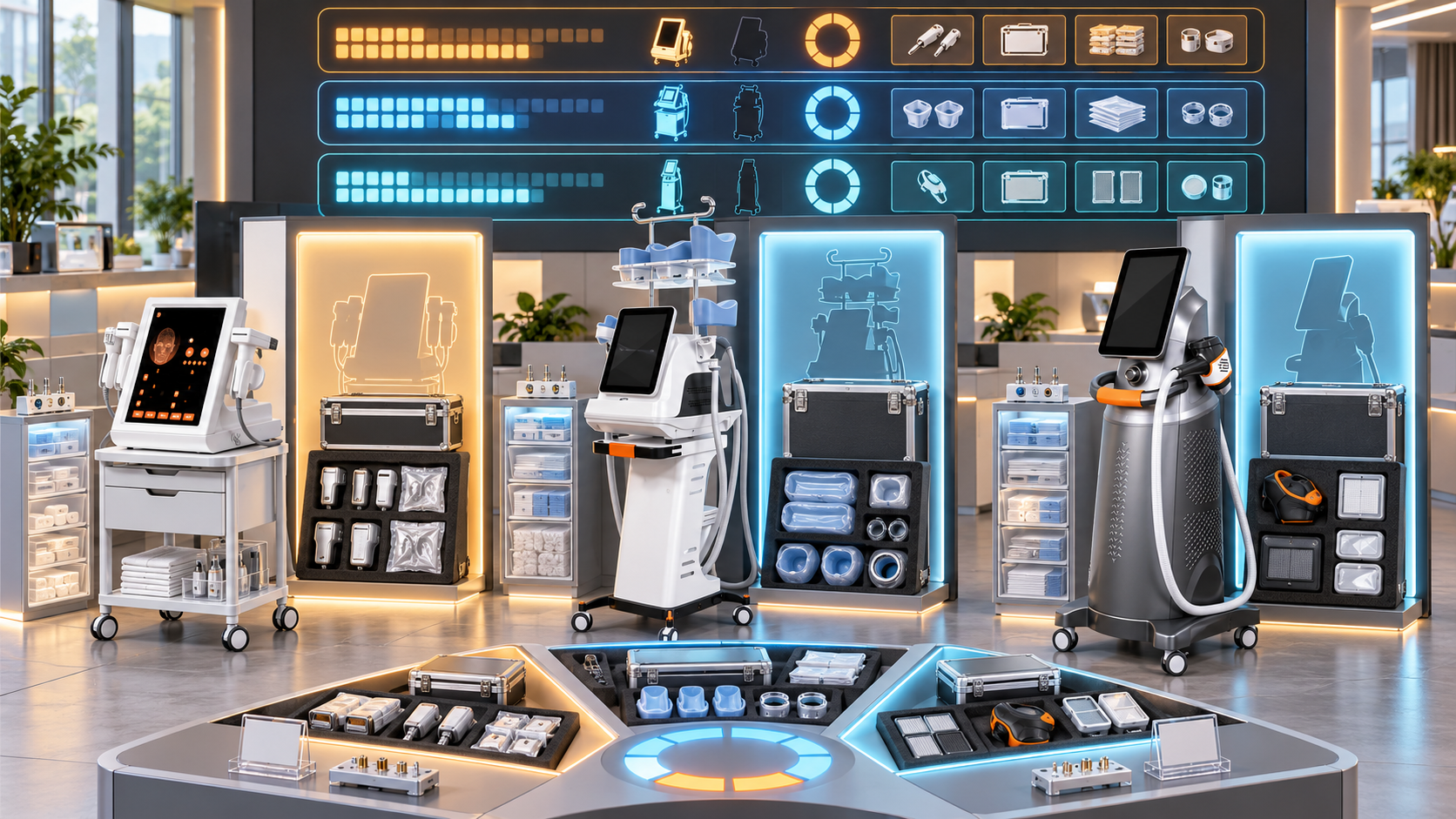
High-use beauty device categories can support a large share of a salon’s or clinic’s appointments. If one facial platform, laser, HIFU system, RF-microneedling device, or body-care unit carries most of a service category, even a short loss of capacity can affect bookings, prepaid packages, staff schedules, and client retention.
A useful backup plan is built before the primary unit becomes unavailable. It identifies which services need protection, how much capacity must remain, which equipment and resources can provide that capacity, and what conditions must be met before the backup is activated. This guide explains how salons, med spas, skin clinics, body studios, multi-location groups, and equipment distributors can build that plan around SHEFMON device categories and models.
Executive Summary
- Define a high-use category with local appointment, operating, consumable, and demand data rather than a generic industry ranking.
- Map each protected service to the exact device configuration, handle, applicator, cartridge, consumable, room, utility, and qualified operator it requires.
- Set a coverage objective for each category: full same-service continuity, limited priority capacity, cross-location transfer, or controlled rescheduling.
- Choose a backup architecture that fits the risk: second active unit, standby device, spare critical module, shared regional unit, cross-site capacity, or another approved pathway after consultation.
- Confirm compatibility, market profile, professional-use conditions, maintenance status, training, consumables, and booking rules before calling equipment a backup.
- Protect reserve capacity. A second device that is always booked at its maximum is additional production capacity, not an available backup.
- Store high-use components and consumables according to verified compatibility and demand; do not create stock from visual similarity or broad category names.
- Test the plan through readiness checks and booking simulations so the first activation is not during a real outage.
- Record activation, transfer, client communication, and return-to-normal rules.
- Review the plan whenever usage, demand, configuration, support status, site layout, staffing, or the service menu changes.
1. Define What the Backup Plan Must Protect
A device backup plan protects an approved service capability, not merely a piece of equipment. Begin with the service that clients book and identify every resource needed to deliver it.
For each protected service, state:
- service name and menu tier;
- primary device and installed configuration;
- required handle, module, cartridge, applicator, or tool;
- required consumables;
- qualified operators;
- room and utility requirements;
- cleaning, setup, and turnover time;
- existing bookings and package commitments;
- acceptable interruption window;
- minimum capacity during an interruption;
- approved backup path.
This prevents a business from buying a second console that cannot cover the real bottleneck, such as a specific handle, cartridge family, treatment room, consumable, or qualified operator.
2. Identify High-Use Categories from Local Evidence
“High use” should be defined for the individual business. A device category can be high use because it delivers many short appointments, supports long daily operating hours, consumes a large number of tips or cartridges, or carries a high share of prepaid commitments.
Review:
- completed appointments by category and unit;
- active days and operating hours;
- use by handle or function;
- pulses, shots, lines, cycles, or another available exposure measure;
- tips, needle heads, cartridges, or other items consumed;
- advance-booking lead time;
- waitlists and unserved enquiries;
- seasonal peaks;
- package and membership obligations;
- share of total device-based appointments;
- appointments affected by previous downtime.
Use a representative period and record seasonal exceptions. One promotion month should not define the permanent backup requirement unless the same demand will continue.
3. Separate High Use, High Demand, and High Dependency
These conditions are related but different.
| Condition | What it means | Backup implication |
|---|---|---|
| High use | The installed unit performs a large volume of work | Protect maintenance time and avoid overloading the backup |
| High demand | Clients want more appointments than current capacity can reliably provide | Consider added active capacity as well as outage coverage |
| High dependency | One unit, handle, room, or operator supports an important service with no alternative | Reduce the single point of failure even if current volume is moderate |
| High commitment | Packages, memberships, or future bookings depend on the category | Protect a defined portion of same-service capacity |
| High support risk | Critical components, consumables, or service access are uncertain | Create an early transition or replacement path, not only a temporary backup |
A category can be high dependency without high appointment volume. For example, a premium service delivered less often may still need a clear plan because existing client pathways cannot be moved casually.
4. Rank Services by Business Impact
Assign an impact level before choosing equipment.
| Impact level | Typical service situation | Planning objective |
|---|---|---|
| Critical | Core category, heavy future bookings, no same-service alternative, major package exposure | Maintain defined priority capacity through an approved backup |
| High | Important recurring category with limited scheduling flexibility | Restore same-service availability within a planned window |
| Moderate | Targeted or seasonal service with manageable rescheduling | Protect confirmed clients and use controlled schedule recovery |
| Low | Limited current demand and few commitments | Use documented rescheduling or temporary menu pause |
Impact is not the same as price. Consider client obligations, continuity, scheduling flexibility, professional requirements, and the time needed to prepare an approved alternative.
5. Map Every Single Point of Failure
List the resources that can stop the service even when the main console is working.
Common single points include:
- one installed handle or applicator;
- one cartridge or needle-head family;
- one qualified operator;
- one room with suitable power, water, cooling, ventilation, or network access;
- one device-specific consumable;
- one software account or booking resource;
- one compatible cable, connector, adapter, or accessory;
- one service contact or logistics route;
- one site carrying all capacity for the category.
Give each single point an owner, a detection method, an approved backup, and a maximum acceptable period without coverage. If no valid backup exists, label the risk openly rather than listing an unverified substitute.
6. Set the Backup Coverage Objective
Not every category needs 100 percent replacement capacity. Decide what the business must preserve during the first day, the next several days, and a longer interruption.
Possible objectives include:
- Full coverage: preserve the normal service volume for a critical category.
- Priority coverage: protect prepaid plans, existing pathways, and the most time-sensitive approved bookings.
- Reduced same-service coverage: operate fewer appointments through another approved unit or site.
- Transfer coverage: move eligible clients to another location with the same approved capability.
- Rescheduling coverage: protect client terms and recover appointments inside an agreed window.
- Consultation-led alternative: discuss another approved service pathway without claiming technical equivalence.
Write the objective by service and time period. “We have another device” is not a measurable coverage target.
7. Calculate the Capacity That Must Remain
Use actual appointment data rather than a device’s theoretical maximum.
A practical planning structure is:
Protected appointment demand = Confirmed priority bookings + Expected priority bookings during the coverage window
Usable backup capacity = Approved device slots limited by qualified staff, room access, consumables, setup, cleaning, and operating conditions
Coverage gap = Protected appointment demand − Usable backup capacity
If the result is positive, the plan needs more capacity, a stricter client-priority rule, another site, or a longer recovery window. Document the assumptions behind every number.
Do not book the reserve at theoretical maximum. Consultation, setup, cleaning, documentation, late arrivals, staff breaks, and maintenance still use time.
8. Choose a Backup Architecture
Several structures can protect a high-use category.
| Backup architecture | Best fit | Main control |
|---|---|---|
| Second active unit | Sustained high demand and frequent use | Keep a defined amount of capacity available for disruption |
| Standby same-model unit | High dependency with lower normal demand | Maintain, inspect, and exercise the standby regularly |
| Verified same-category unit | Another approved configuration can deliver the same defined service | Confirm service definition, staff, consumables, room, and booking time |
| Spare critical handle or module | The most likely service interruption is isolated to a replaceable unit | Verify exact compatibility, storage, installation, and release process |
| Cross-location capacity | A multi-site group has suitable equipment and staff elsewhere | Control client transfer, records, travel, room, and package handling |
| Shared regional device | Several customers or sites share a controlled resource | Define ownership, transport, acceptance, availability, and priority |
| Controlled rescheduling | Service can pause briefly without changing the client pathway | Reserve recovery slots and communicate clear terms |
One category may use layers. A salon could hold a compatible handle locally, maintain limited same-service capacity at another branch, and reserve rescheduling slots for the remaining appointments.
9. Distinguish Added Capacity from Reserved Backup
A second high-use device can serve two roles: daily production and continuity. These roles compete for the same calendar.
Define:
- normal bookable capacity;
- protected reserve by day or week;
- conditions for releasing the reserve;
- who may authorize its use;
- how quickly it can be restored after activation;
- maintenance windows for both units;
- rules preventing simultaneous planned downtime;
- demand threshold that justifies a third capacity decision.
If both devices are continually full, the business has gained capacity but still lacks a backup. Review the coverage gap again rather than assuming redundancy exists.
10. Decide When Same-Model Redundancy Is Strongest
A second unit with the same verified configuration can simplify staff familiarity, booking duration, consumables, components, documents, and client service definitions. It can be a strong choice when the category is critical and service standardization matters.
Still verify:
- configuration and revision;
- market and electrical profile;
- handle and module package;
- software or interface version where relevant;
- compatible consumables and components;
- room placement;
- maintenance status;
- operator authorization;
- acceptance and readiness records.
Two devices with the same model name can have different installed options. Same-model redundancy is valid only when the backup covers the protected service configuration.
11. Use Same-Category Backups Carefully
A different model in the same category may protect a service, but this must be demonstrated through approved records and operating review.
Confirm:
- the exact service that both devices can deliver;
- configuration and operating differences;
- consultation, consent, and documentation requirements;
- operator training for each model;
- appointment timing;
- room and utility fit;
- consumables and components;
- cleaning and turnover;
- market and professional-use conditions;
- booking language and client communication.
Do not move a booking merely because both products are called hydro facial, HIFU, laser, RF microneedling, or body contouring devices.
12. Define the Role of Spare Handles and Applicators
For multifunction and applicator-based platforms, the protected service may depend more on one handle than on the console.
A spare-component plan should record:
- exact device model and configuration;
- component ID and revision;
- parent device or handle relationship;
- supported function;
- storage and inspection requirements;
- whether installation needs a qualified technical role;
- test and acceptance steps;
- associated cables, adapters, cartridges, or consumables;
- lifecycle and replacement status;
- owner and location.
A spare handle is not useful if it is incompatible, untested, stored incorrectly, missing a companion item, or unavailable when the primary fails.
13. Build Consumable Resilience
High-use categories can stop because the correct consumable is unavailable even when the device works.
Plan by exact item and compatible configuration:
- average verified use;
- peak-period use;
- current stock;
- open and sealed quantities;
- supplier or regional replenishment conditions;
- storage and expiry where applicable;
- reorder point;
- emergency reserve;
- pack size and order unit;
- substitute status, if formally confirmed;
- inactive or legacy stock.
Do not calculate the reserve from sales history alone. Correct for opening stock, transfers, wastage, promotions, inactive units, and changes in service volume.
14. Create Staff Redundancy
Equipment capacity is unusable without qualified staff.
For every protected service, record:
- operators authorized for the primary device;
- operators authorized for the backup configuration;
- site and working schedule;
- refresher or recency requirements;
- professional scope and local conditions;
- who can perform setup, cleaning, and daily checks;
- who can approve booking release;
- who handles technical escalation;
- absence and leave coverage.
Do not assume that experience with one model transfers automatically to another. Training and authorization should match the exact configuration and service.
15. Protect Room and Utility Capacity
A portable or available device may still be unusable at the backup location.
Verify:
- physical space and movement path;
- electrical supply, plug, voltage, and frequency;
- water, cooling, ventilation, drainage, or network needs where relevant;
- treatment bed and operator access;
- cleaning and storage workflow;
- privacy and consultation requirements;
- fire, electrical, facility, and local controls;
- transport and settling requirements;
- acceptance after relocation;
- booking resource in the correct room.
Where possible, pre-approve a backup room and keep its utility record with the continuity plan.
16. Set Activation Triggers
Staff should know when the backup plan begins.
Examples include:
- a stop-use condition on the primary device;
- a critical handle or module becomes unavailable;
- the required consumable falls below the protected reserve;
- planned maintenance overlaps priority bookings;
- a repair or component-delivery estimate exceeds the normal appointment buffer;
- room or utility availability is lost;
- the only qualified operator becomes unavailable;
- waitlist and booking lead time exceed the business’s approved threshold;
- a seasonal demand period begins.
Triggers should identify who activates the plan, which services move first, and what information must be confirmed.
17. Create a Backup Readiness Record
Give every backup resource a readiness state.
| State | Meaning | Booking rule |
|---|---|---|
| Ready | Configuration, maintenance, room, staff, consumables, and acceptance are current | May be activated under the approved plan |
| Ready with limits | Only defined services or capacity are available | Book only the listed services and volumes |
| Verification due | A scheduled check, document review, or consumable confirmation is pending | Do not promise capacity until cleared |
| Unavailable | Equipment, room, staff, component, or stock is not usable | Remove from the active backup calculation |
| Transitioning | The resource is being relocated, updated, or replaced | Use the temporary coverage rule |
Show the verification date, evidence source, owner, and next check. Avoid spreadsheets that list a backup without its current state.
18. Keep Standby Equipment Operationally Ready
An idle device can lose readiness through missed maintenance, discharged accessories, outdated documents, unavailable consumables, staff turnover, or room changes.
Create a controlled readiness routine covering:
- visual condition;
- required cleaning and storage;
- approved power-up or function checks;
- handles, cables, accessories, and companion items;
- consumable availability;
- maintenance status;
- software or account access where relevant;
- operator familiarity;
- room and utility readiness;
- current documents;
- next inspection date.
Follow the approved instructions for the exact device. Do not create an operating schedule that conflicts with maintenance, storage, or professional-use requirements.
19. Plan A0648 Backup Coverage for Core Facial Services
The SHEFMON A0648 hydro microdermabrasion machine is presented as a multifunction facial platform. A facial salon should identify which of its services actually depend on the installed tools and which functions create most appointment volume.
Build the plan around:
- core facial services requiring the A0648;
- installed handpieces and tools used by each service;
- tips, solution containers, tubing, cables, and refill items;
- cleaning and turnover time;
- trained operators;
- another approved facial unit or branch capacity;
- spare-tool relationships confirmed for the exact configuration;
- priority clients and recovery slots.
If the A0648 carries several daily services, a second active facial platform may provide stronger coverage than holding an idle unit. Preserve reserve capacity or the second device will become fully committed production equipment.
20. Plan A0152 Backup Coverage by Handle and Needle Head
The SHEFMON A0152 RF-microneedling device lists working-handle choices and multiple needle-head formats. The backup must match the protected professional service and installed arrangement.
Confirm:
- primary A0152 configuration;
- working handle or handle combination;
- needle-head types used by each approved service;
- verified stock and reorder path;
- qualified professional staff;
- room, cleaning, and documentation needs;
- same-configuration capacity at another device or site;
- handle or component compatibility;
- acceptance before activation.
Do not treat a stock of needle heads as backup capacity when no verified compatible device and qualified operator are available.
21. Plan A0204 Backup Coverage by HIFU Configuration
The SHEFMON A0204 focused HIFU platform has a configuration structure involving handles and cartridge groups. Protect only the services that the business has approved and currently delivers.
Record:
- installed A0204 configuration and revision;
- active handle or module for the protected service;
- required cartridge identity and status;
- qualified professional staff;
- consultation and service documents;
- room and appointment duration;
- same-service capacity elsewhere;
- cartridge and handle reserve;
- conditions for moving clients;
- technical and booking release owners.
A cartridge at another site is not useful unless the site also has the correct approved platform, staff, room, and service pathway.
22. Plan A0423 and A0426 Laser Coverage Separately
Build separate continuity records for the SHEFMON A0423 diode laser and SHEFMON A0426 diode laser. Preserve each unit’s confirmed wavelength, handle, power, spot-size, cooling, electrical, and market configuration.
For a high-use hair-removal category, review:
- appointment load by area and duration;
- pulses or another available exposure measure;
- prepaid course commitments;
- handle and cooling dependency;
- same-model or verified same-service laser capacity;
- staff authorized for each configuration;
- room and utility readiness;
- client records and package transfer rules;
- verified replacement-handle path;
- peak-season reserve.
Do not infer that an A0423 handle, component, or operating setup can be used with A0426, or the reverse. Confirm every relationship against the exact installed version.
23. Plan B0155 Backup Coverage by Applicator
The SHEFMON B0155 body-care system is described with handles for body and smaller-area applications. Measure usage and backup need by applicator as well as by console.
Include:
- installed handle package;
- service volume by handle;
- package and repeat-client commitments;
- applicator-specific components;
- room, staff, cleaning, and turnover needs;
- spare-handle or second-device strategy;
- another body room or site with verified capacity;
- activation and booking rules;
- readiness checks after transport or installation.
If one body applicator supports most demand, protecting that applicator path may be more valuable than duplicating rarely used options.
24. Design a Multi-Location Backup Network
Groups with several sites can share risk when their records are accurate.
Create a network view showing:
- installed units and exact configurations;
- current readiness state;
- capacity available by day;
- qualified operators by location;
- rooms and utilities;
- compatible consumables and critical components;
- travel or transfer rules;
- client record and privacy controls;
- package and payment handling;
- transport and acceptance requirements;
- priority rules when two sites need the same resource.
Do not count the same open appointment slot as backup for several sites. Shared capacity needs a reservation and conflict rule.
25. Define the Distributor’s Backup Role
Distributors can help buyers prepare accurate options without promising resources that have not been confirmed.
Useful support includes:
- installed-unit and configuration records;
- compatibility confirmation;
- component and consumable status;
- current documents;
- regional stock visibility;
- service and logistics contacts;
- successor and lifecycle information;
- opening-stock planning;
- shared or demonstration-unit conditions where actually available;
- deployment and acceptance requirements.
A demonstration device should enter a backup plan only through a defined agreement covering availability, configuration, transport, condition, responsibility, professional use, acceptance, and return.
26. Build the Financial Case from Protected Capacity
The value of a backup comes from the service capacity and commitments it protects, but the business case should use local evidence.
Compare:
- cost of the backup device or component package;
- setup, room, delivery, and training;
- maintenance and readiness checks;
- consumable reserve;
- storage or idle-capacity cost;
- likely appointment disruption based on historical events;
- package and client obligations;
- alternative cross-site or rescheduling cost;
- useful production capacity when the backup is not activated;
- replacement or lifecycle plan for both units.
Avoid guaranteed revenue or payback claims. State assumptions, ranges, and evidence sources so the buyer can update the case with actual prices and demand.
27. Test the Plan Before It Is Needed
Run a controlled tabletop or booking simulation.
Test whether staff can:
- identify the unavailable service and dependency;
- find the current readiness record;
- confirm the backup configuration and location;
- identify qualified operators and room access;
- reserve consumables and capacity;
- select affected bookings by priority;
- communicate approved options;
- update the booking system without double-booking resources;
- record the activation owner and time;
- return the reserve to normal status after the event.
Use simulated client records. Do not create unnecessary equipment operation solely for a drill unless the activity is approved for that device.
28. Activate the Backup in a Controlled Sequence
When a trigger occurs:
- apply any stop-use or technical hold to the primary equipment;
- identify the precise service capacity lost;
- assign an incident owner;
- confirm that the selected backup is still Ready;
- reserve room, staff, consumables, and booking capacity;
- move priority appointments according to the approved rule;
- give clients only confirmed options and timing;
- open technical or logistics support for the primary unit;
- review the coverage gap daily or when evidence changes;
- record every transfer, cancellation, and unresolved commitment.
Do not activate equipment from a stale spreadsheet entry. The readiness check must reflect the current day.
29. Return to Normal Without Losing the Reserve
After the primary capacity returns, decide whether bookings remain on the backup temporarily or move back.
Confirm:
- technical and operational release of the primary device;
- staff and room readiness;
- consumables and cleaning;
- appointments already moved;
- client communication;
- package records;
- backup maintenance after intensive use;
- restored reserve capacity;
- incident data and lessons;
- changes to trigger, stock, staffing, or coverage rules.
Avoid immediately filling every reopened backup slot with new demand. First restore the coverage level approved in the plan.
30. Measure Backup Performance
Useful measures include:
- percentage of protected services with a verified backup path;
- usable backup slots compared with the coverage objective;
- readiness checks completed on time;
- time from trigger to confirmed backup activation;
- appointments delivered, transferred, rescheduled, or cancelled;
- capacity lost because staff, room, or consumables were unavailable;
- stock used during activation;
- booking errors or conflicting client messages;
- days required to restore the reserve;
- gaps found during simulations;
- recurring single points of failure.
Measure the service outcome, not only whether a spare device exists.
31. Avoid Common Backup-Planning Errors
- Calling every second device a backup while booking all its capacity.
- Choosing a similar product without checking the exact protected service.
- Recording the console but ignoring handles, cartridges, applicators, or consumables.
- Counting equipment without qualified operators or suitable rooms.
- Assuming different models share components.
- Holding excess stock without verified compatibility, demand, storage, or lifecycle data.
- Depending on another branch without reserving capacity.
- Listing a demonstration or loan unit without a current agreement.
- Moving clients to a different technology without consultation and approval.
- Testing the plan only after the primary device is unavailable.
- Returning to normal bookings before restoring the continuity reserve.
- Using generic industry demand instead of local evidence.
32. High-Use Beauty Device Backup Checklist
- High-use categories are defined from local usage, demand, and commitment data.
- Every protected service has a device and resource dependency record.
- Single points of failure are identified at device, component, staff, room, and stock level.
- Each category has a written coverage objective and time window.
- Backup capacity is calculated from usable appointments rather than theoretical output.
- Added production capacity is separated from protected reserve.
- Backup models and configurations are verified for the intended service.
- Handles, applicators, cartridges, tips, and needle heads have confirmed relationships.
- Consumable reserves use verified demand and storage information.
- Qualified staff and room capacity are included in the calculation.
- Activation triggers and owners are documented.
- Every backup resource has a current readiness state.
- Standby equipment receives approved checks and maintenance.
- Cross-location or shared capacity has reservation and conflict rules.
- Client packages, records, payments, and communications have a transfer process.
- The plan has been tested through a controlled simulation.
- Return-to-normal rules restore the approved reserve.
- Results feed the next equipment, staffing, stock, and lifecycle review.
Frequently Asked Questions
1. Which beauty device categories need a backup plan first?
Start with categories that combine high appointment volume, strong future demand, package commitments, and dependence on one unit, handle, room, or operator. Use local operating evidence. A category popular elsewhere may not be critical for the individual salon or clinic.
2. Is a second beauty device automatically a backup?
No. It must have verified configuration, maintenance, room access, qualified staff, consumables, and available calendar capacity. When every slot is already sold, the second unit provides production capacity but little interruption coverage.
3. How much backup capacity should a salon keep?
Set the amount from protected bookings, acceptable rescheduling time, client commitments, staff and room limits, and the likely interruption window. Some businesses need full core-service coverage; others need priority capacity and reserved recovery slots. There is no universal percentage.
4. Is the same model always the best backup choice?
It can simplify services, training, consumables, and components when the configuration is truly equivalent. Another verified model may also fit. Compare the exact service role, configuration, support, room, staff, and operating requirements rather than model name alone.
5. Can a spare handle replace the need for a second device?
Only when the handle is the main single point of failure and the console, room, staff, consumables, and installation process remain available. A handle cannot protect against console, utility, room, or operator loss.
6. Can another technology be used when the primary device is unavailable?
Do not describe a different technology as an identical replacement. It may support another approved pathway after consultation, professional review, consent, and updated service documentation. The backup plan should state when rescheduling the original service is the appropriate choice.
7. How should multi-location salons share backup equipment?
Maintain a unit-level network record, verify configurations and rooms, reserve actual capacity, define client and record transfers, control transport and acceptance, and set priority rules for simultaneous demand. Do not count unreserved capacity twice.
8. How often should standby equipment be checked?
Use the approved maintenance and storage requirements for the exact device, plus a business review of documents, consumables, staff, room, and booking readiness. Set a dated schedule based on those conditions rather than a generic interval.
9. What is the best way to test a backup plan?
Run a tabletop or booking simulation using a realistic service outage. Confirm that staff can identify the resource, verify readiness, reserve capacity, transfer selected bookings, communicate with clients, and restore the reserve. Record gaps and assign corrective actions.
10. When should SHEFMON be contacted about a backup plan?
Contact SHEFMON when model configuration, handle or applicator compatibility, consumable relationships, component status, support conditions, or a suitable second device needs confirmation. Provide the installed model, configuration, market, protected services, usage level, and intended coverage objective.
Conclusion
A backup plan for a high-use beauty device category begins with the services the business must protect. Usage and demand show where disruption will matter most. Configuration, staff, rooms, components, and consumables show whether proposed capacity is genuinely usable. A clear coverage objective then guides the choice between a second active unit, standby equipment, critical-component stock, shared capacity, cross-location support, and controlled rescheduling.
The plan should remain operational: give every resource a readiness state, reserve real capacity, test activation, and restore the reserve after use. This turns backup equipment from an assumption into a verified part of the service menu.
Explore the SHEFMON beauty device categories or contact SHEFMON with your installed models, highest-use services, booking demand, configuration details, locations, and coverage objective to discuss an appropriate equipment and support plan.

























