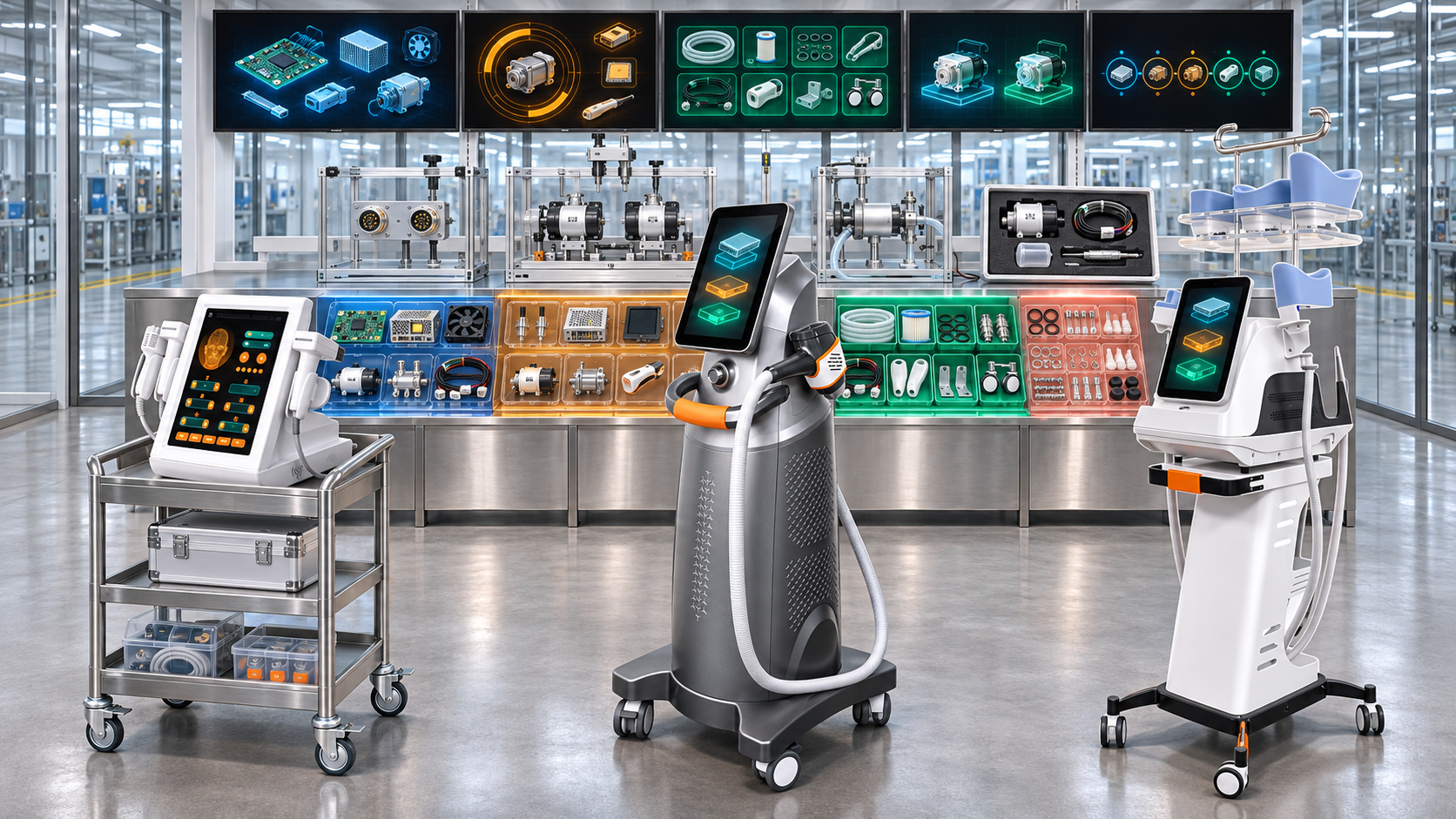
A new beauty device is not commercially ready simply because the first production units can be assembled and shipped. Once devices enter salons, clinics, distributor networks, and overseas markets, cables wear, pumps weaken, boards fail, handles are damaged, connectors loosen, screens break, filters clog, and software-compatible modules need replacement. If the factory waits for the first service request before defining spare parts, it may discover that important components have no service identity, no packaging, no stock, no replacement instructions, or no compatibility record.
Spare-parts planning should therefore begin during product development. Engineering decisions about architecture, accessibility, module boundaries, connectors, calibration, software, suppliers, and expected product life determine whether a device can be supported efficiently after launch.
This guide explains how beauty device factories can integrate spare-parts planning into requirements, design reviews, prototypes, pilot production, supplier preparation, commercial release, and early field monitoring. It focuses on development-stage decisions rather than only forecasting parts for an established installed base.
Executive Summary
A strong new-product spare-parts plan should:
- Define the service strategy early. Decide what the user, distributor, authorized technician, and factory may inspect, replace, repair, or return.
- Separate item classes. Spare parts, consumables, accessories, tools, warranty kits, loan units, and upgrades need different controls.
- Design replaceable units intentionally. A production component is not automatically a practical or safe field replacement.
- Build the service BOM with the engineering BOM. Identify service part numbers, parent products, compatible revisions, quantities, and replacement level.
- Use risk and service impact to prioritize. Consider safety, function loss, failure detectability, downtime, lead time, repair skill, and installed-base exposure.
- Plan software and calibration compatibility. Programmed boards, displays, sensors, handles, and energy modules may require versions, parameters, tools, or post-replacement tests.
- Prepare suppliers for lifecycle support. Include spare quantities, smaller packs, long-term availability, change notice, final-buy, and repair options.
- Estimate launch stock transparently. Use planned installed base, service policy, supplier lead time, logistics, pilot findings, and uncertainty rather than invented failure rates.
- Release the service system with the product. Parts, manuals, diagnostics, training, pricing, packaging, traceability, and escalation routes should be ready before broad shipment.
- Update the plan with early field evidence. Initial service events should challenge assumptions and improve design, stock, and training.
The objective is not to stock every component. It is to make the device supportable through a controlled, technically valid service structure.
1. Why Spare-Parts Planning Starts during Development
Development is when the factory can still influence:
- enclosure access;
- module boundaries;
- connector placement;
- cable routing;
- fastener choice;
- diagnostic points;
- software update method;
- calibration storage;
- component commonality;
- supplier lifecycle terms;
- service packaging; and
- replacement test coverage.
After production release, changing these features can require redesign, tooling, verification, documentation, inventory transition, and installed-base support. Early service planning therefore reduces future downtime and prevents expensive redesign.
2. Define What Counts as a Spare Part
| Item class | Purpose | Typical planning difference |
|---|---|---|
| Spare or replacement part | Restores an installed device to an approved operating state | Compatibility, diagnosis, replacement, test, and traceability |
| Consumable | Used or depleted through normal operation | Usage rate, reorder pack, shelf life, hygiene, and recurring supply |
| Accessory | Adds or supports an approved function but is not consumed routinely | Configuration, compatibility, optional sales, and training |
| Service tool | Enables diagnosis, programming, calibration, opening, or repair | Authorization, control, maintenance, and return |
| Warranty kit | Predefined parts used for common authorized warranty actions | Eligibility, transaction, return, and cost reserve |
| Upgrade kit | Changes capability or configuration rather than only restoring it | Commercial approval, verification, documentation, and training |
| Loan or replacement unit | Maintains customer operation while repair is pending | Allocation, cleaning, configuration, logistics, and return |
These classes should have separate item codes and policies. Calling every reorder item a consumable or accessory creates confusion in pricing, warranty, and service.
3. Define the Service Model before the Detailed Design
The development team should decide:
- which service actions users may perform;
- which parts trained distributors may replace;
- which repairs require an authorized technician;
- which modules must return to the factory;
- whether board-level repair is supported;
- whether handles are repaired, exchanged, or replaced;
- what remote diagnosis is possible;
- how regional service will operate;
- what downtime target the business intends to support; and
- how long parts support is expected after sale or model retirement.
The service model affects architecture. A factory-return repair strategy may permit sealed modules, while regional field service requires accessible, identifiable, replaceable units and practical post-replacement tests.
4. Set Repair Levels and Decision Rights
A four-level model can help:
- User level: cleaning, filters, bottles, external cables, permitted fuses, or simple accessories where authorized.
- Distributor or local technician level: handles, pumps, fans, displays, boards, power modules, or assemblies that can be replaced with approved instructions and tests.
- Regional service-center level: repairs requiring controlled tools, calibration, advanced diagnosis, or module refurbishment.
- Factory level: component-level repair, complex alignment, optical work, high-risk energy systems, design investigation, or major rebuild.
Each part should identify the lowest authorized replacement level. Easy physical access does not mean a user should replace it.
5. Translate Product Architecture into Serviceable Units
Engineering BOMs often list individual production components. Service teams may need larger replaceable assemblies. For example:
- production may assemble a board, brackets, cable, and programmed memory separately;
- service may replace one preprogrammed control module;
- production may build a handle from sensors, shell, cable, and treatment head;
- service may exchange the complete handle;
- production may install individual tubes, valves, and seals;
- service may use a tested fluid-path kit.
Define line-replaceable or field-replaceable units based on diagnosis, skill, safety, replacement time, test needs, logistics, and total cost.
6. Use Design for Serviceability
A serviceability review should examine:
- access without damaging unrelated assemblies;
- safe isolation of power, energy, heat, pressure, vacuum, or fluid;
- connector keying and labeling;
- tool requirements;
- fastener type and count;
- cable and tubing routing;
- protection against incorrect installation;
- replaceable wear points;
- module identification;
- post-replacement inspection and test;
- cleaning and contamination control;
- software loading or pairing; and
- estimated service time.
The goal is not to make every internal part user-accessible. It is to make authorized service predictable and controlled.
7. Build a Preliminary Spare-Part List from Several Sources
Do not derive the list from the BOM alone. Use:
- product architecture and replaceable-unit decisions;
- risk analysis and failure effects;
- reliability predictions and engineering judgment;
- prototype failures;
- supplier history;
- similar-model service data;
- wear, movement, heat, fluid, and high-cycle exposure;
- shipping and handling risks;
- installation and training experience;
- planned service model;
- supplier lead time and MOQ;
- obsolescence exposure; and
- customer and distributor support expectations.
The output is a candidate list that will mature during verification and pilot production.
8. Rank Spare Parts by Service Impact
| Tier | Typical service consequence | Planning direction |
|---|---|---|
| S1: Operation-blocking | Failure stops the entire device or prevents agreed use | Strong availability, regional or central stock, rapid diagnosis, priority logistics |
| S2: Function-blocking | One important handle or function is unavailable while others may operate | Stock based on installed configuration and service promise |
| S3: Degraded or convenience | Device operates with reduced convenience, appearance, or secondary capability | Central stock or order-on-demand may be sufficient |
| S4: Rare or factory-only | Low-demand, complex, high-risk, or specialized repair item | Factory stock, repair exchange, or controlled final-buy strategy |
This service tier is different from safety criticality. A cosmetic display cover may be service-important for customer acceptance but not safety-critical. A protective component may be safety-critical even if it rarely fails.
9. Assess Each Candidate across Multiple Dimensions
For each spare, evaluate:
- failure consequence;
- probability based on available evidence, with uncertainty stated;
- field detectability;
- diagnostic confidence;
- replacement skill and time;
- post-replacement testing;
- supplier lead time;
- minimum order quantity;
- unit value and storage cost;
- shelf life and environmental sensitivity;
- shipping difficulty;
- model and revision breadth;
- service-level commitment;
- warranty exposure;
- repair or refurbishment option; and
- obsolescence risk.
Avoid inventing failure rates when development evidence is limited. Use ranges, analog products, scenario planning, and review triggers.
10. Create a Service BOM
The service BOM should identify:
- service part number and description;
- parent model, configuration, and revision;
- compatible serial-number or date range;
- production part or assembly relationship;
- quantity per device;
- replacement level and authorized role;
- required tools and skill;
- software, firmware, parameter, or calibration dependencies;
- replacement instructions;
- post-replacement checks;
- packaging and storage;
- warranty and return status;
- repairable, exchange, or disposable status;
- successor and alternate parts; and
- lifecycle state.
A service BOM should not be a copied engineering BOM with prices added. It represents the supported repair structure.
11. Give Spare Parts Stable Identities
Use a new service part number when the supplied replacement differs from the production item in:
- included bracket, cable, fastener, gasket, or accessory;
- programming or calibration;
- protective packaging;
- instructions or labels;
- inspection and test status;
- exchange or return requirement;
- warranty status; or
- compatibility scope.
The customer-facing name should also be understandable. Internal descriptions such as “PCB-03” or “pump assembly B” are not sufficient for distributors handling several models and revisions.
12. Control Compatibility by Model, Revision, and Serial Number
Compatibility should not rely only on the public model name. Record:
- hardware revision;
- connector and mounting revision;
- software or firmware range;
- parameter and calibration method;
- voltage and regional content;
- supplier or component generation;
- handle or module relationship;
- required adapter or cable;
- effective serial range; and
- prohibited combinations.
Service ordering should validate these fields before the part ships. A physically fitting board or handle may still be incompatible with software, power, cooling, or calibration.
13. Plan Software-Loaded and Programmed Parts
Boards, displays, drives, modules, and handles may require software or stored parameters. Define:
- blank versus preprogrammed supply;
- approved software build;
- model identity and language;
- calibration or device-specific data;
- loading and verification tool;
- backup and restore method;
- pairing or recognition;
- update and rollback;
- cybersecurity and access controls where relevant; and
- record linking the installed version to the device serial number.
Shipping an unprogrammed board as a spare can turn a simple replacement into a prolonged service case.
14. Define Calibration and Post-Replacement Tests
Some replacements require more than a power-on check. The service plan should state whether the technician must verify:
- electrical protection;
- output or energy;
- temperature and cooling;
- pressure, flow, vacuum, or leakage;
- motion, torque, vibration, or noise;
- sensor accuracy;
- handle recognition;
- software functions and limits;
- alarms and safe states;
- cosmetic and assembly condition; and
- complete device function.
Identify test equipment, calibration status, acceptance criteria, record, and escalation route. If the required test cannot be performed in the field, move the repair to a higher service level.
15. Design Diagnostic Coverage during Development
Good spare planning depends on accurate fault isolation. Development teams can add:
- error codes with controlled meaning;
- event and fault logs;
- sensor readings;
- module identification;
- built-in self-tests;
- service menus;
- test points;
- diagnostic cables or software;
- remote support data; and
- decision trees.
Without diagnosis, service teams may replace several good parts until the device works, increasing stock, shipping, cost, and repeat failures.
16. Plan Service Tools with the Parts
Service tools can include:
- mechanical tools and fixtures;
- programming adapters;
- diagnostic software;
- calibration equipment;
- test loads;
- leak or flow testers;
- protective equipment;
- cleaning tools;
- transport cases; and
- secure access credentials.
Define tool ownership, authorization, calibration, maintenance, software version, return, and replacement. A spare part is not operationally available if no authorized service location has the tool needed to install it.
17. Use Prototypes to Test Serviceability
Prototype reviews should include real removal and replacement tasks. Observe:
- time to diagnose and access the part;
- risk of damaging adjacent components;
- cable and tubing confusion;
- fastener loss or mismatch;
- connector errors;
- cleanliness and fluid control;
- software or calibration steps;
- post-replacement tests;
- clarity of preliminary instructions; and
- packaging needed for the removed and replacement part.
Engineers who designed the product should not be the only participants. Include technicians unfamiliar with the assembly to expose hidden knowledge.
18. Use Pilot Builds and Reliability Evidence to Refine the List
Pilot production can reveal service candidates through:
- assembly damage;
- repeated adjustment;
- connector or cable failures;
- supplier variation;
- early aging failures;
- rework patterns;
- difficult diagnosis;
- fixture-related damage;
- packaging damage; and
- components with high replacement time.
Reliability testing can reveal wear, drift, leakage, thermal stress, motor or pump degradation, cable fatigue, display issues, and intermittent board behavior. Update the spare list and design actions before broad release.
19. Decide Repair, Replace, Exchange, or Return
For each module, choose a service route:
- Replace: install a new approved part and dispose of or return the failed item.
- Repair locally: authorized technician repairs the module using controlled parts and tests.
- Exchange: ship a tested replacement and return the failed module for analysis or refurbishment.
- Factory return: device or module returns for specialized work.
- Loan: temporary device or module keeps the customer operating.
The choice should consider skill, safety, downtime, logistics, diagnostic certainty, repair yield, data protection, warranty, and product value.
20. Prepare Spare-Part Suppliers before Product Launch
Supplier agreements should address:
- production and spare demand separately;
- smaller service pack quantities;
- spare packaging and identification;
- long-term availability;
- lead time and MOQ;
- approved manufacturing site;
- change notification;
- last-time-buy notice;
- repair or refurbishment support;
- technical records and test data;
- retained tooling; and
- support after the main production volume declines.
A supplier willing to support mass-production batches may not accept low-volume spare orders several years later.
21. Protect Spare Supply from Production Demand
Launch pressure can consume every available board, pump, handle, display, or cable. Reserve defined quantities for:
- production-line failures and rework;
- installation and training damage;
- demonstration units;
- early warranty events;
- distributor starter stock;
- central repair stock; and
- engineering investigation.
Allocation rules should prevent production from taking service-reserved stock without approval and replenishment action.
22. Plan Initial Spare Quantities without Inventing Precision
An initial provisioning model can use:
- planned units by month and region;
- quantity of each part per device;
- service tier;
- analogous product data;
- prototype, pilot, and reliability findings;
- supplier lead time and variability;
- replenishment review period;
- service-level target;
- central versus regional stocking;
- shipping time and customs exposure;
- warranty replacement policy;
- repair and recovery yield; and
- uncertainty allowance.
Use scenarios such as low, expected, and high demand. Record assumptions and establish an early review date after real installations begin.
23. Separate Warranty Reserve from Physical Inventory
A warranty reserve is a financial estimate. Spare inventory is physical stock positioned to meet service demand. They are related but not interchangeable.
The factory can have an adequate financial reserve and still fail customers because the right parts are unavailable. It can also hold excessive stock that later becomes obsolete. Finance, service, quality, and supply planning should use consistent installed-base and failure assumptions while managing different outputs.
24. Decide Where Spare Parts Will Be Stocked
Possible locations include:
- factory central warehouse;
- factory service center;
- regional branch;
- national distributor;
- authorized service partner;
- consignment stock; and
- supplier-held buffer.
Stocking decisions should consider installed population, service promise, customs and freight time, part value, shelf life, climate, security, diagnostic capability, and repair authority. High-value or low-demand modules may remain central while common cables, pumps, or external items are positioned regionally.
25. Design Spare Packaging and Storage Controls
Production packaging may not suit individual service shipments. Spare packaging can require:
- electrostatic protection;
- moisture or dust protection;
- optical or surface protection;
- caps for fluid connections;
- cable and connector restraint;
- shock and vibration cushioning;
- serial, lot, and revision labels;
- compatibility label;
- handling and orientation marks;
- shelf-life or storage conditions;
- included fasteners, seals, and instructions; and
- reusable return packaging for exchange modules.
Test the package for the actual service distribution route, not only pallet shipment with complete machines.
26. Plan Returns and Failed-Part Analysis
The service workflow should capture:
- device and part identity;
- symptom and error code;
- installation and usage context;
- diagnosis performed;
- replacement part and revision;
- post-replacement result;
- removed-part condition;
- shipping and return status;
- failure-analysis decision;
- supplier claim where applicable; and
- disposition after investigation.
Returned parts can provide early evidence for design corrections, supplier action, training updates, and spare-stock adjustment.
27. Define Spare-Part Lifecycle States
Useful statuses include:
- candidate;
- development sample;
- pilot service part;
- released for launch;
- active;
- constrained;
- superseded;
- legacy support;
- final order;
- service-only; and
- obsolete.
The system should prevent a prototype, untested, or incompatible part from being shipped merely because it exists in inventory.
28. Include Spare Readiness in Commercial Release
Before broad commercial release, confirm:
- approved service strategy;
- released service BOM;
- priority spare list;
- part numbers and compatibility;
- initial stock or supply plan;
- supplier commitments;
- packaging and labels;
- replacement instructions;
- diagnostics and tools;
- post-replacement tests;
- technical training;
- warranty and return workflow;
- service pricing and ordering data;
- regional escalation; and
- early monitoring plan.
Not every low-priority spare must be stocked on day one, but every important support gap should be visible, owned, and bounded.
29. Align Manuals, Training, and Access Control
Create role-specific materials:
- user maintenance guidance;
- distributor troubleshooting guide;
- authorized-technician service manual;
- parts catalog with compatibility fields;
- diagnostic decision trees;
- software-loading instructions;
- calibration and test procedures;
- return and warranty forms; and
- escalation contacts.
Do not publish advanced internal repair steps to users who lack the required training, tools, or authorization.
30. Connect Spare Parts to Traceability
Traceability can link:
- original device serial number;
- installed part number and revision;
- replacement part serial or lot where required;
- software or calibration version;
- service date and location;
- technician;
- reason for replacement;
- removed-part disposition; and
- final functional test.
This creates an as-maintained configuration rather than assuming the device always matches its original production BOM.
31. Example: A0648 Facial Platform Spare Planning
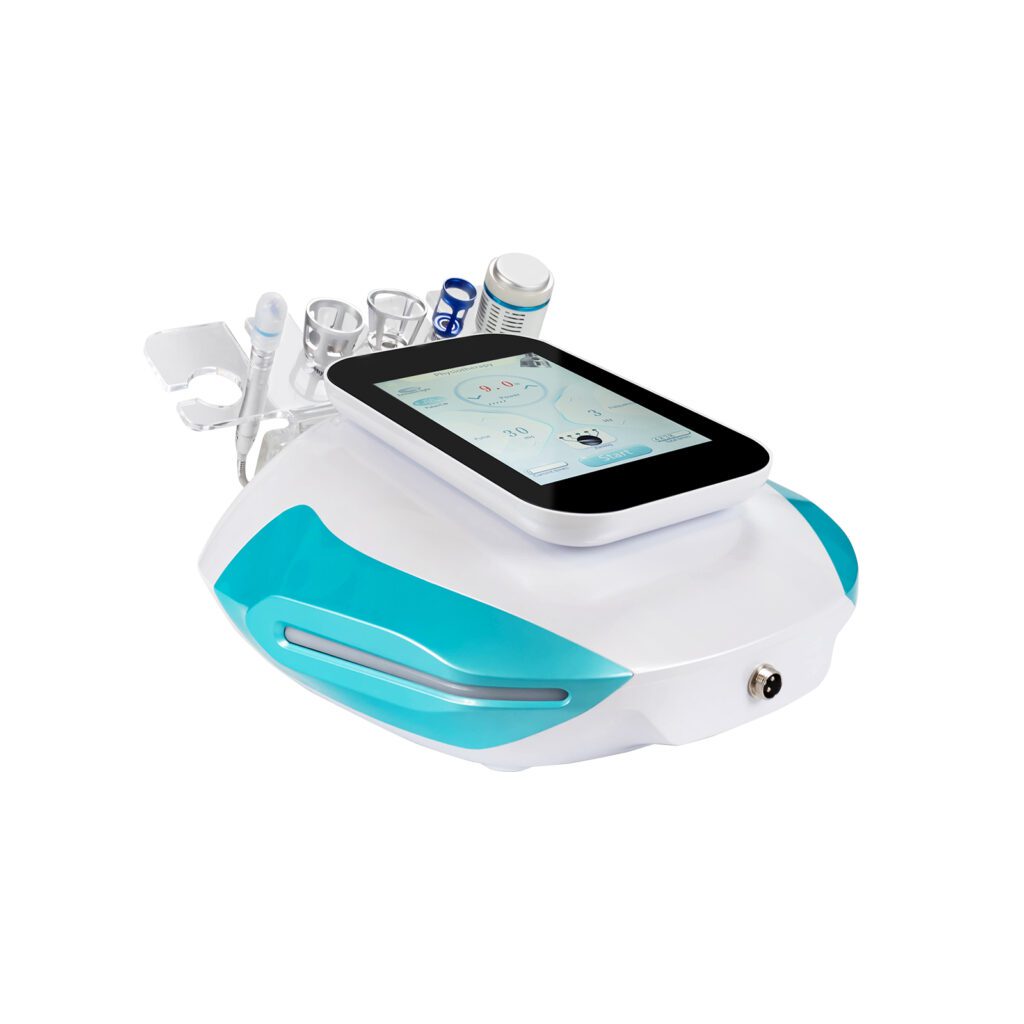
The SHEFMON A0648 9-in-1 diamond hydro microdermabrasion machine is a multifunction facial platform with multiple working elements and fluid- or vacuum-related operation.
A proposed development-stage spare review could examine:
- external tools, tips, bottles, filters, tubing, and seals;
- treatment handles and cables;
- pump and vacuum assemblies;
- valves and fluid-path kits;
- display and control modules;
- power-entry parts; and
- model-specific packaging for individual replacements.
The team should separate routine consumables from repair parts and decide which fluid-path elements can be replaced locally without creating leakage, contamination, or incorrect routing. This is a planning example, not a statement about SHEFMON’s confidential service BOM.
32. Example: A0426 Hair-Removal Spare Planning
The SHEFMON A0426 diode laser hair-removal machine publishes wavelength, handle-power, spot-size, cooling, voltage, and language choices.
A proposed spare plan could assess:
- treatment handpiece by exact configuration;
- handpiece cable and connector;
- cooling pump, fan, flow, and temperature-related modules;
- display and programmed control board;
- power assemblies;
- regional power-entry items; and
- filters or maintenance items where applicable.
Compatibility records should identify wavelength, handle power, spot size, software, calibration, cooling, hardware revision, and serial range. High-risk optical, energy, or calibration work may require factory or authorized service-center replacement rather than general distributor repair.
33. Example: B0155 Body Platform Spare Planning
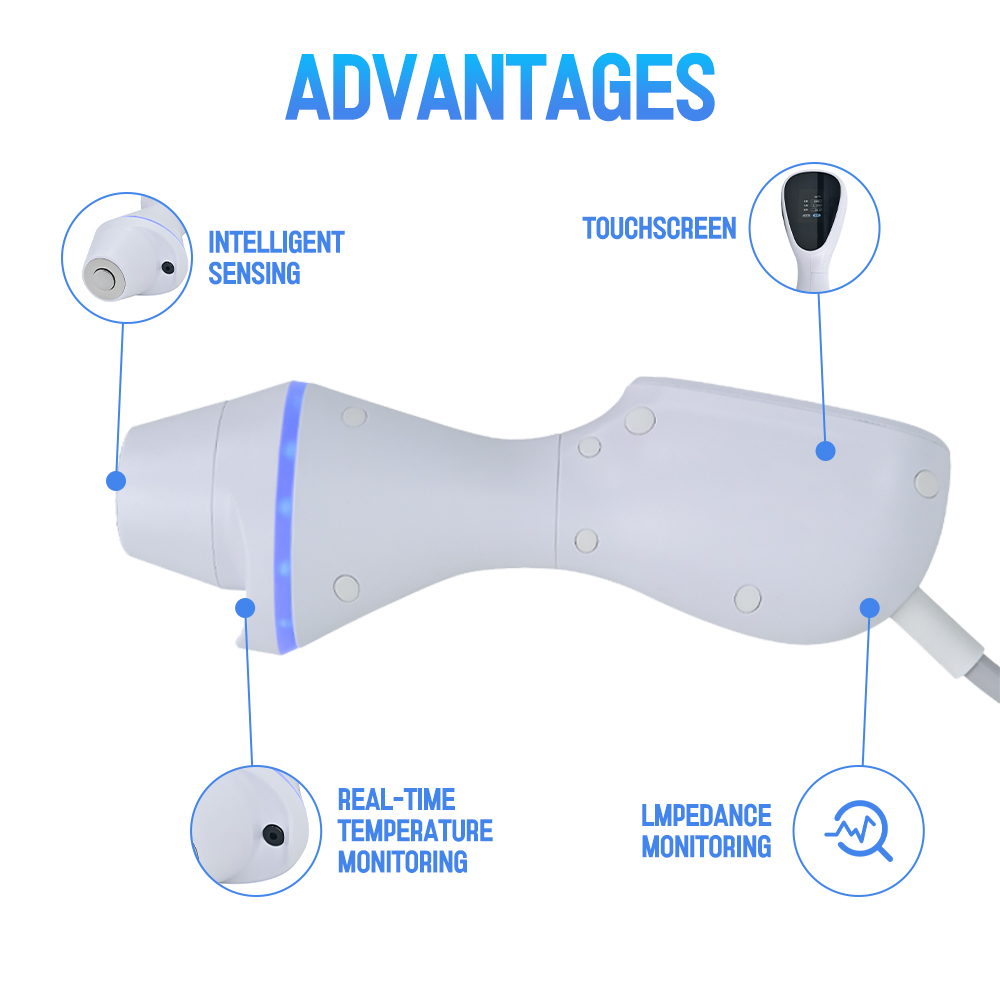
The SHEFMON B0155 desktop body platform is presented with multiple handles and functions involving vacuum, rollers, RF-related operation, light, and cavitation.
A proposed spare review could include:
- complete handles and high-cycle cables;
- rollers, gears, bearings, and motor assemblies;
- vacuum motor, valve, tubing, and seals;
- handle connectors and identification;
- display and control modules;
- RF- or cavitation-related assemblies; and
- transport packaging for heavy or fragile handles.
The factory should decide whether each handle is repaired locally, exchanged as a module, or returned. Shared-console failure and single-handle failure need different stock and service priorities.
34. Control Spare Parts in OEM/ODM Development
The SHEFMON OEM/ODM service overview describes customization areas such as exterior design, internal layout, airflow, wiring, handpiece connections, fluid or air paths, language, branding, prototypes, and small-batch production.
For custom projects, define:
- which standard spares remain compatible;
- unique customer-specific service parts;
- branding and label requirements;
- customer-owned tooling or components;
- minimum spare buy;
- repeat-order and long-term supply terms;
- who stocks parts and where;
- software and parameter ownership;
- service manuals and training access;
- warranty and return responsibilities; and
- final-buy or redesign route if a custom part is discontinued.
Small production volume can increase spare risk because suppliers may resist low-volume replenishment after the initial order.
35. Use Early Field Monitoring to Update the Plan
During the first commercial phase, review:
- installations by model, region, and configuration;
- support cases and symptoms;
- diagnostic accuracy;
- parts requested versus parts actually needed;
- no-fault-found returns;
- repeat repairs;
- replacement lead time;
- service completion time;
- supplier defects;
- packaging damage;
- training gaps; and
- stockouts or excess inventory.
Update design, instructions, training, parts tiers, stock quantities, supplier controls, and diagnostic tools. Early monitoring should have a defined owner and review cadence.
36. Spare-Parts Planning Metrics
Useful measures include:
- priority parts released before product launch;
- service BOM completeness;
- parts with verified compatibility and instructions;
- first-time diagnosis accuracy;
- first-time repair success;
- mean service completion time;
- spare fill rate by tier and region;
- emergency shipments;
- no-fault-found returns;
- repeat failure after replacement;
- obsolete spare inventory;
- supplier lead-time performance;
- installed units without supported parts; and
- service events feeding design or supplier action.
Do not optimize only for low inventory. Availability, repair quality, safety, and customer downtime also matter.
37. Common Development-Stage Spare-Parts Failures
Copying the production BOM into a spare list
Production items may be impractical, unsafe, or incomplete as field replacements.
Waiting for the first failure
Parts, packaging, tools, instructions, and supplier terms may not exist when the customer needs help.
Stocking every internal component
This creates complexity and obsolete inventory without improving authorized repair.
Ignoring software and calibration
A physically correct board, display, sensor, or handle may not operate correctly after installation.
Assuming the mass-production supplier will support small service orders
MOQ, packaging, tooling, and declining volume can make future supply difficult.
Treating warranty reserve as stock readiness
Financial provision does not place a compatible part near the customer.
Using model name as the only compatibility field
Revisions, software, region, handles, connectors, and serial ranges can differ.
Releasing the product before service documentation and tools
Parts may exist but authorized teams cannot diagnose, install, or verify them.
38. New Beauty Device Spare-Parts Checklist
- Service strategy and authorized repair levels are defined.
- Spare parts, consumables, accessories, tools, warranty kits, and upgrades are separated.
- Serviceable-unit boundaries are reviewed with product architecture.
- Design-for-serviceability has been tested on prototypes.
- Candidate spares use risk, reliability, supplier, and analogous-product inputs.
- Each spare has a service-impact tier.
- A controlled service BOM links parts to model, revision, and serial applicability.
- Service part numbers represent the supplied replacement package.
- Software, firmware, parameter, and calibration dependencies are documented.
- Replacement instructions and post-replacement tests are approved.
- Diagnostic coverage and service tools are ready.
- Pilot and reliability findings have updated the spare list.
- Repair, replace, exchange, return, and loan routes are defined.
- Suppliers have spare packaging, MOQ, lead-time, change, and lifecycle commitments.
- Initial service stock is protected from production consumption.
- Launch quantities use transparent scenarios and review assumptions.
- Stock locations match installed-base plans and service capability.
- Spare packaging, labels, storage, and returns are controlled.
- Spare readiness is included in commercial-release review.
- Early field monitoring can change design, training, supplier, and stock decisions.
FAQ
1. When should spare-parts planning begin for a new beauty device?
It should begin during product requirements and architecture work, then mature through detailed design, prototypes, verification, pilot production, and commercial release.
2. Should every BOM component become a spare part?
No. The service BOM should reflect authorized and practical replacement units. Some internal components are repaired only at the factory, while others are supplied as complete tested modules.
3. How can factories estimate spare demand without field failure data?
Use analogous products, engineering judgment, prototype and pilot findings, supplier history, reliability evidence, installed-base plans, lead time, and scenario ranges. Record uncertainty and review the plan after launch.
4. Are consumables part of the spare-parts plan?
They should be planned alongside spares but kept as a separate item class. Consumables depend on usage and reorder behavior, while spares depend on failure, diagnosis, repair policy, and service level.
5. What is the difference between a production part and a service part?
A production part is used to build the device. A service part is the approved replacement package, which may include programming, calibration, brackets, cables, seals, instructions, packaging, and compatibility controls.
6. Should distributors stock expensive treatment handles?
The decision depends on installed quantity, failure and damage exposure, lead time, repair strategy, service promise, configuration variety, value, and exchange options. Central or regional exchange stock may be preferable to broad stocking.
7. Why do spare boards need software control?
The same board hardware may support several models or revisions. Correct firmware, language, parameters, calibration, identity, and compatibility must be loaded and verified before or during replacement.
8. What should happen when a spare supplier discontinues a part?
Assess installed-base demand, final-buy quantity, shelf life, alternate qualification, redesign, repair or refurbishment, service commitments, and customer communication. Do not wait until stock reaches zero.
9. Must all spare parts be available before product launch?
High-priority service readiness should be complete. Low-demand parts can use documented supply or factory-return routes, but important gaps, owners, dates, and interim controls must be visible at release.
10. How should OEM buyers discuss spare parts during development?
Agree on the service model, standard and custom spares, compatibility, opening stock, MOQ, software ownership, training, warranty, stock location, long-term supply, change notification, and end-of-life responsibilities before mass production.
Conclusion
Spare-parts planning during new beauty device development turns serviceability into a product requirement rather than an after-sales emergency. The factory should define repair levels, design replaceable units, create a service BOM, control software and calibration, prepare tools and instructions, and secure supplier support before the installed base begins to grow.
Initial stock should follow transparent assumptions about planned units, service impact, supplier lead time, logistics, pilot evidence, and uncertainty. Commercial release should confirm that priority parts, compatibility records, packaging, training, warranty, returns, and escalation routes are ready. Early field data can then refine both the spare plan and the product design.
SHEFMON offers professional beauty devices across facial, hair-removal, body, and multifunction categories. Buyers can explore SHEFMON professional beauty machines, review its quality-control overview, learn about OEM/ODM customization, or contact SHEFMON to discuss device configuration, service preparation, and replacement-part requirements.