










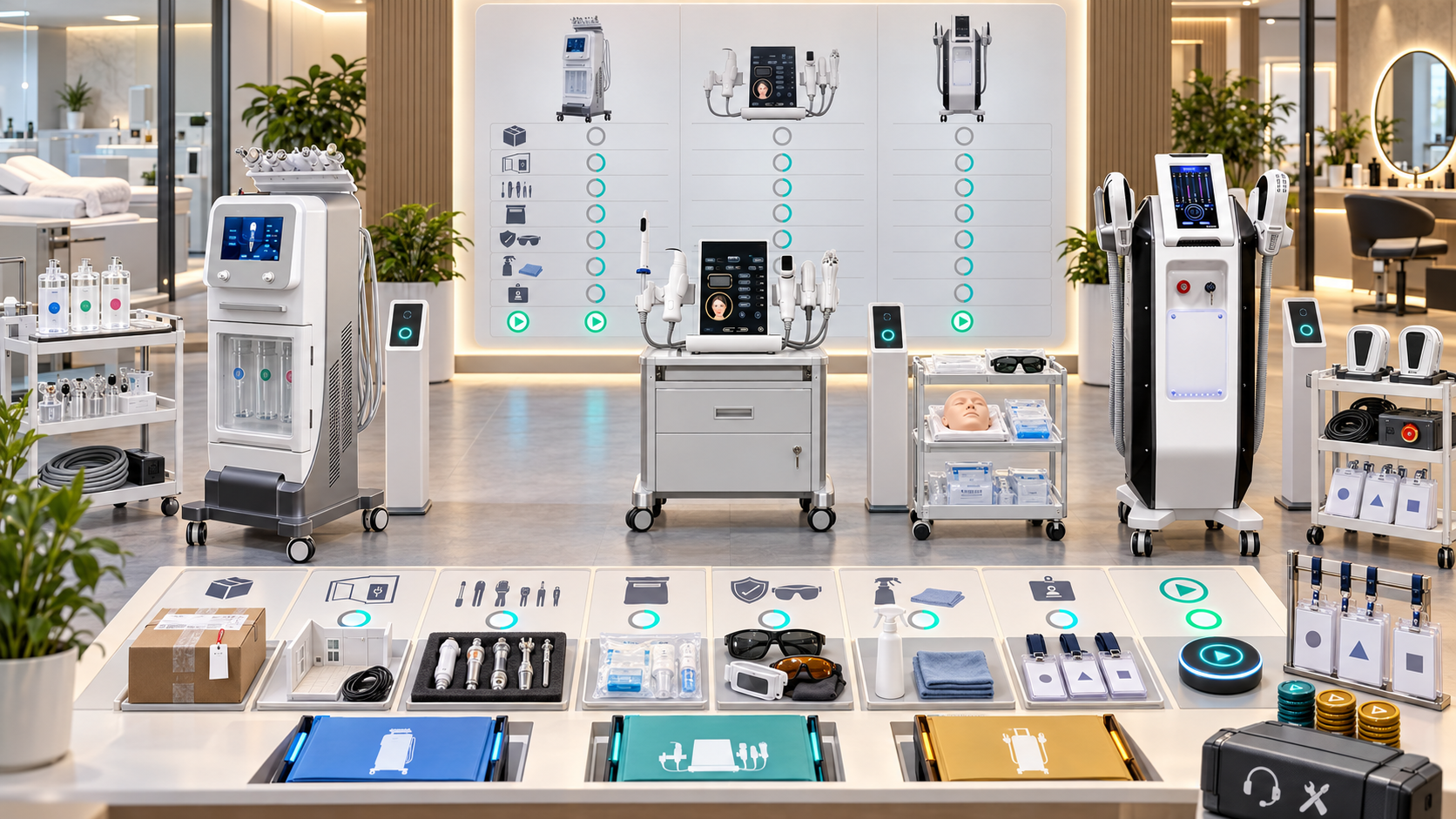
Buying a professional beauty device does not automatically create a bookable service. A new salon or clinic team still needs to confirm the exact configuration, prepare the room, assign staff roles, complete training and authorization, build client and booking workflows, stock the correct consumables, and establish technical support. If one of these elements is missing, the device may be installed but the service is not ready.
A structured onboarding process turns equipment into a controlled part of the business. This guide provides practical checklists for salons, skin clinics, med spas, body studios, and multi-location teams introducing SHEFMON facial, body-care, RF-microneedling, HIFU, and laser devices. It also helps distributors define what information and support the receiving team needs before opening appointments.
Zusammenfassung
- Define the intended service menu, buyer responsibilities, professional conditions, and launch owner before delivery.
- Prepare the treatment room, utilities, storage, cleaning workflow, access control, and booking resources for the exact device category.
- Verify the delivered model, configuration, voltage, handles, applicators, cartridges, accessories, consumables, and documents at acceptance.
- Separate sales, operator, technical, reception, inventory, and management onboarding tasks.
- Train and assess staff on the exact installed configuration; product demonstration alone is not independent authorization.
- Keep advanced device services unavailable until local eligibility, room, staff, consent, documentation, and escalation requirements are satisfied.
- Build opening stock from the approved configuration and planned services rather than from a generic category list.
- Test the full journey from consultation and booking through room setup, service records, cleaning, stock deduction, and follow-up.
- Use a controlled soft launch before expanding appointment volume or marketing claims.
- Review service quality, authorization coverage, equipment status, stock, bookings, and support cases during the first operating month.
1. Define What Onboarding Completion Means
Onboarding is complete when the business can deliver a named service through a verified workflow. Device power-on is only one checkpoint.
A launch-ready service needs:
- a confirmed device and configuration;
- an approved service definition;
- appropriate professional and local eligibility;
- an accepted treatment room;
- autorisiertes Personal;
- current procedures and records;
- correct consumables and accessories;
- booking duration and resource rules;
- Reinigungs- und Abfallprozesse;
- incident and technical escalation;
- client communication and follow-up;
- management approval to open appointments.
Different functions on a multifunction platform can reach readiness at different times. Launch only the functions that have passed every applicable check.
2. Use Seven Onboarding Gates
| Gate | Main question | Evidence before moving forward |
|---|---|---|
| 1. Business scope | Which buyer, client pathway, service category, and menu role will the device support? | Approved service concept, buyer responsibilities, local review plan, and launch owner |
| 2. Site readiness | Can the room safely and practically support the exact device and workflow? | Room, utilities, storage, cleaning, access, privacy, and emergency checks |
| 3. Acceptance | Did the team receive the correct unit, configuration, accessories, documents, and stock? | Signed acceptance record with discrepancies and owners |
| 4. Staff readiness | Have the required roles completed relevant learning and assessment? | Training records, competency evidence, and identified gaps |
| 5. Authorization | Is each person permitted to perform the exact task, service, configuration, and site? | Current authorization matrix and access controls |
| 6. Workflow readiness | Can the team book, consult, deliver, document, clean, restock, and follow up consistently? | End-to-end simulation and approved forms or system setup |
| 7. Launch control | Has the business tested limited real capacity and resolved opening issues? | Soft-launch review, open-action list, and management release |
Do not move to the next gate simply because a delivery or marketing date has been announced.
3. Appoint an Onboarding Owner and Workstream Leads
One owner should coordinate the plan, while specialists approve their own areas.
| Workstream | Typical owner | Required output |
|---|---|---|
| Business and service menu | Business or service lead | Service definition, buyer fit, launch scope, appointment model |
| Professional and local requirements | Appropriate professional or compliance lead | Eligibility, premises, supervision, consent, and record conditions |
| Room and facility | Operations or facility lead | Utility, layout, storage, access, cleaning, and emergency readiness |
| Device acceptance | Equipment lead | Unit, configuration, accessory, document, and discrepancy record |
| Mitarbeiterschulung | Training coordinator | Role-based curriculum, attendance, assessment, and gaps |
| Authorization | Approved authorization lead | Named permissions, exclusions, supervision, and review dates |
| Booking and client journey | Front-desk and service owners | Booking rules, consultation route, forms, scripts, and follow-up |
| Consumables and stock | Inventory or purchasing owner | Opening stock, reorder data, storage, and item-device relationships |
| Technische Unterstützung | Technical case owner | Fault intake, escalation, maintenance, and return-to-service process |
The onboarding owner should not approve a specialist area outside their authority merely to keep the schedule moving.
4. Complete the Pre-Order Information Checklist
Before the order is finalized, capture:
- business type and target clients;
- existing service categories;
- intended new services;
- exact model and proposed configuration;
- standard and optional handles or applicators;
- room and utility profile;
- market, voltage, frequency, and plug;
- intended operator roles;
- professional, premises, and supervision questions;
- language and document needs;
- opening consumables;
- delivery, installation, and acceptance responsibilities;
- operator and technical training scope;
- maintenance and support route;
- unresolved fields requiring confirmation.
Do not let the quote become the only configuration record. Preserve a clear approved schedule that operations, training, inventory, and support teams can use.
5. Prepare the Treatment Room
The room checklist should match the specific category and local requirements.
Verify:
- physical dimensions and access path;
- treatment bed, trolley, and operator movement;
- power, voltage, frequency, plug, and load conditions;
- water, drainage, cooling, ventilation, or network needs where relevant;
- stable device placement;
- cable and trip-hazard management;
- lighting and visibility;
- client privacy and consultation space;
- cleaning and hand-hygiene resources;
- single-use and reusable-item separation;
- secure consumable and accessory storage;
- waste or sharps controls where applicable;
- restricted access or warning controls for the category;
- emergency and escalation information;
- room booking resource in the scheduling system.
Record discrepancies before delivery. A device should not be accepted into routine use in an unsuitable temporary space.
6. Plan Delivery and Receiving
Give the receiving team a dated plan covering:
- delivery address and contact;
- access hours and route;
- package count and expected items;
- lifting or handling needs;
- inspection owner;
- quarantine area for discrepancies;
- photo or condition evidence;
- electrical connection responsibility;
- installation or setup responsibility;
- trainer or support availability;
- acceptance time;
- process for missing, damaged, or incorrect items.
Do not discard packaging or move unidentified components into general stock until the acceptance record is complete and any support conditions are understood.
7. Complete the Device Acceptance Checklist
At delivery or approved installation, confirm:
- official model number;
- serial or another verified physical identifier where available;
- sellable configuration and revision;
- market and electrical profile;
- main unit condition;
- handle, applicator, module, cartridge, tip, and accessory identities;
- quantities;
- cables, adapters, holders, and companion items;
- opening consumables;
- user documents and languages;
- training materials;
- warranty or support information;
- software, account, or network needs where relevant;
- discrepancies, evidence, owner, and due date.
Set the unit status to Received, Verification Required, Accepted, or Hold. Do not use “delivered” as proof that the correct configuration is ready.
8. Build the Installed-Unit Record
Create one stable record for the physical device.
Enthalten:
- installed-unit ID;
- model and configuration;
- serial or physical identifier;
- site, department, and room;
- acceptance date;
- handles, applicators, cartridges, and accessories;
- consumable relationships;
- electrical and market profile;
- current documents;
- assigned equipment owner;
- geschultes und autorisiertes Personal;
- maintenance schedule;
- support contact;
- current lifecycle and readiness status;
- configuration changes after acceptance.
Keep the original delivered configuration and current configuration. Later changes should be dated events rather than silent overwrites.
9. Create the Team Role Map
New teams often assume that everyone needs the same onboarding. Separate roles.
Possible roles include:
- business or service-menu owner;
- consultation professional;
- independent operator;
- supervised trainee;
- room and preparation assistant;
- reception and booking staff;
- cleaning and stock owner;
- equipment and maintenance lead;
- technical case owner;
- trainer or assessor;
- authorization lead;
- marketing or sales staff;
- data and privacy owner.
One person can hold several roles in a small business, but their responsibilities and permissions should remain distinct.
10. Separate Sales, Operator, and Technical Onboarding
Sales and consultation onboarding
Cover target buyer or client pathway, accurate category positioning, verified functions, service-menu language, claim boundaries, booking questions, and escalation. It does not grant device-operation permission.
Operator onboarding
Cover professional eligibility, exact configuration, approved service, room, controls, monitoring, cleaning, records, consumables, stop conditions, and practical assessment.
Technical onboarding
Cover device identity, approved user care, evidence collection, fault intake, user-serviceable items, technical boundaries, component control, support cases, verification, and release authority.
Reception onboarding
Cover service names, valid operators, device and room resources, appointment duration, required consultation, hold statuses, preparation scripts, and escalation. Reception staff should not decide client suitability or device parameters.
11. Build the Staff Authorization Matrix
For every staff member, record:
- exact device and installed-unit scope;
- configuration and functions;
- service and task;
- site and room;
- authorization level;
- supervision condition;
- professional eligibility evidence where applicable;
- training and competency evidence;
- exclusions;
- login, key, room, and booking access;
- effective and review dates;
- suspension or gap status.
Use statuses such as Awareness Only, Preparation Only, Supervised, Independent, Assessor, Technical Task, Training Pending, and Not Authorized. Do not use one generic “trained” checkbox.
12. Build the Operator Learning Plan
The plan should include the exact work the person will perform.
Cover:
- device and configuration identity;
- technology principles needed for the role;
- professional and local boundaries;
- client pathway and escalation;
- approved service steps;
- controls and parameter boundaries;
- handle, applicator, cartridge, tip, or needle-head selection;
- room and pre-use checks;
- client monitoring;
- stop conditions and incident response;
- cleaning, disinfection, storage, and waste;
- consumable traceability;
- treatment and follow-up records;
- fault reporting and booking holds;
- practical assessment and supervised evidence.
Set learning outcomes before choosing the delivery time. A short course can introduce the device without proving independent competence.
13. Prepare Reception and Booking Rules
For every service, configure:
- public and internal service name;
- appointment duration;
- Konsultationspflicht;
- qualified staff resource;
- exact device or function resource;
- room resource;
- setup and turnover buffer;
- consumable dependency;
- minimum notice or preparation information where applicable;
- hold and cancellation status;
- package and deposit rules;
- follow-up resource;
- escalation contact.
Test that the system blocks an appointment when no valid operator, room, or device resource is available.
14. Prepare Client Records and Consent Workflows
The required record depends on the service, professional scope, and local rules. The team should define:
- consultation owner;
- suitability and escalation questions;
- approved consent process;
- device, unit, handle, or cartridge fields;
- service or protocol field;
- operator identity;
- consumable or batch traceability where needed;
- client observations and response;
- follow-up and aftercare information;
- adverse-event or complaint escalation;
- privacy, access, storage, and retention controls.
Do not store required information in personal messaging accounts or informal notebooks.
15. Set Up Opening Consumables and Inventory
Build stock from the installed configuration and planned launch volume.
Aufzeichnen:
- item ID and description;
- compatible device, handle, or applicator;
- standard, optional, or conditional relationship;
- pack size and order unit;
- opening quantity;
- storage condition;
- expiry or use limit where applicable;
- single-use or reusable status;
- service consumption assumption;
- reorder point and owner;
- quarantine process;
- approved substitute status;
- stock deduction method.
Avoid stocking every item shown for a broader product family. Order only the items confirmed for the delivered configuration and service menu.
16. Build Cleaning, Turnover, and Storage Workflows
The onboarding checklist should specify:
- task after each client;
- task at opening and closing;
- single-use items and disposal;
- reusable items and approved cleaning method;
- surfaces or components that must not be soaked;
- products compatible with the device materials;
- flushing or fluid-path steps where applicable;
- drying and storage;
- room turnover time;
- responsibility and sign-off;
- response to spills, contamination, damage, or missing items;
- periodic deeper cleaning and maintenance relationship.
Train the person performing the task and test the workflow with the actual room layout.
17. Define Daily Equipment Checks
Create a concise checklist appropriate to the exact device.
Possible opening checks include:
- correct device and room;
- visible exterior condition;
- power cord, plug, cable, connector, and handle condition;
- correct installed accessories;
- fluid, cooling, filter, tubing, or container status where applicable;
- consumables for booked services;
- system or account access;
- error or hold status;
- room resources and protective items;
- cleaning completion.
Closing checks can cover cleaning, single-use disposal, accessory return, fluid or container handling, abnormal observations, stock deduction, booking holds, and secure shutdown. Follow the approved instructions for the exact model.
18. Establish Maintenance and Technical Support
Before launch, record:
- approved user-maintenance tasks;
- prohibited internal work;
- maintenance schedule;
- technical-support contact;
- installed-unit information needed for a case;
- evidence required for fault intake;
- first-line checks permitted at site;
- component and compatibility records;
- shipping or on-site support path;
- device hold statuses;
- post-work verification;
- authority to release the device back to appointments.
Do not let booked services pressure unqualified staff into opening, modifying, or bypassing the equipment.
19. Build the Incident and Escalation Workflow
Staff should know how to respond to:
- client discomfort or unexpected response;
- device alarm or error;
- damaged cable, handle, applicator, or cartridge;
- abnormal heat, cooling, sound, suction, output, leakage, or smell;
- fluid near powered sections;
- missing protective resources;
- incorrect component or consumable;
- cleaning or contamination concern;
- power, room, or utility interruption;
- out-of-scope booking or unauthorized operation.
The workflow should protect the client, stop or isolate the affected service, preserve evidence, assign an owner, update bookings, and initiate the correct professional or technical escalation.
20. Test the End-to-End Client Journey
Run a tabletop and room simulation before opening public appointments.
Prüfen:
- enquiry and accurate service explanation;
- booking with staff, room, and device resources;
- pre-appointment information;
- consultation and escalation;
- room and equipment preparation;
- service documentation;
- cleaning and turnover;
- consumable deduction;
- aftercare and follow-up;
- payment or package update;
- incident and device-hold scenario;
- next appointment or client communication.
Use simulated client information during practice unless an approved real-client training pathway is in place.
21. Use a Controlled Soft Launch
A soft launch limits volume while the team verifies the real workflow.
Definieren:
- services included;
- autorisierte Betreiber;
- eligible client pathway;
- number and spacing of appointments;
- supervision or review presence;
- room and turnover buffer;
- opening stock;
- daily review owner;
- issue log;
- conditions for pausing;
- evidence required before adding volume or services.
Do not launch every optional function on the same day. Start with the services that have complete readiness.
22. Use a Launch-Readiness Decision
| Entscheidung | Bedeutung | Booking action |
|---|---|---|
| Ready | Every applicable gate is complete for the named service | Open controlled appointments |
| Ready with limits | Only named staff, functions, clients, times, or rooms are approved | Configure booking restrictions |
| Training or assessment hold | Staff learning is incomplete | No independent appointments |
| Room or equipment hold | Facility, device, component, or protective resource is not ready | Block affected service |
| Stock hold | Correct consumable or accessory is unavailable | Block services that require it |
| Professional review required | Eligibility, supervision, service, or client pathway is unresolved | Keep service unavailable until confirmed |
Record the reviewer, date, evidence, limitations, and next action.
23. Onboard A0648 Facial Services
Der SHEFMON A0648 hydro microdermabrasion machine is presented as a multifunction facial platform.
A0648 checklist
- Delivered tool and handpiece set is recorded.
- Tips, solution containers, tubing, cables, and refill items are identified.
- Facial services are mapped to the exact tools they use.
- Staff are assessed by function rather than for the whole platform automatically.
- Suction and client-comfort workflow is documented.
- Cleaning, flushing, drying, and storage steps are approved.
- Leakage, blockage, weak suction, damaged tubing, and hold responses are understood.
- Consumable deductions and reorder points are configured.
- Room turnover time is tested.
- Only launch-ready facial functions are bookable.
24. Onboard B0155 Body Services
Der SHEFMON B0155 body-care system includes applicators intended for different treatment areas, so the team should map each applicator to a named service before opening bookings.
B0155 checklist
- Exact handle package and quantity are recorded.
- Each applicator is linked to an approved service and room setup.
- Staff authorization is recorded by handle or service.
- Client positioning and operator movement are tested.
- Appointment duration and turnover are configured.
- Cleaning and applicator storage are documented.
- Cable, connector, vacuum, roller, RF, or physical observations are included where relevant to the confirmed setup.
- Package and repeat-client records use the correct service names.
- Replacement-handle and technical escalation routes are known.
- Body and smaller-area services can be held separately when appropriate.
25. Onboard A0152 RF-Microneedling Services
Der SHEFMON A0152 RF-microneedling page lists working-handle choices and several needle-head formats.
A0152 checklist
- Professional, site, supervision, and service eligibility are confirmed.
- Installed working-handle arrangement is recorded.
- Permitted needle-head formats and service scope are defined.
- Correct single-use stock, storage, traceability, and waste route are ready.
- Consultation, consent, records, and follow-up are approved.
- Room and infection-control workflow is tested.
- Protocol and parameter authority is limited to authorized staff.
- Installation, recognition, device-alert, and stop responses are covered.
- Independent bookings remain closed until competency and authorization are complete.
- Technical and adverse-event escalation contacts are available.
26. Onboard A0204 HIFU Services
Der SHEFMON A0204 focused HIFU system requires the receiving team to verify the ordered handles, modules, and cartridge selections against the delivery record.
A0204 checklist
- The delivered configuration and revision match the accepted schedule.
- Active handles, modules, cartridges, and quantities are recorded.
- Each approved service is linked to the correct configuration element.
- Unordered or unassessed optional functions remain excluded.
- Professional pathway, consultation, consent, and records are confirmed.
- Cartridge identity, status, storage, and use information are controlled.
- Staff authorization is recorded by handle and cartridge family.
- Room, booking duration, cleaning, and support processes are tested.
- Error, handle, cartridge, and technical-hold escalation is defined.
- The service remains unavailable until every applicable launch gate is complete.
27. Onboard A0426 Laser Hair-Removal Services
Der SHEFMON A0426 diode laser lists choices involving wavelength arrangement, handle power, and spot size.
A0426 checklist
- Model, handle, wavelength, power, spot-size, electrical, and market configuration are recorded.
- Operator and facility eligibility are verified.
- Room access, warning, privacy, and restricted-area controls are approved.
- Protective eyewear is selected and controlled for the approved setup.
- Cooling, contact, and pre-use checks are documented.
- Client assessment, protocol boundaries, records, and incident response are approved.
- Staff are assessed on the A0426 configuration and site.
- Hair-removal booking durations and package records are configured.
- Handle, cooling, electrical, alarm, and support escalation are tested.
- Marketing and reception claims use approved language.
Training on another laser does not automatically complete A0426 onboarding.
28. Coordinate Several Devices in One New Team
When the business launches several categories, avoid one shared launch date without category-level readiness.
Create a portfolio board showing:
- device and service;
- room;
- responsible owner;
- acceptance status;
- opening stock;
- operator coverage;
- professional review;
- booking setup;
- soft-launch date;
- current hold;
- open action and due date.
Stagger launch dates when training, rooms, staff, or stock cannot support all categories simultaneously. A facial service can open while advanced services remain on hold.
29. Onboard New Hires After the Initial Launch
Do not repeat the entire business launch for every hire, but preserve the relevant gates.
New-hire onboarding should include:
- role and expected device scope;
- local eligibility verification;
- current model, configuration, and documents;
- room and site induction;
- operator, sales, reception, or technical curriculum;
- supervised practice and competency assessment where required;
- access and booking permissions;
- cleaning, stock, record, and escalation duties;
- effective authorization date;
- early performance review.
Never copy another employee’s access or authorization record.
30. Coordinate with the Distributor
Before delivery, confirm what the distributor will provide and what remains the buyer’s responsibility.
Useful support inputs include:
- current product and configuration information;
- packing and accessory schedule;
- user documents;
- available product-training scope;
- consumable and component relationships;
- opening-stock guidance based on confirmed services;
- delivery and setup process;
- technical case requirements;
- support contacts;
- unresolved questions requiring confirmation.
The buyer remains responsible for its local professional conditions, room acceptance, staff assessment, client workflow, business authorization, and service release.
31. Manage Multi-Location Onboarding
Central templates help, but every site needs its own readiness evidence.
Track by location:
- installed unit and configuration;
- room and utility acceptance;
- staff and authorization coverage;
- local professional and premises conditions;
- stock and storage;
- booking resources;
- cleaning and waste workflow;
- support contacts;
- soft-launch result;
- open holds and corrective actions.
Do not mark all branches Ready because one pilot site passed. Use the pilot to improve the checklist, then verify each location.
32. Review the First 30 Days
| Review area | Fragen, die man stellen sollte |
|---|---|
| Services and bookings | Are the intended services being booked with correct durations, staff, devices, and rooms? |
| Staff | Are authorizations current, supervision workable, and refresher needs visible? |
| Clients | Are consultation, consent, records, communication, follow-up, and complaints controlled? |
| Ausrüstung | Are daily checks, holds, maintenance, errors, and support cases recorded? |
| Verbrauchsmaterial | Does real use match opening assumptions, and are reorder points working? |
| Room and workflow | Is setup, cleaning, turnover, storage, privacy, and waste handling practical? |
| Geschäft | Does the service menu match actual demand and staff capacity without unsupported claims? |
| Unterstützung | Are technical questions reaching the correct contact with complete evidence? |
Set corrective actions with owners and dates. Expand volume or add functions only after the current workflow is stable.
33. Common Onboarding Errors
- Treating delivery as service readiness.
- Accepting a general product name instead of the exact configuration.
- Training every employee with the same material.
- Granting independent access after a demonstration.
- Opening booking slots before operator and room resources are configured.
- Stocking unverified consumables for a broad product family.
- Launching every function on a multifunction device at once.
- Leaving technical support dependent on one personal contact.
- Failing to test cleaning and turnover in the actual room.
- Mixing sales, consultation, operation, and technical permissions.
- Running promotions before soft-launch issues are resolved.
- Marking all branches Ready from one site’s acceptance.
- Measuring onboarding only by course attendance.
34. Master Beauty Device Onboarding Checklist
- Business type, service category, client pathway, and launch owner are defined.
- Model, configuration, market, electrical profile, options, and documents are approved.
- Professional, premises, supervision, insurance, privacy, and local questions are resolved.
- Room, utilities, layout, storage, cleaning, waste, privacy, and access are accepted.
- Delivery and discrepancy procedures are assigned.
- The unit, components, consumables, and documents pass acceptance.
- A stable installed-unit record is created.
- Team roles and responsibilities are mapped.
- Sales, operator, technical, reception, stock, and management onboarding are separated.
- Operator learning and assessment match the exact configuration and service.
- Authorization, access, rooms, and bookings are connected.
- Client consultation, consent, records, aftercare, and incident workflows are ready.
- Opening stock, storage, traceability, deductions, and reorder points are configured.
- Cleaning, turnover, storage, opening, and closing workflows are tested.
- Maintenance, technical escalation, and return-to-service authority are documented.
- The end-to-end client journey passes simulation.
- Soft-launch scope, volume, supervision, review, and pause criteria are approved.
- Each service has a recorded launch-readiness decision.
- The first-month review has owners, measures, and a scheduled date.
Häufig gestellte Fragen
1. When should beauty device onboarding begin?
Begin before ordering is finalized. Early planning allows the buyer to confirm the service role, configuration, room, staff, professional conditions, consumables, training, delivery, and support responsibilities before the device arrives.
2. Is a product demonstration enough to open appointments?
No. A demonstration can support learning, but the team also needs site readiness, exact configuration acceptance, appropriate eligibility, practical competency, authorization, records, stock, booking rules, cleaning, and escalation processes.
3. Should every team member receive operator training?
Train people for their actual roles. Reception may need booking and escalation onboarding; assistants may need room or cleaning tasks; operators need device-service competency; technical staff need task-specific support training. Do not grant unnecessary access.
4. How long should onboarding take?
There is no universal duration. Timing depends on device complexity, local requirements, room preparation, staff background, configuration, assessment evidence, and the number of services. Use completion gates instead of a fixed number of days.
5. What should happen if the device arrives with missing or incorrect items?
Record the discrepancy, preserve evidence, separate affected items, contact the responsible support channel, and keep dependent services on hold. Do not improvise with an unverified accessory or consumable.
6. Should a multifunction device launch every function at once?
Only if each function has passed the applicable room, staff, service, stock, documentation, and support checks. It is often clearer to launch approved core functions first and add others after separate readiness review.
7. How should salons choose opening consumable quantities?
Use the exact installed configuration, approved launch services, pack sizes, verified consumption assumptions, appointment plan, storage conditions, reorder lead factors, and an appropriate local buffer. Update the forecast with first-month use.
8. What is the purpose of a soft launch?
A soft launch tests the real client journey at controlled volume. It gives the team time to correct booking, room, stock, cleaning, documentation, staffing, or support problems before expanding services or marketing.
9. Can one branch’s onboarding approval cover every location?
No. Central materials can be shared, but each site needs its own device, room, staff, professional, stock, booking, and workflow evidence. Configurations and local conditions may differ.
10. When should SHEFMON be contacted during onboarding?
Contact SHEFMON when model configuration, handles, applicators, cartridges, needle heads, consumables, documents, product-training scope, technical-case requirements, or support contacts need confirmation. Share the accepted configuration and intended service menu.
Abschluss
Beauty device onboarding connects equipment to a complete service system. New teams need more than a delivery and demonstration: they need verified configurations, ready rooms, role-specific training, staff authorization, controlled bookings, client records, consumables, cleaning, maintenance, and escalation. The seven onboarding gates make these dependencies visible before appointments begin.
Use a soft launch, review the first month, and add functions only when the previous workflow is stable. This gives new salons and clinics a practical route from equipment selection to a consistent, bookable service menu.
Erkunden Sie die SHEFMON Schönheitsgeräte-Kategorien oder Kontaktieren Sie SHEFMON with your planned services, team roles, room conditions, selected models, configurations, and launch schedule to confirm product information and onboarding inputs for your new team.

























