










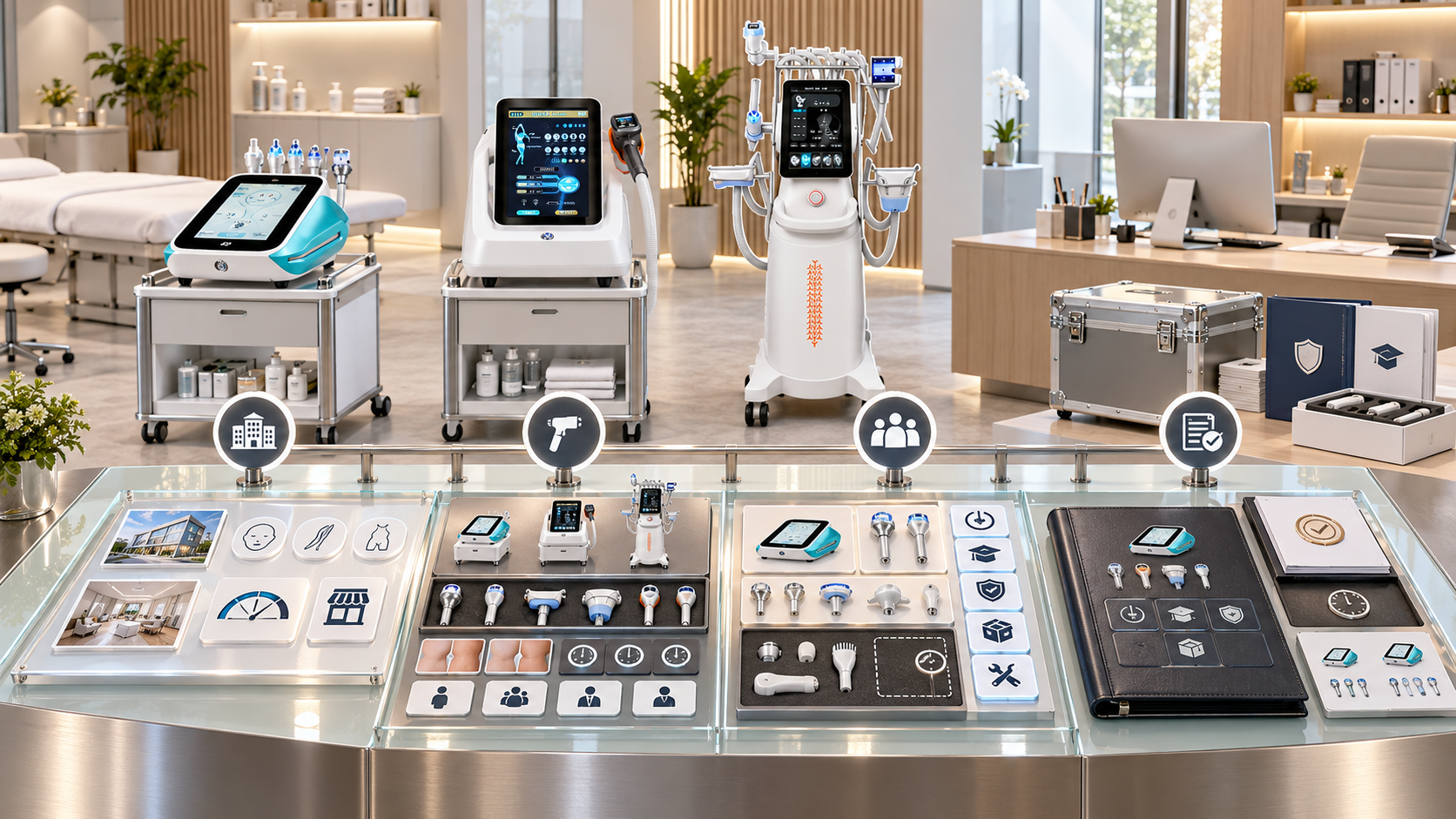
A beauty device demonstration can create strong buyer interest while leaving the sales team with weak quotation data. The presenter may show a fully equipped demo unit, mention several optional functions, answer questions about a future package, and finish with “send them a quote.” The quotation team then has to guess which model, configuration, handles, consumables, market version, training scope, and commercial terms the buyer actually requested.
A controlled demo-to-quote handoff converts the session into an approved buying specification. It separates what the buyer saw from what the buyer selected, identifies unresolved configuration questions, and prevents demo accessories from being treated as standard inclusions. This guide shows distributors, regional sales teams, showrooms, and B2B account managers how to build that handoff around relevant SHEFMON facial, body-care, laser, HIFU, and RF-microneedling devices.
Управляющее резюме
- Define a demonstration as a qualification and configuration step, not automatic approval to quote everything shown.
- Give the demo unit a controlled asset and configuration record before the buyer arrives.
- Capture the buyer’s business model, intended service categories, operators, room, market, timing, and support needs.
- Label every demonstrated item as standard, optional, borrowed, illustrative, unavailable, or confirmation required.
- Record what was shown, what was discussed, what the buyer requested, and what remains unresolved as separate facts.
- Convert the buyer’s needs into an approved configuration code rather than building technical supply inside free-text quotation notes.
- Keep product and compatibility review separate from price, discount, freight, stock, and payment approval.
- Use an exception route when the buyer requests a combination that is new, unclear, or outside the active configuration library.
- Return an approved quote to the salesperson with a short explanation of inclusions, exclusions, assumptions, and next decisions.
- Measure handoff quality through quote corrections, missing fields, configuration exceptions, response time, and order-stage discrepancies.
1. Define the Demo-to-Quote Handoff
The handoff begins when the demo team has enough information to request a commercial offer and ends when the quotation owner receives a complete, reviewable specification.
It should answer:
- Which buyer and project does this request belong to?
- Which device category solves the buyer’s stated business need?
- Which exact model and demo configuration were presented?
- Which functions and components were physically shown?
- Which items were standard, optional, illustrative, or not available?
- What did the buyer select?
- Which market, electrical, language, room, and operator conditions apply?
- What needs technical, supply, commercial, or local review?
- What should the quotation include, exclude, price separately, or leave pending?
- Who owns the next buyer conversation?
The handoff is a controlled decision package, not a note saying “interested in the machine.”
2. Separate the Commercial Stages
| Этап | Основная цель | Требуемый результат |
|---|---|---|
| Lead qualification | Confirm buyer type, category need, market, project stage, and decision process | Qualified opportunity record |
| Demo planning | Choose the relevant device, comparison, presenter, and demonstration boundaries | Approved demo brief |
| Demonstration | Explain the category, exact unit, options, workflow, and buyer fit | Demo record and buyer questions |
| Configuration discovery | Translate business needs into technical and supply selections | Draft configuration request |
| Technical and supply review | Verify compatibility, standard and optional status, market profile, and availability | Approved configuration or exception decision |
| Quotation preparation | Add quantity, price, currency, validity, freight, and commercial terms | Controlled buyer quotation |
| Buyer follow-up | Explain the offer, resolve choices, and manage revisions | Decision record and next action |
Each stage should receive the output of the prior stage. Repeating the entire discovery process during quotation preparation signals a failed handoff.
3. Assign Clear Ownership
The salesperson can own the buyer relationship without owning every technical fact.
| Роль | Handoff responsibility | Decision boundary |
|---|---|---|
| Account salesperson | Qualifies the project, confirms decision-makers, and records buyer requests | Does not invent configurations or compatibility |
| Demo presenter | Shows the approved unit, identifies the demonstrated scope, and captures questions | Does not promise unapproved supply or commercial terms |
| Product owner | Maps business needs to active models and configuration families | Does not approve discounts or buyer-specific payment terms |
| Технический рецензент | Verifies options, components, compatibility, and technical exceptions | Does not change buyer requirements without returning the question |
| Операции по продажам | Checks required fields, revisions, quote templates, and workflow status | Does not infer missing selections from photos or chat messages |
| Инвентаризация или закупка | Confirms orderability, stock status, and current supply condition | Does not redefine standard configuration |
| Commercial approver | Controls price, discount, currency, validity, and special terms | Does not override technical blocks |
| Local market reviewer | Checks market presentation, documentation, and operating conditions as required | Does not treat internal approval as buyer eligibility |
A small team may combine roles. The record should still show which review was performed.
4. Start with a Pre-Demo Brief
The brief prevents a generic presentation from producing an unusable quote request.
Включать:
- buyer legal and trading name;
- country and delivery market;
- business type;
- current services and devices;
- intended new service category;
- target customer group;
- expected operator background;
- available room and utilities;
- purchase timing and quantity;
- budget range if the buyer chooses to share it;
- priority questions;
- decision-makers and influencers;
- preferred demonstration format;
- models or comparisons requested;
- quotation deadline and decision milestone.
If the project is still exploratory, the demo can end with a category recommendation rather than a premature quotation.
5. Define the Demonstration Objective
Choose one main objective before the session:
- category introduction;
- model comparison;
- configuration selection;
- component or handle comparison;
- room and workflow assessment;
- replacement evaluation;
- portfolio or bundle design;
- technical clarification;
- final pre-quotation confirmation.
A category introduction should not automatically generate a detailed offer. A final configuration session should produce enough structured data for quotation review.
6. Identify the Exact Demo Asset
Every demo unit needs an asset record containing:
- official model;
- installed-unit or demo-asset ID;
- Код конфигурации и его версия;
- Электротехнический и рыночный профиль;
- interface or document language;
- установленные функции;
- supplied handles, applicators, cartridges, tips, or heads;
- accessories and opening consumables;
- optional items attached for the session;
- borrowed or event-only components;
- current condition and demonstration status;
- maintenance and cleaning status;
- owner and location.
The presenter should be able to show the buyer which parts belong to the demo configuration and which belong to a possible customer order.
7. Label Everything the Buyer Sees
Use visible or digital status labels.
| Демо-статус | Значение | Обработка котировок |
|---|---|---|
| Standard in demo configuration | Included in the named demo configuration | May be included only if the buyer selects that approved configuration |
| Необязательный | Compatible under an approved selection rule | Quote separately or within a named upgraded configuration |
| Illustrative | Shown to explain a category, size, or workflow but not confirmed for this order | Do not quote without verification |
| Borrowed or event-only | Temporarily present and not part of routine local stock | Confirm supply route before offering |
| Replacement or consumable | Reorder item rather than base-equipment inclusion | State opening quantity and future reorder relationship |
| Confirmation required | Compatibility, orderability, or market status is unresolved | Hold the affected quote line |
| Not included | Buyer may see it in a photo, room, or package display, but it is excluded | State the exclusion where confusion is likely |
A photograph of a demo setup is not an included-items schedule.
8. Record Four Different Facts
The handoff must separate:
- Shown: what the presenter physically or virtually demonstrated.
- Discussed: options, comparisons, or future ideas mentioned during the conversation.
- Requested: what the buyer asked to receive in an offer.
- Approved: what the product, technical, supply, and commercial owners have cleared for quotation.
These fields prevent a sentence such as “buyer liked all handles” from becoming an uncontrolled package.
9. Capture the Buyer’s Business Requirements
Ask questions that influence selection:
- Is the buyer opening, replacing, or expanding a service category?
- Which client-facing services will the device support?
- Is the primary setting a salon, med spa, skin clinic, hair-removal business, body studio, or distributor showroom?
- Which staff will operate or support it?
- Which rooms and utilities are available?
- Which appointment volume and service tiers are planned?
- Are several locations involved?
- Which components or consumables need local stock?
- Which training, onboarding, documents, and after-sales support are expected?
- Does the buyer need one unit, a standard package, or a multi-category rollout?
Do not treat a desired marketing outcome as a complete device specification.
10. Translate Needs into Selection Fields
The presenter or product owner should convert buyer statements into controlled fields.
Например:
- “We want one facial device for a small salon” becomes business type, room size, target service family, operator count, and required function review.
- “We want laser for several areas” becomes consultation model, area menu, device configuration, operator, room, cooling, electrical, and support questions.
- “We want every HIFU option” becomes a handle and cartridge review tied to the buyer’s approved service scope.
- “We need microneedling consumables” becomes installed model, handle configuration, compatible needle-head type, pack, quantity, and reorder timing.
The quote request should contain the selected values, not only the original conversational phrase.
11. Record the Demo Outcome
Use controlled outcomes:
- proceed to standard configuration quote;
- proceed to several approved quote options;
- technical clarification required;
- component compatibility review required;
- local market review required;
- room or operator readiness information missing;
- buyer comparing categories;
- buyer needs another demonstration;
- project postponed;
- no suitable current configuration;
- opportunity closed.
“Successful demo” is not enough. Success should indicate what commercial decision can happen next.
12. Build the Quote Request Packet
A complete packet should contain six objects:
- Buyer requirement summary — business, market, use case, timing, quantity, decision process, and support expectations.
- Demo asset record — exact unit, configuration, revision, components, and demonstration location.
- Demo scope record — what was shown, discussed, and explicitly not represented.
- Selection and gap list — buyer choices, assumptions, unanswered questions, and required reviews.
- Quotation request — requested configuration, quantity, optional lines, commercial context, and deadline.
- Approval status — product, technical, supply, local, and commercial decisions.
Give each packet one opportunity or project ID so revisions stay together.
13. Use a Quote-Readiness Gate
Before the request reaches pricing, verify:
- buyer and destination market identified;
- official model selected;
- configuration code or exception request present;
- revision current;
- standard and optional items separated;
- quantity defined;
- electrical and language profile confirmed or marked pending;
- components and consumables identified;
- exclusions visible;
- local review completed where required;
- technical questions resolved or isolated;
- delivery and timing assumptions stated;
- salesperson and approvers assigned.
If a critical field is missing, return a precise question. Do not send an incomplete offer simply to meet a response-time target.
14. Quote a Configuration, Not a Demo Unit
The demo asset may be older, heavily accessorized, configured for another market, or assembled for comparison. The quotation should reference an active saleable configuration.
Link the request to:
- model record;
- approved configuration code;
- пересмотр конфигурации;
- included-item schedule;
- optional component selections;
- compatible consumables;
- рыночный и электротехнический профиль;
- active documents;
- support and training offer;
- supply status as of a stated date.
When the buyer requests the actual demonstration unit, use a separate process that discloses its status, condition, usage, included items, inspection, and commercial treatment.
15. Separate Technical and Commercial Approval
Technical approval confirms what the offer represents. Commercial approval confirms the terms under which it is offered.
Technical review covers:
- модель и конфигурация;
- options and components;
- compatibility;
- included and excluded items;
- market profile;
- documentation;
- current revision.
Commercial review covers:
- price;
- discount;
- currency;
- quantity;
- validity;
- available stock or lead-time statement;
- freight;
- payment and delivery terms;
- buyer-specific services.
A discount approval cannot make an invalid configuration valid. A technical approval does not promise stock or price.
16. Control Claims from Demo to Quote
The quote should not repeat every informal phrase used in the room. Use approved product and category language.
Remove or review:
- guaranteed business returns;
- certain client outcomes;
- universal suitability;
- unsupported comparisons;
- “all functions included” statements without a schedule;
- descriptions copied from another model;
- professional-use claims not checked for the market;
- service combinations presented as an automatic treatment sequence.
Record buyer goals separately from approved equipment claims. The salesperson can explain fit without turning an aspiration into a warranty.
17. Use A0648 for Facial-Business Handoffs
The SHEFMON A0648 hydrodermabrasion platform can anchor demonstrations for facial salons and skin studios. The handoff should move beyond the “9-in-1” headline.
Capture:
- exact demonstrated functions and tools;
- containers, tubing, tips, and relevant accessories;
- opening consumables shown;
- cleaning and room-workflow discussion;
- proposed client-facing service role;
- buyer’s intended facial tiers;
- standard configuration requested;
- any alternative tools or supplies;
- training and replenishment questions.
If a function was explained but not physically installed or demonstrated, record that distinction before quoting.
18. Use B0155 for Body-Care Handoffs
The SHEFMON B0155 body-care platform lists body and smaller-area handles. A demo-to-quote packet should identify each handle shown and the service role the buyer expects it to support.
Записывать:
- body or smaller-area workflow;
- exact handle set;
- connections and accessories;
- room and operator plan;
- cleaning and routine-care questions;
- buyer’s proposed menu categories;
- requested standard and optional components;
- follow-up technical questions;
- support and replacement expectations.
Do not convert a demonstration of several handles into a quote for every possible component unless the buyer selects an approved package.
19. Use A0426 for Laser Handoffs
The SHEFMON A0426 diode-laser platform is configuration-sensitive. The handoff should identify the exact system shown and the buyer’s intended hair-removal business model.
Capture:
- demonstrated wavelength arrangement;
- handle and spot-size context;
- cooling and room discussion;
- electrical profile;
- area-based service plan;
- operator and training status;
- protective and support requirements;
- selected configuration;
- items shown but excluded;
- pending market or technical review.
Never quote a laser configuration from a showroom photograph or a slash-separated list of every available option.
20. Use A0204 for HIFU Handoffs
The Система сфокусированного HIFU SHEFMON A0204 is presented with standard and optional handles and cartridge groups. One demonstration configuration may not represent all available choices.
The handoff should include:
- exact demo-unit configuration;
- handles and cartridges physically shown;
- standard and optional status;
- buyer’s intended service scope and areas;
- professional setting and operator plan;
- cartridge supply and replacement questions;
- requested configuration code;
- unresolved options;
- technical confirmation owner.
If the buyer requests “the same as the demo,” attach the demo configuration record and require explicit confirmation of each selected component.
21. Use A0152 for RF-Microneedling Handoffs
The SHEFMON A0152 RF-microneedling system page lists several handle and needle-head configurations. The quotation packet must distinguish the installed handle arrangement from the consumables displayed during the demonstration.
Capture:
- handle configuration;
- needle-head types discussed and selected;
- начальные количества;
- reorder pack and compatibility questions;
- electrical profile;
- intended professional setting;
- infection-control and stock workflow discussion;
- training and documentation expectations;
- local review status;
- items awaiting confirmation.
Do not treat a sample needle head on the display table as a standard included quantity.
22. Compare Device Handoff Priorities
| модель SHEFMON | Main buyer question | Handoff fields that need extra control |
|---|---|---|
| А0648 | How does one platform support a facial menu? | Function set, tools, solutions, tips, opening supplies, and cleaning workflow |
| Б0155 | Which body-care workflows and areas are planned? | Handle set, area role, accessories, room flow, and support items |
| А0426 | Which laser configuration fits the business and market? | Wavelength, handle, spot size, cooling, electrical profile, room, and operator plan |
| А0204 | Which installed HIFU options are required? | Handle and cartridge matrix, standard versus optional status, area scope, and replenishment |
| А0152 | Which professional configuration and consumables are needed? | Handle arrangement, needle-head compatibility, opening quantity, reorder unit, and local review |
The handoff template can share a common header while loading category-specific fields.
23. Handle Multi-Device Packages Carefully
A buyer may request a facial package, a body package, or a complete aesthetic-center portfolio after several demos. Build the bundle from controlled device configurations.
The package record should contain:
- package ID and version;
- target buyer profile;
- device configuration codes;
- quantity of each device;
- selected options;
- расходные материалы для открытия;
- training and onboarding lines;
- room and utility assumptions;
- shared and device-specific support;
- исключения;
- price and validity;
- approval status.
Do not copy each model’s specifications into one free-text paragraph. Refer to active schedules so a changed component triggers package review.
24. Support Distributor and Reseller Buyers
A reseller demonstration may lead to a catalog or stocking discussion rather than one end-user order. Capture:
- target buyer segments;
- planned product categories;
- demo, stock, or supply-to-order role;
- preferred active configurations;
- market and language profiles;
- local training and technical capacity;
- spare, replacement, and consumable plan;
- catalog and quotation data required;
- forecast assumptions;
- first-order and future-range decisions.
The reseller’s local catalog should use the same controlled configuration records as its quotations. The demo should not create a broader assortment than the team can explain and support.
25. Handle Remote Demonstrations
Remote demos need stronger identification because the buyer cannot inspect everything directly.
At the beginning, show or state:
- exact model;
- demo asset ID;
- пересмотр конфигурации;
- installed options;
- accessories in frame;
- items brought in only for comparison;
- limitations of the camera view;
- documents shared during the session.
Record screenshots or the session only under the approved privacy and business process. Afterward, send a configuration summary for buyer confirmation instead of asking whether they want “the machine from the video.”
26. Manage Questions Raised During the Demo
Classify each question as:
- answered from current approved data;
- product review required;
- compatibility review required;
- supply confirmation required;
- commercial approval required;
- local market review required;
- professional-use question for the buyer’s qualified adviser;
- outside current offer.
Assign an owner and due point. Do not bury open technical questions inside the quote notes or answer them later from memory.
27. Build an Exception Route
Use an exception request when the buyer asks for:
- an unlisted handle combination;
- a new component bundle;
- a market profile not in the active library;
- an uncertain compatibility pairing;
- a different electrical or language setup;
- a special opening-consumable quantity;
- an altered package;
- a claim or document not currently approved;
- a configuration seen in older material;
- a supply arrangement outside routine status.
The request should state the business need, exact proposed combination, evidence, deadline, affected quote, and approvers. Until approved, mark the relevant line Confirmation Required rather than promising it verbally.
28. Return the Quote with a Sales Brief
The quotation owner should return more than a PDF. Provide:
- approved model and configuration;
- buyer-facing summary;
- included items;
- optional lines;
- exclusions likely to be misunderstood;
- assumptions;
- unresolved or conditional items;
- price, validity, supply date, and commercial approvals;
- difference from the demo unit;
- next buyer choices;
- revision number;
- contact for technical clarification.
This brief helps the salesperson explain the offer accurately and prevents old demo language from re-entering the conversation.
29. Control Quote Revisions
When the buyer changes a selection:
- preserve the prior quotation and request;
- record the buyer’s new requirement;
- identify affected configuration and commercial fields;
- repeat only the necessary reviews;
- issue a new quotation revision;
- highlight changed inclusions, exclusions, quantities, and terms;
- withdraw or expire the superseded version according to the process;
- update the opportunity record and next action.
Do not overwrite an approved quote or silently exchange components between revisions.
30. Measure Handoff Quality
К полезным мерам относятся:
- quote requests returned for missing information;
- average time from qualified demo to quote-ready packet;
- percentage using active configuration codes;
- quotes containing unverified options;
- correction rate after buyer review;
- mismatch between demo, quote, order, and delivery;
- optional items mistaken for standard;
- repeated unanswered questions;
- exception-request frequency by model;
- quotations revised because market or electrical data were missing;
- orders delayed by configuration review;
- demo opportunities that never reached a clear outcome.
Do not reward the fastest quotation if it creates rework or order-stage disputes.
31. Implement the Process in Four Stages
Stage 1: Map the current handoff
Collect demo forms, chat messages, emails, photos, quote templates, configuration tables, and approval steps. Identify where information is lost or recreated.
Stage 2: Build controlled objects
Create buyer requirements, demo assets, demo scope, selection gaps, quote requests, configuration codes, and approval statuses.
Stage 3: Pilot by category
Test one facial model, one body model, and one configuration-sensitive advanced system. Include normal and exception requests.
Stage 4: Enforce and improve
Block incomplete requests, monitor correction causes, improve category fields, and update the process when product or supply data change.
32. Common Demo-to-Quote Errors
- Sending “please quote what we showed” with no configuration record.
- Treating every accessory on the demo table as included.
- Combining standard, optional, replacement, and consumable items in one list.
- Quoting from photographs or presenter memory.
- Using a demo unit configured for another market as the buyer specification.
- Recording buyer goals without converting them into selection fields.
- Adding technical options inside free-text commercial notes.
- Letting discount approval bypass compatibility review.
- Failing to name items that were discussed but not demonstrated.
- Promising an exception before it is approved.
- Sending a revised offer without highlighting configuration changes.
- Building bundles from copied specifications rather than active configuration codes.
- Leaving unanswered questions with no owner or due point.
- Treating an engaging demo as a quote-ready project.
33. Demo-to-Quote Handoff Checklist
Before releasing a quotation request, confirm:
- buyer, project, market, and decision process are identified;
- business type and intended service categories are recorded;
- the exact demo asset and configuration revision are named;
- standard, optional, illustrative, borrowed, consumable, and excluded items are separated;
- shown, discussed, requested, and approved facts are distinct;
- buyer requirements have been translated into controlled selection fields;
- the demo outcome is specific;
- the requested model and quantity are clear;
- an approved configuration code or exception request exists;
- electrical, language, and market profiles are confirmed or pending visibly;
- component compatibility has been reviewed;
- opening consumables and future reorder relationships are clear;
- professional, room, training, and support assumptions are recorded;
- exclusions and differences from the demo unit are visible;
- technical and commercial approvals are separate;
- unanswered questions have owners and due points;
- quote revision and expiry controls are ready;
- the salesperson has a concise return brief;
- buyer confirmation will be recorded.
Часто задаваемые вопросы
1. Should every beauty device demo end with a quotation?
No. A category introduction may end with further qualification, comparison, room review, or technical clarification. Request a quotation when the buyer’s needs can be mapped to an approved configuration or a clearly defined exception.
2. Can the salesperson quote the same setup as the demonstration unit?
Only after confirming the demo asset’s exact configuration and mapping it to an active saleable configuration. Demo units may contain optional, borrowed, older, or market-specific items.
3. What is the difference between shown and included?
Shown means the buyer saw the item or function. Included means it belongs to the approved quoted configuration or appears as a selected, priced line. The demo record must keep these meanings separate.
4. Who should approve component compatibility?
Use the named product or technical reviewer responsible for the controlled configuration library. Sales and commercial approval should not substitute for compatibility evidence.
5. How should optional handles appear in a quotation?
Identify each selected optional handle or include it through a named approved configuration. Show its quantity, relationship to the base system, price treatment, and any required companion items.
6. What if the buyer requests a configuration that does not exist?
Open an exception request with the exact combination and business reason. Keep the affected quote line pending until technical, supply, market, and commercial owners complete the required review.
7. How should consumables be handled after a demo?
Separate samples used for demonstration from opening stock included in the offer. Quote or schedule the confirmed opening quantity and identify the compatible reorder unit.
8. Can one handoff template cover every device category?
Use one shared buyer and project header, then load category-specific fields. Facial platforms, body systems, lasers, HIFU, and RF microneedling have different configuration and component questions.
9. What should happen when a quote differs from the demo?
State the difference in the sales brief and buyer-facing offer. Explain which options, components, market profile, or quantities changed and obtain confirmation before order acceptance.
10. When is the handoff complete?
It is complete when the quote owner has a qualified buyer record, exact demo scope, approved configuration or controlled exception, resolved mandatory fields, commercial context, approvals, and named next action.
Заключение
A reliable demo-to-quote handoff preserves the buyer’s intent without turning every visible feature into a promise. The sales team records the project and buyer choices, the demo team identifies exactly what was shown, and product, technical, supply, local, and commercial owners approve their parts of the offer.
Build the handoff around controlled model and configuration data, then use category-specific fields for each device family. B2B teams can review the Ассортимент косметических приборов SHEFMON и свяжитесь с Шефмоном to confirm current model, component, configuration, and product-document details before releasing buyer quotations.

























