










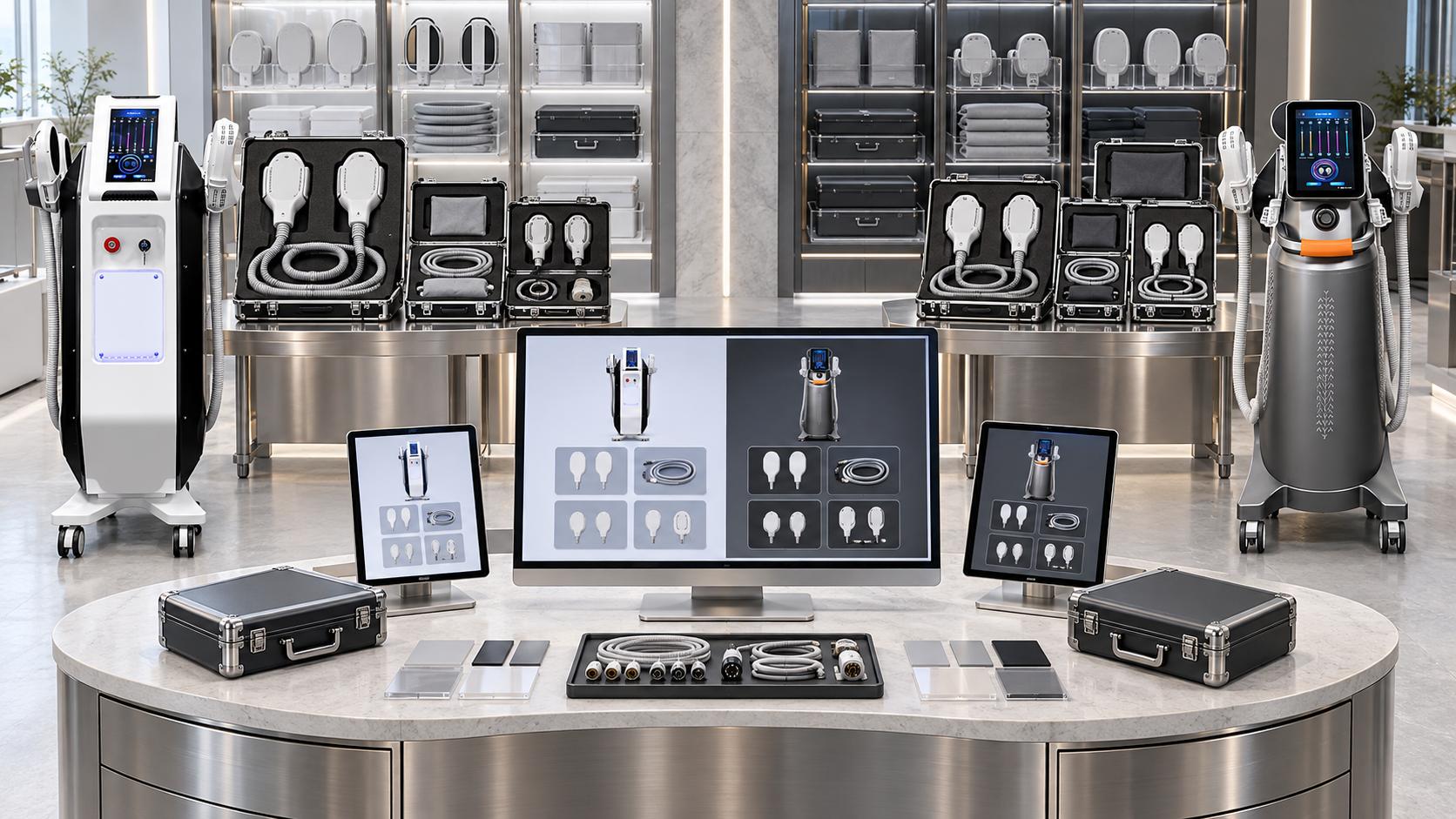
Professional beauty devices often begin with one model number and expand into several saleable combinations. A console may accept different handles, applicators, cartridges, treatment heads, spot sizes, or starter consumables. If a distributor assigns one SKU to every possible combination, the catalog becomes difficult to maintain. If it assigns only one SKU to the base model, quotations and orders fail to show what the buyer will actually receive.
A useful SKU architecture sits between those extremes. It gives the base model a stable identity, creates separate sellable SKUs for recurring configurations, assigns component SKUs to optional and replaceable items, and links bundles without duplicating product facts. This guide shows how distributors can structure that architecture for SHEFMON facial, laser hair-removal, HIFU, RF-microneedling, and body-care equipment.
Résumé exécutif
- Use a parent model record to identify the platform; do not treat it as a complete packing list.
- Create a sellable device SKU for each recurring combination that changes what the buyer receives.
- Give optional handles, applicators, cartridges, needle heads, consumables, and service parts their own component SKUs when they can be ordered or tracked separately.
- Store compatibility in relationships between records rather than inside long SKU codes.
- Separate technical variants from market, language, stock, price, and promotional data.
- Use kit or bundle SKUs as containers that reference active device and component SKUs.
- Create a new SKU for a material, orderable difference; use a revision for controlled changes that preserve the commercial identity.
- Retain retired SKUs for historical orders and future support while blocking them from new quotations.
- Publish catalogs, quotations, purchase orders, packing lists, and replenishment records from the same SKU relationships.
- Confirm any unlisted handle or applicator combination with SHEFMON before activating it for sale.
1. Why Optional Components Make Flat SKU Lists Fail
A flat SKU list assumes that every product can be represented by one independent line. Multi-option beauty equipment does not fit that assumption. One platform may have:
- alternative handle powers;
- different wavelength profiles;
- several spot sizes;
- multiple facial or body handpieces;
- standard and optional cartridges;
- several needle-head types;
- electrical and plug versions;
- starter consumable quantities;
- replacement components;
- distributor-created packages.
If all of these choices sit in a description under one SKU, the SKU does not identify a unique deliverable. If every possible permutation becomes a SKU, the distributor creates hundreds of combinations that may never be sold and cannot be reviewed reliably.
The architecture should create records only for meaningful business objects and connect them with explicit compatibility and inclusion rules.
2. Build the Architecture Around Product Objects
Start by deciding what each record represents.
| Object | What it identifies | Usually orderable? | Example purpose |
|---|---|---|---|
| Parent model | The stable product platform or family | No, unless only one fixed configuration exists | Groups all approved A0423 configurations |
| Device configuration SKU | A recurring, complete equipment combination | Oui | One confirmed laser configuration with a defined handle and market profile |
| Component SKU | A handle, applicator, cartridge, head, or accessory | Parfois | Adds or replaces a compatible treatment component |
| Consumable SKU | A depleted item supplied in a defined unit | Oui | Supports opening stock and repeat orders |
| Service-part SKU | A replacement item controlled for maintenance | Restricted or internal | Preserves version and compatibility traceability |
| Kit SKU | A fixed collection packed or sold together | Oui | Starter consumable kit or approved applicator set |
| Bundle SKU | A commercial package containing other active SKUs | Oui | Facial-business package containing devices and starter items |
Every SKU should have one clear object type. Do not use the same record sometimes as a complete device and sometimes as a replacement handle.
3. Separate the Parent Model from the Sellable Device SKU
The parent model provides the stable anchor for product content. It should contain:
- official model number;
- primary device category;
- core technology and business role;
- official product page;
- approved model name;
- lifecycle state;
- responsible product owner.
The sellable device SKU defines a package that can appear on a quotation and order. It should add:
- selected technical options;
- installed modules;
- included handles and applicators;
- included accessories;
- starter consumables;
- market and electrical profile;
- documentation or interface language where confirmed;
- packaging unit;
- configuration revision;
- active sales status.
This separation lets a distributor describe the A0423 platform once while maintaining more than one approved A0423 offer. It also prevents a broad model page from being mistaken for a list of everything included in the box.
4. Decide Which Differences Need Separate SKUs
Create a distinct device SKU when a difference is important to ordering, pricing, inventory, compatibility, fulfillment, installation, or customer support.
Common SKU-generating differences include:
- a different installed handle or module;
- a different handle quantity;
- a different wavelength or output configuration;
- a different applicator or cartridge set;
- a different electrical unit that must be stocked separately;
- a different language pack that changes supplied materials;
- a permanently different accessory package;
- a different starter-consumable kit packed with the unit.
Do not create a new device SKU merely for:
- a new marketing headline;
- a temporary discount;
- current stock status;
- a different sales channel using the same physical package;
- revised photography;
- a typo correction;
- a buyer-specific note;
- freight or delivery terms.
Those values belong in content, price, inventory, quotation, or order records linked to the SKU.
5. Use a Code That Identifies, Not One That Explains Everything
A practical SKU might look like:
A0423-D01-EU
where:
A0423is the parent model;D01is the approved device configuration;EUis a controlled market or electrical profile.
A compatible handle might use a component code such as:
A0423-H02
The exact pattern is a distributor decision. The code should be unique, stable, easy to scan, and short enough to use in quotations and warehouse documents. Specifications still belong in structured fields.
Avoid encoding every wavelength, power, spot size, plug, language, and accessory into a long identifier. When one value changes, the distributor may be tempted to rename the SKU and break historical traceability. Use the SKU as a key and let the approved record explain what the key means.
6. Give Every SKU a Minimum Data Record
At minimum, each SKU record should include:
Identity
- SKU code;
- object type;
- approved short and full names;
- parent model;
- revision;
- lifecycle status;
- effective and review dates;
- record owner and approver.
Technical and supply definition
- option values;
- installed functions;
- included quantity;
- unit of measure;
- component classification;
- compatible models and revisions;
- incompatible or mutually exclusive items;
- required companion components;
- market or electrical profile;
- packaging relationship;
- approved source evidence.
Commercial connections
- price-list reference;
- inventory item reference;
- quotation eligibility;
- sales-channel visibility;
- replacement or replenishment status;
- successor SKU when retired.
The SKU master should not carry changing quotation prices or buyer-specific terms. It should link to the records that own those values.
7. Classify Handles and Applicators by Business Role
Not every component should behave the same way in a catalog or order system.
| Component class | Can appear separately in a quote? | Inventory behavior | Typical control |
|---|---|---|---|
| Standard installed component | Usually through the device SKU | Included in device or assembly | Required relationship |
| Standard packed component | May appear on the packing schedule | Packed with device | Fixed included quantity |
| Optional component | Oui | Stocked or supplied to order | Compatibility and selection rule |
| Alternative component | Yes, but replaces another choice | Selected within a mutually exclusive group | Exactly-one rule |
| Consumable applicator or head | Oui | Reordered in defined pack units | Device-version compatibility |
| Replacement handle | Yes, often through controlled support | Tracked separately | Serial or revision check where needed |
| Service part | Limité | Maintenance inventory | Technical approval required |
| Demonstration-only item | No normal sale | Demo inventory | Blocked from customer orders |
This classification answers whether an item is part of the device, an addition, an alternative, or a later reorder. The label “accessory” is too broad to control all four cases.
8. Store Compatibility as Relationships
A component record should not say only “for laser machine” or “for RF device.” It should connect to exact approved models and, when needed, configuration or hardware revisions.
Each compatibility relationship can contain:
- component SKU;
- compatible parent model;
- compatible device SKU or revision range;
- relationship type: standard, optional, alternative, replacement, or consumable;
- required quantity range;
- required companion item;
- mutually exclusive item;
- effective and retirement dates;
- verification source;
- confirmation status.
This structure allows one component to support several configurations without copying the component record. It also allows the distributor to retire one relationship while preserving the item for older installed units.
9. Apply the Architecture to A0423 and A0426 Laser Models
The current SHEFMON pages for the Laser à diode A0423 et Laser à diode A0426 list selectable values involving wavelength arrangement, handle power, and spot size. A distributor should treat these as governed variant axes.
The parent records remain separate:
A0423parent model;A0426parent model.
Under each parent, create only the configurations that the distributor has confirmed and intends to sell. A device SKU might resolve one approved wavelength profile, one handle-power choice, one spot-size choice or set, one handle quantity, one cooling arrangement, and one market profile.
Handle SKUs should connect to the exact model and approved configuration. Do not create a generic “diode laser handle” record and assume it works across platforms because the descriptive specifications look similar. Replacement-handle orders should reference the buyer’s installed device SKU and, where required, its revision or serial information.
10. Model A0204 with Module and Cartridge SKUs
Le Système HIFU focalisé A0204 presents a multifunction platform with standard and optional handle or cartridge choices. Its SKU structure should separate the main device from the orderable treatment components.
A workable hierarchy is:
- A0204 parent model;
- one or more approved A0204 device configuration SKUs;
- individual handle or module SKUs;
- cartridge SKUs identified by supported handle and depth or size;
- cartridge kits for fixed, commonly ordered sets;
- replacement and service-part SKUs where needed.
Each device SKU should reference the exact standard handles and cartridges included. Optional cartridges remain separate choices. If the distributor offers Core and Advanced packages, each package should reference a locked set of component SKUs rather than copy an informal cartridge list into the product name.
11. Model A0152 with Handle and Needle-Head Relationships
Le courant A0152 RF-microneedling page lists different handle arrangements and multiple needle-head types. The architecture should support the initial equipment sale and later consumable orders.
Utiliser:
- an A0152 parent model;
- a device SKU for each approved handle arrangement and market profile;
- separate needle-head or consumable SKUs by type and order unit;
- a compatibility relationship from each needle SKU to the supported A0152 device versions;
- optional starter-kit SKUs when fixed needle assortments are sold repeatedly;
- replacement-handle SKUs controlled by the installed device version.
The distributor’s customer record should retain the installed device SKU. A future reorder can then filter the catalog to compatible needle-head SKUs. This is safer than asking the buyer to choose from several similar names.
12. Model B0155 with Functional Handle Sets
Le B0155 desktop body-care system is described with different handles for body and smaller-area applications. This lends itself to a parent-plus-components structure.
The parent identifies the platform. Each handle receives its own component record when it can be added, replaced, priced, or tracked independently. The distributor can then create approved device SKUs or kits such as:
- body-focused handle configuration;
- broader body and smaller-area configuration;
- replacement handle for a confirmed installed version;
- fixed starter accessory kit.
These names are distributor examples, not official SHEFMON SKU names. Their contents must be defined in the component relationships and confirmed before sale.
13. Model A0648 Without Treating “9-in-1” as a SKU Definition
Le Machine de microdermabrasion hydro A0648 is presented as a 9-in-1 facial-care platform. The headline describes its multifunction positioning, but a distributor SKU needs a physical supply definition.
The device SKU should reference:
- installed functions;
- included handpieces and tools;
- tips, containers, tubing, cables, and accessories;
- opening consumable quantities;
- market and electrical profile;
- documentation package;
- approved optional or replacement items.
If every A0648 unit is sold with one fixed package, one active device SKU may be enough for each market profile. If the distributor routinely sells more than one confirmed package, create separate device SKUs or a base device SKU plus controlled kits. Do not generate different SKUs merely because marketing teams describe the same package in different ways.
14. Separate Option Axes from SKU Records
An option axis is a type of choice, such as handle power, wavelength profile, cartridge set, electrical profile, or language. Store the permitted values before creating sellable combinations.
| Option axis | Example values | Rule type |
|---|---|---|
| Handle arrangement | One approved handle set or another | Mutually exclusive |
| Wavelength profile | Confirmed platform choices | Select exactly one |
| Spot-size package | Standard or expanded set | Dependent on compatible handle |
| Cartridge set | Core, selected additions, or fixed advanced kit | Contains component SKUs |
| Electrical profile | Approved voltage/frequency/plug combination | Required by market |
| Language package | Confirmed interface/manual combination | Market-dependent |
The SKU generator should allow only validated combinations. It should not create the full mathematical product of every value. Some combinations may be incompatible, unavailable, or irrelevant to the distributor’s markets.
15. Keep Market Variants Under Control
Decide whether a market difference creates a new SKU, a suffix, or a linked fulfillment attribute. Use a separate SKU when the difference changes stock, packing, labeling, electrical components, documentation, or order handling.
At minimum, control:
- voltage and frequency;
- plug;
- interface language;
- manual and labeling language;
- destination-specific documentation;
- approved product claims;
- sales eligibility by market;
- professional-setting restrictions.
Do not infer the electrical version from a country field at the end of the order. The correct market profile should be selected before the quotation is released. Distributors should verify the requirements for each intended market.
16. Use Kit SKUs for Fixed Component Sets
A kit SKU is useful when the same group of components is ordered, priced, picked, and supplied together repeatedly. Examples include:
- a fixed cartridge set for one approved A0204 configuration;
- a starter needle assortment for a confirmed A0152 configuration;
- an accessory set for an A0648 package;
- a body-handle set for B0155;
- a laser accessory set tied to one A0423 or A0426 configuration.
The kit record should contain component SKUs and quantities. It should also inherit or validate compatibility. If a component changes, the kit needs a revision or successor SKU depending on whether the delivered commercial identity changes.
Do not use a kit to hide unresolved choices. A “complete applicator kit” is meaningful only when its contents and compatible device versions are fixed.
17. Build Bundle SKUs Without Duplicating Device Data
A commercial bundle can contain devices from different categories, consumable kits, and onboarding items. The bundle SKU should point to the active child SKUs.
For example, a distributor’s facial business package might reference:
- one approved A0648 device SKU;
- one separate skin-firming device SKU;
- each device’s starter consumable kit;
- documented onboarding items;
- bundle-specific price and validity.
The bundle record owns the package name and its components. It should not become a second source for device specifications. If a child SKU is revised or retired, the bundle should enter review automatically.
Commercial bundling helps buyers plan a service portfolio. It does not establish that different devices should be combined in the same treatment session.
18. Distinguish Consumables, Replacements, and Service Parts
These records may look similar in inventory but have different sales rules.
Consommables
Consumed during routine service delivery and sold in a defined reorder unit. Link them to compatible device configurations and record pack size.
Replacement components
Replace a normal handle, applicator, cable, or accessory. The order should confirm the installed model and version before release.
Service parts
Used for controlled maintenance or repair. They may require technical approval and may not belong in the public catalog.
Do not label all three as “accessories.” Their visibility, approval, inventory, and buyer instructions differ.
19. Know When to Revise and When to Create a New SKU
Use a revision when the product’s orderable identity remains the same, for example:
- correcting wording;
- improving instructions;
- updating a non-material internal attribute;
- replacing a document with the same purpose;
- clarifying an already included item.
Create a new SKU when the buyer receives a materially different saleable object, for example:
- a different installed handle arrangement;
- a changed cartridge or applicator set;
- a market version that requires different stocking or packing;
- a changed consumable pack size;
- a replacement item that is incompatible with an earlier version;
- a bundle with different child products.
When uncertainty exists, ask whether inventory, price, compatibility, fulfillment, or customer support must distinguish the old and new forms. If yes, a separate SKU is usually clearer.
20. Manage SKU Lifecycle States
Use controlled states such as:
- Draft;
- Under technical review;
- Approved but not active;
- Active for quotation;
- Restricted or supply-to-order;
- End of sale;
- Service only;
- Retired.
Only active SKUs should appear in ordinary quotations. Restricted items should require approval. End-of-sale and retired SKUs must remain searchable for old orders, installed-base support, and component compatibility.
Never recycle an old SKU code. If a successor exists, link the records and explain whether it is a direct replacement or requires additional review.
21. Connect SKU Architecture to Every Sales Document
The same SKU relationships should drive:
- product-category pages;
- distributor catalogs;
- comparison tables;
- price lists;
- quotations;
- purchase orders;
- packing lists;
- installation records;
- customer equipment records;
- consumable replenishment;
- replacement-component requests;
- service history.
Each channel can use different wording, but it should reference the same device and component identities. A salesperson should not need to rebuild a handle set from memory when preparing a quote.
22. Define Ownership and Approval
Assign responsibilities by record type:
| Owner | Main responsibility |
|---|---|
| Product manager | Parent model, category, commercial role, and active configuration plan |
| Technical reviewer | Options, component identity, compatibility, and evidence |
| Sales operations | SKU creation, naming rules, quotation eligibility, and channel publication |
| Inventory or purchasing | Stocking unit, order unit, availability, and supplier reference |
| Commercial manager | Price-list links, discount policy, and bundle economics |
| Local compliance reviewer | Market eligibility, documents, claims, and professional-setting conditions |
| Équipe de service | Replacement and service-part relationships for the installed base |
SHEFMON should confirm its current product options and supply relationships. The distributor remains responsible for its own SKU codes, local catalog, quotation rules, and market-specific presentation.
23. Common SKU Architecture Mistakes
One SKU for every possible option
This creates unused records and makes approval difficult. Activate only confirmed, meaningful combinations.
One SKU for every model regardless of contents
This hides material differences and pushes decisions into quotation text.
Technical specifications inside the code
Overloaded identifiers become unstable and hard to read. Keep details in structured fields.
Reusing a handle SKU across models without evidence
Similar names or connectors do not establish compatibility. Use approved relationships.
Treating package names as data
Core or Premium is not a component list. The package must reference exact child SKUs.
Creating SKUs for prices or promotions
Pricing changes faster than product identity. Link price lists and offers to stable SKUs.
Deleting retired records
This breaks traceability for installed units, replacement orders, and past quotations.
24. A Practical Implementation Sequence
Step 1: List active parent models
Begin with products currently shown in the distributor catalog or quoted by sales teams. Assign one primary category and one product owner to each.
Step 2: Inventory every selectable component
List handles, applicators, cartridges, heads, consumables, accessories, and service parts. Record current names and supplier references without assuming compatibility.
Step 3: Define option axes and relationships
Create controlled option values, component classes, compatibility links, required companions, and mutually exclusive rules.
Step 4: Activate recurring sellable combinations
Create device SKUs only for confirmed configurations that the distributor intends to quote and fulfill.
Step 5: Create kits and bundles
Use child-SKU relationships for fixed component sets and commercial packages.
Step 6: Connect catalogs and quotations
Replace handwritten configuration descriptions with approved SKU selection and generated included-item schedules.
Step 7: Load the installed base
Record the device SKU and revision for existing buyers so later consumable, replacement, and service requests can be validated.
Step 8: Audit and retire
Block duplicates, close unused drafts, restrict obsolete combinations, and preserve successors for historical traceability.
25. SKU Architecture Review Checklist
- Every active platform has one parent model record.
- Every orderable device package has a unique sellable SKU.
- Optional handles and applicators have controlled component identities.
- Standard inclusions have fixed quantities.
- Alternative choices use mutually exclusive rules.
- Consumables have pack units and compatibility relationships.
- Replacement components reference installed versions.
- Market and electrical profiles are controlled.
- Kit and bundle SKUs reference active child SKUs.
- Prices, stock, discounts, and freight remain outside technical SKU identity.
- New SKU and revision rules are documented.
- Retired records remain available for installed-base support.
- Catalogs and quotations use the same SKU master.
Questions fréquemment posées
1. What is beauty-device SKU architecture?
It is the structure that identifies base models, saleable device configurations, handles, applicators, cartridges, consumables, service parts, kits, and bundles, then defines how those records relate to one another.
2. Should every optional handle have its own SKU?
Usually yes when it can be ordered, priced, stocked, replaced, serviced, or tracked separately. If it never exists independently and is permanently built into one device package, it may remain an included component relationship instead.
3. Should every possible handle combination become a device SKU?
No. Create device SKUs for confirmed combinations that the distributor plans to sell. Keep unusual requests in a review workflow until SHEFMON confirms the combination and the distributor decides to activate it.
4. What is the difference between a parent model and a device SKU?
The parent model identifies the platform and shared product content. A device SKU identifies one orderable configuration with resolved options, included components, market profile, and revision.
5. How should A0423 and A0426 be structured?
Maintain separate parent models. Create approved device SKUs under each model for the wavelength, handle-power, spot-size, handle-quantity, and market combinations the distributor actually offers. Link handles only through confirmed compatibility records.
6. How should HIFU cartridges be identified?
Give each orderable cartridge or fixed cartridge kit a stable component SKU. Record its handle, depth or size, compatible device configurations, pack quantity, status, and verification source.
7. How should RF-microneedling needle heads be managed?
Use consumable SKUs by type and order unit, then link them to the supported A0152 device SKU or revision. Save the installed device SKU in the customer record to guide reorders.
8. Does a different price require a different SKU?
No. Price, currency, discount, promotion, and freight belong in linked commercial records. Create a new SKU only when the orderable product or package is materially different.
9. What happens when a component is replaced by a newer version?
Retire or restrict the old SKU without deleting it, create the successor record, and state whether the new item is directly compatible with old installed units. Require review when compatibility is not universal.
10. What should distributors confirm with SHEFMON?
Confirm current handle and applicator options, standard versus optional status, compatibility, market versions, replacement relationships, and availability whenever the distributor’s approved records do not already provide a current answer. Send the exact model and intended combination through the SHEFMON contact page.
Conclusion
A strong SKU architecture makes optional handles and applicators easier to sell without turning the catalog into an uncontrolled list of combinations. Keep the platform identity in the parent model, create device SKUs for recurring saleable packages, assign component SKUs to items that need separate control, and store compatibility as governed relationships.
Start with active products that have the most configuration choices, then connect the resulting SKU structure to quotations, orders, installed-device records, consumable reorders, and replacement requests. Review the SHEFMON beauty-device range et contacter SHEFMON to confirm model-specific handle, applicator, cartridge, and market options before activating new distributor SKUs.

























