










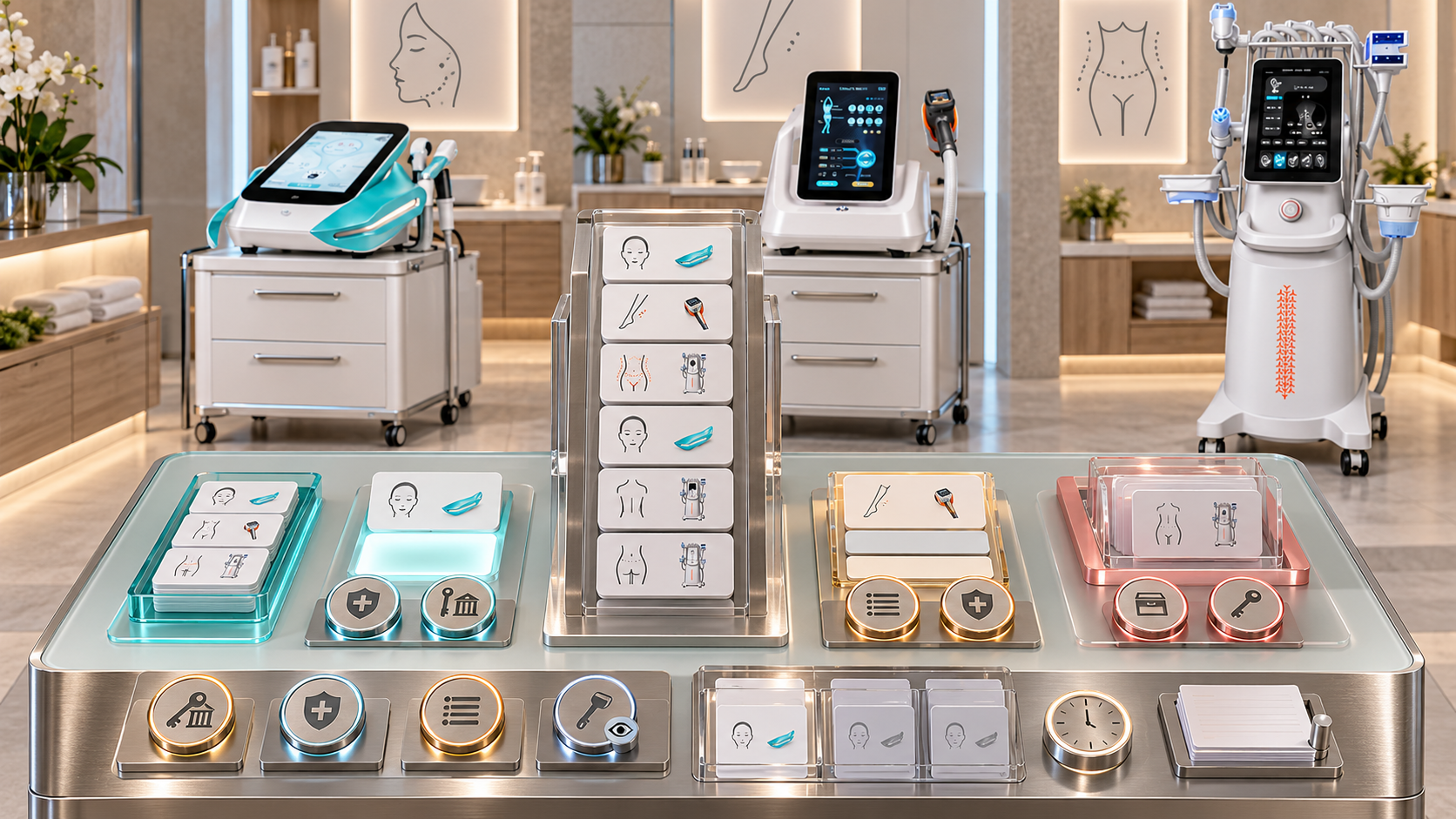
A beauty device service can appear as one line on a menu, yet that line controls much more than marketing copy. It may determine which client pathway opens, which operator can be booked, which room and device are reserved, which components and consumables are prepared, which records load, and which follow-up process begins. An informal name change or a quickly added promotion can therefore break several operating controls at once.
Beauty device menu governance assigns clear decision rights. It defines who may propose a service, who verifies its professional and operational basis, who publishes it, who can pause it, and who can retire it without damaging historical records. This guide gives salons, skin clinics, med spas, body studios, and multi-location aesthetic centers a practical governance model for facial, body-care, RF-microneedling, HIFU, and laser hair-removal services.
Résumé exécutif
- Treat each service as a controlled business object with a stable internal code, public name, approved scope, device resources, operator group, records, and lifecycle status.
- Separate the right to propose a service from the authority to approve, configure, publish, pause, or retire it.
- Require professional review where a service involves decisions or activities that need qualified oversight in the operating market.
- Let marketing improve client-facing language only inside the approved service meaning; a rename that changes scope must return to full review.
- Keep the internal service code stable through cosmetic name changes so bookings, records, packages, reports, and client histories remain connected.
- Use distinct statuses for Draft, Review, Pilot, Active, Paused, Retiring, Retired, and Replaced.
- Do not activate a service until its client pathway, device configuration, operator authorization, room, stock, timing, records, aftercare, escalation, and booking rules are ready.
- Make an immediate safety or compliance pause possible through a short authorized route, then require documented review before reactivation.
- Retire services through a plan that protects booked clients, packages, follow-up, records, stock, staff communication, and historical reporting.
- Apply the same governed change across websites, price lists, booking systems, client messages, staff scripts, and every active location.
1. Define Beauty Device Menu Governance
Menu governance is the controlled process for creating, changing, publishing, suspending, replacing, and retiring bookable services. It covers the full service definition, not only the wording shown to clients.
The process should answer:
- Who can suggest a new service?
- Who confirms that the proposed service fits the device and installed configuration?
- Who approves the client pathway and professional scope?
- Who verifies staff, room, stock, time, records, and support readiness?
- Who chooses the public name and claims?
- Who enters the service in the booking and record systems?
- Who may pause booking immediately?
- Who decides whether the service can return, must change, or should retire?
- Who removes obsolete versions from every channel?
- How are historical appointments and packages preserved?
Governance should make these decisions visible before a service reaches the menu.
2. Govern a Service Object, Not a Menu Label
The client-facing name is only one field. A controlled service object should contain:
- permanent service ID;
- current public name;
- internal operational name;
- category, tier, and department;
- service scope and area;
- approved client pathway;
- device category, model group, and installed-unit eligibility;
- required function, handle, applicator, cartridge, tip, or head;
- groupe d'autorisation des opérateurs ;
- room and site eligibility;
- required components and stock;
- booking duration and turnover block;
- consultation, preparation, record, aftercare, and follow-up objects;
- price rule and package relationships;
- approved client claims and exclusions;
- owner, approvers, version, effective date, and review trigger;
- lifecycle status.
Changing the display name does not necessarily create a new service. Changing the device function, client pathway, professional scope, treatment area, required operator, or controlled procedure may require a new version or a new service code.
3. Separate Decision Rights
No single job title should silently inherit every menu power.
| Décision | Who may initiate | Required approval | Who executes the change |
|---|---|---|---|
| Propose a new service | Authorized staff, department lead, commercial lead, or service owner | None to enter Draft | Menu coordinator records the proposal |
| Approve service meaning and pathway | Service owner with the appropriate professional reviewers | Professional, legal, or compliance approval where applicable | Governance owner records the decision |
| Approve operational readiness | Operations, equipment, room, stock, booking, and training owners | All mandatory readiness owners | System owner releases the configuration |
| Approve public name and copy | Marketing or brand owner | Service owner and required claims reviewer | Channel owners publish approved text |
| Activate booking | Named menu-release authority | Evidence that every activation gate is complete | Booking administrator changes status to Active |
| Pause a service | Named safety, compliance, service, equipment, or operations authority | Immediate pause may precede full review | Booking owner blocks new appointments and flags affected work |
| Rename without changing scope | Marketing or menu owner | Service owner confirms meaning is unchanged | Channel owners synchronize the display name |
| Change service scope | Service owner or appropriate professional lead | Full affected-area review | System owners issue a new version or code |
| Retire or replace a service | Service owner, department lead, or portfolio owner | Operations, client, record, finance, and professional review as applicable | Menu coordinator executes the retirement plan |
A business can combine roles when it is small. The record should still show which decision the person made and the basis for that authority.
4. Build a Controlled Service Master
Keep one approved service master as the source for every channel. Do not let the website, printed menu, booking platform, and treatment record maintain independent definitions.
The service master should show:
- service ID and version;
- Draft, Review, Pilot, Active, Paused, Retiring, Retired, or Replaced status;
- public and internal names;
- exact service boundaries;
- included and excluded device functions;
- allowed sites and rooms;
- staff eligibility and authorization level;
- all linked documents and system objects;
- commercial fields that do not alter professional meaning;
- pending changes and unresolved conditions;
- approval history;
- publication map;
- historical aliases;
- replacement service where relevant.
Only named roles should edit controlled fields. Other staff can submit a change request with evidence, business reason, affected channels, and requested date.
5. Decide Who Can Add a Service
Many people can identify an opportunity. A therapist may see repeated client demand, reception may notice an enquiry pattern, marketing may find unclear positioning, and an equipment lead may identify unused capability. Proposal access can therefore be broad.
Activation authority should be narrow. A new service should not become bookable because one person:
- saw a function on a product page;
- attended a demonstration;
- created a promotional name;
- changed a price-list row;
- completed device training;
- found an empty calendar slot;
- received a client request.
The proposer should state the intended client need, proposed scope, device and configuration, target department, expected appointment pathway, required reviewers, and the difference from current services. The governance owner can then decide whether the idea is a new service, a renamed service, an add-on, a package, a new area, or a duplicate.
6. Use Activation Gates
Before release, assign an owner and evidence to every applicable gate.
| Grille | Approval question | propriétaire typique |
|---|---|---|
| Service definition | Is the scope distinct, clear, and free from overlap with current services? | propriétaire du service |
| Professional and local requirements | Is the pathway permitted, appropriately reviewed, and assigned to eligible roles? | Appropriate professional or compliance owner |
| Device configuration | Does the installed model, function, component, and documentation support the defined workflow? | Equipment owner |
| Operator readiness | Are named staff authorized for the exact service, model, configuration, and site? | Training and authorization owner |
| Room and operations | Are room controls, utilities, cleaning, turnover, privacy, waste, and support processes ready? | Operations owner |
| Réservation | Do prerequisites, resources, blocks, duration, add-ons, holds, and follow-up rules work? | Booking owner |
| Records and communication | Are consultation, consent, treatment record, aftercare, follow-up, escalation, and incident links ready? | Service and record owners |
| Stock and components | Are required items compatible, identified, available, traceable where needed, and reorderable? | Inventory owner |
| Client language | Does the name describe the approved service without unsupported promises? | Marketing and claims reviewer |
| Commercial setup | Are price, tax, package, commission, refund, and accounting mappings approved? | Finance or commercial owner |
An incomplete gate keeps the service in Draft, Review, or Pilot. A launch date should not override a missing control.
7. Use Pilot Status Without Creating a Shadow Menu
A pilot can test room flow, booking duration, forms, staff handoffs, stock usage, and client comprehension. It should have:
- a named objective;
- defined service and device scope;
- approved participants or client pathway;
- opérateurs autorisés ;
- start and end conditions;
- restricted booking access;
- required records and follow-up;
- stop criteria;
- review owner;
- decision to activate, revise, extend, or close.
Do not advertise a pilot as a normal service while its approval conditions remain incomplete. Training appointments, demonstrations, and internal workflow tests also need clear status so reception cannot sell them accidentally.
8. Decide What Kind of Rename Is Being Requested
Classify a rename before editing anything.
Display-only rename
The public wording changes while the service scope, device, area, pathway, resources, records, and claims remain the same. The stable service ID can remain unchanged.
Clarifying rename
The new name makes the existing area, tier, appointment type, or technology clearer. The service owner should confirm that staff and clients will not infer a broader meaning.
Scope-changing rename
The new name implies a new device function, area, outcome, client pathway, intensity, qualification, or included step. This is a service change and must return to the affected activation gates.
Commercial bundle rename
A package or membership label changes while its component services remain separate. Package records must continue to reference the stable component codes.
Words such as “advanced,” “medical,” “clinical,” “full body,” “lifting,” or “complete” can change what a client reasonably expects. Treat them as governed claims, not decoration.
9. Control the Rename Across Systems
Use a rename impact record.
| Object | Required action |
|---|---|
| Service master | Add the new public name, effective date, approval, and former-name alias |
| Website and printed menu | Replace approved display text and check links or QR codes |
| Booking system | Preserve the internal code; update searchable name and client confirmations |
| Client records | Keep the name used at the time while resolving it to the stable service ID |
| Packages and memberships | Confirm component-code mappings and entitlement language |
| Scénarios du personnel | Explain the new name and whether anything operational changed |
| Prices, finance, and commissions | Confirm that commercial mappings remain correct |
| Reports | Map old and new display names to one service when scope is unchanged |
| Soins post-opératoires et suivi | Update titles only after confirming the underlying content still applies |
| Multi-location channels | Release on the approved date and record exceptions by site |
Never overwrite historical records so they look as though the new name existed earlier. Preserve the label shown at the time and the relationship to the current master record.
10. Distinguish Pause, Retire, and Replace
These lifecycle actions solve different problems.
- Pause: temporarily blocks new bookings while the service definition remains. Use it for unresolved equipment, staff, stock, room, pathway, safety, compliance, or system concerns.
- Retire: ends future sale and routine booking. Historical records and obligations remain accessible.
- Replace: retires one service and introduces a separately approved successor. The replacement should not inherit eligibility automatically.
- Limit: keeps the service active only at named sites, for named operators, areas, configurations, or client pathways.
- Seasonal closure: makes the service unavailable for a defined operating period without deleting its identity.
The status must flow to online booking, reception, treatment teams, marketing, packages, and waitlists.
11. Decide Who Can Pause a Service
Immediate pause authority should be easy to use when delay could worsen a client, equipment, compliance, or operating problem. Named roles may include the service lead, appropriate professional lead, equipment owner, site manager, compliance owner, or incident lead.
The pause record should contain:
- service, site, device, configuration, or operator scope;
- reason category;
- date et heure ;
- person applying the pause;
- affected bookings and resources;
- client communication owner;
- investigation or verification owner;
- conditions for review;
- reactivation authority.
Reception may need permission to place a temporary booking block when it receives a defined trigger. It should not independently decide that a technical or professional concern has been resolved.
12. Decide Who Can Retire a Service
Retirement is a portfolio decision with operational consequences. The service or portfolio owner can sponsor it, but the final decision should include the owners of affected obligations.
Revoir:
- active bookings and waitlists;
- prepaid packages, memberships, vouchers, deposits, and refunds;
- clients awaiting follow-up or reassessment;
- open concerns or incidents;
- record-retention duties;
- stock, components, and device allocation;
- staff authorization and training records;
- public claims and campaigns;
- replacement options;
- support commitments;
- multi-location differences;
- the effective retirement date.
Finance should not retire a service only because a report shows low revenue. An operator should not retire it only because they prefer another device. Marketing should not remove it while clients still hold entitlements. The decision needs the full service picture.
13. Build a Retirement Plan
Use a staged process:
- Change the service to Retiring and stop new long-term commitments.
- Identify future bookings, open packages, outstanding follow-up, stock, and affected sites.
- Decide which obligations will be completed, transferred, substituted with informed agreement, refunded, or reviewed individually.
- Give reception and treatment teams an approved explanation and escalation route.
- Remove the service from acquisition campaigns and new-client booking paths on the controlled date.
- Complete required client, financial, device, stock, and record actions.
- Change the service to Retired while preserving its ID, history, documents, and aliases.
- Audit all channels for obsolete links, printed menus, templates, scripts, and package references.
Do not delete the service master. A retired code remains necessary to understand past appointments and reports.
14. Govern Device-Specific Service Families
Different SHEFMON platforms illustrate why service governance must reach below the menu label.
| Modèle SHEFMON | Menu-governance issue | Controlled decision |
|---|---|---|
| A0648 hydrodermabrasion platform | A multifunction facial platform may support several service tiers or function sets | Define each service’s included functions, tools, solutions, room cycle, operator scope, and aftercare object |
| B0155 body-care platform | Body and smaller-area handles can create different bookings and area promises | Control applicator, area, session type, room time, and progress-review pathway |
| A0152 RF-microneedling system | Needle-head and handle configurations may change records, stock, staff eligibility, and professional review | Approve the exact procedure family, configuration, area, operator group, consumable mapping, and follow-up |
| Système HIFU focalisé A0204 | Several handles, cartridge groups, and optional functions should not appear as one unrestricted menu item | Release only verified configurations and keep distinct services or controlled options where workflows differ |
| A0426 diode-laser system | Hair-removal areas, appointment stages, room resources, and operator permissions need stable codes | Govern consultation, area-based service codes, device access, booking sequence, records, and reassessment |
These are menu-architecture examples. The business must verify its delivered configuration, official device information, applicable requirements, and approved professional pathway before activating a service.
15. Do Not Turn Every Device Function into a Service
A feature becomes a service only when the business can define and support the complete client pathway. Ask:
- Does it solve a distinct client need?
- Is it meaningfully different from an active service?
- Can staff explain the boundary clearly?
- Is the function available on the installed configuration?
- Are qualified and authorized operators available?
- Can the booking system reserve the required resources?
- Are records, aftercare, follow-up, and escalation ready?
- Can the service be supported consistently across its advertised locations?
If the answer is no, keep the function outside the public menu until the gap is resolved.
16. Connect Menu Status to Staff Authorization
An Active service does not authorize every trained employee to deliver it. The booking system should match the service code to a current operator group.
When a service is added or materially changed:
- identify required roles and qualifications;
- define device-, configuration-, service-, and site-specific authorization;
- assess relevant competence;
- update system access;
- set supervision conditions;
- establish review and suspension triggers;
- prevent booking with staff outside the approved group.
When a service retires, preserve the old authorization evidence with historical records. Remove future booking access without erasing proof of who was authorized when prior appointments occurred.
17. Connect Menu Status to Booking Rules
Every lifecycle status should produce a predictable booking result.
- Draft: invisible to clients and unavailable for normal booking.
- Review: visible only to governance roles.
- Pilot: restricted to approved users, sites, resources, and pathways.
- Active: bookable only when all prerequisites and resources pass.
- Paused: blocked for new appointments; existing bookings enter a defined review queue.
- Retiring: limited according to the transition plan; no unauthorized new commitments.
- Retired: unavailable for future sale while historical records remain searchable.
- Replaced: unavailable for booking and linked to a separately approved successor.
Do not rely on staff remembering an email about status. Enforce the status in the booking system.
18. Protect Records, Packages, and Reporting
Stable identifiers prevent a rename or retirement from breaking business data.
Keep separate fields for:
- permanent service ID;
- service version;
- display name at booking;
- display name at delivery;
- current preferred name;
- delivered device and configuration;
- package or membership ID;
- financial code;
- lifecycle status at the time;
- replacement relationship.
Reports can then group a display-only rename while preserving the original client-facing wording. A true scope change can remain a distinct version or code for accurate comparison.
19. Synchronize Every Client and Staff Channel
The release record should name each channel and owner:
- main website and landing pages;
- online booking;
- reception booking view;
- treatment-room system;
- price lists and printed menus;
- consultation and consent material;
- aftercare and follow-up library;
- automated email or messaging;
- packages, memberships, and vouchers;
- advertising and social content;
- internal scripts and training;
- distributor-provided menu materials where used.
One person should confirm completion across the publication map. A renamed website page does not complete the change if online booking, client confirmations, and treatment records still use conflicting meanings.
20. Control Multi-Location Menus
A central menu can define service IDs, names, minimum controls, records, and brand rules. Each location should still confirm:
- installed model and configuration;
- permitted service scope;
- authorized staff;
- suitable rooms;
- current stock and components;
- local professional and operating requirements;
- client contact and escalation routes;
- language and accessibility needs;
- activation and pause status.
Use a site-service matrix. A service can be Active at one location, Pilot at another, and Unavailable at a third without creating three unrelated definitions.
21. Run a Menu Change Board
The change board can be a small weekly meeting or a structured digital workflow. It should include only roles needed for the requested change.
The agenda should show:
- new proposals;
- rename requests;
- scope changes;
- pause and reactivation decisions;
- services approaching review;
- retirement plans;
- open system or channel tasks;
- unresolved evidence;
- affected client obligations;
- decision, owner, and due date.
Use conditional approval only when the missing action is explicit and activation remains blocked until completion.
22. Create an Emergency Change Route
Urgent governance should be faster, not undocumented. The emergency route should allow an authorized person to:
- pause the affected service, site, device, configuration, or operator group;
- stop automated bookings and promotions;
- identify affected future appointments;
- assign client communication and review owners;
- preserve relevant records and resources;
- document the trigger and immediate action;
- convene the required review;
- approve reactivation, restriction, replacement, or retirement.
Reactivation should require evidence that the reason for the pause has been resolved and all affected systems are aligned.
23. Preserve a Complete Change History
For every addition, rename, material revision, pause, reactivation, or retirement, record:
- change ID;
- affected service and version;
- requestor and date;
- reason and supporting evidence;
- change classification;
- impacted sites, channels, devices, components, staff, clients, and packages;
- reviewers and decisions;
- date d'entrée en vigueur ;
- system changes;
- communication actions;
- unresolved exceptions;
- verification and closure.
The history should show what the menu meant at any past date. Avoid silent edits to completed approvals.
24. Measure Governance Quality
Useful indicators include:
- active services with complete ownership and approvals;
- booking attempts blocked for missing resources or authorization;
- duplicate or overlapping services found;
- time from proposal to a clear decision;
- old names remaining after a rename;
- services advertised at unready locations;
- appointments affected by late pauses;
- outstanding client obligations during retirement;
- unauthorized manual booking codes;
- expired reviews or unresolved conditions;
- incidents, complaints, or rework linked to menu ambiguity.
Do not judge governance only by launch speed or number of services. A smaller menu with clear pathways can be easier to sell, book, operate, and audit.
25. Use a Clear End-to-End Workflow
A practical workflow is:
- Submit the proposal or change request.
- Classify it as add, display-only rename, clarification, scope change, pause, reactivation, retirement, or replacement.
- Identify affected approval gates and obligations.
- Build or revise the controlled service object.
- Complete the required professional, device, operator, room, booking, record, stock, marketing, and commercial review.
- Test system behavior and exception scenarios.
- Approve the version and effective date.
- Publish all authorized channels.
- Verify that the live menu matches the approval.
- Monitor results and retain the change history.
This workflow prevents a simple-looking menu edit from bypassing the controls behind the service.
26. Avoid Common Governance Errors
- Letting marketing create a service from a device feature without operational review.
- Allowing a manager to approve professional scope solely through commercial authority.
- Treating device training as automatic service authorization.
- Changing a public name while leaving the old meaning in booking and records.
- Reusing one code after the service scope has materially changed.
- Deleting retired services and losing historical context.
- Pausing a device while its linked services remain bookable.
- Retiring a service without resolving packages, deposits, follow-up, and open concerns.
- Activating a multifunction option that is not present on the installed configuration.
- Publishing the same service at every site without local readiness checks.
- Using a seasonal promotion to bypass service approval.
- Allowing manual booking workarounds to become an unofficial menu.
27. Beauty Device Menu Governance Checklist
Before a change becomes effective, confirm:
- the request is classified correctly;
- the stable service ID and current version are recorded;
- the service scope and exclusions are clear;
- professional and local requirements have the appropriate review;
- the device model, configuration, function, and components are verified;
- operator and site eligibility are defined;
- room, stock, timing, and support resources are ready;
- booking prerequisites, holds, add-ons, and follow-up rules work;
- consultation, treatment, aftercare, escalation, and record objects match;
- client-facing wording stays inside the approved meaning;
- price, package, membership, and finance mappings are correct;
- websites, booking systems, messages, scripts, and print channels are assigned;
- existing bookings and client obligations are protected;
- the effective date and rollback or pause route are defined;
- approval and publication evidence are retained;
- post-release verification is assigned.
Questions fréquemment posées
1. Can a salon owner add a new beauty device service alone?
An owner may initiate and commercially sponsor the service, but activation should still pass every applicable professional, device, staff, room, booking, record, communication, stock, and local-requirement gate. Ownership does not replace specialized approval.
2. Can marketing rename a service without operational approval?
Marketing can propose wording. The service owner should confirm that the new name does not change or exaggerate the approved scope, area, technology, result, client pathway, or qualification. Scope-changing wording requires broader review.
3. Should a renamed service receive a new service code?
A display-only rename can normally retain the stable internal ID. Create a new version or code when the underlying scope, device function, pathway, operator requirement, records, or client obligations change materially.
4. Who can pause a service immediately?
The policy should name safety, professional, compliance, equipment, incident, and operational roles with pause authority. Reception may apply a defined temporary booking block, but resolution and reactivation belong to the designated reviewers.
5. What is the difference between pausing and retiring a service?
A pause temporarily blocks booking while a problem or condition is reviewed. Retirement ends future routine sale and booking, while the service identity and historical records remain available.
6. Can an operator add a service after completing device training?
Training can support authorization evidence, but it does not create a menu service. The service still needs an approved definition, client pathway, operating resources, records, communication, and booking controls.
7. How should multifunction beauty devices appear on the menu?
Create services around clear client pathways and supported workflows. Do not list every handle or function automatically. Separate services when the area, resources, professional review, records, staff eligibility, or follow-up differs materially.
8. What happens to packages when a service retires?
Identify every open entitlement and apply the approved transition process. Depending on the terms and applicable requirements, this may involve completion, individual review, an agreed alternative, transfer, credit, or refund. Record every decision.
9. Should each location approve the same central service separately?
Central governance can approve the shared definition and minimum controls. Each site should confirm its installed configuration, staff, room, stock, local requirements, and escalation route before activation.
10. How often should the service menu be reviewed?
Use a planned review cycle plus event-based review after device, configuration, procedure, staff-scope, local-requirement, incident, booking, stock, client-communication, or business-model changes.
Conclusion
Beauty device menu governance protects the connection between what a business advertises and what it can deliver consistently. Broad proposal access can encourage useful ideas, while narrow approval and release rights keep service meaning, staff authority, equipment, booking, records, and client obligations aligned.
Start by creating stable service IDs, clear lifecycle statuses, a decision-right matrix, activation gates, and a publication map. Then apply those controls to each active device category and location. Businesses planning or revising device-based services can review the Gamme d'appareils de beauté SHEFMON et contacter SHEFMON to confirm relevant model, configuration, component, and product-document details before finalizing their menu records.

























