










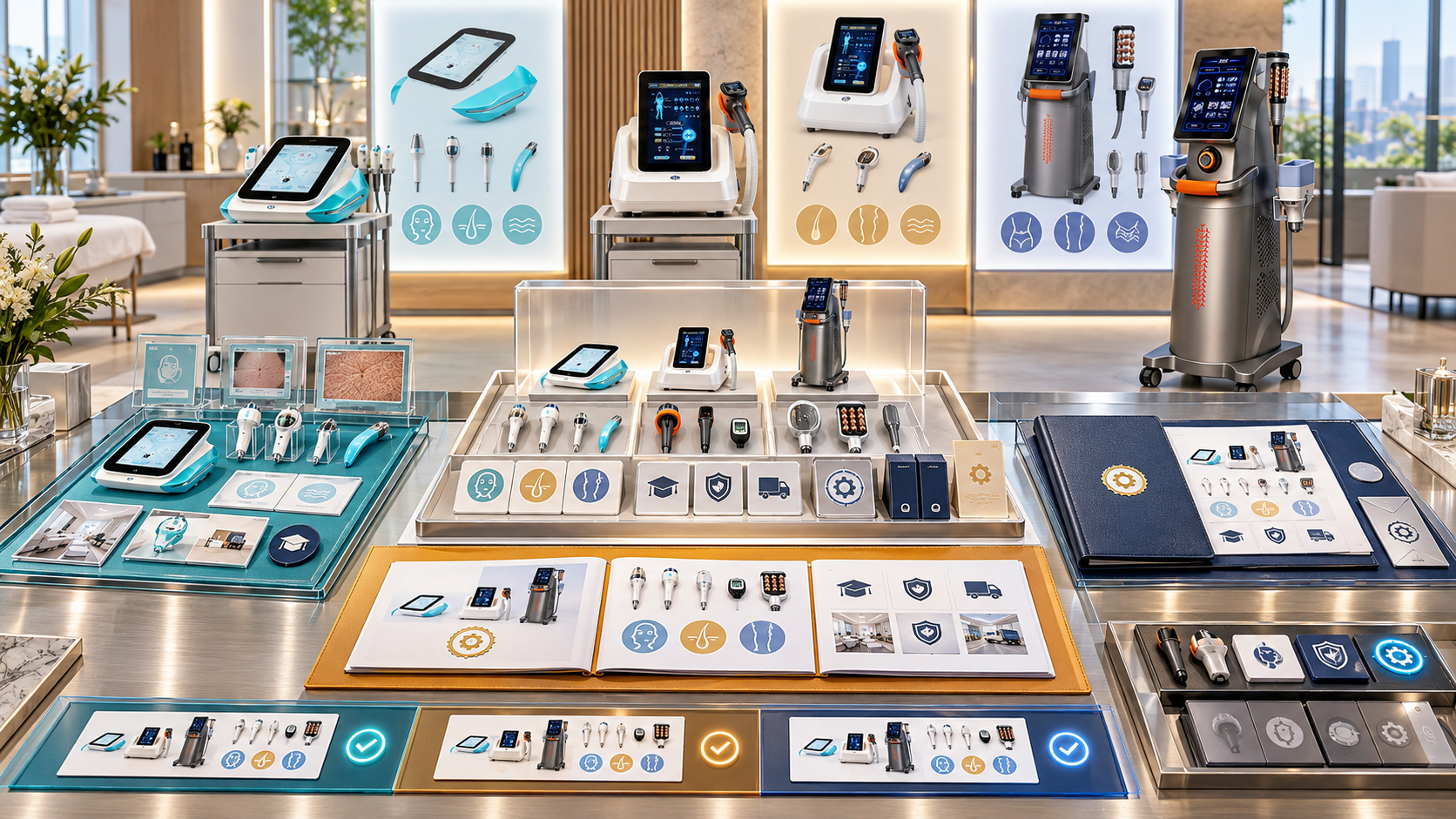
A beauty device buyer often evaluates one offer through three different experiences. The buyer sees a working unit during a demonstration, reviews a sales deck that summarizes functions and package choices, and receives a quotation that defines what can actually be purchased. If those three experiences describe different models, accessories, options, or service roles, the buyer has to guess which version is real.
Consistency does not mean that a demonstration, presentation, and quotation must contain identical detail. Each has a different purpose. They must, however, refer to the same controlled product identity and clearly explain any difference between what was shown, what was described, and what is included in the offer. This guide shows distributors how to maintain that alignment for SHEFMON facial, diode-laser, HIFU, RF-microneedling, and body-care devices.
Zusammenfassung
- Give the demonstration asset, sales deck, and quotation one shared model and configuration reference.
- Record the exact device, handles, heads, cartridges, tips, accessories, and software shown during the demo.
- Label every demonstrated or pictured item as standard, optional, illustrative, borrowed, unavailable, or confirmation required.
- Build sales-deck claims and package slides from approved product and configuration data.
- Make the quotation state what is included, selected separately, excluded, and pending confirmation.
- Explain intentional differences between the demo setup and the buyer’s proposed configuration.
- Use category-specific alignment fields for facial, laser, HIFU, RF-microneedling, and body-care devices.
- Control revisions so a product or package change updates every active buyer-facing channel.
- Preserve a post-demo record that can be reconciled with the issued quotation.
- Audit consistency by buyer project, model, configuration, region, and sales campaign.
1. Define Cross-Channel Consistency
Demonstration, deck, and quotation consistency exists when all three channels agree on the facts that determine the buyer’s decision:
- offizielle Modelidentität;
- selected or demonstrated configuration;
- installed functions;
- supplied and optional components;
- intended business and service-menu role;
- market and electrical version;
- evidence behind product claims;
- package name and scope;
- current lifecycle and availability status;
- conditions that must be reviewed before purchase or operation.
The channels may present these facts differently. A demo shows the workflow physically. A deck explains the category and comparison visually. A quotation identifies the deliverable and commercial conditions. The underlying facts must remain traceable to the same approved record.
2. Give Each Channel a Clear Job
| Kanal | Primary purpose | Appropriate content | Content it should not decide alone |
|---|---|---|---|
| Demonstration | Show the device, selected functions, tools, and operating workflow | Exact demo asset, component labels, approved script, buyer questions | Commercial commitment or unapproved configuration |
| Sales deck | Explain buyer fit, category, model differences, package logic, and next decisions | Approved product facts, controlled images, package summaries, option labels | Final included-item schedule or current price unless explicitly controlled |
| Zitat | Define the offered device package and commercial terms | Model, configuration, quantities, inclusions, options, exclusions, market profile, price and validity | General possibilities that are not selected for the offer |
Problems begin when one channel performs another channel’s job. A presenter should not create a new package verbally. A deck should not imply that every pictured accessory is standard. A quotation should not copy a broad presentation list as though every option were included.
3. Build One Shared Product Reference
Use one controlled record to connect the three channels. At minimum, it should contain:
- official model number and approved name;
- product category;
- Konfigurationscode und Revision;
- installed function list;
- component and accessory schedule;
- standard, optional, consumable, replacement, excluded, and pending statuses;
- electrical and market profile;
- approved specifications and claims;
- source links and verification dates;
- active sales-deck slide or module;
- demo assets using the configuration;
- quotation package codes;
- owner and next review date.
The demo team, content team, and quotation team should read from this record rather than maintaining separate product descriptions.
4. Create a Cross-Channel Alignment Matrix
Before a product campaign, showroom event, or buyer presentation, complete a matrix like this:
| Controlled field | Demonstration record | Sales deck | Zitat | Required action if different |
|---|---|---|---|---|
| Modell | Asset label and configuration | Slide title and product image | Equipment line | Stop until one official model is selected |
| Funktionen | Functions physically shown | Approved capability summary | Installed functions in quoted configuration | Explain unshown or unquoted functions |
| Komponenten | Handles, heads, tips, cartridges present | Standard and optional labels | Included and selected-option schedule | Correct status or add explicit note |
| Marktprofil | Demo voltage, plug, and language | Regional edition | Destination profile | Do not assume demo profile suits buyer |
| Paketname | Demo setup name if used | Package comparison slide | Configuration code and commercial name | Link all uses to one component schedule |
| Claims | Presenter script | Slide wording and evidence | Limited offer description | Remove or review unsupported difference |
| Revision | Demo asset snapshot | Deck version | Quote revision | Reconcile before buyer release |
The matrix highlights deliberate differences instead of demanding superficial sameness.
5. Control the Demonstration Asset
Every demonstration unit needs an asset record. Include:
- asset ID and location;
- official model;
- installierte Konfiguration und Revision;
- voltage, plug, interface, and language;
- installed handles, applicators, heads, cartridges, or tips;
- standard accessories;
- optional items attached for the session;
- borrowed, sample, or event-only items;
- consumables used for demonstration;
- cleaning and maintenance status;
- date the configuration was verified;
- active sales deck and script version;
- photos of the actual setup for internal reference.
Do not identify a demo unit only by a handwritten product name. Two units of the same model can contain different option sets or market profiles.
6. Label What the Buyer Sees
The buyer may remember a visible item more strongly than a spoken explanation. Use physical tags, screen labels, slide annotations, or a demo inventory card.
| Demo label | Bedeutung | Treatment in the sales deck | Treatment in the quote |
|---|---|---|---|
| Standard in named configuration | Included in the demonstrated configuration | May appear as standard for that configuration | Include with quantity |
| Optional | Compatible under an approved selection rule | Show as optional | Quote separately if selected |
| Illustrative | Used to explain a category or alternative | Clearly label as an example | Exclude unless separately verified and selected |
| Borrowed or event-only | Temporarily present | Do not imply routine local supply | Confirm before offering |
| Consumable or replacement | Used or replaced through service delivery | Explain opening and reorder relationship | State opening quantity or separate reorder line |
| Confirmation required | Status or compatibility is unresolved | Keep out of active package claims | Block the affected quote line |
| Not included | Visible but outside the package | State the boundary where useful | List as excluded if confusion is likely |
A photo of the demo table is never a packing list.
7. Use an Approved Demonstration Script
The script should connect the physical unit to its controlled identity. It should cover:
- exact model and configuration being shown;
- buyer problem and service-menu role;
- installed functions;
- standard and optional components;
- what is not included in the demo configuration;
- differences between the demo market profile and the buyer’s destination, if any;
- professional setting or operator conditions requiring review;
- questions the presenter must capture for configuration selection;
- statements the presenter may make;
- topics that require product, technical, market, or commercial confirmation.
Allow the presenter to adapt the conversation to the buyer. Keep product facts, component status, and offer boundaries controlled.
8. Build the Sales Deck from Reusable Approved Modules
Instead of retyping specifications for each salesperson, create controlled slide modules:
- category and buyer-fit overview;
- offizielle Modelidentität;
- approved function summary;
- component or handle map;
- standard versus optional package view;
- room and operating-context considerations;
- consumable and reorder relationship;
- model comparison where relevant;
- next configuration decisions;
- quotation and contact call to action.
Each module should show its model scope, configuration scope, source date, content owner, and version. Regional teams can localize approved wording without changing technical meaning or component status.
9. Control Images, Captions, and Package Slides
Visual content often creates inconsistency before text does.
- Use images tied to an official model and asset record.
- Avoid placing accessories around a device unless their status is visible.
- Label package renders as standard, optional, or illustrative.
- Do not reuse one model’s close-up image for another similar model.
- Keep before-and-after or treatment-result claims outside the deck unless they have an approved basis and market review.
- Add a note when the physical demo unit differs from the configuration shown on the slide.
- Keep package names connected to a controlled included-item schedule.
- Remove superseded slides from shared folders and personal libraries.
An elegant package diagram can still mislead the buyer if it shows six items while the quotation includes four.
10. Use the Quotation as the Deliverable Record
The quotation should resolve the choices introduced during the demonstration and deck. It should identify:
- exaktes Modell;
- Konfigurationscode und Revision;
- quantity;
- installed functions;
- included handles, heads, cartridges, tips, and accessories;
- selected options;
- opening consumables;
- future reorder items where useful;
- exclusions;
- destination electrical and language profile;
- documents, onboarding, or training items included;
- price, currency, freight basis, payment, timing, and validity;
- assumptions and confirmation conditions.
Do not copy the deck’s complete option map into the included-equipment section. The quote should contain the buyer’s selected package.
11. Align A0648 Across Demo, Deck, and Quote
Der SHEFMON A0648 9-in-1 Hydro-Mikrodermabrasionsgerät is best aligned by mapping functions to physical tools and operating supplies.
| Kanal | A0648 content to control |
|---|---|
| Demonstration | Exact tools connected, tips used, solution containers, tubing, cleaning status, consumables opened |
| Sales deck | Approved nine-function explanation, tool images, standard and optional labels, facial-service role |
| Zitat | Installed function list, supplied tools and quantities, tips, containers, accessories, opening consumables, exclusions |
If the presenter uses a tip or accessory from an expanded demo kit, record it as optional or illustrative. The deck should not show it as standard, and the quote should include it only if the buyer selects a compatible option.
12. Align A0423 and A0426 as Distinct Laser Models
Der A0423 Diodenlaser Und A0426 Diodenlaser have current pages with several overlapping listed values. Similar specifications make precise identification more important.
Demonstration
- show the asset ID and exact model;
- record selected wavelength profile, handle power, spot size, and handle quantity;
- record cooling and electrical configuration;
- state when the buyer’s proposed model differs from the demo asset.
Sales deck
- give A0423 and A0426 separate slide identities;
- compare only normalized, verified fields;
- use the correct product and package images;
- avoid a combined “A0423/A0426” capability slide unless it clearly describes a category rather than one product.
Zitat
- name one model per line;
- state the selected wavelength, handle, and spot-size configuration;
- list accessories and destination profile;
- use logistics data for the selected model;
- apply suitable operator, room, and local-review conditions.
A salesperson should never demonstrate A0426, show an unlabeled mixed-model deck, and quote A0423 without explaining why the proposed model changed.
13. Align A0204 Handles and Cartridges
Der SHEFMON A0204 multifunction HIFU system page describes several handles, modules, cartridge depths, and standard or optional relationships.
For the demonstration, record every connected handle and cartridge. If an expanded showroom set is used, mark each component’s status. For the deck, show package tiers through a handle-and-cartridge matrix rather than one large list. For the quotation, identify the exact selected rows and quantities.
Use these shared fields across all three channels:
- handle or module identity;
- compatible platform;
- cartridge family;
- depth or size;
- standard, optional, or illustrative status;
- quantity;
- stated shot capacity where relevant;
- intended approved service area;
- reorder relationship;
- verification date.
The phrase “all cartridges” should never replace this matrix.
14. Align A0152 Handles and Needle Heads
Der SHEFMON A0152 desktop RF microneedling system page lists handle alternatives and 12-pin, 24-pin, 40-pin, and nano head types.
The demo record should state the installed handle arrangement and the specific head used. The deck may explain the available head families, but it must distinguish capability from package contents. The quotation should show included head types and opening quantities, then identify approved reorder units.
Also align:
- voltage profile;
- depth-control description;
- accessories such as a cooling hammer where selected;
- hygienic handling and disposal information supplied to the buyer;
- operator and professional-setting conditions;
- future consumable order identity.
If the presenter opens several sample head types, the buyer should not infer that the same quantities are included automatically.
15. Align B0155 Body and Smaller-Area Handles
Der SHEFMON B0155 desktop body-care system page describes multiple handles for body and smaller-area applications. Each combines a specific set of functions.
The demonstration inventory should map each handle to its stated area role and installed functions. The sales deck should present controlled packages, such as a focused body-care setup or a broader handle package, only when those names point to fixed component schedules. The quotation should list every supplied handle and quantity.
Align these fields:
- body versus smaller-area role;
- vacuum, RF, roller, light, rotating, or cavitation functions;
- published treatment size where used;
- standard and optional status;
- cleaning and storage requirements;
- room movement and workflow considerations;
- package code and revision.
Do not let a showroom with every available handle redefine a smaller quoted package.
16. Separate Capability, Demonstrated Scope, and Quoted Scope
Use three fields for every important feature or component:
- Approved capability: what the model or eligible configuration can support according to current records.
- Demonstrated scope: what the buyer actually saw or discussed in the session.
- Quoted scope: what the final offer includes or prices as an option.
A capability may remain undemonstrated. A demonstrated optional item may remain unquoted. A quoted configuration may include a standard component that was not physically shown. These differences are acceptable when they are explicit.
17. Record the Demo Outcome Before Preparing the Quote
After the session, capture:
- buyer and project ID;
- demo date, location, and presenter;
- demo asset and configuration revision;
- deck version used;
- items shown;
- options discussed;
- buyer-requested configuration;
- buyer questions;
- promised follow-up information;
- unresolved technical or market issues;
- quotation alternatives requested;
- items the buyer declined;
- target follow-up date.
This record connects the conversation to the eventual offer without treating every discussed idea as a selection.
18. Reconcile Before the Quote Is Sent
Perform a three-way check:
- Demo to deck: Was the physical unit correctly identified and were visible options labeled?
- Deck to quote: Does the quotation select from the package or option structure that the buyer reviewed?
- Demo to quote: Are all differences between what was seen and what is offered explained?
| Difference found | Required buyer-facing explanation |
|---|---|
| Demo used a higher or broader configuration | State which functions or components are outside the quoted package |
| Quote uses another model | Explain the selection reason and provide correct specifications and images |
| Demo item is optional | Put it in a separate selected or unselected option line |
| Buyer requested an item not shown | Identify it clearly and provide the approved supporting description |
| Market profile differs | State the destination voltage, plug, language, or document configuration |
| Component awaits confirmation | Hold the line or issue a clearly limited draft, not a final promise |
19. Control Claims Across the Three Channels
Create an approved claim record containing:
- exact wording;
- model and configuration scope;
- evidence source;
- source date;
- intended audience and channel;
- permitted region or language edition;
- required qualification;
- owner and expiry;
- prohibited extensions of the claim.
The presenter can explain an approved claim in natural language, but should not broaden it. The deck should use approved wording and context. The quotation should include only claims needed to describe the selected offer.
Avoid guaranteed outcomes, unsupported comparisons, and broad suitability statements. Advanced device categories should retain appropriate professional, operator, client-assessment, and local-market conditions.
20. Manage Package Names Carefully
A commercial name such as Starter, Core, Professional, or Advanced is helpful only when it points to a stable configuration code.
- Define the package’s model and component schedule.
- Give it a revision and effective date.
- Link the demo setup that represents it.
- Link the deck slide that describes it.
- Link the quotation package code and price basis.
- State which options can be added.
- Retire or revise the name when contents change.
Do not keep the same package name after changing the handles, cartridges, consumables, or service scope.
21. Control Regional and Language Versions
Regional teams may adapt language, contact details, approved assortment, currency, and commercial terms. Maintain consistency through a regional profile containing:
- permitted models and configurations;
- market electrical version;
- approved terminology and translation;
- active deck edition;
- demo assets available in the region;
- regional package names linked to global configuration codes;
- Genehmigte Ansprüche;
- required local conditions;
- quotation template and commercial rules.
Translation should preserve the distinction between standard, optional, compatible, demonstrated, and included. These words affect buyer expectations.
22. Use Version and Change Control
A model or package update should trigger an impact review across channels.
| Change | Demo action | Deck action | Quote action |
|---|---|---|---|
| Model identity or name | Relabel asset and update record | Replace titles and references | Update eligible product lines |
| Component status | Retag the physical item | Revise standard/optional label | Update included and option schedules |
| Configuration revision | Reinspect demo unit | Update package slides | Require current configuration selection |
| Specification correction | Update presenter script | Correct every active slide | Regenerate descriptions |
| Market profile change | Update regional asset or note | Update regional edition | Update electrical and document fields |
| Package retirement | Stop presenting under the old name | Remove shared slides | Block new quotes and preserve history |
Do not rely on an email asking salespeople to replace slides manually. Maintain an active library and withdraw superseded files.
23. Handle Exceptions Transparently
When the buyer requests a combination outside the active package library:
- record the exact request;
- identify the base model and configuration;
- mark the requested difference;
- request technical, supply, market, and commercial review as needed;
- keep the item out of the final offer until confirmed;
- update the deck or demo narrative only if the exception becomes reusable;
- preserve project-specific conditions in the quotation.
An exception approved for one project should not silently become a standard slide or showroom promise.
24. Build an Event or Showroom Release Checklist
- Every demo unit has an asset ID and configuration snapshot.
- Visible components have status labels.
- The active deck matches the available demo assets.
- Product images and model labels are correct.
- Package slides link to current configuration schedules.
- Presenter scripts use approved facts and claims.
- Borrowed and event-only items are identified.
- Lead forms capture model, configuration interest, market, room, operator, and requested options.
- Quote requests reference the demo asset and deck version.
- A post-event reconciliation owner and deadline are assigned.
25. Build a Pre-Quotation Alignment Checklist
- Buyer and project ID match the demo record.
- Demo asset and configuration are identified.
- Sales-deck version used with the buyer is recorded.
- Exact quoted model is confirmed.
- Differences between demonstrated and quoted models are explained.
- Demonstrated options are classified correctly.
- Quoted inclusions match the selected configuration schedule.
- Unselected deck options do not appear as included.
- Opening consumables and future reorders are separated.
- Destination electrical and language profiles are confirmed.
- Claims and images belong to the quoted model.
- Unresolved buyer questions have owners.
- No pending item has become a promise.
- The quotation revision is stored with the demo and deck references.
26. Measure Cross-Channel Consistency
Nützliche Maßnahmen sind unter anderem:
- demo-to-quote configuration difference rate;
- quotations corrected because an optional item was assumed standard;
- deck slides withdrawn after product changes;
- buyer questions caused by package ambiguity;
- quotes containing unrecorded demonstrated items;
- time required to reconcile post-demo requests;
- number of active deck versions per model and region;
- expired claim or source incidents;
- order discrepancies linked to demo expectations;
- consumable reorders that cannot be matched to the accepted configuration.
Investigate the source of differences. Repeated confusion about one handle or package usually indicates weak data, labels, slides, or configuration design rather than an isolated salesperson error.
27. Implement the System in Stages
Stage 1: Inventory active assets and files
List demo units, configurations, decks, package names, quotation templates, and regional editions.
Stage 2: Choose a shared identity
Connect model, configuration, demo asset, deck module, and quotation package through stable identifiers.
Stage 3: Label high-risk differences
Prioritize options, borrowed items, accessories, consumables, and model look-alikes.
Stage 4: Add reconciliation records
Capture what was shown, discussed, requested, and selected after every significant demonstration.
Stage 5: Control changes and measure outcomes
Update all affected channels from one approved change and use inconsistency data to improve the source library.
Häufig gestellte Fragen
1. Must the demo unit match the quoted configuration exactly?
No. A distributor may demonstrate a broader or different approved configuration. The buyer should be told exactly what differs, and the quotation must define the selected package without relying on the demo setup as an implied inclusion list.
2. Can a sales deck show all available options?
Yes, when each option is accurately scoped and labeled. The deck should distinguish capability, standard configuration, optional selection, and illustrative content. The quote should contain only selected items and relevant exclusions.
3. What information should identify a demo device?
Use the official model, asset ID, configuration revision, market and electrical profile, installed components, optional attachments, verification date, and current deck or script version.
4. How should items visible in a demonstration be handled in the quotation?
Classify each item as standard, selected option, illustrative, borrowed, consumable, replacement, not included, or confirmation required. Only confirmed selected items should enter the offered supply.
5. How can distributors keep A0423 and A0426 presentations clear?
Use separate model labels, correct images, normalized comparison fields, and exact demo asset records. Each quotation should name one model and its selected wavelength, handle, spot-size, cooling, electrical, and accessory configuration.
6. How should an A0204 cartridge demo be reflected in the quote?
Record which handle and cartridges were shown, then quote the buyer’s selected compatible set with depths, quantities, status, and relevant capacity information. Demonstrated cartridges outside that set should remain labeled optional or excluded.
7. Who owns cross-channel consistency?
Ownership is shared by product data, demo, content, sales, technical, and sales-operations roles. Assign one coordinator for each model or campaign so mismatches are resolved in the source record and every affected channel is updated.
8. What happens when a sales deck changes after a demonstration?
Keep the deck version used with the buyer in the project record. If the change affects the proposed offer, explain it and use the current approved information in the quotation. Do not rewrite the history of what the buyer saw.
9. Should prices appear in the sales deck?
Only when pricing is controlled by region, configuration, currency, effective date, and expiry. In many cases, the deck should explain package structure and the quotation should provide the current buyer-specific commercial terms.
10. Which document controls after the buyer accepts?
The accepted quotation revision and its referenced configuration schedule control the order. The demo record and deck provide context, but they do not replace the accepted included-item and commercial record.
Abschluss
Consistent demonstrations, sales decks, and quotations give buyers one coherent product story from first presentation to final offer. The distributor achieves this by connecting every channel to the same model and configuration, labeling visible and pictured options, documenting intentional differences, and reconciling the buyer’s selected package before release.
Erkunden Sie die SHEFMON Schönheitsgeräte-Kategorien when building controlled demo assets, deck modules, and quotation packages. To confirm a model difference, handle set, cartridge selection, needle-head arrangement, accessory, or consumable relationship, Kontaktieren Sie SHEFMON with the exact demo configuration and proposed buyer offer.

























