










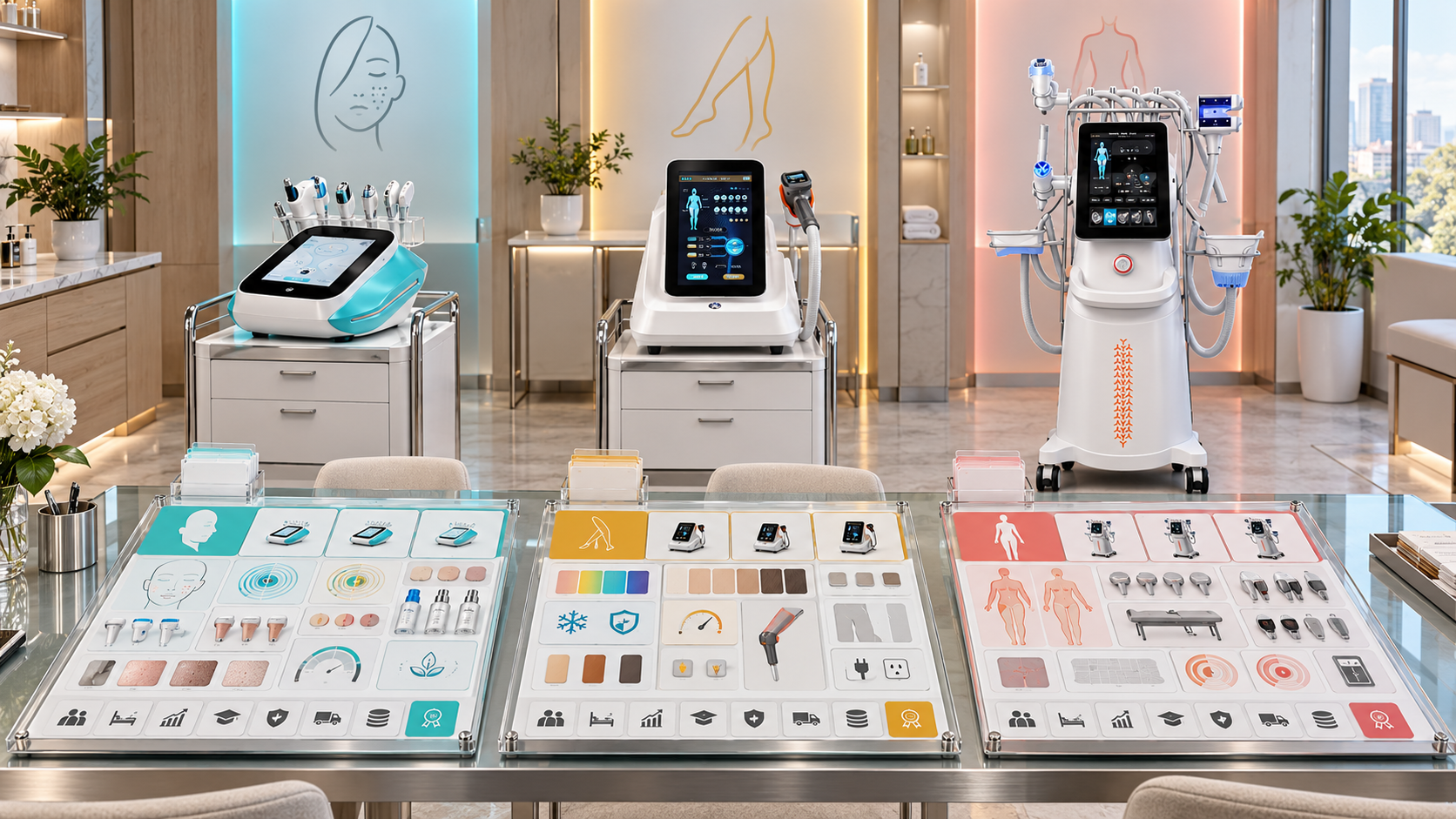
A beauty device comparison sheet should make a buying decision easier. Yet many sheets do the opposite: they place facial cleansing systems, diode lasers, HIFU platforms, RF microneedling devices, and body-care equipment under the same generic headings. Function count, screen size, power, and package weight fill the page, while the details that determine service fit remain difficult to find.
The solution is to use a shared comparison framework with a different field module for each category. Every sheet can follow the same rules for identity, configuration status, evidence, and revision control, but a hydro facial sheet should compare tools and consumables, a laser sheet should compare wavelength and handle choices, and a HIFU sheet should compare handles and cartridges. This guide shows salons, clinics, aesthetic centers, and distributors how to build that system with relevant SHEFMON device examples.
Zusammenfassung
- Define the buying decision before adding comparison fields.
- Keep category, model, and selected configuration as separate comparison levels.
- Use a small shared core for model identity, service role, installation, support, and source control.
- Add a dedicated field module for each device category.
- Compare models only when the same field has the same meaning and unit.
- Mark every component as standard, optional, consumable, replacement, unavailable, or confirmation required.
- Verwenden Sie die A0648 hydro facial system to compare installed facial tools and operating supplies.
- Verwenden Sie die A0423 Und A0426 to demonstrate a like-for-like diode-laser sheet.
- Verwenden Sie die A0204 HIFU-Plattform, A0152 RF-Mikroneedling-System, Und B0155 Körperpflegesystem to show why category-specific component fields matter.
- Treat the comparison as a controlled decision record, then move the selected configuration into the quotation.
1. What Is a Category-Specific Beauty Device Comparison Sheet?
A category-specific comparison sheet is a structured decision tool for products that solve a similar business need. It contains common fields that every buyer needs, plus technical and operating fields that belong to one device category.
The sheet should answer four practical questions:
- Which models are genuinely comparable?
- Which configuration of each model is being evaluated?
- How does each choice fit the buyer’s services, room, team, and replenishment plan?
- Which facts are confirmed, and which still require clarification?
This definition matters because a product list and a comparison sheet have different jobs. A product list shows what exists. A comparison sheet narrows a choice between alternatives that can fill the same defined role.
2. Separate Category, Model, and Configuration Decisions
Before creating columns, identify the level of the decision. Mixing three levels in one table produces misleading comparisons.
| Comparison level | Question it answers | Appropriate output |
|---|---|---|
| Kategorie | Which type of device supports the planned service? | Shortlist hydro facial, diode laser, HIFU, RF microneedling, or body-care category |
| Modell | Which model within that category fits the business? | Side-by-side model comparison using category-specific fields |
| Konfiguration | Which handles, cartridges, tips, options, and electrical version will be supplied? | Selected configuration schedule linked to the quotation |
A skin clinic deciding whether to add RF microneedling or HIFU is making a category decision. Once it chooses HIFU, it can compare relevant HIFU models. Once it selects a model, it still needs to define the supplied handles and cartridges. A single row labeled “HIFU device” cannot record all three decisions accurately.
3. Start with the Buyer Decision, Not the Specification List
Every comparison sheet needs a short decision statement at the top. For example:
Select one diode-laser configuration for a dedicated hair-removal room, with confirmed handle, wavelength, spot-size, cooling, electrical, and training requirements.
That statement controls the scope. It prevents an unrelated multifunction facial device from entering the table simply because it also appears in the same catalog. It also tells the reviewer which missing fields can block the decision.
Add the intended buyer profile, service role, market, room type, expected appointment pattern, operator level, target decision date, and responsible reviewer. These facts turn the table into a business tool instead of a copied specification page.
4. Create a Shared Core for Every Device Category
The shared core should be short enough to use consistently. Recommended fields include:
- official brand and model number;
- product category and intended service role;
- selected configuration code or description;
- console format and verified dimensions;
- electrical requirements;
- required room utilities and environmental conditions;
- standard components and opening supplies;
- optional components;
- operator and training requirements;
- cleaning, maintenance, and replenishment needs;
- current source URL, verification date, and record owner;
- open questions and approval status.
Do not force category-specific technical values into this shared block. Wavelength belongs in a laser module. Cartridge depth belongs in a HIFU module. Needle-head type belongs in an RF-microneedling module. Keeping those fields separate makes the sheet easier to audit and reuse.
5. Build a Field Module for Each Category
The following matrix shows the information architecture. It does not prescribe one device for every buyer.
| Kategorie | Fields that should lead the comparison | Fields that need configuration status | Operating questions |
|---|---|---|---|
| Hydro and multifunction facial care | Installed functions, handpieces, tips, solution containers, suction-related tools | Supplied tips, opening liquids or consumables, optional tools | Cleaning cycle, turnaround, storage, replenishment |
| Diode-laser hair removal | Wavelength profile, handle power, spot size, repetition rate, cooling | Handle version, wavelength option, included spot sizes, electrical profile | Room power, cooling checks, operator authorization, appointment flow |
| HIFU | Platform type, handles, cartridge depths, line or point delivery format | Standard and optional handles, cartridges, opening shot capacity | Consultation, cartridge planning, controlled access, local professional requirements |
| RF-Mikronadelung | Handle arrangement, needle-head types, depth controls, RF output | Included needle heads, opening quantities, compatible reorder items | Sterile workflow, consumable traceability, aftercare, operator authorization |
| Multifunktionale Körperpflege | Handle set, treatment-area role, vacuum, RF, roller, cavitation or light functions | Body and smaller-area handles, installed functions, accessories | Room movement, cleaning, appointment duration, handle storage |
The category module should contain only fields that help distinguish valid choices. A long table is not automatically a better table.
6. Use Controlled Status Labels for Every Component
The word “included” is not enough when a product can have several configurations. Give every handle, cartridge, applicator, tip, or consumable one controlled status.
| Status | Bedeutung | How to show it |
|---|---|---|
| Standard | Included in the named configuration | State the quantity and component ID where available |
| Optional | Selectable but not included by default | Show the selection rule and quotation requirement |
| Consumable | Used or replaced through normal service delivery | Show opening quantity and reorder unit |
| Ersatz | Supplied to replace a compatible existing component | Record compatibility and version |
| Nicht verfügbar | Not approved for that model or configuration | Block the selection |
| Confirmation required | Current status has not been verified | Leave the decision open and assign an owner |
Never infer standard supply from an image, a function count, or a long option list. The selected configuration should contain a positive included-items record.
7. Build the Hydro Facial Comparison Sheet Around the Tool Set
Hydro and multifunction facial systems are often compared by the number in an “X-in-1” name. That headline is useful for initial grouping, but it does not explain which tools are installed or what the salon must prepare for daily operation.
For the SHEFMON A0648 9-in-1 Hydro-Mikrodermabrasionsgerät, the comparison sheet should translate the platform description into a controlled tool and workflow record.
| Field group | What to record | Why buyers need it |
|---|---|---|
| Installed functions | Approved name for every installed function | Prevents comparison by function count alone |
| Supplied tools | Handpiece or tool name, quantity, and status | Shows what the team can use on opening day |
| Fluid path | Containers, tubing, waste handling, and cleaning steps | Supports room setup and turnaround planning |
| Tips and consumables | Compatible type, opening quantity, reorder unit | Makes ongoing supply visible before purchase |
| Service-Menü passt | Cleansing, exfoliation, extraction, and hydration workflow roles supported by the selected setup | Connects equipment to sellable facial services |
| Daily care | Flush, disinfection, inspection, and storage tasks | Helps estimate staff time between appointments |
If two facial systems use different names for similar tools, normalize the function in one field and preserve each official tool name in another. This allows a fair functional comparison without erasing product identity.
8. Compare Diode Lasers with a Like-for-Like Schema
Der A0423 Diodenlaser Und A0426 Diodenlaser provide a useful example of why source-controlled fields matter. Their current pages list overlapping technical choices, including wavelength, handle power, spot size, repetition frequency, display, cooling-related data, and electrical information. Their published package dimensions and gross weights differ.
| Comparison field | A0423 current page | A0426 current page | Decision rule |
|---|---|---|---|
| Wavelength listing | 810 nm and multi-wavelength choices are listed | 810 nm and multi-wavelength choices are listed | Record the exact selected profile, not every listed possibility |
| Handle-power listing | 600 W / 1200 W | 600 W / 1200 W | Confirm the selected handle version |
| Spot-size listing | 15 × 15, 15 × 20, 15 × 30 mm | 15 × 15, 15 × 20, 15 × 30 mm | Confirm which size belongs to the offer |
| Wiederholungsfrequenz | 1–10 Hz | 1–10 Hz | Preserve the same unit and source date |
| Cooling description | Record the published system and probe-temperature information | Record the published system and probe-temperature information | Add setup and routine-check requirements separately |
| Package data | 63 × 47 × 61 cm; 34.5 kg gross weight | 67 × 54 × 141 cm; 59.2 kg gross weight | Use logistics data for delivery planning, not treatment claims |
This example also shows what a comparison sheet must not do. It should not merge the two model identities because several listed values match. It should not assume that all slash-separated choices are included together. Before a buyer chooses, the sheet should show the exact offered handle, wavelength profile, spot size, accessories, electrical version, and any professional or local operating requirements.
9. Build the HIFU Sheet Around Handles and Cartridges
HIFU comparisons need a configuration matrix because the service scope depends on the installed platform, supported handles, and cartridge selection. The SHEFMON A0204 5-in-1 focused HIFU system page distinguishes standard and optional elements and lists multiple cartridge depths across different handle types.
A useful HIFU sheet should contain one row per handle or cartridge family, then record:
- component name and ID;
- compatible platform or handle;
- depth or size;
- standard, optional, or confirmation-required status;
- supplied quantity;
- stated shot capacity where applicable;
- intended service area stated in approved materials;
- replacement or reorder route;
- source and verification date.
Do not paste all listed cartridge depths into one cell. A buyer may read that as a promise that every cartridge is supplied. Instead, create a configuration column and mark each row explicitly. The final shortlist should also show which trained team will operate the selected setup and whether the intended services fall within local rules and professional scope.
10. Build the RF-Microneedling Sheet Around Treatment Heads and Reorders
Der SHEFMON A0152 desktop RF microneedling system page lists handle alternatives and 12-pin, 24-pin, 40-pin, and nano head types. It also publishes a depth profile, RF power, voltage choices, target areas, size, and weight.
Those details belong in separate fields, but the most important commercial distinction is between the reusable system configuration and the items that must be replenished. Build the sheet with these groups:
- Console and control: model, screen, depth-control description, electrical version.
- Handle arrangement: one or two RF handles and any confirmed cooling-hammer combination.
- Treatment heads: type, compatible handle, opening quantity, reorder unit, and version.
- Workflow controls: operator authorization, hygienic handling, recordkeeping, and aftercare library.
- Geschäftliche Passung: intended facial or body service scope, room readiness, and consumable availability.
Avoid ranking RF-microneedling systems only by maximum depth or output. A clinic also needs the correct head inventory, a controlled treatment workflow, and a reliable reorder plan.
11. Build the Body-Care Sheet Around Handles and Service Zones
Multifunction body-care equipment needs a map between each handle and its service role. The SHEFMON B0155 desktop body-care system page describes body and smaller-area vacuum roller handles, body and facial rotating handles, and an 80K cavitation function.
The comparison sheet should show:
- each supplied handle;
- its stated treatment-area role;
- incorporated functions such as vacuum, RF, roller, light, or cavitation;
- the handle’s published treatment size where relevant;
- whether the handle is standard or optional in the selected package;
- cleaning and storage needs;
- room space and device-movement needs;
- the service-menu gap that the handle is intended to fill.
This structure lets a body studio compare focused packages with broader facial-and-body packages. It also prevents a five-function headline from hiding the fact that two proposed packages contain different handles.
12. Normalize Units, Terms, and Empty Values
Comparison errors often begin with inconsistent presentation. Set one unit for each field and store the original wording in a source note when necessary. Use mm for spot dimensions, nm for wavelength, Hz for repetition frequency, and a consistent format for dimensions and weight.
Control empty values as carefully as populated values:
- Not applicable: the field does not belong to that category or model.
- Not published: the current approved source does not state the value.
- Confirmation required: the value may affect the decision and has been sent for verification.
- Not selected: the option exists but is outside the proposed configuration.
- Unavailable: the option is not permitted for the configuration.
A blank cell is ambiguous. It could mean zero, unknown, irrelevant, or forgotten. Controlled empty values tell the reviewer what action is needed.
13. Compare Business Fit Before Scoring Specifications
A device can meet technical requirements and still be a poor fit for the business. Add a business-fit section before any weighted score.
| Business-fit field | Salon or clinic question | Distributor question |
|---|---|---|
| Service-menu role | Does this add a clear service or duplicate an existing one? | Which buyer profile should receive this comparison? |
| Zimmerpassung | Does the room support the device, operator movement, storage, and cleaning? | Are dimensions and utilities confirmed for the market? |
| Team fit | Is an appropriately trained and authorized operator available? | What training and handover information belongs with the offer? |
| Appointment fit | Can consultations, treatment, cleaning, and records fit the booking model? | Which operating facts help the buyer plan capacity? |
| Supply fit | Can the business identify and reorder required consumables or components? | Is the compatibility and reorder record complete? |
| Wachstumspassung | Can the configuration support the intended next service tier? | Are upgrades defined without implying unsupported compatibility? |
Only score fields after defining pass/fail requirements. A weighted total must not allow a large screen or low package weight to compensate for an incompatible component, missing electrical confirmation, or unsuitable professional scope.
14. Do Not Use One Universal Score Across Categories
A score of 82 for a hydro facial system and 85 for a diode laser has no useful meaning when the devices perform different roles. Universal scoring encourages teams to reward whatever data is easiest to collect.
Use one of these approaches instead:
- a category decision that compares service roles without ranking technical values;
- a model scorecard used only within one category;
- a pass/fail gate for mandatory requirements;
- a configuration completeness percentage;
- a buyer-fit rating based on declared needs.
For a multi-device package, compare coverage: which service categories the package adds, how many rooms and trained roles it requires, and which consumable systems it introduces. Do not add unrelated device scores together.
15. Separate Confirmed Facts, Buyer Inputs, and Evaluations
Use visual or structural labels for three kinds of information:
- Confirmed product fact: copied from a current approved source with date and URL.
- Buyer input: room, budget, service goal, staffing, or market requirement supplied by the buyer.
- Evaluation: a documented conclusion such as “fits the planned facial room” or “requires a separate advanced-treatment workflow.”
This distinction prevents an opinion from being copied later as a product specification. It also makes updates easier: a source change updates the confirmed facts, while a new buyer creates a new fit assessment.
16. Connect Comparison Sheets to the Service Menu
The comparison should show what the selected device contributes to the business without presenting unverified treatment combinations. A simple service-role block can contain:
- core service category;
- client concern or service goal;
- consultation requirements;
- standard appointment role;
- maintenance or targeted-service position;
- operator level;
- relevant consumables;
- suggested follow-up process;
- services that remain outside the selected configuration.
For example, A0648 can be assessed as a platform for cleansing and hydration-oriented facial workflows. A0423 or A0426 can be assessed for a dedicated hair-removal category. A0204 and A0152 belong in advanced-service comparisons that include professional scope and controlled operating procedures. B0155 can be assessed for body-care and smaller-area service roles according to the selected handle set.
These are menu-planning relationships. They are not instructions to combine different energy-based procedures in one session. Any treatment sequence must follow approved operating guidance, client assessment, and local professional requirements.
17. Create Different Views from One Controlled Record
The distributor, salesperson, technician, and buyer do not need the same visible columns, but they should read from the same controlled data.
- Buyer view: service role, key distinctions, room fit, supplied components, options, and open confirmations.
- Sales view: buyer profile, qualification questions, approved positioning, and configuration choices.
- Technical view: detailed specifications, compatibility, utilities, maintenance, and evidence.
- Quotation view: exact selected model, configuration revision, included items, exclusions, and commercial terms.
- Catalog view: stable approved fields that can be published across channels.
Do not maintain these as unrelated spreadsheets. Give each product and configuration a stable identifier so the views can be reconciled.
18. Add Source and Version Control
Every comparison row needs enough provenance to be checked later. At minimum, record:
- source page or controlled document;
- date checked;
- person responsible;
- exact configuration or market version;
- revision number;
- current, draft, superseded, or archived status;
- reason for the latest change;
- unresolved question and due date.
When a source changes, update the controlled record first and regenerate the comparison view. Do not silently edit one buyer-facing file while older quotations still point to another version.
19. Move the Selected Configuration into the Quotation
A comparison sheet supports selection; it does not replace a quotation. Once the buyer chooses a model, transfer these controlled elements:
- offizielle Modellnummer;
- selected configuration code and revision;
- included console, handles, heads, cartridges, tips, and accessories;
- opening consumable quantities;
- electrical and language profile;
- explicit options and exclusions;
- documents and training items;
- unresolved items that must be confirmed before order acceptance.
Price, currency, discount, stock, lead time, freight, and validity belong to the quotation because they change more often. The technical offer should point back to the approved configuration used in the comparison.
20. Use a Practical Review Workflow
Step 1: Define the decision
Write the category, buyer profile, service role, market, room, and decision deadline.
Step 2: Select truly comparable models
Verwenden Sie die SHEFMON beauty device catalog to identify candidates within the chosen category. Exclude models that solve a different service problem.
Step 3: Load the shared core and category module
Create a fixed template for identity and source fields, then attach only the relevant category fields.
Step 4: Define each configuration
Mark all options and components with controlled statuses. A model with an undefined handle or cartridge set is not ready for final comparison.
Step 5: Apply mandatory gates
Check room, electrical, operator, supply, professional-scope, and local-market requirements before scoring preferences.
Step 6: Record the decision
State why the chosen model and configuration fit the declared need. Keep rejected alternatives and their reasons for audit and future review.
Step 7: Issue the quotation from the selection
Reference the exact configuration revision and recheck any time-sensitive commercial information.
21. Common Comparison-Sheet Errors
- Comparing unrelated categories in one specification scorecard.
- Using “X-in-1” counts without listing the actual installed tools.
- Copying all available options into a row as if they were included.
- Comparing different units or differently defined values.
- Leaving blank cells without explaining whether the value is unknown or irrelevant.
- Treating product images as evidence of supplied components.
- Ranking a model before mandatory room, operator, or market checks.
- Hiding consumables and replacements below the main comparison.
- Combining product facts, buyer inputs, and salesperson opinions in the same field.
- Sending a quotation that does not identify the selected configuration revision.
- Keeping separate website, catalog, sales, and technical spreadsheets with no shared identifier.
22. Category-Specific Comparison Sheet Checklist
- The sheet states one clear buyer decision.
- All models belong to the same meaningful comparison category.
- Category, model, and configuration decisions are separated.
- Shared fields use controlled names and units.
- A relevant category-specific field module is present.
- Standard, optional, consumable, replacement, unavailable, and confirmation-required statuses are explicit.
- Included quantities are recorded where they affect the offer.
- Buyer inputs and evaluations are separated from product facts.
- Mandatory room, electrical, operator, and market checks appear before scoring.
- Every important fact has a source and verification date.
- Empty values use controlled labels.
- The chosen configuration can move directly into a quotation.
- Old revisions remain traceable.
- The service-menu role is clear without making unsupported treatment-combination claims.
Häufig gestellte Fragen
1. Why should each beauty device category have a different comparison sheet?
The fields that determine a good decision differ by category. A diode-laser buyer needs wavelength, handle, spot-size, and cooling data. A HIFU buyer needs a handle and cartridge matrix. A hydro facial buyer needs installed-tool, cleaning, and consumable information. A shared layout can remain consistent, but the decision fields must change.
2. Which fields should stay the same across all categories?
Keep model identity, category, service role, selected configuration, dimensions, electrical needs, standard and optional components, training needs, source URL, verification date, owner, revision, status, and open questions in the shared core.
3. Can a distributor compare facial, hair-removal, and body devices in one table?
It can compare their business roles when planning a portfolio or package. It should not rank their unrelated technical specifications in one total score. First compare category coverage, then use a separate model sheet inside each shortlisted category.
4. How should optional handles and cartridges appear?
Give each item its own row or structured field. Mark it standard, optional, unavailable, or confirmation required for the exact configuration. State the included quantity and avoid presenting the full compatibility list as a packing list.
5. How should A0423 and A0426 be compared?
Keep them as separate model records. Compare the same wavelength, handle-power, spot-size, frequency, cooling, electrical, package, and included-component fields. Then confirm the exact configuration being offered, even when their current pages show overlapping values.
6. What is the most important field for a multifunction facial device?
There is no single field. The sheet should connect installed functions to supplied tools, daily workflow, cleaning, opening consumables, and reorder needs. Function count without this mapping is incomplete.
7. Should price be stored in the comparison sheet?
The sheet can reference a dated quotation or a controlled price record, but temporary price, currency, discount, freight, stock, and validity should not be treated as permanent product facts. Always compare prices for equivalent configurations.
8. How often should comparison sheets be reviewed?
Review them whenever a product page, configuration, component, market requirement, or quotation basis changes. Also assign a scheduled review date so unchanged files do not remain active indefinitely without verification.
9. What should happen when a value cannot be verified?
Mark it “confirmation required,” assign an owner, and prevent it from becoming a promise in the final offer. Do not estimate technical values or copy them from an unrelated model.
10. Does the highest specification always identify the best device?
No. The appropriate choice must pass mandatory requirements and fit the buyer’s service menu, room, team, appointment flow, consumable plan, and market. Technical values help distinguish valid alternatives; they do not replace a business-fit assessment.
Abschluss
An effective beauty device comparison system combines a stable shared core with a dedicated field module for each category. It compares equivalent models, identifies the exact configuration, separates supplied items from options, and preserves the source and revision behind every decision. Salons and clinics can then connect equipment choices to real service roles, while distributors can move an approved selection into a precise quotation.
Erkunden Sie die SHEFMON Schönheitsgeräte-Kategorien to build a relevant shortlist. For help confirming model differences, handles, cartridges, consumables, or a proposed multi-category equipment package, Kontaktieren Sie SHEFMON with your buyer profile, intended services, market, and room requirements.

























