










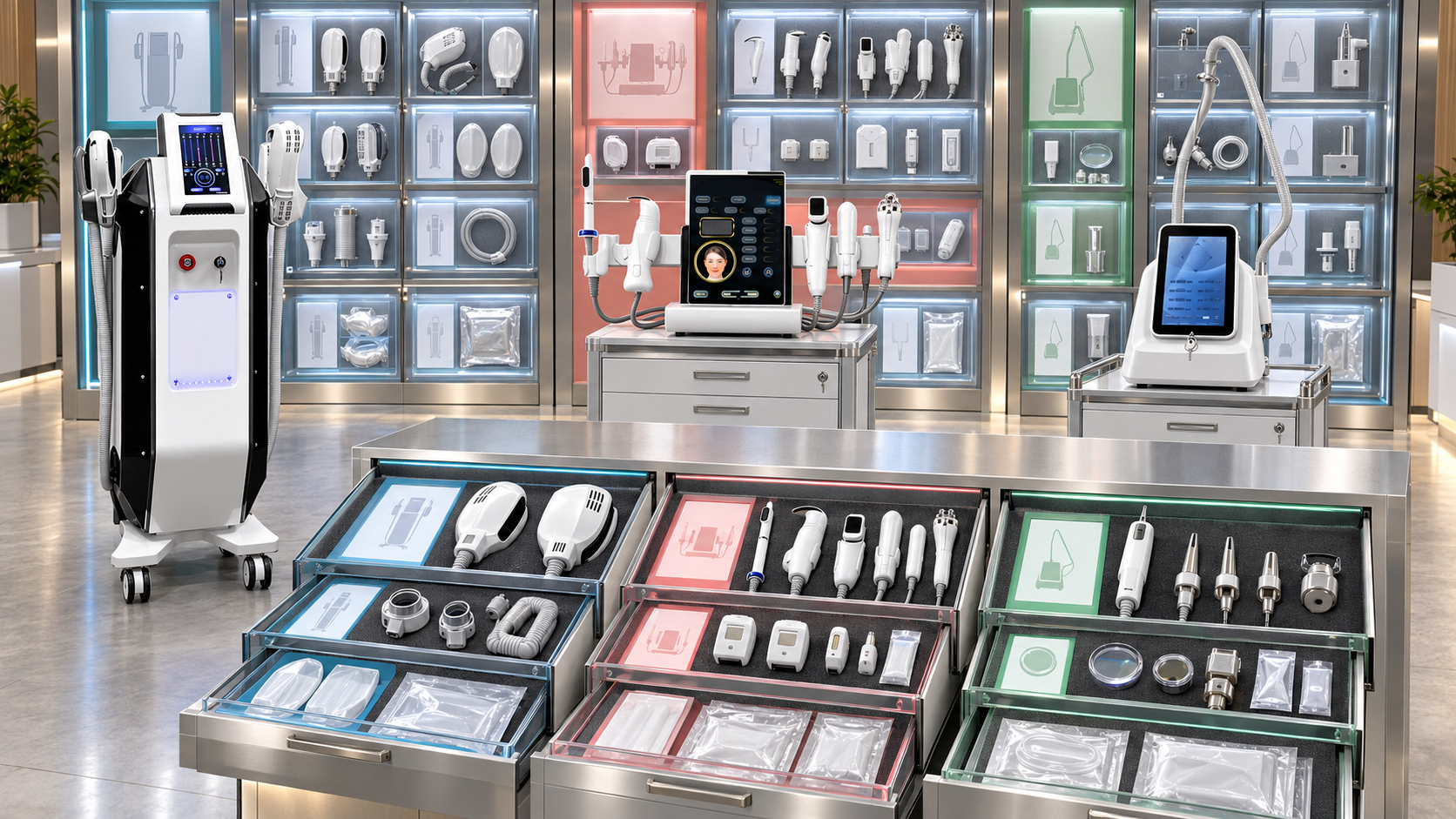
A beauty-device distributor may know that a handle, cartridge, or consumable belongs to a product family without knowing the exact configuration that accepts it. That gap creates problems in catalogs, quotations, warehouse picking, customer reorders, and support. A product name alone cannot preserve revision limits, parent-handle dependencies, market conditions, exclusions, or the evidence behind a compatibility decision.
A compatibility record turns each supported relationship into controlled data. It states which identified component works with which identified device configuration, under what conditions, during which period, and based on what evidence. This guide explains how distributors can design and maintain compatibility records for SHEFMON laser handles, HIFU cartridges, RF-microneedling consumables, and related replacement items.
ملخص تنفيذي
- Create one compatibility record for one precise source-to-target relationship.
- Give the device, configuration, handle, cartridge, and consumable separate stable identities before connecting them.
- Record the immediate parent component when a cartridge or consumable depends on a specific handle.
- Keep compatibility, package role, orderability, availability, and price in different fields.
- Use explicit statuses for confirmed, conditional, version-limited, pending, incompatible, replacement-only, and retired relationships.
- Store required companions, exclusions, revision scope, market scope, and quantity rules as structured conditions.
- Attach current model-specific evidence and preserve its source, date, reviewer, and approval decision.
- Create a new relationship revision when compatibility changes; do not silently overwrite historical records.
- Link installed devices and customer reorders to the compatibility revision used for the decision.
- Make product pages, quotations, inventory systems, and support tools read from the same approved record set.
1. What Is a Beauty-Device Compatibility Record?
A compatibility record is a structured statement connecting two or more identified objects under defined conditions. It can express relationships such as:
- a laser handle is approved for one device configuration;
- a cartridge is supported by a named HIFU handle;
- a needle head belongs to a particular RF-microneedling handle arrangement;
- a consumable pack can be reordered for an installed device revision;
- a replacement component can be supplied only after the installed version is checked;
- a legacy item supports older installed equipment but is blocked from new configurations.
The record is more than a sentence saying “compatible with.” It carries the identity, scope, conditions, evidence, dates, and governance needed to use that decision consistently.
2. How Compatibility Records Differ from Related Data
Several product-data objects may mention the same component, but they answer different questions.
| Data object | Main question | Example output |
|---|---|---|
| Component master | What is the item? | Handle ID, cartridge ID, needle-head ID, pack unit |
| Device configuration | What does this sellable device package contain or allow? | Model, revision, installed handles, standard and optional set |
| Compatibility record | Can these identified items be used together, and under which conditions? | Confirmed relationship with revision, exclusions, and evidence |
| Installed-unit record | What does this physical customer device currently have? | Serial or asset ID, site, active handles, current configuration |
| Inventory record | How much stock exists and where? | Usable, reserved, blocked, or in-transit quantity |
| Price record | What commercial amount and validity apply? | Currency, region, customer tier, effective date |
| Published claim | How is an approved relationship described to a buyer? | Controlled catalog or quotation wording |
The compatibility record should link these objects without absorbing all their data. This separation allows price or stock to change without changing the technical relationship.
3. Create Atomic Relationship Records
One record should make one compatibility decision. Avoid a row such as “Handle H01 works with A0423/A0426 and similar models” because it hides several unverified relationships.
Create separate records for:
- Handle H01 → A0423 configuration C01;
- Handle H01 → A0426 configuration C02;
- Cartridge C15 → HIFU handle H20;
- Needle N24 → A0152 working handle H15.
Each relationship can then carry its own status, evidence, conditions, and effective dates. If one is withdrawn, the others remain intact.
When three objects must all be present, the record can use a controlled chain:
Device configuration → parent handle or module → child cartridge or consumable
Do not replace this chain with a broad product-family label.
4. Identify Both Ends Before Recording Compatibility
The source and target objects need stable records.
Device or configuration identity
- official model number;
- sellable configuration code;
- hardware or configuration revision;
- market profile;
- lifecycle status;
- official product-page reference;
- record owner.
Component identity
- component ID;
- approved component name;
- component class: handle, cartridge, needle head, tip, applicator, accessory, or service part;
- parent component where applicable;
- distinguishing attributes needed for identification;
- order or pack unit;
- revision;
- lifecycle status.
Compatibility should not be attached to a free-text name that can be reused or translated differently. The displayed name can change while the stable ID preserves the relationship.
5. Use a Complete Compatibility Record Schema
The following fields form a practical core record.
| Field group | Recommended fields | غاية |
|---|---|---|
| Identity | Relationship ID, source item ID, target item ID | Provides an unambiguous reference |
| Context | Device configuration, parent handle/module, market | Defines the supported environment |
| Relationship | Relationship type, compatibility status, package role | States what the relationship means |
| إصدار | Source revision, target revision, configuration revision | Limits the decision to approved versions |
| Conditions | Required companions, software, electrical, connector, quantity, or market rules | Captures requirements that must be true |
| الاستثناءات | Unsupported models, revisions, combinations, or uses | Prevents overextension |
| Transaction | Opening, reorder, replacement, service-only, or upgrade context | Controls where the item may be selected |
| Evidence | Source reference, evidence type, issue date, file or URL, reviewer | Shows why the relationship was approved |
| Time | Effective date, next review date, retirement date | Controls validity over time |
| Governance | Owner, approver, approval status, change reason | Creates accountability and an audit trail |
Add local fields only when they change a business decision. A schema filled with unused columns can hide the few conditions that matter.
6. Separate Relationship Type from Compatibility Status
Relationship type describes the role of the component. Compatibility status describes whether the relationship is approved.
Relationship types
- Standard component;
- Optional component;
- Alternative component;
- Routine consumable;
- Replacement component;
- Service part;
- Required companion;
- Mutually exclusive option;
- Successor;
- Legacy support item.
Compatibility statuses
- Confirmed: approved for the stated items and conditions;
- Conditional: approved only when listed requirements are satisfied;
- Version-Limited: valid for specified revisions;
- Pending Verification: evidence is incomplete or conflicting;
- Incompatible: the combination is explicitly blocked;
- Replacement Only: allowed to replace an installed item but not offered as a routine additional option;
- Retired: retained for history but no longer active for ordinary selection.
A replacement handle can be Confirmed while its relationship type remains Replacement. Combining both facts into one value such as “available” loses important control.
7. Keep Package Role, Availability, and Price Separate
The same technically compatible item can be Standard in one package, Optional in another, temporarily unavailable in one region, and separately priced for later orders.
Maintain separate fields for:
- technical compatibility;
- standard, optional, alternative, or excluded package role;
- stocked, supply-to-order, temporarily unavailable, end-of-sale, or service-only availability;
- included, separately priced, promotional, or restricted commercial treatment;
- current price, currency, and validity in a linked price record.
This prevents a stock shortage from being interpreted as incompatibility and stops an optional item from appearing as included merely because it is technically supported.
8. Record Conditions as Structured Rules
Conditions should be searchable and testable. Common condition types include:
- النموذج والتكوين الدقيقان؛;
- parent handle or module;
- device and component revision;
- supported connector or control version;
- required software or firmware state where relevant;
- voltage, frequency, plug, or electrical profile;
- cooling or power relationship;
- market or regulatory scope;
- required companion cable, adapter, container, or holder;
- quantity minimum or maximum;
- professional-setting restriction;
- installed-unit verification requirement.
Avoid burying all conditions in one long note. Use structured fields for system validation and a concise note for details that cannot be modeled reliably.
9. Use Exclusions to Prevent Overinterpretation
An approved relationship can still be misused if its limits are invisible. Add explicit exclusions when necessary.
ومن الأمثلة على ذلك:
- not approved for another model with a similar specification;
- not valid for revisions before or after a named change;
- not interchangeable with a visually similar cartridge;
- not supplied as an additional handle;
- not included in the standard package;
- not available in a particular market profile;
- not approved without a required companion component;
- not a direct successor for every installed version.
Exclusions should identify the unsupported combination precisely. A vague warning such as “check before use” does not give sales or ordering systems a rule they can enforce.
10. Store Evidence as a Controlled Object
Every Confirmed or Conditional relationship needs model-specific evidence. The evidence record should include:
- source type;
- source title or identifier;
- model and component references found in the source;
- issue or publication date where available;
- date collected;
- file, page, or URL location;
- language and market;
- reviewer;
- approval decision;
- known limitations;
- superseded evidence where applicable.
Useful sources can include current configuration schedules, approved component lists, packing or consumable schedules, replacement instructions, written model-specific confirmation, and validated installed-device evidence. An official product page can identify candidate options, but it may not by itself prove every item-level, revision-level, or cross-model relationship.
Do not approve a compatibility record from visual similarity, connector shape, a broad technology name, an uncaptioned image, an old spreadsheet, or sales memory.
11. Preserve Effective Dates and Relationship Revisions
Compatibility changes should create history rather than erase it.
Each active record should show:
- relationship revision number;
- effective-from date;
- effective-to or retirement date when applicable;
- previous relationship revision;
- reason for change;
- affected models and components;
- affected installed units, quotations, and orders;
- approval and release date.
If a cartridge becomes limited to a new handle revision, close the old relationship at the correct date and create a new one. Do not edit the original row until it appears to have always contained the new rule.
Historical records are essential for customer devices installed under earlier configurations.
12. Build A0423 and A0426 Handle Records Separately
The current SHEFMON pages for the ليزر ثنائي A0423 و ليزر ثنائي A0426 list selectable values involving wavelength arrangement, handle power, and spot size. These values help define each device configuration, but overlapping values do not prove that the physical handles are interchangeable.
For each laser-handle relationship, record:
- exact device model;
- approved configuration code and revision;
- handle ID and revision;
- wavelength profile tied to that configuration;
- handle-power relationship;
- supported spot-size choice or set;
- cooling and electrical conditions where relevant;
- standard, optional, or replacement role;
- installed-unit verification requirement;
- evidence reference and review date.
Maintain separate A0423 and A0426 relationship rows. Activate a cross-model relationship only if current evidence confirms the same identified handle for both exact configurations.
13. Build A0204 Cartridge Records Through the Parent Handle
ال SHEFMON A0204 focused HIFU platform is presented with multiple functions, optional handles, and cartridge groups. A cartridge record should therefore identify more than the console.
Use this relationship chain:
A0204 configuration → installed handle or module → cartridge ID
The compatibility record should capture:
- A0204 configuration and revision;
- parent handle or module ID;
- cartridge ID and revision;
- depth or size designation;
- standard or optional package role;
- opening or later-order context;
- order unit and quantity rule;
- required companion items;
- exclusions and market limitations;
- current lifecycle status;
- evidence and approval dates.
Keep each cartridge relationship atomic. A single flat list of every cartridge shown for the platform can incorrectly imply that all items fit every handle and are included in every package.
14. Build A0152 Consumable Records by Handle Arrangement
ال SHEFMON A0152 RF-microneedling page currently references different working-handle arrangements and 12-pin, 24-pin, 40-pin, and nano tip configurations. Distributor records should connect each orderable needle-head item to the exact supported handle arrangement.
For every consumable relationship, store:
- A0152 device configuration and revision;
- working-handle ID or handle set;
- needle-head ID and approved type;
- source and target revisions;
- opening-package role;
- reorder pack identity and unit;
- regional eligibility;
- active, successor, or retired state;
- installed-unit verification rule;
- evidence and latest review date.
The public type label helps distinguish options, but it is not a complete reorder identity. Confirm the physical item, pack, handle dependency, revision, and market status before releasing a customer order.
RF-microneedling services may require qualified professional operation and must follow the rules that apply in the destination market.
15. Link Compatibility Records to Installed Equipment
Compatibility data defines what can work together. The installed-unit record identifies what a particular customer owns. Connecting them allows support teams to filter valid options.
For each installed device, retain:
- physical unit or serial identifier where available;
- current model and configuration revision;
- installed handle or module IDs;
- active cartridge or consumable relationships;
- market and electrical profile;
- replacement history;
- relationship revision last used;
- unresolved configuration questions.
When a customer requests a handle, cartridge, or consumable, the system should retrieve the installed configuration and show only relationships that are active for that exact version. Unknown installed details should trigger verification rather than a broad list of possible items.
16. Record the Decision Used in Each Transaction
A quotation or reorder should keep a snapshot reference to the compatibility decision that permitted the item.
Store:
- relationship ID and revision;
- device configuration or installed-unit ID;
- selected component ID and revision;
- relationship status at the time of approval;
- conditions that were checked;
- evidence or approval reference when a special review was required;
- transaction date;
- reviewer for exceptions.
This makes later questions easier to resolve. The team can see why an item was supplied even if the current compatibility record has since changed.
17. Turn Records into System Validation Rules
Structured compatibility records can support automated checks.
Useful behaviors include:
- filter handles after the device configuration is selected;
- filter cartridges after the parent handle is selected;
- filter needle heads after the installed A0152 arrangement is identified;
- block Pending, Incompatible, and Retired relationships from ordinary quotation;
- require revision information for Version-Limited records;
- display conditions for Conditional relationships;
- add required companion items automatically;
- prevent mutually exclusive components from appearing together;
- route Replacement Only items through an installed-unit check;
- save the approved relationship revision with the order.
Free-text components should trigger review rather than bypassing the controlled relationship set.
18. Publish Different Views from the Same Records
Different teams need different fields, but they should use the same approved relationship.
| User or channel | Compatibility view needed |
|---|---|
| Buyer-facing product page | Clear model scope, standard or optional role, and visible conditions |
| Distributor catalog | Component identity, supported configuration, package role, and important exclusions |
| Quotation tool | Selectable items, revision rules, companions, blocks, and approval path |
| Price list | Component code, compatible configuration reference, order unit, and current orderability |
| Warehouse | Item ID, pack, pick restrictions, and model or handle reference |
| Support team | Installed version, replacement path, legacy status, and evidence history |
| Product-data team | Full relationship, evidence, revision, workflow, and audit fields |
Do not maintain a different compatibility spreadsheet for every channel. Controlled views reduce contradictory descriptions and outdated selections.
19. Resolve Pending or Conflicting Relationships
When evidence is incomplete or two sources disagree:
- set the relationship to Pending Verification;
- block it from ordinary selection;
- identify the exact source and target records;
- capture the conflicting source, wording, revision, market, and date;
- check whether the sources describe different configurations;
- request model-specific confirmation when necessary;
- approve, limit, or reject the relationship;
- create a dated relationship revision;
- update dependent catalogs, quotations, stock labels, and support views;
- review open transactions affected by the correction.
Do not average two conflicting answers or publish vague wording. A compatibility record should reach one controlled decision for the identified scope.
20. Control Successors and Replacement Relationships
A new component may be a direct successor, a conditional successor, or a replacement for only certain revisions.
سِجِلّ:
- predecessor component ID;
- successor component ID;
- direct, conditional, or version-limited successor type;
- supported device and handle revisions;
- required adapter, software, configuration, or process change;
- last-order date for the old item;
- effective date for the successor;
- installed populations affected;
- treatment of remaining old stock;
- evidence and approval.
Do not mark an old consumable universally replaced until every affected installed configuration has a confirmed path.
21. Assign Clear Record Ownership
Compatibility records cross several departments, so responsibilities should be explicit.
| دور | Primary responsibility |
|---|---|
| Product-data owner | Creates stable identities, schema, and relationship records |
| Technical reviewer | Evaluates model, handle, cartridge, consumable, and revision evidence |
| Product manager | Confirms package role, lifecycle, and channel requirements |
| Sales operations | Applies relationship rules to catalogs and quotation tools |
| Inventory team | Maintains orderability and stock data without redefining compatibility |
| Support or service team | Supplies installed-version and replacement evidence |
| Local market reviewer | Checks market-specific eligibility and wording where needed |
| Approver | Authorizes activation, limitation, retirement, or rejection |
One named record owner should coordinate changes. Shared responsibility without ownership often leaves pending records unresolved.
22. Audit Compatibility Records
Sample active, pending, legacy, and recently changed records. Check whether:
- source and target IDs exist and are active for the stated purpose;
- parent-handle or module dependencies are present;
- revisions and market scope are explicit;
- status and relationship type are not combined incorrectly;
- package role, availability, and price remain separate;
- conditions can be enforced by the receiving system;
- exclusions prevent likely misinterpretations;
- evidence is current, model specific, and retrievable;
- effective and review dates are populated;
- installed-unit and transaction links use the correct revision;
- retired relationships are blocked from new sales but preserved historically;
- published channels reflect the latest approved decision.
Track missing evidence, overdue reviews, blocked selections, exception approvals, incorrect-item returns, and time needed to resolve a compatibility request. These measures reveal data-control problems rather than product performance.
23. Implementation Workflow
Phase 1: Identify high-risk components
Begin with models that have several handles, cartridges, needle types, revisions, or similar-looking replacements. Collect the current device, component, installed-unit, and transaction records.
Phase 2: Create identities
Assign stable IDs to configurations, handles, cartridges, consumables, and packs. Resolve duplicates and local nicknames before creating relationships.
Phase 3: Build and review relationships
Create atomic records, attach evidence, add conditions and exclusions, and assign a compatibility status. Keep unresolved combinations Pending.
Phase 4: Connect systems
Publish approved views to catalogs, quotation tools, inventory references, warehouse labels, and support systems. Save the relationship revision in transactions.
Phase 5: Maintain and audit
Process changes through revision control, review high-risk records on a defined cadence, and investigate exceptions or returns for missing rules.
24. Compatibility Record Checklist
- Source and target items have stable IDs.
- The exact model and configuration are stated.
- Parent handles or modules are recorded where required.
- Source, target, and configuration revisions are present.
- Relationship type and compatibility status are separate.
- Package role, availability, and price are separate.
- Conditions and required companions are structured.
- Unsupported models, versions, and combinations are excluded.
- Transaction context is defined.
- Evidence is model specific, dated, retrievable, and approved.
- Effective, review, and retirement dates are controlled.
- Installed units and transactions reference the applicable revision.
- Pending and incompatible combinations are blocked.
- Successor rules preserve legacy installed-device support.
- All published and operational channels use the approved record.
الأسئلة الشائعة
1. What is the minimum information in a compatibility record?
At minimum, identify the source component, target device configuration, parent handle or module where relevant, compatibility status, revision scope, conditions, exclusions, evidence, effective date, owner, and approval state.
2. Is a component master the same as a compatibility record?
No. The component master describes the item. A compatibility record describes the approved relationship between that item and an identified device, configuration, handle, or module.
3. Can one record list several device models?
Separate records are safer because each model relationship can have different evidence, revision limits, conditions, and lifecycle dates. A reporting view can group confirmed records later.
4. How should A0423 and A0426 laser handles be recorded?
Create model-specific relationship rows containing the exact configuration, handle ID, wavelength and power relationships, supported spot-size choices, relevant conditions, revision scope, and evidence. Do not infer interchangeability from overlapping page specifications.
5. How should A0204 cartridge compatibility be recorded?
Connect the cartridge to its immediate parent handle or module and then to the supported A0204 configuration. Include cartridge identity, depth or size, revision, package role, order context, conditions, exclusions, and evidence.
6. How should A0152 consumable records be structured?
Link each orderable needle-head item and pack to the supported A0152 working-handle arrangement and configuration revision. Record the public type designation, physical item identity, pack unit, market scope, lifecycle state, and verification source.
7. Does appearing in a product image prove compatibility?
No. An image can help identify a candidate component, but it does not establish the exact item, package role, revision, market, or cross-model relationship.
8. What should happen to a pending relationship?
Keep it out of routine catalogs and selection lists, collect current model-specific evidence, document the decision, and activate, limit, reject, or retire it through revision control.
9. Should old compatibility records be deleted?
No. Close their effective period and retain them for historical quotations, installed equipment, service events, replacements, and audit traceability.
10. When should SHEFMON confirm a relationship?
Request confirmation when current approved records do not resolve the exact model, configuration, handle, cartridge, consumable, revision, market, or successor condition. Provide all known IDs and installed-device details with the question.
خاتمة
Compatibility records give distributors a reliable foundation for selecting handles, cartridges, and consumables. The key is to identify both ends of the relationship, preserve the parent-handle chain, state conditions and exclusions, attach current evidence, and control every change by revision and effective date.
Review current platforms through the SHEFMON beauty-device range. When a model-specific relationship remains unclear, اتصل بشيفمون with the device configuration, component ID, revision, market, and installed-unit details needed for confirmation.

























