










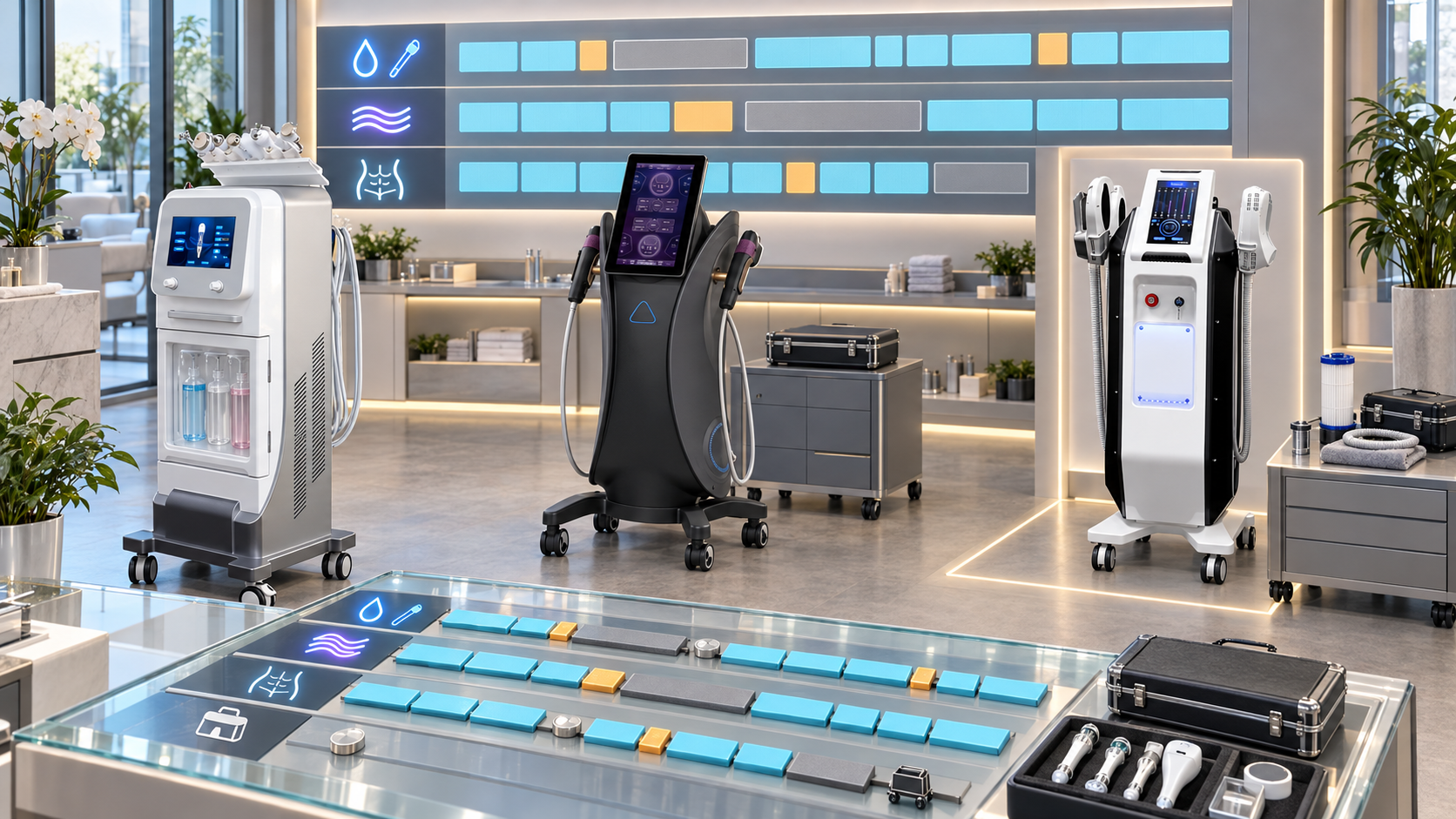
Beauty-device downtime becomes a service-menu problem when appointments, rooms, staff, consumables, and client packages all depend on one piece of equipment. A maintenance visit planned without checking the booking calendar can cancel a full day of treatments. An unexpected handle fault can interrupt only one service on a multifunction platform, yet the business may mistakenly close the whole room.
Downtime planning connects equipment status to the services customers actually book. It helps salons, skin clinics, med spas, body studios, and distributors protect safe operation while reducing avoidable disruption. This guide explains how to map service dependencies, schedule planned downtime, respond to unplanned outages, communicate with clients, and return SHEFMON facial, RF-microneedling, HIFU, laser, and body-care devices to service through a controlled process.
Executive Summary
- Map every menu service to its exact device configuration, handle or module, room, qualified operators, consumables, and approved backup path.
- Separate planned maintenance, component replacement, training, software work, unplanned faults, external interruptions, and end-of-life transitions.
- Apply stop-use and technical-review conditions before considering appointment continuity.
- Identify single points of failure where one device, handle, room, operator, or consumable supports an important service.
- Schedule planned work around real booking patterns and confirm components, technicians, documents, and test requirements before blocking the calendar.
- Use backup equipment or alternate services only when configuration, professional-use, training, consent, and local requirements are satisfied.
- Preserve unaffected functions on multifunction devices only when continued use is approved and the fault is isolated.
- Create clear client-priority, rescheduling, package, deposit, and communication rules before an outage occurs.
- Require functional verification, documentation, cleaning, staff handover, and booking-system release before returning a device to service.
- Measure downtime by service impact, not only by the number of hours the console was powered off.
1. Define Downtime from the Service Menu’s Perspective
Equipment downtime is a period when a device, component, function, room, or supporting resource is unavailable for its approved business use.
Service-menu downtime can be broader or narrower than equipment downtime:
- one failed handle may stop only one function on a multifunction device;
- a working device may be unavailable because the qualified operator is absent;
- a device may be ready, but the required consumable is unavailable;
- the equipment may pass basic checks, but the treatment room or electrical supply is unavailable;
- a repaired unit may remain out of service until verification and staff handover are complete.
Define the unavailable service, not only the unavailable machine.
2. Classify the Downtime Type
Different downtime needs different preparation.
| Downtime type | Typical trigger | Planning approach |
|---|---|---|
| Planned preventive maintenance | Scheduled inspection, cleaning, replacement, calibration, or approved maintenance | Reserve a low-impact window and confirm resources in advance |
| Planned corrective work | Known issue with a controlled repair date | Protect affected bookings and prepare parts, evidence, and verification |
| Configuration or component change | Approved handle, cartridge, module, or accessory change | Update compatibility, training, documents, and service setup |
| Training or acceptance hold | New equipment or staff not yet released for operation | Delay menu launch until acceptance and authorization are complete |
| Unplanned equipment fault | Unexpected symptom, error, damage, or loss of function | Apply stop-use rules, isolate impact, triage, and activate continuity plan |
| External dependency outage | Power, water, cooling, network, software, room, or facility issue | Use facility and provider escalation while protecting equipment state |
| Consumable or accessory shortage | Correct approved item is unavailable | Block affected service; avoid unverified substitutes |
| Lifecycle transition | End of sale, limited support, replacement, or retirement | Plan a longer migration of equipment, services, clients, and stock |
The booking system should distinguish the type so staff do not treat a safety hold like ordinary maintenance or a consumable shortage like a device failure.
3. Apply Stop-Use Gates Before Continuity Decisions
The first response to certain conditions is to stop use and escalate through the approved technical process.
Examples include:
- smoke, sparks, burning smell, exposed wiring, or damaged power components;
- abnormal heat or unstable cooling;
- fluid leakage near powered or electrical sections;
- suspected energy-output instability;
- failed safety control, sensor, interlock, or emergency function;
- damaged powered handle or applicator;
- repeated error after approved basic checks;
- unauthorized internal modification;
- unclear professional-use or market eligibility;
- a repair instruction that would require unqualified internal access.
Do not continue “limited appointments” with a device that has an unresolved stop-use condition. Menu continuity must come from an approved backup or client transition, not continued operation of questionable equipment.
4. Build a Service-to-Resource Dependency Map
List every device-based service and the resources required to deliver it.
| Dependency field | What to record |
|---|---|
| Service name and tier | Consultation, maintenance, targeted, premium, package, or membership role |
| Primary device | Exact model, configuration, and installed-unit ID |
| Required handle or module | Handpiece, applicator, cartridge family, or optional module |
| Consumables | Exact approved item and pack relationship |
| Room and utilities | Room, power, water, cooling, ventilation, network, or other dependency |
| Qualified staff | Operators authorized for the exact configuration and service |
| Appointment duration | Booked setup, service, cleaning, and turnover time |
| Backup device | Approved alternative equipment and location, if available |
| Alternate service path | Different approved service that may meet the client’s goal after consultation |
| Restriction | Professional-use, market, consent, contraindication, or compatibility condition |
The map reveals whether downtime affects one appointment type, one department, or the entire menu.
5. Identify Single Points of Failure
A single point of failure exists when one resource has no approved substitute or buffer.
Common examples include:
- one laser device supports every hair-removal booking;
- one A0204 handle supports a specific HIFU service tier;
- one trained operator is authorized for a device;
- one room has the required electrical or cooling setup;
- one cartridge, needle head, or consumable pack is available;
- one regional warehouse holds the correct replacement handle;
- one software account or network connection is required;
- one multifunction facial platform carries several high-volume services.
For each single point, define the outage response, acceptable booking exposure, escalation route, and long-term mitigation.
6. Rank Services by Continuity Priority
Priority should be agreed before the calendar is disrupted.
Consider:
- client appointments already confirmed;
- prepaid packages and membership commitments;
- time-sensitive treatment plans where applicable and professionally approved;
- availability of another location or qualified operator;
- whether the service can be rescheduled without changing the client pathway;
- the role of the service in the business’s core menu;
- preparation already completed by the client;
- professional or clinical review requirements;
- deposits, promotions, or expiration dates;
- room and staff dependencies.
Use fair, documented rules. Do not prioritize solely by treatment price or by which client complains first.
7. Create Downtime Response Tiers
| Tier | Service impact | Example response |
|---|---|---|
| Tier 0: No client impact | Work occurs outside booked hours or on inactive equipment | Complete work and verification before the next appointment |
| Tier 1: Limited function impact | One handle or menu item is unavailable; other approved functions remain | Block affected service only and monitor the approved remaining configuration |
| Tier 2: Short scheduling impact | Several appointments need movement within a defined window | Use reserved capacity, extended hours, or another approved room/site |
| Tier 3: Department impact | Core equipment or room is unavailable for an uncertain period | Activate client communication, cross-location support, and management review |
| Tier 4: Safety or major operational event | Stop-use condition, repeated serious symptom, or widespread external outage | Suspend affected services and follow technical, facility, and local escalation requirements |
The tier can change when diagnosis, component availability, or expected duration changes. Record every escalation and de-escalation.
8. Measure Capacity Before Scheduling Planned Downtime
Estimate the service capacity that remains while the equipment is unavailable.
Useful inputs include:
- booked appointments by day and service;
- qualified operator hours;
- available rooms;
- working compatible devices and handles;
- cleaning and turnover time;
- consumable stock;
- planned staff leave;
- expected maintenance duration;
- verification and contingency time;
- another site’s available capacity.
A basic planning structure is:
Available service capacity = Approved device slots × Qualified operator availability × Usable room availability
The actual scheduling method can be more detailed. Avoid planning at theoretical maximum capacity because setup, cleaning, consultation, late clients, documentation, and unexpected delays still consume time.
9. Choose the Lowest-Impact Maintenance Window
Review real booking patterns instead of assuming nights or weekends are always best.
Schedule around:
- low-demand periods;
- membership renewal and promotion calendars;
- staff availability for handover;
- component delivery certainty;
- technician availability;
- room-access requirements;
- cleaning or cooldown time;
- verification and test time;
- the next day’s appointment load;
- a buffer if the work takes longer than planned.
Do not book the first client immediately at the estimated repair-completion time. Release appointments only after the required return-to-service checks are complete.
10. Prepare the Planned-Downtime Work Package
Before blocking the calendar, confirm:
- exact installed unit, configuration, and revision;
- work scope and authorization;
- current manuals and procedure revision;
- required technician or qualified role;
- correct component IDs and compatibility;
- tools, adapters, cables, and companion items;
- consumables needed for verification;
- shipping and return arrangements;
- backup plan if the task cannot be completed;
- cleaning and room release;
- functional verification steps;
- service record and approval owner.
A scheduled repair without the correct component or evidence can create more disruption than an unplanned fault.
11. Create an Appointment Buffer Without Hiding Capacity
A continuity buffer can include:
- reserved appointment slots each week;
- one lower-booking maintenance period;
- cross-trained qualified operators;
- a second approved device or handle;
- shared capacity at another location;
- regional demonstration or loan equipment under a controlled agreement;
- defined rescheduling windows;
- available consumable and replacement coverage.
Do not sell the buffer as ordinary capacity until the equipment is stable. If every reserved slot is routinely filled, the business has no downtime buffer.
12. Use Backup Devices Only After Compatibility and Training Review
A backup device must be more than another machine in the same category.
Verify:
- exact model and configuration;
- professional-use and market eligibility;
- room and electrical requirements;
- approved handles, cartridges, and consumables;
- operator training and authorization;
- maintenance and acceptance status;
- service definition and client consent;
- documents and aftercare;
- booking duration;
- support and escalation path.
Do not present a different technology as an identical substitute. A client may need a new consultation and an adjusted service plan.
13. Design Approved Alternate Service Pathways
An alternate service can protect the client relationship when the original service is temporarily unavailable, but it should not be improvised.
For each service, record whether the approved response is:
- reschedule the same service;
- move the appointment to another site with the same approved configuration;
- use another qualified operator or room;
- offer a different service after consultation and consent;
- pause the client pathway until the correct device returns;
- refund, extend, or convert a package under the business’s policy and local obligations.
Do not assume that hydro facial, RF microneedling, HIFU, laser hair removal, or body-care services are clinically interchangeable. The continuity plan manages business options, not unverified treatment equivalence.
14. Build Client Communication Templates
Prepare short templates for different situations.
Planned maintenance notice
State the service affected, date, expected appointment impact, rescheduling options, and contact route. Avoid unnecessary technical detail.
Short unplanned delay
Explain that the equipment is temporarily unavailable, give confirmed options, and avoid promising a return time before diagnosis.
Extended outage
Provide the revised timeline, same-service availability at another approved site, consultation for alternatives, package or deposit options, and next update date.
Service withdrawal
Explain that the service is leaving the menu, how existing appointments or packages will be handled, and which approved successor pathways are available.
Use one source of truth so reception, therapists, clinicians, sales teams, and regional support do not give conflicting answers.
15. Control Booking-System Statuses
Create device-aware booking statuses such as:
- Available;
- Planned Maintenance;
- Limited Function;
- Diagnostic Hold;
- Awaiting Component;
- Awaiting Technician;
- Verification Hold;
- Returned to Service;
- Retired.
Link each status to permitted services. A Limited Function unit should expose only the functions approved for continued operation. A Diagnostic Hold or Verification Hold should block all affected bookings automatically.
16. Prepare the Day-of-Outage Response
When unexpected downtime begins:
- stop or isolate the affected service according to the approved procedure;
- protect the client and equipment state;
- record the installed unit, symptom, time, operator, and evidence;
- identify affected appointments and packages;
- assign the response tier;
- notify the service and booking owners;
- begin approved triage and technical escalation;
- activate backup or rescheduling paths;
- communicate only confirmed information;
- set the next internal and client update time;
- update the expected duration when evidence changes;
- document the final resolution and return-to-service decision.
Avoid asking several staff members to troubleshoot independently. One case owner should coordinate the technical and client-facing tracks.
17. Estimate Duration as a Range
Early outage estimates are uncertain. Use stages:
- initial assessment window;
- diagnosis range;
- component confirmation and shipping range;
- repair or replacement range;
- verification and room-release range;
- staff handover and booking-release range.
Communicate the next update date rather than an unsupported exact return time. Narrow the range as evidence improves.
18. Separate Technical Recovery from Menu Recovery
Technical recovery means the unit has completed the approved repair and verification process. Menu recovery also requires:
- room readiness;
- cleaning and infection-control steps where applicable;
- correct consumables;
- staff handover or refresher training;
- booking status change;
- client communication;
- package and appointment updates;
- support record closure;
- monitoring period where defined.
The equipment should not be released to the booking team simply because it powers on.
19. Define Return-to-Service Criteria
The criteria should match the exact device and work performed.
They can include:
- component identity and installation recorded;
- cable, handle, cartridge, applicator, fluid-path, cooling, or electrical checks as applicable;
- error status reviewed;
- approved functional test completed;
- safety controls verified;
- cleaning and room setup completed;
- software or account access confirmed;
- removed component quarantined or dispositioned;
- technician or authorized reviewer approval;
- operator handover completed;
- installed-unit and maintenance records updated;
- booking release approved.
Do not create one generic power-on checklist for every technology.
20. Plan A0648 Downtime by Facial Function
The SHEFMON A0648 hydro microdermabrasion machine is presented as a multifunction facial platform. Its dependency map should connect each facial service to the actual installed handpiece and supporting items.
Record:
- service and appointment type;
- required A0648 handpiece or tool;
- tips, containers, tubing, cables, and refill items;
- room cleaning and turnover requirements;
- qualified operators;
- whether an isolated tool issue permits approved use of other functions;
- alternate same-service capacity at another room or site;
- replacement component and verification path.
A single function outage should not automatically close every A0648 service. Continued use needs a confirmed isolated issue and approved remaining configuration.
21. Plan A0152 Downtime by Handle and Needle Supply
The SHEFMON A0152 RF-microneedling device currently lists different working-handle arrangements and several tip configurations. The continuity plan should distinguish a handle outage from a needle-head shortage or installation issue.
Map:
- A0152 configuration and working handle;
- needle-head identity and stock;
- qualified professional operators;
- room and cleaning requirements;
- appointment and consultation dependencies;
- approved backup configuration;
- stop-use and escalation criteria;
- replacement-handle or consumable route;
- return-to-service verification.
Do not switch to an unverified needle type or another handle arrangement to preserve the calendar. RF-microneedling services should follow the professional-use and local requirements that apply.
22. Plan A0204 Downtime by HIFU Module and Cartridge
The SHEFMON A0204 focused HIFU platform lists multiple functions, handles, and cartridge groups. Identify exactly which service tier depends on each configuration.
The map should include:
- A0204 configuration and revision;
- 9D or 7D arrangement where applicable;
- required handle or optional module;
- cartridge identity, depth or size, and status;
- qualified professional staff;
- service duration and room requirements;
- approved same-service backup;
- cartridge or handle replacement path;
- client rescheduling pathway;
- verification before booking release.
An unavailable cartridge should block the affected service rather than trigger the use of another depth or size without an approved treatment decision.
23. Plan A0423 and A0426 Laser Downtime Separately
The current pages for the SHEFMON A0423 diode laser and SHEFMON A0426 diode laser list choices involving wavelength arrangement, handle power, and spot size. Preserve the exact configuration in every continuity plan.
For each laser service, record:
- A0423 or A0426 model and installed handle;
- wavelength, power, and spot-size relationship;
- cooling and electrical dependencies;
- qualified operators and room;
- appointment volume and package commitments;
- stop-use triggers;
- approved replacement-handle path;
- another site’s same-configuration capacity;
- client update and rescheduling rules;
- return-to-service verification.
Do not move handles or components between A0423 and A0426 because their listed options appear similar. A current compatibility record must confirm the exact relationship.
24. Plan B0155 Downtime by Applicator
The SHEFMON B0155 body-care system is described with body and smaller-area handles. The service impact depends on which applicator is unavailable.
Track:
- B0155 configuration and handle set;
- body or smaller-area service dependency;
- room, operator, and cleaning requirements;
- cable, connector, vacuum, roller, RF, or applicator condition where applicable to the confirmed setup;
- approved remaining functions;
- replacement-handle availability;
- alternate site or device capacity;
- package and membership impact;
- return-to-service approval.
If one applicator is isolated and other functions remain approved, the body studio may preserve part of the menu while the replacement is managed.
25. Coordinate with Distributors and Regional Support
Salons and clinics need accurate information about:
- case owner;
- required diagnostic evidence;
- approved operator checks;
- technical-service boundary;
- component identity and compatibility;
- regional stock or supply-to-order status;
- shipping and return process;
- estimated update stages;
- loan or demonstration equipment conditions;
- return-to-service evidence.
Distributors should avoid promising immediate repair before the configuration, diagnosis, part, and logistics path are verified.
26. Manage Consumables During Downtime
An outage can leave consumables reserved, opened, expiring, or assigned to canceled appointments.
Review:
- sealed and opened stock;
- storage instructions;
- expiry or lifecycle where applicable;
- device and handle compatibility;
- reserved appointment quantities;
- stock transferable to another approved unit or site;
- final-order or legacy status;
- quarantine needs;
- package or kit relationships;
- purchasing holds while the device status is uncertain.
Do not redirect consumables to another model without confirmed compatibility.
27. Use Downtime Data to Improve the Portfolio
Track:
- downtime by service, device, component, site, and cause;
- appointments rescheduled, transferred, converted, or canceled;
- time from report to diagnosis;
- time awaiting component, technician, shipping, or verification;
- repeated incidents;
- planned-maintenance overrun;
- bookings released before verification;
- backup capacity used;
- client-communication timeliness;
- consumable and component waste;
- single points of failure still unresolved.
Use the findings to improve maintenance windows, stock policies, training, room planning, device packages, service-menu design, and end-of-life decisions. Do not publish internal downtime as a product reliability claim without appropriate validated evidence.
28. Build a Downtime Review Cadence
Daily during an active outage
Review diagnosis, duration range, bookings, client communications, components, ownership, and next update.
After return to service
Review verification, affected appointments, recurrence risk, records, staff handover, and corrective actions.
Monthly or quarterly portfolio review
Compare downtime patterns, maintenance performance, service bottlenecks, single points of failure, regional support, and backup needs.
Before major promotions or seasonal peaks
Check maintenance schedules, consumables, components, operator coverage, room availability, and contingency capacity.
29. Downtime Planning Checklist
- Every device-based service is linked to an exact configuration and installed unit.
- Required handles, cartridges, applicators, consumables, rooms, and operators are recorded.
- Stop-use gates take priority over booking continuity.
- Planned and unplanned downtime use different workflows.
- Single points of failure are identified.
- Service priorities and response tiers are approved.
- Planned work includes parts, technician, evidence, buffer, and verification time.
- Backup devices meet compatibility, training, room, and professional-use requirements.
- Alternate services require consultation and are not presented as identical treatments.
- Client notices, package rules, and next-update times are prepared.
- Booking statuses block unavailable services automatically.
- One case owner coordinates technical and customer tracks.
- Technical recovery and menu recovery are separated.
- Return-to-service criteria match the actual device and repair.
- Consumables are reviewed during extended downtime.
- Downtime data feeds maintenance, inventory, portfolio, and lifecycle decisions.
Frequently Asked Questions
1. What is beauty-device downtime planning?
It is the process of connecting equipment availability to service bookings, rooms, qualified staff, consumables, backup capacity, client communication, technical support, and return-to-service controls.
2. Should every device fault close the entire service menu?
No. Identify the affected device, handle, module, and function. Other services may continue only when the issue is isolated and the remaining configuration is approved for operation.
3. How much appointment buffer should a salon keep?
There is no universal percentage. Base the buffer on booking volume, maintenance history, backup capacity, qualified staff, room availability, service criticality, and expected recovery times.
4. Can another beauty device replace the unavailable service?
Only after confirming the technology, configuration, professional-use conditions, operator training, room requirements, client consultation, consent, and local rules. A different device should not be described as an identical substitute without evidence.
5. When should clients be notified about planned downtime?
Notify affected clients after the work window and likely impact are sufficiently confirmed, allowing enough time for the business to meet its booking, contract, consumer, and local obligations.
6. What should happen when the repair completion date is uncertain?
Communicate a current duration range, available options, and the next update time. Avoid promising an exact return date before diagnosis, component supply, repair, and verification are confirmed.
7. Is a device ready for appointments when it powers on after repair?
No. Complete the approved functional and safety checks, documentation, cleaning, staff handover, room setup, consumable confirmation, and booking release first.
8. How should multifunction-device downtime be handled?
Map each service to its exact handpiece or module. Block the affected function and continue others only when technical review confirms the issue is isolated and the remaining configuration is approved.
9. Which downtime metrics are most useful?
Track service impact, duration by delay stage, rescheduled appointments, recurrence, component wait, verification time, backup use, communication timeliness, and unresolved single points of failure.
10. When should SHEFMON be contacted?
Contact SHEFMON when current records do not resolve a configuration, fault-specific check, component relationship, replacement item, maintenance boundary, return-to-service requirement, or other model-specific continuity question.
Conclusion
Downtime planning protects the service menu by connecting each appointment to the equipment, component, room, operator, consumable, and support path it requires. The strongest plans identify single points of failure, reserve realistic capacity, communicate confirmed options, and keep unsafe or unverified equipment out of client use.
Businesses can review facial, RF-microneedling, HIFU, laser, and body-care platforms in the SHEFMON beauty-machine range. To verify a configuration, replacement component, maintenance boundary, or return-to-service requirement, contact SHEFMON with the exact model, revision, installed components, market, and available service evidence.

























