










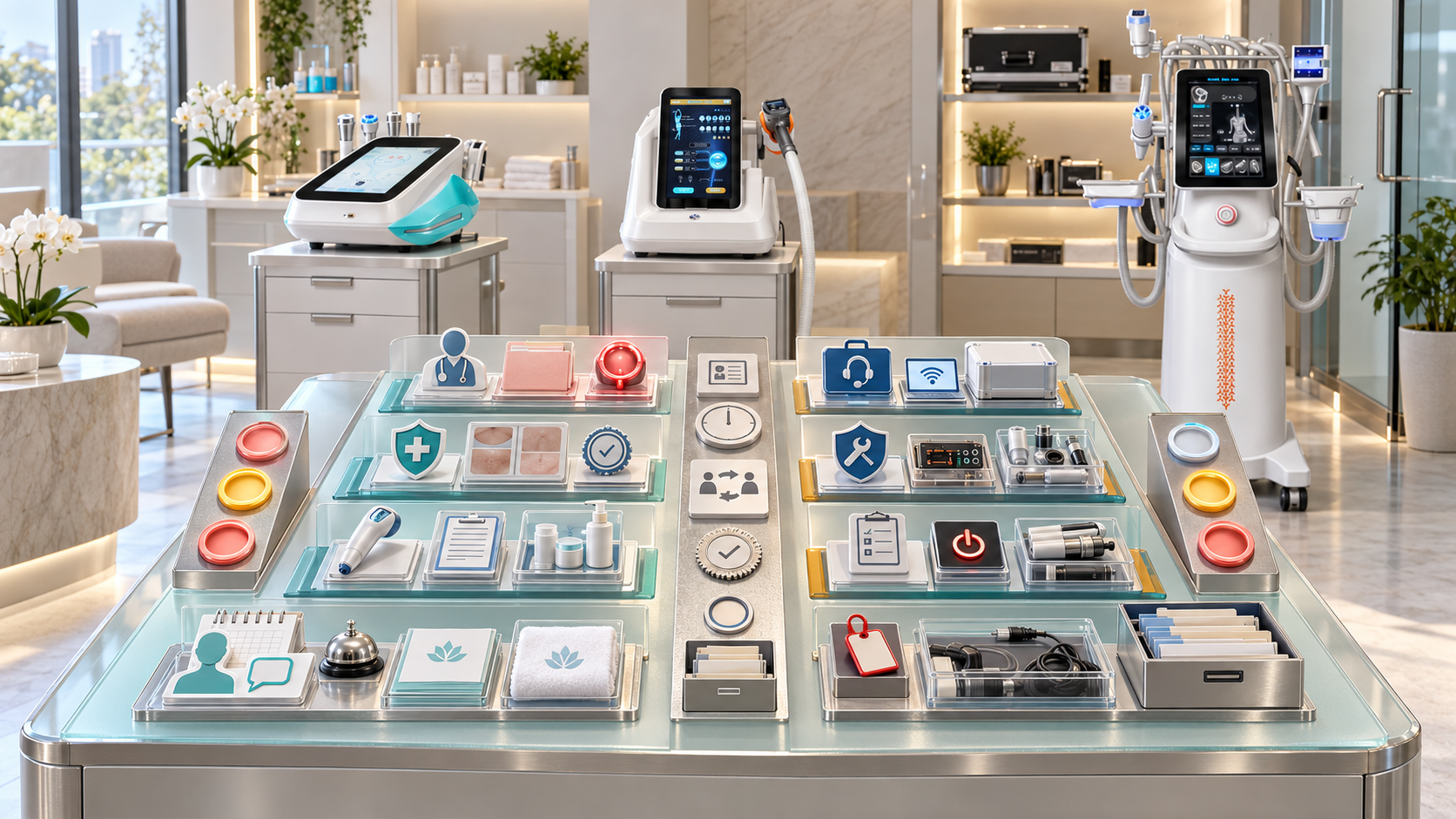
A beauty device concern rarely stays inside one department. A client may contact reception about an unexpected change after a service. The operator may remember an unusual device response. An equipment lead may discover that the same handle was used in several appointments. If each team opens a separate message thread, the business can lose the connection between the client, service, installed unit, component, stock, room, and follow-up decision.
A strong escalation system runs two coordinated paths: one for client care and professional review, and one for equipment and operational control. The paths share a case identity and relevant evidence, but each has its own qualified decision-makers. This guide shows salons, skin clinics, med spas, body studios, hair-removal businesses, and multi-location aesthetic centers how to build that structure around relevant SHEFMON facial, body-care, laser, HIFU, and RF-microneedling devices.
Résumé exécutif
- Create separate client-concern and equipment-issue paths, then connect them through one event or case ID.
- Let any staff member raise a concern, but restrict professional advice, technical diagnosis, device release, and case closure to authorized roles.
- Grade client reports by the action required rather than asking reception or administrative staff to diagnose.
- Grade equipment issues by the resource that must be protected: component, function, installed unit, room, stock lot, service, or wider installed base.
- Record the client’s own words, the observed device behavior, the delivered service, and the exact unit and configuration before memories diverge.
- Apply booking, device, stock, room, or service holds immediately when the approved trigger is met.
- Keep client communication active even when the technical cause is still unknown; communicate confirmed actions and the next update point.
- Close the client path and equipment path separately because one may remain open after the other reaches a decision.
- Use cross-case review to detect patterns across clients, operators, components, units, sites, and service versions.
- Test the system with normal questions, urgent client reports, intermittent faults, multi-client patterns, after-hours contact, and failed handoffs.
1. Define the Purpose of Escalation
Escalation moves a report to the person who has the authority and competence to make the next decision. It is not a synonym for blame, a complaint, or a confirmed fault.
The pathway should help staff answer:
- What happened, and who reported it?
- Does the client need approved information, professional review, prompt contact, or urgent direction?
- Does any device, component, consumable, room, or service need protection now?
- Which appointments and clients may be connected?
- Who owns the next action?
- When will the reporter or client receive an update?
- What evidence is needed without delaying immediate protection?
- Which requirement governs external reporting?
- What must be true before the client case, equipment case, and operational hold can close?
The goal is a timely, traceable decision rather than an inbox full of forwarded messages.
2. Build Two Connected Paths
The client path and equipment path have different purposes.
| Path | Primary question | propriétaire typique | Possible outcome |
|---|---|---|---|
| Préoccupation du client | What communication, assessment, care, referral, follow-up, or documentation does this client need? | Authorized service or professional owner | Information provided, review, referral, follow-up, incident route, or closure |
| Equipment issue | What device, function, component, stock, room, service, or booking protection is required? | Equipment or technical owner | Monitor, inspect, hold, repair, replace, report, verify, or retire |
| Operations continuity | Which future appointments, packages, staff, and rooms are affected? | Operations and booking owner | Continue unaffected services, reschedule, reassess, relocate, or suspend |
| Governance and reporting | Does the event meet internal or external notification criteria? | Named compliance or incident owner | Investigation, corrective action, required report, or documented non-report decision |
One event can activate all four. Linking the paths does not allow one owner to make decisions outside their role.
3. Create a Single Intake Door
Clients and staff should know one reliable way to report a concern. Internally, that entry point can route the case according to service, location, urgency, device category, and operating hours.
The intake route may include:
- reception phone or desk;
- monitored business email;
- secure client portal;
- approved after-hours contact;
- operator incident form;
- device issue form;
- room opening or closing report;
- stock or component quarantine record;
- manager escalation channel.
Avoid requiring a client to decide whether the problem is clinical, technical, or customer service. The intake team should capture the report and route it without minimizing or interpreting it.
4. Classify the Initial Report
The intake form can classify the subject before assigning severity.
Possible categories include:
- routine aftercare or logistics question;
- unexpected client response;
- concern reported during the appointment;
- concern reported after leaving;
- device warning or error;
- unexpected output, sound, heat, cooling, movement, vacuum, or fluid behavior;
- damaged handle, cable, cartridge, tip, needle head, applicator, or connector;
- suspected contamination or cleaning failure;
- incorrect or uncertain consumable;
- component compatibility question;
- room, power, water, ventilation, network, or facility issue;
- documentation or parameter discrepancy;
- repeated complaint or multi-client pattern;
- near miss with no known client impact;
- complaint about communication, consent, or service identity.
The category can change after review. Initial staff should not wait for certainty before opening the case.
5. Grade Client Concerns by Required Action
Use action-based tiers approved for the service and operating setting.
| Client tier | Signification opérationnelle | Immediate response |
|---|---|---|
| C0: Information | Routine question answerable from current approved material | Verify the service, use the controlled response, and record when required |
| C1: Professional review | Individual advice or interpretation is needed | Transfer to the authorized reviewer and give a response commitment |
| C2: Prompt concern | The report meets the approved prompt-review criteria | Start the prompt pathway, collect permitted information, and protect future bookings |
| C3: Urgent direction | The approved process indicates urgent or emergency action | Give the approved direction immediately and do not delay for sales, diagnosis, or routine scheduling |
| C4: Incident-linked follow-up | The client report is connected to a controlled incident or wider pattern | Assign an incident owner while maintaining direct client communication |
The exact triggers and words must come from the approved service pathway, appropriate professional review, and local requirements. Reception should recognize the route without deciding what condition the client has.
6. Grade Equipment Issues by Protection Scope
Equipment severity should reflect what must stop or receive review.
| Equipment tier | Protection scope | Example action |
|---|---|---|
| E0: Record and observe | No current stop-use trigger; further evidence is needed | Record the symptom, preserve evidence, and monitor under the approved process |
| E1: Component or function hold | One handle, applicator, cartridge, tip, function, or stock item is affected | Isolate the item and block linked services while approved functions remain separately reviewed |
| E2: Installed-unit hold | The specific console or complete unit should not be used | Label and isolate the unit, block its bookings, and begin technical review |
| E3: Room or service hold | The issue affects supporting resources or the service definition | Close the room or service pathway until required conditions are restored |
| E4: Expanded review | Several clients, units, sites, stock lots, or configurations may be connected | Protect the wider scope, identify exposure, and activate governance and reporting review |
Do not reduce an E2 or E3 hold merely because the next appointment is valuable. De-escalation requires the named evidence and authority.
7. Link the Paths with One Case Identity
Create an event ID as soon as a report may involve both a client and equipment. The event links separate records rather than placing all information in one unrestricted note.
Lien:
- client concern record;
- appointment and service code;
- treatment record;
- follow-up record;
- installed-unit record;
- component and stock records;
- room and cleaning records;
- booking hold;
- technical case;
- incident record;
- external communication or report where applicable;
- corrective and preventive actions;
- closure decisions.
Role-based access should protect sensitive client and investigation information. Technical teams receive the information needed for equipment review without receiving unrelated client details.
8. Capture a Minimum Initial Dataset
At intake, collect enough to protect the client and resources without turning the first call into an investigation.
Record as applicable:
- reporter identity and contact route;
- identité du client et du rendez-vous ;
- service, area, date, and location;
- client’s description in their own words;
- current status and requested contact route;
- staff present;
- installed device and unit ID;
- configuration and relevant component;
- stock or lot identity where recorded by the service;
- observable device behavior or message;
- time the issue began or was noticed;
- immediate actions already taken;
- photographs or files through approved channels;
- current client, device, room, stock, and booking status;
- receiving owners and next update time.
Do not delay urgent action while searching for every field. Missing information becomes an assigned follow-up task.
9. Apply Immediate Protection Before Diagnosis
The first authorized response may include:
- stop the current procedure;
- provide approved immediate client support;
- call the authorized professional owner;
- direct the client through the approved urgent route;
- isolate the installed unit;
- remove a handle or component from use;
- quarantine relevant stock;
- protect the room;
- block affected bookings;
- preserve settings, error messages, logs, packaging, and photographs;
- identify other potentially connected appointments;
- notify the incident or compliance owner.
These actions preserve safety and evidence. They do not prove that the device caused the client report.
10. Assign Decision Rights
| Rôle | May do | Must not do without separate authority |
|---|---|---|
| Reception or intake | Verify identity, record the report, use approved scripts, apply defined booking blocks, and transfer | Diagnose, minimize, promise an outcome, invent aftercare, or release equipment |
| Opérateur | Stop the service, support the client within scope, preserve service details, and place approved immediate holds | Perform unauthorized repair, alter records, or close a professional concern alone |
| Professional or service lead | Assess the client within scope, direct follow-up, decide service-pathway actions, and support reporting | Diagnose technical root cause unless separately qualified |
| Equipment lead | Identify the unit and configuration, preserve evidence, control equipment status, and coordinate technical support | Give individualized client-care advice outside role |
| Technical service role | Perform authorized diagnosis, repair, testing, and technical documentation | Change client records or approve a client pathway |
| Operations and booking | Protect calendars, rooms, packages, and communication flow | Override a professional or equipment hold for capacity reasons |
| Incident or compliance owner | Coordinate evidence, reporting decisions, corrective action, and governance closure | Replace the service or technical owner’s specialized decisions |
One person may hold several roles in a small business, but each decision should remain attributable to the authority used.
11. Give Reception a Short Escalation Card
The card should fit the real first conversation. It can prompt reception to:
- confirm the client and appointment;
- listen and record the client’s words;
- check whether the approved urgent direction applies;
- avoid interpretation or reassurance outside the script;
- identify the service and issued aftercare version;
- open the concern record;
- contact the assigned reviewer;
- state when the client will hear from the business;
- block rebooking when the rule requires it;
- document the handoff.
Include failed-contact and after-hours instructions. A message marked “urgent” in an unmonitored inbox is not an escalation system.
12. Define the Operator’s Immediate Handoff
When the issue appears during an appointment, the operator should record planned and actual details separately.
Le transfert peut comprendre :
- pre-service readiness result;
- service et zone ;
- exact unit and component;
- controlled settings required by the record;
- consumables used;
- timing and sequence;
- client report and observable response;
- device message or behavior;
- pause or stop point;
- approved immediate action;
- device, component, room, and booking holds;
- people notified;
- aftercare and follow-up information issued.
Do not edit the treatment record later to make it appear that the planned service matched a changed or incomplete delivery.
13. Separate Professional Review from Technical Review
The professional reviewer asks what the client needs now and next. The technical reviewer asks what happened to the equipment and what resources must remain unavailable.
The professional path may decide:
- provide approved information;
- arrange assessment;
- update aftercare;
- pause future appointments;
- refer or direct to external care;
- schedule follow-up;
- open an incident pathway;
- close when the approved conditions are met.
The technical path may decide:
- request more evidence;
- inspect a component;
- maintain a hold;
- expand the hold scope;
- perform authorized troubleshooting;
- repair or replace an item;
- review compatibility or documentation;
- verify function;
- recommend return to service, restriction, or retirement.
The two reviewers share relevant findings through the event record, not informal summaries alone.
14. Control the Scope of Holds
A hold should be neither too narrow nor broader than the evidence requires.
| Hold object | Use when | Release authority |
|---|---|---|
| Client booking | The client requires review before another appointment | Authorized service or professional owner |
| Component | One handle, cartridge, applicator, tip, head, or cable is affected | Equipment or technical owner after required verification |
| Unité installée | The complete unit has an unresolved issue | Named technical and equipment release roles |
| Stock item or lot | Compatibility, integrity, labeling, storage, or traceability is uncertain | Stock, service, and compliance roles as defined |
| Treatment room | Facility, cleaning, utility, or environmental conditions are unresolved | Room or operations owner with required specialist review |
| Code de service | The approved pathway, records, or resources are not reliable | Service-governance owner and required professional reviewers |
| Site or fleet | A pattern may affect several units or locations | Central incident, technical, and compliance authority |
Every hold needs a reason, start time, scope, owner, booking effect, review condition, and release record.
15. Protect the Booking System
Escalation should change availability automatically or through a controlled manual action.
The booking system should be able to:
- block a client’s next service pending review;
- block one component-dependent service;
- block all services on an installed unit;
- remove a room from availability;
- stop a service code across one or several locations;
- suppress automated rebooking;
- flag future clients who may be connected;
- preserve unaffected services only when their continued use is approved;
- show the hold owner and next review point;
- prevent reception from overriding the status.
A warning in a manager’s email does not protect an online calendar.
16. Communicate While the Cause Is Unknown
Clients need a response before every fact is settled. Communicate what is known:
- the report has been received;
- the business has identified the appointment;
- the appropriate reviewer owns the next step;
- immediate instructions or direction approved for the pathway;
- whether a future booking is paused;
- quelles informations l'entreprise peut demander ;
- the next contact time;
- how to reach the business if the situation changes.
Avoid claiming that the device did or did not cause the concern before review. Do not promise a repair time, clinical outcome, refund, or service continuation unless the responsible owner has approved it.
17. Preserve Evidence Without Obstructing Care
Evidence may include:
- original client statement;
- contemporaneous treatment record;
- device unit and serial identity;
- configuration and software or document version where relevant;
- error code, screen, sound, or observed behavior;
- handle, cartridge, needle head, applicator, tip, or cable identity;
- consumable and packaging information;
- cleaning and room records;
- maintenance history;
- booking and operator authorization;
- photographs taken through an approved process;
- technical inspection and test results;
- communication timestamps.
Preserve original entries and add corrections or new information as dated additions. Client support and urgent direction should never wait for evidence collection.
18. Look for Cross-Case Patterns
A single report may be isolated. Several similar reports may indicate a shared device, component, stock, service, training, room, or documentation issue.
Review cases by:
- code et version du service ;
- device model and installed unit;
- handle or component;
- consumable or stock lot;
- operator and authorization status;
- room and site;
- date and time range;
- maintenance or configuration change;
- client-report category;
- technical symptom;
- outcome and corrective action.
Set thresholds that trigger broader review. Do not wait for staff to remember that another client described something similar months earlier.
19. Define External Reporting Decisions
The business should identify which role reviews local requirements for professional, device, workplace, privacy, insurance, and other reporting. Record:
- jurisdiction and applicable rule or guidance;
- event facts available at the time;
- decision-maker;
- deadline;
- information submitted;
- follow-up requests;
- statut final.
Do not assume that reporting to a supplier, insurer, professional body, or regulator replaces the others. Do not delay an urgent client action while deciding which report is required.
20. Close Each Path Separately
Client closure may require:
- authorized assessment completed;
- approved advice, referral, or follow-up delivered;
- questions addressed;
- future-service decision recorded;
- required incident communication completed;
- client contact attempts documented;
- open actions assigned or closed.
Equipment closure may require:
- technical cause or best-supported conclusion documented;
- affected scope identified;
- repair, replacement, restriction, or no-fault decision recorded;
- required verification passed;
- maintenance and unit records updated;
- components and stock dispositioned;
- return-to-service authority recorded;
- monitoring period completed where defined.
The event closes only when governance, reporting, communication, and corrective actions also reach their approved endpoints.
21. Define Return-to-Service Conditions
Powering on is not sufficient evidence for release. Conditions should reflect the actual issue and device.
They can include:
- correct unit and configuration identified;
- authorized work completed;
- relevant component compatibility confirmed;
- approved functional and safety checks passed;
- errors and logs reviewed;
- room and utilities ready;
- cleaning or infection-control actions completed;
- documents and service procedure updated;
- operators informed or reassessed;
- booking holds removed by the correct role;
- affected clients and appointments reviewed;
- monitoring and recurrence conditions established.
Keep technical release separate from the decision that a specific client may proceed with another service.
22. Apply the Path to A0648 Facial Services
Le Plateforme d'hydrodermabrasion SHEFMON A0648 is presented as a multifunction facial system. An issue may involve one tool, a vacuum or fluid-related function, a solution pathway, cleaning, or the complete unit.
The escalation record should identify:
- facial service and selected functions;
- unité installée ;
- tool, tip, tubing, container, or solution context;
- room and cleaning record;
- observed client and device information;
- affected function and other services using it;
- component, unit, or service hold;
- client follow-up owner;
- technical review and release conditions.
Do not close the client case simply because a blocked line or loose connection was found. Client follow-up has its own completion criteria.
23. Apply the Path to B0155 Body-Care Services
Le Plateforme de soins corporels SHEFMON B0155 lists several body and smaller-area handles. A report should identify the exact applicator workflow and area instead of recording only “B0155 issue.”
Piste:
- applicator and connection;
- service area;
- selected workflow;
- client report and operator observations;
- vacuum, movement, contact, RF, display, cable, or other relevant symptom;
- device and component status;
- other bookings using the same applicator;
- approved client review;
- technical evidence and verification.
One affected handle may not require retiring every B0155 service, but continued use of other functions needs an explicit equipment decision.
24. Apply the Path to A0426 Laser Services
Le SHEFMON A0426 diode-laser platform supports hair-removal workflows. Escalation should connect the client, defined area, installed unit, handpiece, room controls, service record, and operator authorization.
Possible equipment evidence includes display messages, cooling behavior, handpiece condition, connection status, service logs, and maintenance history. Client review should remain with the authorized professional pathway.
If an issue may affect output, cooling, a safety control, or several appointments, protect the appropriate scope immediately and review connected clients. Do not keep booking the same area under another label to bypass a service hold.
25. Apply the Path to A0204 HIFU Services
Le Système HIFU focalisé SHEFMON A0204 is presented with several handle and cartridge groups. The case should identify the exact installed option and cartridge context rather than treating every possible configuration as present.
Lien:
- service et zone ;
- handle and cartridge group;
- unité installée ;
- operator and approved pathway;
- client report;
- device observations;
- cartridge usage record where maintained;
- related bookings;
- professional review;
- technical hold and release decision.
An optional function that is not installed should never appear as the suspected resource merely because it is listed on a broad product page.
26. Apply the Path to A0152 RF Microneedling
Le Système de micro-aiguillage RF SHEFMON A0152 page lists several needle-head and handle configurations. Escalation requires exact procedure, area, handle, needle-head, stock, infection-control, operator, and follow-up records.
La FDA américaine Communication de sécurité 2025 sur certaines utilisations du microneedling RF describes reports of serious complications and advises people with concerns after a procedure to seek care from a licensed health care provider. A business should review applicable safety communications with appropriate professional and compliance owners and update its client and reporting paths where relevant.
A technical finding does not replace qualified client assessment. Preserve both tracks and any required external reporting decision.
27. Handle Multi-Location Escalation
Central governance should define:
- tier meanings;
- minimum intake fields;
- case and unit identities;
- hold statuses;
- response-time commitments;
- role boundaries;
- pattern-review method;
- release evidence;
- reporting ownership;
- audit measures.
Each location should maintain current contacts, installed units, configurations, rooms, authorized staff, after-hours routes, and local requirements. A fleet-level alert should be able to protect named models, configurations, components, lots, or services across sites without relying on branch managers to notice an email.
28. Build an After-Hours and Failed-Handoff Route
Définir:
- which channels are monitored;
- how urgent directions are delivered;
- who is on call;
- how identity and appointment are verified;
- what reception or an answering service may say;
- how the authorized professional is contacted;
- how device and booking holds are applied;
- what happens when the first owner does not respond;
- when the next escalation level activates;
- how the case returns to normal-hours ownership.
Test the route outside normal hours. A phone tree that reaches an unattended mailbox should fail the test.
29. Test the Escalation System
Run scenario exercises such as:
- routine aftercare question with no equipment issue;
- client report needing prompt professional review;
- equipment warning with no known client impact;
- client concern plus intermittent handle behavior;
- several clients linked to one component;
- wrong consumable or uncertain compatibility;
- concern arriving after hours;
- unavailable professional owner;
- online bookings continuing during a hold;
- repaired unit awaiting verification;
- another site using the same configuration;
- client unreachable after a prompt concern.
Measure whether the correct owner, hold, communication, record, and next action appear without staff improvisation.
30. Measure Escalation Quality
Les mesures utiles comprennent :
- time from report to acknowledgment;
- time to professional-owner acceptance;
- time to equipment protection;
- cases without a named next owner;
- failed or late handoffs;
- client updates delivered when promised;
- bookings made during a hold;
- repeated symptoms detected across cases;
- cases missing unit or component identity;
- devices released without complete evidence;
- client cases closed before follow-up was complete;
- overdue corrective actions;
- staff scenario-test results.
Do not reward rapid case closure when open client, technical, or reporting work was merely moved elsewhere.
31. Implement the System in Four Stages
Stage 1: Map contacts and decisions
List every intake channel, service owner, professional reviewer, equipment lead, technical route, operations owner, incident owner, and after-hours contact.
Stage 2: Build records and holds
Create the event ID, client record, equipment record, tier fields, hold objects, booking controls, communication templates, and closure conditions.
Stage 3: Configure device modules
Add model-, configuration-, component-, room-, stock-, and service-specific prompts for the active device categories.
Stage 4: Test and improve
Run normal and exception scenarios, review real cases, correct failed handoffs, and update controlled materials through versioned changes.
32. Common Escalation Errors
- Asking reception to judge severity from symptoms without an approved action guide.
- Opening separate client and technical tickets with no shared event ID.
- Recording only the model and not the installed unit or component.
- Continuing bookings while a hold remains unresolved.
- Treating a technical fix as proof that client follow-up can close.
- Treating a client complaint as proof that the device failed.
- Giving individualized advice through an unqualified role.
- Allowing several staff members to troubleshoot independently.
- Overwriting the original treatment or maintenance record.
- Promising a repair time before technical assessment.
- Failing to review other clients, units, lots, or sites for a pattern.
- Returning a device to use because it powers on.
- Closing a case without an owner for corrective action.
- Leaving after-hours reports in an unmonitored channel.
33. Escalation Path Checklist
Before activating the pathway, confirm:
- one monitored intake route is visible to clients and staff;
- client and equipment tiers use approved action criteria;
- one event ID links separate role-controlled records;
- intake captures the service, appointment, unit, configuration, and component;
- urgent direction can occur without waiting for complete data;
- professional and technical decisions have separate owners;
- reception and operator limits are explicit;
- client, component, unit, room, stock, service, site, and fleet holds are available;
- booking systems enforce active holds;
- client updates have owners and promised contact points;
- evidence is preserved without delaying client support;
- multi-client and multi-unit pattern review is defined;
- applicable external-reporting review has an owner;
- client, equipment, operations, and governance closure conditions are separate;
- return-to-service evidence matches the device and issue;
- after-hours and failed-handoff routes work;
- multi-location contacts and configurations are current;
- realistic scenario tests have passed;
- metrics and corrective-action owners are assigned.
Questions fréquemment posées
1. Should every client concern create an equipment case?
Not automatically. Open or link an equipment path when the report, operator observation, device behavior, component, stock, room, or pattern requires review. Preserve the client concern regardless of whether a fault is confirmed.
2. Can reception decide that a client report is urgent?
Reception can recognize approved action triggers and deliver the specified urgent direction. It should not diagnose, interpret symptoms independently, or create individualized professional advice.
3. Who can place a beauty device on hold?
The policy should name operators, equipment leads, service owners, and other roles allowed to apply immediate holds. Release authority may be different and should require the defined evidence.
4. What if only one handle appears affected?
Apply the component or function hold required by the approved path, then review whether other functions can remain available. Continued use should be an explicit equipment decision, not an assumption.
5. Should the client be told that the device caused the concern?
Communicate confirmed facts and current actions. Avoid claiming causation or ruling it out before the authorized professional, technical, and incident reviews reach their documented conclusions.
6. How should photographs from clients be collected?
Use the business’s approved privacy, identity, consent, access, storage, and review process. Do not ask clients to send sensitive material through uncontrolled personal messaging accounts.
7. When should other clients be reviewed?
Use predefined pattern triggers involving the same unit, component, stock, operator, service version, site, or symptom. An authorized owner should decide the affected time range and contact pathway.
8. Can a repaired device return to booking immediately?
Only after the required technical verification, documentation, room readiness, staff handover, and formal booking release are complete. Specific client holds may still require separate review.
9. How should a multi-location group manage escalation?
Use shared tier meanings, event identifiers, hold statuses, pattern review, and release criteria. Each site maintains current units, configurations, staff, rooms, contacts, and local reporting requirements.
10. When is an escalation case complete?
Complete it only when client communication and follow-up, equipment disposition, operational holds, required reporting, corrective actions, and assigned monitoring have all reached their approved endpoints.
Conclusion
Beauty device escalation works when client care and equipment control move quickly without collapsing into one undifferentiated case. A shared event identity keeps the facts connected, while separate professional, technical, operational, and governance owners protect their decision boundaries.
Build the path around the devices and services actually in use, then test it under realistic pressure. Businesses defining model, configuration, component, and support relationships can review the Gamme d'appareils de beauté SHEFMON et contacter SHEFMON before finalizing their escalation records and equipment modules.

























