










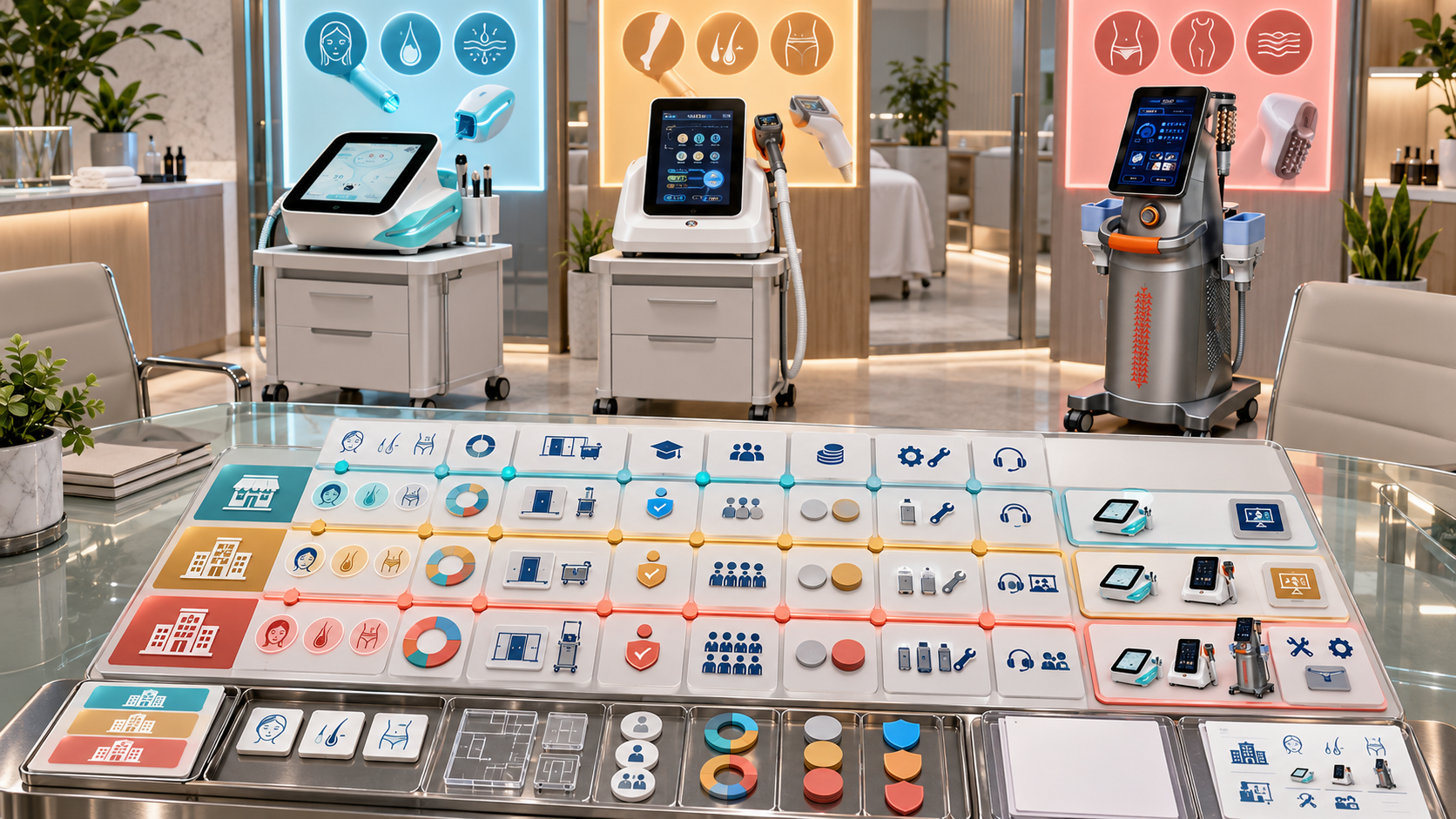
Beauty device buyers often begin a sales consultation with broad requests: “We need a multifunction facial machine,” “We want to add an advanced anti-aging service,” or “Please recommend a complete package.” These statements reveal interest, but they do not identify the right product category, room requirements, operator plan, configuration, consumables, or purchasing priorities.
A buyer requirement matrix turns the conversation into a structured decision. It connects the buyer’s business model and service goals with the category-specific fields needed to shortlist and configure suitable devices. For distributor sales teams, the matrix also creates a clear record of why a model was recommended and which questions remain open. This guide shows how to build that system around relevant SHEFMON facial, hair-removal, HIFU, RF-microneedling, and body-care equipment.
Resumen ejecutivo
- Use the requirement matrix before recommending a specific model or package.
- Separate mandatory requirements, strong preferences, optional preferences, and future needs.
- Capture buyer profile, service goals, room, operator, workflow, consumables, market, and commercial constraints.
- Choose the device category before comparing models within that category.
- Add category-specific fields for facial tools, laser handles, HIFU cartridges, RF-microneedling heads, and body-care applicators.
- Record confirmed facts, buyer statements, distributor evaluations, and unresolved questions separately.
- Apply pass/fail gates before using weighted scores or preferences.
- Use the same matrix to create the shortlist, demonstration plan, configuration request, and quotation brief.
- Preserve the recommendation rationale so another salesperson can understand the decision.
- Update the matrix when the buyer’s room, operator plan, service menu, budget, or timing changes.
1. What Is a Beauty Device Buyer Requirement Matrix?
A buyer requirement matrix is a structured table that connects the buyer’s stated needs to device categories, models, configurations, and decision status. It replaces scattered sales notes with comparable fields.
The matrix should answer:
- Who is the buyer and what business model do they operate?
- Which service category or menu gap are they trying to address?
- Which conditions must a suitable device satisfy?
- Which preferences help separate valid alternatives?
- Which SHEFMON categories and models deserve a closer review?
- Which details remain unknown or require confirmation?
- Why did the distributor recommend one path over another?
The matrix is not a product catalog. It narrows the catalog according to a documented buying problem.
2. Build the Matrix in Four Layers
| Matrix layer | Pregunta principal | Campos típicos |
|---|---|---|
| Perfil del comprador | Who will purchase and operate the equipment? | Business type, locations, team, current services, buying role |
| Service requirement | What should the new category contribute? | Client concern, service-menu gap, appointment type, maintenance or advanced role |
| Operating requirement | Can the business support the device? | Room, utilities, operator, cleaning, storage, booking, consumables |
| Purchase requirement | What must the offer contain? | Model format, configuration, options, documents, timing, quantity, budget range |
These layers prevent the salesperson from turning one desired function into an immediate model recommendation. A business can want skin tightening while lacking the room, professional setting, operator plan, or service pathway needed for a particular advanced category.
3. Record the Buyer Profile First
Start with facts that shape the whole decision.
- business type: facial salon, beauty salon, med spa, skin clinic, hair-removal center, body studio, multi-service center, or reseller;
- number of locations and treatment rooms;
- current beauty device categories;
- existing client base and most requested services;
- current service-menu gaps;
- planned opening, replacement, upgrade, or expansion;
- staff roles and operator background;
- decision-makers, users, commercial approvers, and purchasing contacts;
- país o región de destino;
- target decision and launch dates;
- expected order quantity or rollout size.
For a distributor buyer, also record customer segments, regional assortment, stock strategy, demo capacity, sales-team knowledge, and service support model.
4. Separate Needs from Requested Products
Buyers sometimes request a model category before defining the business problem. Record both fields:
| Buyer statement | Underlying requirement to clarify | Possible category question |
|---|---|---|
| “We need a hydro facial machine” | Basic facial menu, cleansing workflow, multifunction tools, entry-level operation | Which facial functions, supplies, room workflow, and appointment tiers are required? |
| “We want laser” | Hair-removal category, other laser application, or broad marketing term | Which service, target area, operator, room, wavelength and handle requirements apply? |
| “We need lifting equipment” | Maintenance facial, focused ultrasound, RF microneedling, facial EMS, or body firming need | Is the goal facial care, advanced skin service, body service, or a multi-category plan? |
| “We want a body machine” | Body-care service gap, target areas, massage or energy-based category, room and booking plan | Which body service role and handle set should the device support? |
| “We need the complete package” | Unresolved scope and inclusion expectations | Which service categories, devices, components, consumables, documents, and support items define complete? |
Do not reject the buyer’s preferred terminology. Translate it into fields that can support a defensible recommendation.
5. Classify Every Requirement by Priority
Use controlled priority levels.
| Prioridad | Significado | Decision treatment |
|---|---|---|
| Mandatory | The offer cannot proceed without meeting it | Pass/fail gate |
| Strong preference | Materially affects the recommendation | Weighted comparison after mandatory gates |
| Optional preference | Adds convenience or commercial appeal | Tie-breaker or option line |
| Future requirement | Not needed at launch but relevant to expansion | Upgrade-path assessment |
| Out of scope | Explicitly excluded from the current project | Keep outside the active recommendation |
| Unknown | Buyer has not decided or information is unavailable | Assign follow-up owner and date |
This classification helps when a buyer lists ten “must-have” functions that do not all serve the planned menu. The salesperson can ask which ones are truly necessary for launch.
6. Separate Facts, Evaluations, and Assumptions
Each matrix field should show its information type:
- Buyer-confirmed fact: room size, current services, staff count, destination, or requested quantity.
- Buyer preference: desired device format, future category, or package style.
- Confirmed product fact: official model, function, configuration, component, or electrical information.
- Distributor evaluation: interpretation of fit based on the stated requirements.
- Assumption: temporary statement used to continue analysis.
- Confirmation required: material information that must be verified before recommendation or quotation.
Do not let an assumption become a product specification. Add source, owner, verification date, and next action where relevant.
7. Choose the Category Before the Model
Utilice el Categorías de dispositivos de belleza SHEFMON to map the service need to an appropriate product family.
| Buyer objective | Categoría a evaluar | Example operating questions |
|---|---|---|
| Add cleansing and hydration-oriented facial services | Cuidado facial hidropónico y multifuncional | Which tools, supplies, cleaning steps, and appointment tiers are required? |
| Add a dedicated professional hair-removal category | láser de diodo | Which model, wavelength profile, handle, spot size, cooling, room, and operator plan apply? |
| Add focused advanced lifting and tightening services | HIFU | Which handles, cartridges, service areas, operator, and consultation pathway are planned? |
| Add advanced texture or scar-oriented skin services | Microagujas de radiofrecuencia | Which handle, head types, consumables, hygienic workflow, and aftercare system are needed? |
| Add multifunction body-care services | Vacuum, RF, roller, cavitation, or related body category | Which body areas, handles, room, cleaning, and booking model are intended? |
Only compare models after the category passes the buyer-fit review. A universal specification score across unrelated categories does not answer the buyer’s service question.
8. Create a Core Matrix Used for Every Category
Recommended shared columns include:
| Requirement field | Buyer response | Prioridad | Evidence or source | Candidate response | Estado | Hacer un seguimiento |
|---|---|---|---|---|---|---|
| Business and service role | What the buyer wants the device to add | Mandatory or preference | Buyer consultation | Category and model fit | Pass, fail, partial, unknown | Owner and date |
| Room and utilities | Space, power, water or other relevant conditions | Usually mandatory | Buyer site data | Installation fit | Estado | Action |
| Operador | Intended role, training background, authorization | Mandatory for relevant categories | Buyer and local review | Operating requirement | Estado | Action |
| Configuración | Handles, cartridges, heads, tips, options | Mandatory before quote | Registro de producto aprobado | Selected configuration | Estado | Action |
| Suministros | Opening consumables and reorders | Mandatory where used | Component record | Supply plan | Estado | Action |
| Comercial | Budget, quantity, timing, payment or freight needs | Mixed | Buyer and current commercial data | Offer fit | Estado | Action |
Keep the matrix readable. Link to detailed configuration records instead of inserting every specification into the consultation view.
9. Add a Facial-System Module for A0648
El Máquina de hidromicrodermoabrasión 9 en 1 SHEFMON A0648 is relevant when the buyer wants a broader facial-care platform. The matrix should test whether the actual tool and workflow set matches that goal.
Buyer requirements to capture
- planned cleansing, exfoliation, extraction, and hydration-oriented service roles;
- core, express, standard, or premium facial appointment structure;
- preferred number of functions and whether each function has a real menu role;
- room storage, sink or cleaning workflow, and device placement;
- operator count and daily appointment pattern;
- expected tips, liquids, or replaceable-item needs;
- desired opening supplies;
- interest in one multifunction platform versus several focused devices.
Product fields to compare
- funciones instaladas con nombre;
- Suministramos piezas de mano y herramientas;
- puntas, recipientes, tubos, cables y accesorios;
- opening consumables and reorder units;
- cleaning and flushing requirements;
- console format, dimensions, electrical profile, and language;
- standard, optional, and confirmation-required items.
A buyer asking for “9-in-1” may actually need only four well-defined facial workflows. The matrix should reveal whether the broader platform adds useful menu coverage or unused complexity.
10. Add a Diode-Laser Module for A0423 and A0426
El Láser de diodo A0423 y Láser de diodo A0426 can be assessed with the same category-specific fields while remaining separate models.
Buyer requirements to capture
- dedicated hair-removal room or shared treatment room;
- expected client and treatment-area mix;
- anticipated appointment volume;
- operator and professional-setting plan;
- room power, ventilation, and workflow;
- preferred console format and movement needs;
- desired wavelength, handle, spot-size, and cooling arrangement;
- local market and document requirements;
- launch timeline and training needs.
Product fields to compare
- modelo exacto;
- selected wavelength profile;
- handle power;
- spot size or supplied set;
- repetition frequency;
- cooling information;
- voltaje, frecuencia y enchufe;
- package size and gross weight for logistics;
- included accessories and documents.
Do not record “A0423/A0426” as one candidate. Their current pages show several overlapping values, but each model needs its own fit assessment, configuration, and quotation.
11. Add a HIFU Module for A0204
El SHEFMON A0204 multifunction HIFU system can involve different handles, modules, cartridges, depths, and standard or optional relationships.
Buyer requirements to capture
- intended face, neck, or body service categories;
- Entorno profesional y plan del operador;
- consultation and client-selection process;
- current advanced-treatment menu;
- planned package tiers;
- cartridge depths actually needed for the reviewed service scope;
- expected cartridge replenishment approach;
- desired future module expansion;
- room, storage, record, and aftercare workflow.
Product fields to compare
- base platform configuration;
- manijas o módulos instalados;
- compatible cartridge families and depths;
- estado estándar y opcional;
- cantidades incluidas;
- stated shot capacity where relevant;
- reorder identifiers;
- perfil eléctrico y lingüístico;
- confirmed professional or market conditions.
The matrix should not turn a long list of possible cartridges into a recommendation for all of them. Match the selected set to the buyer’s reviewed service plan.
12. Add an RF-Microneedling Module for A0152
El SHEFMON A0152 desktop RF microneedling system page lists different handle arrangements and 12-pin, 24-pin, 40-pin, and nano head types.
Buyer requirements to capture
- intended facial or body service scope;
- client consultation and suitability process;
- operator background and authorization;
- hygienic handling, storage, and disposal process;
- preferred handle arrangement;
- head types relevant to the reviewed service plan;
- expected monthly appointment volume;
- opening consumable stock and reorder access;
- aftercare and follow-up process;
- treatment-room and electrical profile.
Product fields to compare
- gestionar la configuración;
- compatible needle-head types;
- cantidades iniciales;
- reorder units and version compatibility;
- depth-control description;
- RF information;
- voltage, screen, size, and weight;
- accesorios incluidos;
- training and handover items.
The buyer matrix should link consumable demand to the chosen setup without presenting an appointment forecast as a guaranteed usage figure.
13. Add a Body-Care Module for B0155
El SHEFMON B0155 desktop body-care system page describes body and smaller-area handles that combine different functions.
Buyer requirements to capture
- body-only or facial-and-body service scope;
- client areas and concerns the business plans to address;
- appointment length and booking pattern;
- available room space and device movement;
- cleaning, storage, and handle-change workflow;
- preference for focused versus multifunction service packages;
- existing body equipment and overlapping services;
- operator count and training needs;
- target package tier and future growth.
Product fields to compare
- included body and smaller-area handles;
- stated role of each handle;
- vacuum, RF, roller, light, rotation, or cavitation functions;
- treatment size where published and relevant;
- handle quantities;
- estado estándar y opcional;
- accessories, room, cleaning, and storage requirements;
- electrical and language profile.
A focused body studio may value a different handle set from a multi-service aesthetic center. The matrix makes that distinction explicit.
14. Use Mandatory Gates Before Weighted Scoring
A device should fail the shortlist when it cannot satisfy a mandatory requirement. Recommended gates include:
- wrong category for the intended service;
- incompatible room or utilities;
- unresolved electrical profile;
- unavailable or unverified required component;
- operator or professional-setting condition not addressed;
- configuration cannot support a mandatory service role;
- opening consumable route is unknown when essential;
- destination or document requirement cannot be met;
- quantity or timing condition is outside the active offer.
Only after candidates pass these gates should the team apply preference weights.
15. Build a Transparent Preference Score
For valid candidates, the buyer can assign weights to preferences.
| Preference criterion | Example weight | Scoring question |
|---|---|---|
| Service-menu coverage | 30% | How well does the selected configuration cover the declared service role? |
| Espacio y flujo de trabajo adecuados | 20% | How easily does it fit the space, booking, cleaning, and storage plan? |
| Team fit | 15% | How well does it match the operator and training plan? |
| Consumable and support fit | 15% | Are opening supplies, reorders, and component identities clear? |
| Ajuste de expansión | 10% | Does the approved upgrade path support a stated future need? |
| adecuación comercial | 10% | Does the complete comparable offer fit the purchasing constraints? |
Weights are buyer-specific, not universal product rankings. Record the reason behind each weight and score. Do not allow preference points to overcome a failed mandatory gate.
16. Create Buyer-Type Matrix Views
The same controlled data can support different consultation views.
Facial salon view
Prioritize ease of menu integration, tool set, cleaning, opening consumables, appointment tiers, room fit, and staff onboarding.
Med spa or skin clinic view
Prioritize consultation pathways, operator scope, advanced service categories, configuration detail, consumable traceability, aftercare, records, and room controls.
Body studio view
Prioritize handle set, target areas, appointment flow, device movement, cleaning, body-menu differentiation, and room capacity.
Multi-location buyer view
Prioritize repeatable configuration, site readiness, operator training, consumable supply, rollout timing, and centralized records.
Distributor view
Prioritize target customer profile, assortment role, demo need, stock strategy, configuration complexity, sales training, replacement items, and regional market profile.
17. Map Requirements to a Shortlist
Use a shortlist table after category selection.
| Candidate | Mandatory gates | Strong preferences | Open questions | Recommendation status |
|---|---|---|---|---|
| Model and configuration A | Passed or failed | Summary score with rationale | Assigned follow-ups | Demonstrate, quote, hold, or reject |
| Model and configuration B | Passed or failed | Summary score with rationale | Assigned follow-ups | Demonstrate, quote, hold, or reject |
| Alternative category | Relevant only when the service need is unresolved | Business-role comparison, not technical score | Category decision needed | Explore or remove |
Keep no more candidates than the buyer can meaningfully evaluate. A long shortlist moves catalog work into the consultation instead of improving the decision.
18. Record Why a Candidate Was Removed
Rejection reasons help sales teams learn and allow the buyer to revisit the decision later.
Use controlled reasons such as:
- service category mismatch;
- mandatory function missing;
- room or utility mismatch;
- configuration unavailable or unclear;
- operator or professional setting unresolved;
- consumable route unsuitable;
- duplicate of current service;
- outside current budget or timing;
- buyer preference changed;
- future-phase candidate;
- replaced by a better-fit model within the same category.
Avoid recording only “not suitable.” The reason should show which requirement produced the decision.
19. Use the Matrix to Plan the Demonstration
The demonstration should test the buyer’s most important remaining questions. Use the matrix to define:
- exact model and demo configuration;
- mandatory functions to show;
- options to compare;
- workflow or room questions to discuss;
- components that must be labeled standard or optional;
- consumables and reorder questions;
- buyer stakeholders who should attend;
- decisions expected after the session;
- unresolved items that require later confirmation.
Do not demonstrate every available feature when only a few determine the buyer’s choice.
20. Use the Matrix to Create the Quotation Brief
When a candidate is ready for quotation, transfer:
- buyer and project identity;
- category and selection rationale;
- modelo exacto;
- código de configuración y revisión;
- included components and quantities;
- opciones seleccionadas;
- consumibles de apertura;
- perfil de mercado y eléctrico;
- documents and onboarding needs;
- exclusiones;
- quantity and commercial context;
- open conditions and approval needs.
The quotation team should not reinterpret the original conversation. It should receive structured selections and unresolved questions.
21. Handle Multi-Device Requirements Without Creating Overlap
For a buyer requesting several categories, build one row for each service-menu role.
| Función de servicio | Selected category | Overlap check | Room and operator check | Package decision |
|---|---|---|---|---|
| Cuidado facial básico | Hydro or multifunction facial | Does it duplicate an existing platform? | Facial room and trained operator | Include, defer, or replace |
| Depilación | láser de diodo | Separate category | Dedicated or approved shared room | Include or defer |
| Servicio avanzado para el cuidado de la piel | Microagujas HIFU o RF | Are the intended pathways distinct? | Advanced operator and records | Choose one or phase both |
| Cuidado corporal | Sistema de carrocería multifuncional | Does the handle set duplicate current equipment? | Body room, storage, cleaning | Include or refine |
This matrix plans category coverage. It does not recommend combining separate procedures in one session without approved guidance and client assessment.
22. Define Matrix Statuses and Ownership
Useful statuses include:
- captured;
- buyer confirmation required;
- product confirmation required;
- market review required;
- passed;
- partially met;
- failed;
- deferred to later phase;
- ready for demonstration;
- ready for configuration;
- ready for quotation;
- closed.
Every unresolved row needs an owner and due date. Sales owns buyer questions, product or technical teams own configuration facts, market reviewers own destination conditions, and commercial teams own time-sensitive terms.
23. Update the Matrix When Requirements Change
Create a revision when the buyer changes:
- business location or delivery market;
- service category;
- model preference;
- room or utilities;
- operator plan;
- mandatory function;
- handle, cartridge, tip, or head requirement;
- opening consumable quantity;
- quantity or rollout plan;
- timing or budget constraint.
Record the old value, new value, reason, date, editor, and affected shortlist or quotation. Do not overwrite the earlier decision history.
24. Measure Consultation Quality
Pista:
- requirement matrices complete before recommendation;
- mandatory fields missing at quotation request;
- recommendations changed because of late buyer information;
- demonstration-to-quote conversion by category;
- quote revisions caused by misunderstood requirements;
- rejected candidates by reason;
- time from inquiry to category decision;
- multi-location requirement differences discovered late;
- consumable or configuration questions unresolved at quote stage;
- buyer acceptance by recommendation rationale.
Use the results to improve questions, category modules, product data, and sales training.
25. Buyer Requirement Matrix Checklist
- Buyer, business model, market, locations, and decision-makers are recorded.
- Current services and equipment are visible.
- The service-menu gap is defined before a model is recommended.
- Requirements are classified as mandatory, strong, optional, future, out of scope, or unknown.
- Facts, preferences, evaluations, assumptions, and confirmation items are separate.
- Category selection occurs before model comparison.
- The correct category-specific field module is complete.
- Room, utilities, operator, workflow, cleaning, storage, and consumable needs are addressed.
- Mandatory gates pass before preference scoring.
- Candidate scores include documented rationale.
- Removed candidates have clear reasons.
- Demonstration and quotation briefs derive from the matrix.
- Multi-device recommendations have distinct service roles.
- Unresolved fields have owners and dates.
- Requirement changes create a traceable revision.
Preguntas frecuentes
1. When should a distributor create the buyer requirement matrix?
Create it during the first substantive sales consultation and complete it before recommending a final model or package. Update it after site information, demonstrations, or buyer decisions add new facts.
2. Is a buyer questionnaire the same as a requirement matrix?
No. A questionnaire collects answers. The matrix connects those answers to priorities, product categories, candidate responses, evidence, status, and follow-up actions.
3. How many requirements should the matrix contain?
Include enough fields to make the category, model, configuration, room, operator, supply, and purchase decision clear. Use a short buyer-facing view and link detailed technical records rather than building an unreadable master table.
4. Should price be a mandatory requirement?
Budget or commercial limits can be mandatory for the buyer, but compare complete equivalent configurations. A lower price does not pass if the offer omits a required handle, cartridge, consumable, or market profile.
5. How should salons compare A0423 and A0426?
Use separate rows with the same diode-laser fields: exact model, wavelength profile, handle power, spot size, cooling, electrical data, logistics, accessories, room, operator, and market conditions. Confirm one configuration for each candidate.
6. What makes A0648 relevant to a facial-salon matrix?
It can be evaluated as a multifunction facial platform. The matrix should connect its installed tools and supplies to the salon’s planned cleansing and hydration-oriented service roles, appointment structure, room workflow, and consumable plan.
7. How should future device needs be handled?
Mark them as future requirements and assess approved upgrade paths without forcing them into the opening package. This keeps the first purchase focused while preserving a phased plan.
8. Can one matrix cover several salon locations?
Use a shared core for group requirements and a site overlay for room, electrical, operator, language, timing, and service differences. A device should not pass every site automatically because it fits one location.
9. Who should approve the recommendation?
Sales can own the buyer relationship and matrix. Product or technical reviewers should verify configuration and compatibility, regional reviewers should address market conditions, and the buyer should confirm priorities and final selections.
10. What should happen when important information remains unknown?
Mark the field as confirmation required, assign an owner and due date, and prevent the affected candidate from becoming a final recommendation or quotation promise until the information is resolved.
Conclusión
A buyer requirement matrix turns a broad beauty device inquiry into a traceable product decision. It begins with the buyer’s business and service goals, applies mandatory operating conditions, adds category-specific technical fields, and documents why a model and configuration fit. Sales consultations become easier to hand off, demonstrations become more focused, and quotations reflect confirmed buyer choices.
Explora el Categorías de dispositivos de belleza SHEFMON when mapping requirements to a shortlist. To confirm a model, handle, cartridge, needle head, accessory, consumable relationship, or category-specific configuration before making a recommendation, Contacta con SHEFMON with the buyer profile and completed requirement matrix.

























