










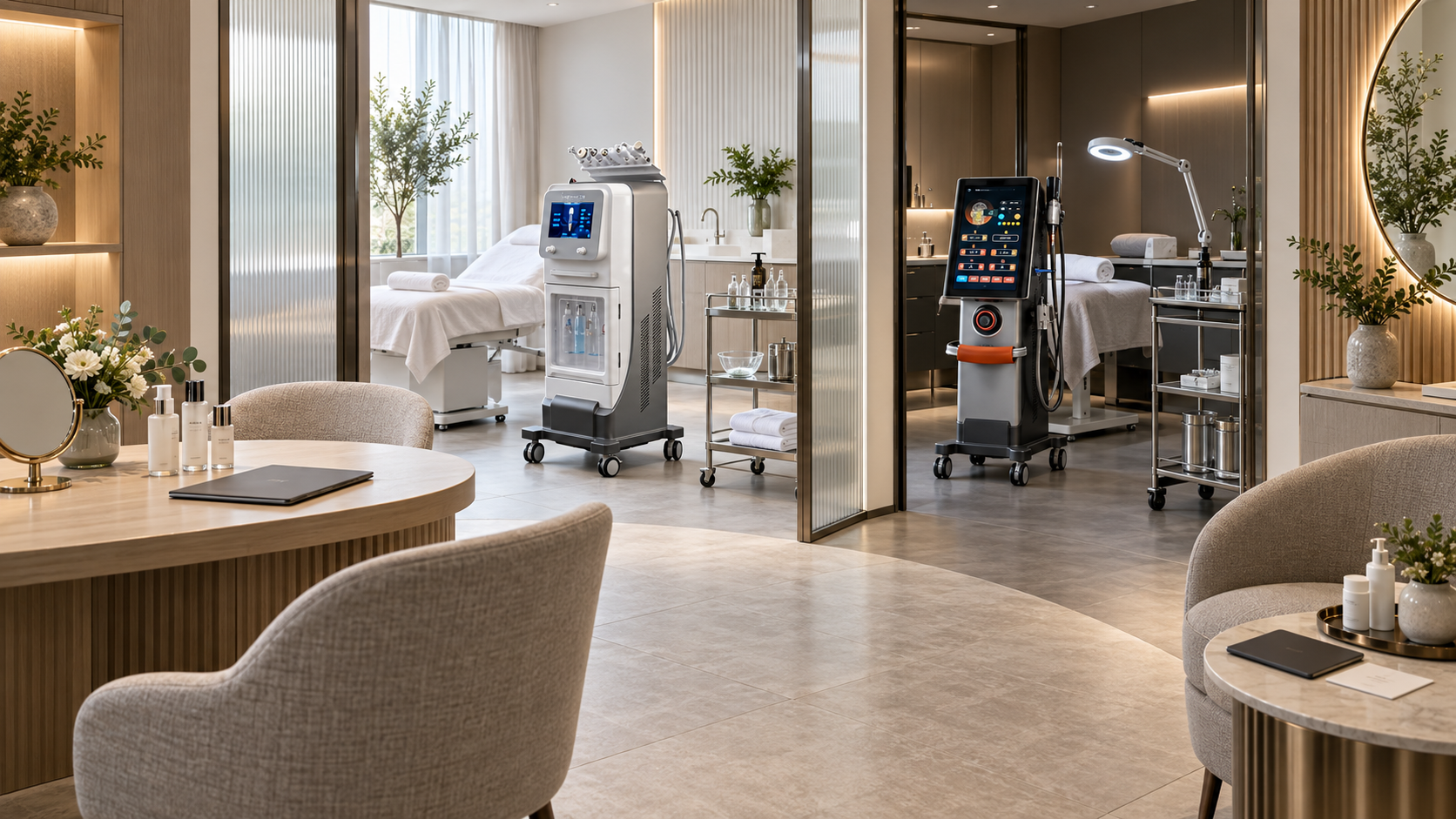
A professional beauty-device service is more than the time a machine is active. It begins when a client explains a goal and continues through assessment, service selection, booking, room preparation, device checks, documentation, aftercare, follow-up, and program review. When one stage is missing, staff improvise decisions and important information can disappear between reception, consultation, the treatment room, and the next appointment.
A complete workflow does not mean every client receives a service. Consultation may lead to approval, deferral, referral, or no treatment. Follow-up may confirm that the pathway can continue, needs reassessment, or should close. The workflow exists to make these decisions clear and traceable.
This guide shows how salons, med spas, skin clinics, body centers, and distributors can build that lifecycle around selected Dispositivos de belleza SHEFMON without prescribing treatment parameters or unverified device combinations.
Resumen ejecutivo
- Define the complete workflow before publishing the service or opening online booking.
- Use one service owner who remains accountable from consultation through follow-up.
- Separate general intake from technology-specific suitability assessment.
- Record an explicit outcome: approved for a defined service, deferred, referred, declined, or more information required.
- Transfer only approved, necessary information from consultation to booking and the treatment room.
- Verify the client, device, configuration, components, room, operator, stock, and maintenance status before service begins.
- Record the model, operator, area, component, settings, response, aftercare, and next step as required by the service and local rules.
- Create clear stop, defer, unexpected-response, and professional-escalation routes.
- Give clients service-specific aftercare and a named contact method rather than generic instructions for every device.
- Schedule follow-up according to the service pathway, individual decision, device guidance, and local requirements; do not copy one universal interval across categories.
- Use workflow data to improve completion, documentation, stock control, maintenance, client communication, and staff competency.
1. Map the Workflow Before Buying More Devices
Use a stage map that shows the decision, owner, record, and exit condition.
| Escenario | Main decision | Responsible role | Required output |
|---|---|---|---|
| Enquiry | Which service family should receive the client? | Reception or intake team | Goal captured and correct route selected |
| Pre-consultation | Is the client prepared for the assessment? | Booking team | Instructions, documents, and appointment confirmed |
| Consulta | Does a device category match the goal and operating scope? | Authorized consultant or operator | Technology-specific assessment completed |
| Decision | Can a defined service proceed? | Authorized decision-maker | Approved, deferred, referred, declined, or information pending |
| Booking | Which operator, room, device, configuration, and time block are required? | Booking team under department rules | Controlled appointment created |
| Pre-service readiness | Are the client, room, device, components, stock, and records ready? | Operator and room owner | Pre-use release completed |
| Servicio | Is the approved plan being delivered and monitored correctly? | Authorized operator | Real-time service record |
| Completion | Can the client leave under the documented pathway? | Operador | Immediate response, aftercare, and escalation information recorded |
| Hacer un seguimiento | Has the client responded as expected within the center’s scope? | Named department owner | Follow-up outcome and next decision |
| Review or closure | Continue, reassess, maintain, refer, or close? | Authorized service owner | Updated plan or closed pathway |
The center should be able to identify where every active client is in this lifecycle.
2. Give the Workflow One Accountable Owner
Several employees may contribute, but one department or named role should own the pathway. Ownership includes:
- confirming that the consultation is complete;
- approving or escalating the service decision;
- ensuring booking uses the correct room, operator, device, and duration;
- checking that required components and consumables are available;
- maintaining service cards, forms, aftercare, and follow-up tasks;
- reviewing incomplete records, incidents, complaints, and missed follow-ups;
- coordinating maintenance or stock restrictions that affect clients;
- closing the pathway or transferring it through a documented referral.
Reception can support the workflow without owning technology-specific decisions. A shared software system does not remove departmental accountability.
3. Capture the Enquiry in the Client’s Own Words
The first record should identify the client’s goal without turning reception into a technical decision-maker. Capture:
- face, hair, or body area of interest;
- the client’s description of the goal;
- whether they expect maintenance, a specialist consultation, or information about a procedure;
- previous enquiries or active services within the center;
- contact and communication preferences;
- accessibility, language, or scheduling needs that can be handled appropriately;
- the department and consultation type selected.
Avoid assigning a device only because the client mentions a brand or popular technology. Route the goal to the qualified team that can assess it.
4. Send a Pre-Consultation Information Pack
Before the appointment, provide concise information about:
- the purpose and length of the consultation;
- what information or records the client may need to bring;
- whether the appointment is consultation-only;
- the cancellation and rescheduling process;
- privacy and photography arrangements where applicable;
- that consultation does not guarantee suitability or a particular result;
- how the center handles questions that require a different professional or service route.
Keep promotional claims out of this stage. The goal is to prepare an informed conversation, not to pre-sell the outcome.
5. Separate General Intake from Device-Specific Assessment
General intake can be shared across the center. The technology-specific section should change by category.
| Device direction | Representative SHEFMON model | Assessment emphasis |
|---|---|---|
| mantenimiento facial | A0648 hidromicrodermoabrasión | Facial goal, selected function, solutions, tips, fluid-path process, cleaning, and maintenance plan |
| Facial technology | A0272-F EMS/RF facial | Technology goal, placement, accessories, contact materials, operator scope, and review process |
| reducción del vello | Láser de diodo A0423 | Area, exact configuration, authorized operator, room controls, eyewear, settings process, cooling, aftercare, and follow-up |
| Cuidado corporal multifuncional | B0155 Endoscopia de escritorio Velapro | Body goal, selected function and handle, contact materials, positioning, cleaning, and documentation |
| Muscle-focused services | A0241 EMS/RF platform | Muscle-focused goal, applicator configuration, placement, settings process, operator authorization, and program review |
| Advanced procedure | A0152 Microagujas de radiofrecuencia | Professional assessment, handle and head, procedure hygiene, single-use stock, sharps, consent, aftercare, and escalation |
Do not reuse one generic yes-or-no form for technologies with different functional principles and operating requirements.
6. Use Five Possible Consultation Outcomes
Every consultation should end with one recorded outcome:
- Approved for a defined service: the responsible person has completed the decision under the center’s process.
- Deferred: more time, information, recovery, authorization, or another condition is required before a decision.
- Referred: another department or appropriate professional should assess the goal.
- Declined: the center will not provide the requested service under the current circumstances.
- Information pending: configuration, device status, professional guidance, or another necessary fact must be verified.
“Interested” is not a suitability outcome. “Purchased package” is not approval. Booking permissions should follow the recorded decision.
7. Create a Service Decision Record
When a service is approved, document:
- el objetivo declarado por el cliente;
- the selected service category and why it matches the goal;
- device model and exact configuration;
- planned area or scope of service;
- responsible department and authorized operator type;
- required room, components, consumables, protective items, and appointment block;
- information explained to the client, including practical limits and alternatives within the center’s scope;
- consent or acknowledgement requirements where applicable;
- aftercare and follow-up route;
- conditions that require reassessment before the appointment.
Do not use the decision record to pre-fill device settings before the operator completes the required day-of checks.
8. Transfer the Consultation into a Controlled Booking
The booking system should receive structured fields rather than a free-text note alone.
| Booking field | Por qué es importante |
|---|---|
| Approved service code | Prevents staff from substituting a similar-sounding service |
| Department and room type | Applies the correct access and turnover rules |
| Authorized operator group | Blocks scheduling with unapproved staff |
| Device and configuration | Reserves the correct console and components |
| Area or service scope | Supports duration, privacy, positioning, and stock planning |
| Appointment block | Includes preparation, service, records, cleaning, and reset |
| Required stock | Allows tips, heads, handles, applicators, solutions, contact materials, or protective items to be checked |
| Reassessment flag | Shows whether information must be updated before service |
| Follow-up type | Creates the correct future task once the service is completed |
If a booking field cannot be completed, the appointment should return to the responsible department rather than rely on a guess from reception.
9. Send Service-Specific Pre-Appointment Communication
The department should send the approved preparation information for that service. It may include:
- arrival time and location;
- what the appointment includes;
- preparation instructions supported by the center’s authorized process;
- what changes should be reported before arrival;
- what to bring or avoid bringing;
- privacy, changing, photography, or accompaniment arrangements where applicable;
- cancellation and rescheduling terms;
- how to contact the department with questions.
Do not send the same preparation message for A0648, A0423, B0155, A0241, and A0152. Their service workflows and professional requirements differ.
10. Reconfirm the Decision at Check-In
On the service day, confirm:
- client identity and booked service;
- responsible department and authorized operator;
- planned area or service scope;
- whether relevant information has changed since consultation;
- whether reassessment or escalation is required;
- consent or acknowledgement status where applicable;
- photography status where applicable;
- aftercare contact information;
- that the client understands the immediate next steps.
A previous approval does not remove the need to check for changes. If information no longer supports the planned service, pause the booking and return it to the correct decision-maker.
11. Release the Room and Device Before Use
Use a pre-use release checklist covering:
- correct room and service setup;
- device model, serial number, voltage, and configuration;
- current maintenance status and absence of open faults;
- required start-up and pre-use checks;
- correct handle, applicator, tip, head, filter, cartridge, or accessory;
- approved solutions, contact materials, protective items, and single-use stock;
- cleaning status and secure component storage;
- cooling, water, cables, hoses, fluid paths, or other system checks where relevant;
- current service card, manual access, aftercare, and escalation contacts;
- sufficient time for the complete appointment and reset.
The release should fail if a required component is missing, unverified, damaged, expired, incompatible, or under quarantine.
12. Use a Final “Pause Point” Before Starting
Immediately before beginning, the operator should verify:
- correct client;
- correct approved service;
- correct device and configuration;
- correct area;
- correct component and stock;
- correct operator authorization;
- required records and consent completed;
- client positioned and able to communicate;
- stop process and escalation route available.
This is a brief control, not a new consultation. Its purpose is to catch a mismatch before device use.
13. Record the Service in Real Time
The service record should be detailed enough to reconstruct what occurred. Depending on the device and local requirements, include:
- date, time, room, operator, and approver where applicable;
- device model, serial number, and configuration;
- handle, head, tip, applicator, cartridge, filter, or other component;
- lot or item traceability where relevant;
- area and service scope;
- settings and approved adjustments;
- client communication and observed response;
- pauses, changes, stop decisions, or technical issues;
- immediate completion status;
- aftercare provided and follow-up task created.
Do not reconstruct settings from memory at the end of the day. Build the record into the operator’s workflow.
14. Define Stop, Defer, and Escalation Routes
Staff should know what to do when:
- the client’s information changes;
- the planned area or goal changes;
- a required record or authorization is missing;
- the device, handle, applicator, tip, head, cable, cooling, water system, or stock fails a check;
- the client reports or displays an unexpected response;
- the operator is uncertain about the settings, service card, or component;
- the room cannot meet the required privacy, hygiene, access, or utility condition;
- the event exceeds the operator’s scope.
The pathway should identify who stops the service, who assesses the next step, who records the event, who contacts technical or professional support, and who may authorize return to use.
15. Complete the Immediate Post-Service Check
Before the client leaves, document:
- service completion or reason for stopping;
- immediate observed and reported response;
- any action taken;
- aftercare instructions provided and understood;
- contact method for questions or unexpected changes;
- planned follow-up type and responsible owner;
- whether the next appointment may be booked or requires reassessment;
- room, component, waste, sharps, cleaning, and device-reset tasks completed as applicable.
The next client should not enter until the previous service record and essential reset are complete.
16. Give Device-Specific Aftercare
Aftercare should match the exact service. It should state:
- what the center expects the client to do after the appointment;
- which common short-term experiences the authorized team has decided to explain;
- which changes require the client to contact the center promptly;
- which situations require urgent or external professional help according to the center’s approved process;
- what products, activities, or follow-up actions apply to that service;
- when and how the center will make contact;
- who owns questions outside normal hours, if such support is offered.
Avoid generic “beauty device aftercare” sheets. They can omit essential differences between a hydro facial, hair reduction, body care, muscle-focused service, and RF microneedling.
17. Create a Follow-Up Task Before Closing the Appointment
Do not depend on a staff member remembering later. The completed service should automatically create a task containing:
- client and service identifier;
- device and area;
- follow-up type and due window established by the approved pathway;
- responsible person or department;
- questions or observations relevant to the service;
- open technical, stock, or professional issues;
- required next decision: continue, reassess, refer, pause, or close;
- escalation route if the client cannot be reached or reports a concern.
The exact timing should follow the device instructions, service plan, qualified decision, and local requirements. Do not impose one interval on all categories.
18. Use a Structured Follow-Up Record
At follow-up, record:
- whether contact occurred and by which approved channel;
- the client’s report in their own words;
- the department’s observations within its scope;
- whether aftercare was understood and followed;
- any unexpected response, complaint, or question;
- whether professional or technical escalation is required;
- whether the next appointment remains appropriate;
- the updated status and next owner;
- whether the pathway is continuing, paused, referred, or closed.
Avoid reducing follow-up to a sales message asking the client to rebook.
19. Handle Client-Reported Concerns Through One Route
Clients should receive one clear contact method. Internally, the center should route the concern to the responsible department and determine:
- urgency under the approved process;
- whether service, professional, technical, privacy, or complaint review is required;
- what information can be requested remotely;
- whether photographs may be collected and how they are protected;
- who may provide advice within scope;
- when external or urgent care should be recommended according to the established pathway;
- whether the device or related stock must be quarantined;
- which appointments should be paused;
- how the event is documented and reviewed.
Reception should acknowledge and escalate rather than improvise technical or clinical advice.
20. Reassess Before Continuing a Program
The next appointment is not automatically approved because the previous one was completed. Review:
- whether the client’s goal and relevant information remain current;
- the response and follow-up record;
- any change in service area or scope;
- any new concern, complaint, or unexpected response;
- device, component, stock, room, and operator availability;
- whether the service card, manual, configuration, or local requirements changed;
- whether the plan should continue, change, pause, refer, or close.
Reassessment depth can vary by service, but the center should define what triggers a full new consultation.
21. Close the Pathway Properly
A workflow may close because:
- the planned service series or maintenance period is complete;
- the client chooses not to continue;
- the department determines that continuation is not appropriate;
- the goal changes and another consultation is required;
- the device or service is no longer available;
- the client is transferred through an appropriate referral;
- repeated contact attempts under the center’s policy are unsuccessful.
Record the reason, final communication, unresolved actions, future reassessment condition, and retention requirements. Closing a pathway prevents inactive clients from appearing as overdue forever.
22. Adapt the Workflow for A0648 Facial Maintenance
Para A0648, add checkpoints for:
- selected facial goal and approved function;
- supplied handle and tip;
- compatible solutions and filters;
- filling, fluid-path inspection, emptying, and cleaning;
- facial room turnover and stock;
- maintenance review rather than automatic escalation to another facial technology.
The “9 in 1” label should not create nine undocumented pathways. Launch only the services for which the center has a complete workflow.
23. Adapt the Workflow for A0423 Hair Reduction
La corriente A0423 page presents multiple wavelength and spot-size configurations, with optional elements. Confirm the delivered arrangement before writing service cards.
Add checkpoints for:
- precisely defined area;
- technology-specific assessment and authorization;
- room access and suitable eyewear;
- exact handle, wavelength arrangement, spot size, cooling, and system checks;
- settings and operator record;
- area-based appointment block;
- aftercare, progress review, and unexpected-response route.
Avoid universal statements about skin type, hair color, comfort, number of sessions, or permanent results.
24. Adapt the Workflow for B0155 and A0241 Body Services
El B0155 page lists several rollers and functions. The A0241 page presents electromagnetic muscle stimulation with RF.
For B0155, document the selected function, handle, area, contact materials, cleaning, settings, and response. For A0241, document the muscle-focused goal, delivered applicators, placement, settings process, operator authorization, and review decision.
The A0241 product page contains inconsistent configuration wording, so quotation, packing list, manual, acceptance, and training records should agree before use. Do not place both devices into one generic slimming workflow or use unsupported weight-loss, exercise-equivalent, medical, or rehabilitation claims.
25. Adapt the Workflow for A0152 RF Microneedling
De SHEFMON A0152 listing identifies computerized depth control, several head types, a 1–7 mm depth range with an additional thermal profile, and different handle arrangements.
Add checkpoints for:
- qualified professional assessment and authorization;
- exact handle and compatible head;
- procedure-room hygiene and controlled access;
- single-use item and lot tracking where relevant;
- sharps handling and disposal;
- consent, area, settings, photography, and follow-up records where applicable;
- aftercare and complication escalation;
- device, head, or stock quarantine when required.
Verify intended use, device status, professional scope, permitted areas, parameters, and local requirements independently.
26. Use a Role Matrix for Workflow Handoffs
| Workflow task | Reception | Authorized operator | Department owner | Professional or clinical lead |
|---|---|---|---|---|
| Capture general goal | Lead | Apoyo | Apoyo | Apoyo |
| Complete technology assessment | No | Within authorized scope | Ensure completion | Lead where professional scope requires |
| Approve service | No | Within authorized scope | Control permissions | Approve where required |
| Release room and device | No | Lead | Audit | Oversight where applicable |
| Deliver service | No | Lead | Monitor authorization | Within scope if involved |
| Provide aftercare | General logistics only | Device-specific instructions | Maintain approved materials | Approve where required |
| Complete follow-up | Route messages | Within authorized scope | Ensure ownership | Lead escalated concerns |
| Close pathway | Administrative support | Recommend status | Confirm completion | Confirm where professional decision is required |
The actual matrix must reflect local law, insurance, professional scope, device instructions, supervision, and the center’s governance.
27. Measure Workflow Quality
| Medida | Lo que muestra |
|---|---|
| Enquiries routed correctly | Whether reception understands service categories |
| Consultations with explicit outcomes | Whether interest is separated from approval |
| Booking errors or substitutions | Whether decision records transfer correctly |
| Pre-use release failures | Whether stock, device, room, and maintenance controls work |
| Complete service records | Whether traceability is built into the appointment |
| Aftercare issued and acknowledged | Whether clients leave with the correct information |
| Follow-up tasks completed | Whether the department maintains ownership |
| Concerns escalated within the approved route | Whether staff respect scope and urgency |
| Repeat faults or stock failures | Whether technical and inventory systems need action |
| Reassessment, pause, referral, and closure decisions | Whether the pathway adapts instead of automatically continuing |
Revenue and repeat bookings can be reviewed, but they should not replace workflow quality measures.
28. Implement the Workflow in Four Phases
Phase 1: Document one complete service
Choose a high-use category such as A0648 facial maintenance. Build the forms, roles, booking fields, device release, service record, aftercare, follow-up, and closure process.
Phase 2: Test the handoffs
Run controlled rehearsals from enquiry to follow-up. Check what reception, operators, room owners, and managers can see and what they must do.
Phase 3: Add one different technology
Add A0423, B0155, A0241, A0272-F, or A0152 according to the business. Identify which common fields can be reused and which require a separate pathway.
Phase 4: Audit and standardize
Review incomplete records, booking errors, missed checks, stock issues, downtime, concerns, follow-up completion, and staff competency. Expand only when the workflow is stable.
29. How Distributors Can Support Workflow-Ready Buyers
Distributors can provide more value when a quotation supports the full service lifecycle. Include:
- exact model and base configuration;
- standard and optional components separated clearly;
- manual, installation, acceptance, and training inputs;
- compatible consumables, replacements, wear parts, and reorder method;
- cleaning, inspection, maintenance, warranty, and technical support information;
- suggested record fields for configuration, components, and service checks without prescribing unauthorized parameters;
- information the buyer must verify for local device status, professional scope, rooms, claims, aftercare, and regulation.
The buyer should provide business type, country, rooms, staff qualifications, desired service category, workflow maturity, and support expectations.
30. Complete Workflow Checklist
Before launching a beauty-device service, confirm that:
- the client goal routes to the correct department;
- pre-consultation information is approved;
- the technology-specific assessment is complete;
- consultation produces an explicit decision;
- the service decision record identifies device, configuration, area, room, operator type, stock, aftercare, and follow-up;
- booking fields prevent unauthorized substitution;
- pre-appointment instructions match the service;
- day-of changes trigger reassessment when required;
- room and device release checks are documented;
- the final pause point confirms client, service, device, component, area, and operator;
- the service record captures settings and response as required;
- stop, defer, fault, unexpected-response, and escalation routes are active;
- aftercare is device-specific;
- a follow-up task is created before appointment closure;
- concern handling has one client-facing contact route;
- continuation requires review, not assumption;
- completed or inactive pathways are closed properly;
- workflow measures and audits have named owners.
Preguntas frecuentes
1. What is the first step in building a beauty-device workflow?
Map every stage from enquiry to closure and assign a decision, owner, record, and exit condition to each one. Begin with one high-use service before standardizing several device categories.
2. Can reception decide which beauty device a client needs?
Reception can capture the goal and route the enquiry. Technology selection and suitability decisions belong to appropriately trained and authorized staff within their scope.
3. Should every consultation result in a booking?
No. The valid outcomes are approval for a defined service, deferral, referral, decline, or a request for more information. The workflow should preserve each outcome without sales pressure.
4. What should transfer from consultation to the treatment room?
Transfer the approved service, department, device and configuration, area, operator requirement, room, appointment block, required components or stock, reassessment flags, aftercare route, and follow-up type.
5. When should a service be stopped or deferred?
Stop or defer when client information changes, required authorization or records are missing, room or device checks fail, a component is incompatible or damaged, the response is unexpected, or the decision exceeds the operator’s scope.
6. Can all devices use one aftercare sheet?
No. Aftercare should reflect the exact service, expected communication, contact route, warning signs defined by the approved pathway, and required follow-up. Hydro facial, hair reduction, body devices, muscle services, and RF microneedling need different materials.
7. When should follow-up occur?
The responsible department should set timing from the service plan, device guidance, individual decision, and local requirements. One fixed interval should not be copied across all technologies.
8. Does completing one appointment approve the next appointment?
Not automatically. Review the client’s current information, response, follow-up, area, device availability, and any new concern before continuing. Define which changes require a full reassessment.
9. How should a center handle a client concern after treatment?
Provide one clear contact route, record the client’s report, assess urgency under the approved process, escalate to the correct professional or technical owner, quarantine equipment or stock when required, and document the outcome.
10. What should a buyer ask SHEFMON for when building a workflow?
Ask for the exact configuration, included and optional components, manuals, training inputs, compatible consumables, replacement parts, cleaning, maintenance, warranty, technical support, and current product information needed to build service records.
Conclusión
A complete beauty-device workflow turns a consultation into a controlled sequence of decisions, preparation, service delivery, aftercare, and follow-up. The same lifecycle can support A0648 facial maintenance, A0272-F facial technology, A0423 hair reduction, B0155 multifunction body care, A0241 muscle-focused services, and A0152 RF microneedling, but each category needs technology-specific fields and controls.
Build one pathway fully, test every handoff, and expand only after records, device checks, stock, staff authorization, aftercare, concern handling, and follow-up work consistently. The value of a beauty device depends on the operating system around it.
Explorar Dispositivos de belleza SHEFMON o Contacta con SHEFMON with your planned service category, staff profile, room information, desired configuration, and workflow support needs.

























