










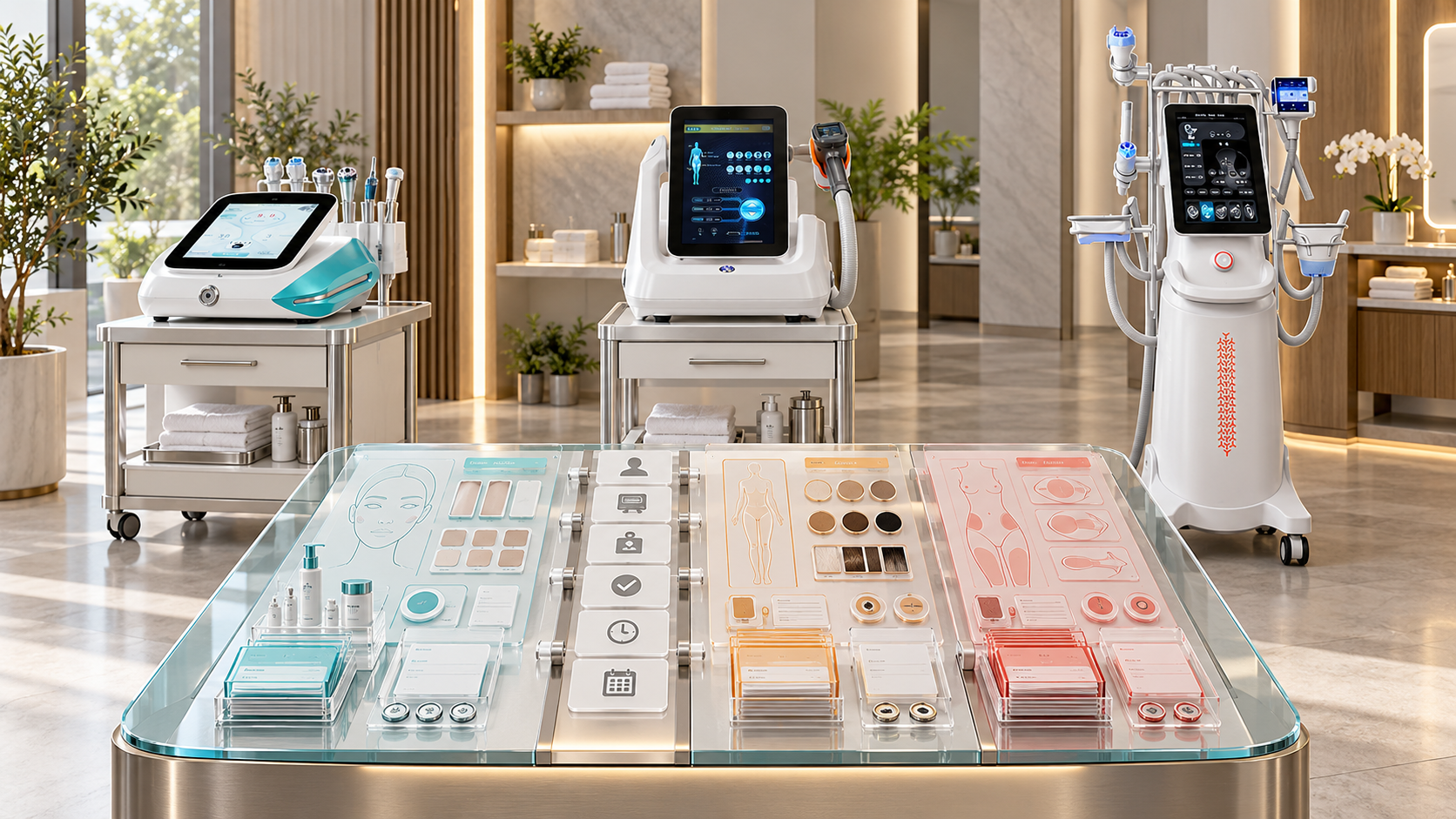
Facial, hair-removal, and body departments may share the same client database while running very different device workflows. A facial record may need function, tool, solution, and fluid-path details. A hair-removal record may depend on a precisely defined area, the exact laser configuration, room controls, and progress across visits. A body-care record may need applicator, positioning, contact material, area mapping, and program-review fields. One generic “treatment notes” box cannot preserve these differences reliably.
Good record design uses a shared information spine and department-specific modules. The shared layer keeps client, appointment, staff, room, device, service, and event identities consistent. Each department then records only the technical and operational details required for its equipment and service pathway. This guide shows salons, skin clinics, med spas, body studios, and multi-department aesthetic centers how to build that structure around relevant SHEFMON beauty devices.
Zusammenfassung
- Build one shared record spine for client, encounter, service, operator, room, installed device, component, stock, status, and follow-up identities.
- Keep consultation decisions, treatment delivery, device usage, room status, cleaning, stock use, incidents, and staff competency in linked records rather than one oversized form.
- Give facial, hair-removal, and body departments their own modules because functions, components, areas, workflows, and review needs differ.
- Record the exact installed unit and configuration used, not only a broad device category or public service name.
- Use structured fields for information that drives bookings, traceability, stock, holds, and reporting; reserve free text for context that cannot be represented safely elsewhere.
- Record what actually happened during the appointment, including changes, pauses, incomplete steps, component use, device observations, and final status.
- Connect client-reported concerns to the treatment, device, component, operator, and follow-up pathway without duplicating sensitive details across uncontrolled files.
- Use role-based access, correction history, record locking, retention rules, and secure handoffs across departments.
- Design reports from operational questions first, then collect only the data needed to answer them.
- Test every record module with normal, changed, incomplete, held, and escalated appointment scenarios before release.
1. Start with the Decisions the Record Must Support
A form should exist because someone needs to make, verify, or reconstruct a decision.
The record system should help teams answer:
- What service was approved and under which client pathway?
- Which appointment was booked and completed?
- Which department, site, and room handled it?
- Which operator performed each controlled task?
- Which device, installed unit, configuration, function, and component were used?
- Which consumables or tracked items were opened or consumed?
- What was planned, and what changed?
- What did the client and device do during the appointment?
- What cleaning, turnover, and stock actions followed?
- Was the service completed, modified, stopped, deferred, or escalated?
- What follow-up or next decision is required?
- Is a client, service, device, room, component, or stock hold active?
If a field does not support a valid decision, requirement, traceability need, or useful report, reconsider why it is collected.
2. Use a Shared Record Spine
Every department should use the same stable identifiers.
| Identifier | Zweck | Example relationship |
|---|---|---|
| Client ID | Connects the person to approved records without relying on name alone | One client can have several department pathways |
| Encounter or appointment ID | Identifies one scheduled or completed event | Links booking, room, operator, service, and follow-up |
| Service code | Identifies the approved menu workflow and version | Separates similar public names with different resources |
| Department and site ID | Shows operational ownership and location | Facial, hair, or body department at a named branch |
| Operator ID | Links work to the person and current role | Checked against competency and authorization records |
| Room ID | Connects room eligibility and daily status | Supports holds, cleaning, and utilization reports |
| Installed-unit ID | Identifies the physical device used | Links model, configuration, maintenance, and support history |
| Component ID | Identifies handle, applicator, cartridge, tip, head, or module | Connects compatibility, status, and service use |
| Stock or lot ID | Supports traceability where required | Connects received stock to appointment use |
| Record version | Shows which form, service, and procedure logic applied | Preserves historical meaning after changes |
Do not create different client, device, or room identities in each department if the records refer to the same real object.
3. Separate the Record Types
One record should not try to do every job.
| Record type | Hauptzweck | Typical owner |
|---|---|---|
| Client master | Identity, contact permission, communication needs, and cross-department alerts within approved access | Client administration |
| Consultation and decision | Goal, relevant information, assessment, approved service, limits, deferral, referral, or reassessment | Authorized consultation role |
| Booking record | Appointment type, service code, resources, prerequisites, status, and communication | Reception or scheduling team |
| Treatment or service record | What was delivered, by whom, on what device and component, with what response and outcome | Authorized operator |
| Device usage record | Unit, function, session or use link, observations, warnings, and post-use status | Operator or equipment owner |
| Component and stock record | Item identity, compatibility, opening, use, disposal, cleaning, quarantine, and remaining availability | Operator and inventory roles |
| Room and cleaning record | Opening, turnover, closing, cleaning, waste, and room status | Zimmerbesitzer |
| Follow-up record | Client report, department observation, next decision, and escalation | Named service owner |
| Incident or concern record | Unexpected event, immediate action, evidence, review, and closure | Approved incident owner |
Link these records through identifiers. Avoid copying the same information into several forms that can later disagree.
4. Design the Client Master Carefully
The client master should contain stable information needed across departments. It should not become a permanent dump of every appointment detail.
Possible fields include:
- client ID;
- verified name and contact route;
- communication and privacy permissions;
- language or accessibility needs;
- approved emergency contact process where used;
- cross-department status;
- active department pathways;
- current alerts that staff are authorized to see;
- preferred contact method;
- record-access restrictions;
- duplicate-record resolution status.
Store department-specific assessment and treatment details in the appropriate module. Give each role access only to the information needed for its work.
5. Create One Consultation Decision Structure
The consultation form can share core outcomes across departments while loading different question sets.
Core fields should include:
- client goal in the client’s own words;
- requested department and area;
- information collected and source;
- reviewer identity and role;
- relevant professional or service assessment;
- named service approved, deferred, referred, declined, or pending;
- scope and area approved;
- conditions and limits;
- preparation or test step required;
- decision date and validity condition;
- reassessment triggers;
- next permitted appointment type;
- communication and documents provided.
The outcome should control booking. A free-text sentence saying “fine to continue” should not unlock every department service.
6. Build the Booking Record from Structured Fields
The booking record should reserve the complete service environment.
Enthalten:
- appointment ID and type;
- service code and version;
- client-pathway status;
- approved area or scope;
- department and site;
- room and room eligibility;
- installed device or validated unit pool;
- required function and component;
- operator authorization group;
- setup, client, documentation, cleaning, and reset block;
- essential consumables;
- prerequisite completion;
- preparation message sent;
- booking changes and reason;
- cancellation, deferral, completion, or no-show status;
- next task.
The treatment record should inherit verified booking data rather than asking the operator to retype it.
7. Build a Core Treatment Record
All departments need a common treatment header.
Aufzeichnen:
- appointment and client IDs;
- date, time, site, department, and room;
- operator and any supervisor or approver;
- service code, version, and planned scope;
- pre-service verification result;
- device model and installed-unit ID;
- configuration used;
- function and component identity;
- consumables and traceability where required;
- actual area and delivered scope;
- settings or controlled service data required by the approved process;
- client communication and observed response;
- pauses, changes, omissions, or deviations;
- completion status;
- aftercare or information provided;
- follow-up type and owner;
- device and room status after use.
Department modules add detail to this header. They should not replace it.
8. Record Planned and Actual Values Separately
A prefilled plan can improve efficiency, but it must not erase what occurred.
Use separate fields for:
- planned service and actual service;
- planned area and actual area;
- reserved device and device used;
- proposed component and component used;
- scheduled operator and performing operator;
- expected consumables and actual consumables;
- planned duration and actual room cycle;
- expected next step and final next step.
Require a reason when a material field changes. This makes the record useful for client review, inventory, booking improvement, and device support.
9. Use Structured Fields and Free Text Deliberately
Structured fields work best for:
- service, device, component, room, operator, and status identity;
- dates, times, quantities, and versions;
- selected areas from an approved dictionary;
- completion, hold, escalation, and follow-up outcomes;
- stock and cleaning actions;
- mandatory yes, no, not applicable, or not assessed decisions.
Free text works best for:
- the client’s own description;
- relevant context behind a change;
- an unexpected observation;
- reasoning that cannot be captured by a safe selection;
- a concise handoff note.
Avoid using free text for facts that other systems must search, block, count, or reconcile.
10. Define Record Statuses
| Status | Bedeutung | Editing rule |
|---|---|---|
| Draft | Work has begun but required fields are incomplete | Assigned author may edit |
| In Progress | The appointment or task is active | Time-stamped entries remain attributable |
| Pending Review | A defined reviewer must resolve an issue | Treatment or next-stage booking may be restricted |
| Complete | Required fields and sign-off are present | Lock routine editing |
| Corrected | A factual correction was added with reason and author | Preserve the original entry and correction history |
| Addendum Added | New information arrived after completion | Keep original record intact and time-stamp the addendum |
| On Hold | The client, service, device, room, component, or record cannot progress | Link the blocking reason and owner |
| Geschlossen | The pathway or case has ended | Retain according to policy and applicable requirements |
Never silently overwrite a completed record to make it match a later understanding.
11. Design Facial Department Records
Facial departments often manage several functions on one platform, several service tiers, fluid or solution workflows, reusable tools, tips, filters, and frequent maintenance appointments.
The facial module can record:
- facial goal and service tier;
- active function set;
- tool or handpiece used;
- tip, filter, or other relevant item;
- approved solution or contact material identity;
- reservoir, tubing, or fluid-path status where applicable;
- area or zone;
- approved service sequence;
- relevant controlled settings;
- client comfort and observed response;
- tool and surface cleaning;
- fluid-path completion;
- consumable use and reorder signal;
- maintenance or reassessment decision;
- device or function hold.
Do not hide several different workflows behind one “facial completed” checkbox.
12. Apply the Facial Module to A0648
Der SHEFMON A0648 hydrodermabrasion platform is presented as a nine-function facial system. The record should list the functions that belong to the business’s active service card rather than automatically showing every available function.
Useful A0648 fields include:
- installed unit;
- service code and function set;
- tools connected and used;
- relevant tips and filters;
- approved solutions and containers;
- fluid-path pre-use status;
- actual sequence completed;
- any blocked, omitted, or substituted step and reason;
- leak, suction, blockage, connection, or cleaning observation;
- post-use tool and fluid-path status;
- stock and function availability after the appointment.
The record should make it possible to distinguish a core hydrodermabrasion service from another A0648 facial workflow.
13. Add an Advanced Facial Procedure Module
Advanced facial procedures may require different professional, consent, hygiene, single-use, waste, photography, aftercare, and escalation records from routine facial maintenance.
Add fields for:
- professional assessment and approver;
- procedure-specific consent status;
- controlled room and access status;
- exact handle and single-use component;
- item packaging, expiry, and traceability;
- preparation and infection-control checks;
- technical settings required by the approved process;
- treatment-area map;
- immediate observations;
- single-use disposal and waste route;
- aftercare and professional follow-up;
- concern, incident, or quarantine status.
Keep advanced procedure records separate from routine facials even when both belong to the facial department.
14. Apply the Advanced Module to A0152
Der SHEFMON A0152 RF-microneedling system page lists different needle-head configurations and working-handle options. The treatment record should identify the actual delivered handle configuration and the compatible head used.
An A0152 module can include:
- unit and handle identity;
- approved service and area;
- needle-head type and traceability;
- sealed-item and expiry verification;
- room and infection-control status;
- consultation and consent confirmation;
- required technical delivery fields;
- client and device observations;
- disposal confirmation;
- device, handle, head, or stock quarantine where relevant;
- aftercare, follow-up, and escalation owner.
The module must reflect local professional requirements and the exact operating documents. It should not turn a website description into a treatment protocol.
15. Design Hair-Removal Department Records
Hair-removal departments need consistent area definitions and progress records across repeated appointments. Their module can include:
- consultation, required test, treatment, maintenance, or review stage;
- precisely defined area code;
- side, boundary, or mapped zone where appropriate;
- exact device and installed configuration;
- handle, wavelength configuration, spot option, cooling, or other relevant system identity;
- authorized operator;
- room and protective-resource status;
- approved technical settings and changes required by the service process;
- client report and observed response;
- incomplete or excluded sub-area and reason;
- aftercare communication;
- progress image reference where lawfully used;
- next review or reassessment trigger;
- laser-room or device hold.
Use an approved area dictionary so reception, consultation, treatment, pricing, and reporting refer to the same scope.
16. Apply the Hair Module to A0426
Der SHEFMON A0426 diode-laser system is presented as a multi-wavelength hair-removal platform. The record should confirm the exact delivered configuration rather than selecting a wavelength label from memory.
Useful A0426 fields include:
- installed unit and handle;
- configured wavelength arrangement;
- defined treatment area;
- consultation or test-stage status where applicable;
- operator and room authorization;
- protective eyewear and access-control status;
- cooling or water-system user checks required by the business;
- approved technical delivery data;
- client and device response;
- pauses, excluded zones, or incomplete service;
- aftercare and progress-review outcome;
- warning, cooling, room, or device hold.
Do not use one generic “laser hair removal” record for undefined areas and several unverified configurations.
17. Design Body Department Records
Body departments often work with larger areas, several applicators, longer room movement paths, contact materials, positioning plans, photographs, and multi-appointment programs.
The body module can record:
- primary goal and approved service family;
- defined area and side;
- position and privacy workflow;
- applicator or handle identity;
- placement or movement map where required;
- contact material or protective item;
- device and component checks;
- approved technical settings or service stages;
- actual time and area completed;
- client communication and observed response;
- progress measures or photographs where appropriate and lawful;
- handle cleaning and cable inspection;
- room turnover;
- program review and next decision;
- component, device, or room hold.
Separate objective operational facts from promotional claims or subjective promises.
18. Apply the Body Module to B0155
Der SHEFMON B0155 body-care platform lists body and smaller-area handles. The record should identify which applicator was used and for which defined area workflow.
Useful B0155 fields include:
- installed unit;
- body-service code;
- area and positioning;
- applicator identity;
- handle, cable, connector, and holder starting status;
- contact material;
- approved function and technical delivery fields;
- area sequence or map;
- client and equipment observations;
- service completed, modified, or stopped;
- applicator cleaning and storage;
- cable or handle damage report;
- progress-review and next-service decision.
A record for the large body applicator should not silently prove that a smaller-area handle or optional function was used.
19. Create a Department Comparison Matrix
| Record area | Gesichtsabteilung | Abteilung für Haarentfernung | Körperabteilung |
|---|---|---|---|
| Primary scope control | Service tier and function set | Precise area and appointment stage | Area, side, goal, and program stage |
| Main component fields | Tools, tips, filters, solutions, needle heads where applicable | Handle, configuration, spot option, cooling and protective resources | Applicator, handle, contact material, placement or movement map |
| Raumbetonung | Wet workflow or advanced procedure module | Controlled access, eyewear, privacy, cooling checks | Bed access, privacy, operator movement, applicator storage |
| Stock emphasis | Solutions, tips, filters, single-use heads | Protective and service consumables defined by the system | Contact materials and applicator-related items |
| Turnover emphasis | Fluid path, tools, surfaces, waste as applicable | Handle, room controls, eyewear, records | Applicator cleaning, cables, bed, floor, contact materials |
| Longitudinal view | Maintenance plan or advanced follow-up | Area-specific progress and reassessment | Program stage, area progress, and review decision |
The comparison shows why the departments should share identifiers but not identical treatment forms.
20. Record Device Usage Once
Avoid requiring the operator to enter device usage into the treatment form, maintenance spreadsheet, stock log, and support file separately.
Create one device-usage event containing:
- appointment ID;
- installierte Geräte-ID;
- function and component;
- start and end time or another approved usage measure;
- operator;
- service code;
- observations and warnings;
- post-use status;
- consumable or cartridge use where linked;
- hold or technical case reference.
Let authorized systems reuse that event for utilization, maintenance, stock, and support reporting.
21. Connect Components and Consumables
Component and stock records should answer:
- What item was used?
- With which device and configuration was it compatible?
- Was it reusable, single-use, limited-use, or tracked?
- Which appointment consumed or used it?
- Which lot, batch, serial, or other identity applied where required?
- Was it cleaned, disposed of, stored, or quarantined?
- Did use change remaining availability?
- Did an issue affect other appointments or stock?
Use controlled item IDs. A free-text note such as “new tip” cannot reliably support stock or traceability.
22. Link Room and Cleaning Records
The treatment record should confirm room readiness and turnover, while the room record holds the detailed opening, between-client, and closing checks.
Link:
- room ID and shift;
- opening status;
- device and service limitations;
- pre-appointment room release;
- cleaning task and performer;
- reusable-item route;
- waste, laundry, and sharps action where applicable;
- between-client reset status;
- closing status;
- issue and hold reference.
Do not copy the entire room checklist into every treatment note.
23. Design Follow-Up Records by Department
Use a shared follow-up status and department-specific prompts.
The shared layer can capture:
- appointment and service link;
- contact date, channel, and owner;
- client report in their own words;
- approved departmental observation;
- concern or complaint status;
- escalation route;
- next decision;
- continuing, reassessment, referral, pause, or closure status.
Facial follow-up may emphasize service tolerance, maintenance planning, and function selection. Hair follow-up may emphasize the defined area, progress, and reassessment before the next stage. Body follow-up may emphasize the program stage, area, progress documentation, and whether the current service remains appropriate.
24. Keep Incidents Separate but Linked
An incident or unexpected-response record may require restricted access, specialist review, evidence, and its own closure process.
Link it to:
- client and appointment;
- department, site, and room;
- operator and other staff involved;
- device, unit, configuration, and component;
- consumable or lot where relevant;
- immediate action;
- Kundenkommunikation;
- device, room, service, or stock hold;
- professional and technical review;
- corrective actions;
- final status.
Keep the treatment record factual and reference the incident ID. Avoid duplicating sensitive investigation notes in several systems.
25. Design Cross-Department Handoffs
A client may move from facial maintenance to an advanced facial consultation, from facial to hair removal, or from body care to another department. The receiving team needs a controlled transfer, not unrestricted access to every historical note.
The handoff can include:
- client and source department;
- stated goal for the new department;
- referral or transfer reason;
- relevant completed services and dates;
- active concern, hold, or follow-up status;
- information the receiving role is authorized to view;
- outstanding decision;
- named next owner;
- client communication and permission where required;
- transfer completion status.
The receiving department should conduct its own required assessment rather than copying another department’s approval.
26. Control Corrections and Addenda
Completed records should be locked against silent editing. A correction should show:
- original entry;
- corrected entry;
- reason;
- author;
- date and time;
- reviewer where required;
- effect on client pathway, booking, stock, device status, or follow-up.
An addendum should state when new information was received and which decisions it affects. Do not backdate new information as if it were known during treatment.
27. Apply Role-Based Access
Access should follow the person’s task.
Reception may need appointment type, status, preparation message, and approved follow-up instruction without access to every technical or professional detail. Operators need the current client pathway and device-service record for their work. Inventory staff need item movement without unrestricted client notes. Technical support may need device symptoms and evidence with limited client information. Managers may need aggregated reports rather than every detailed record.
Define who may:
- view;
- create;
- edit drafts;
- complete and sign;
- correct;
- add an addendum;
- apply or release a hold;
- export;
- delete where legally permitted;
- access records after staff leave.
28. Build Privacy and Retention into the Design
Collect the minimum necessary information, use approved systems, and define retention according to applicable requirements and business policy.
Control:
- identity verification;
- consent and communication permissions;
- photographs and image access;
- sensitive client and staff data;
- mobile-device and messaging use;
- exports and printed copies;
- record sharing across sites;
- backups and recovery;
- retention and secure disposal;
- access logs;
- breach or unauthorized-access response.
Do not place client details in equipment labels, open maintenance sheets, or uncontrolled chat messages.
29. Design Reports Before Finalizing Fields
Decide which questions the business needs to answer.
Useful reports include:
- services delivered by department and code;
- device utilization by installed unit and function;
- component and consumable usage;
- bookings changed because a required record was incomplete;
- records completed late or corrected;
- room, device, component, stock, and client holds;
- follow-ups due and completed;
- incidents by category without misleading comparisons;
- staff working outside recorded authorization;
- services using obsolete form or procedure versions;
- cross-department transfers awaiting acceptance.
Do not collect dozens of fields merely because a software system offers them. Every report should have an owner and decision.
30. Standardize Across Locations
Use the same identifier rules, status vocabulary, required core fields, and record versions across sites. Allow local modules only for real differences such as installed configurations, room resources, local services, applicable requirements, languages, and approved workflows.
Maintain centrally:
- field definitions;
- service-code structure;
- status meanings;
- model and component identities;
- correction and access rules;
- module templates;
- minimum audit requirements.
Maintain locally:
- installed-unit mapping;
- room and staff assignments;
- active service availability;
- current holds;
- locally required fields;
- support and escalation contacts.
31. Test the Record System with Scenarios
Before launch, test:
- a normal first-time facial booking and completion;
- a returning facial client with a service change;
- an A0648 function or tool unavailable at treatment time;
- an A0152 single-use component mismatch;
- a hair-removal area changed after consultation;
- an A0426 room or cooling-status hold;
- a B0155 applicator unavailable while another function remains active;
- a body appointment stopped before completion;
- an incorrect device selected and corrected before use;
- a client concern requiring a restricted incident record;
- a transfer between departments;
- an addendum received after record completion;
- a multi-location appointment using a different installed unit.
Check whether the correct people can act without seeing or editing unnecessary information.
32. Common Record-Design Errors
Avoid these patterns:
- one generic treatment form for every department;
- free text for device, component, area, status, and stock identity;
- copying the same client details into several departmental files;
- treating public service names as stable technical codes;
- recording only the device model, not the installed unit;
- prefilled planned data that overwrites actual delivery;
- missing record versions;
- no distinction between correction and deletion;
- detailed client information in technical support files;
- photographs stored outside the controlled record;
- completed records that remain freely editable;
- department approvals that automatically transfer to another service category;
- reports with no business owner or action.
33. Record Design Checklist
Before releasing a record module, confirm:
- ☐ the business decisions supported by the record are defined;
- ☐ stable client, appointment, service, operator, room, device, component, and stock identifiers are used;
- ☐ record types are separated and linked;
- ☐ shared core fields are consistent across departments;
- ☐ facial, hair, and body modules reflect their actual workflows;
- ☐ planned and actual values remain distinct;
- ☐ structured fields support booking, stock, holds, and reporting;
- ☐ free text has a clear purpose;
- ☐ status and next permitted action are visible;
- ☐ correction, addendum, version, and locking rules are defined;
- ☐ room, cleaning, component, stock, follow-up, and incident records link correctly;
- ☐ access follows role and task;
- ☐ privacy, retention, backup, and export controls are applied;
- ☐ cross-department handoffs use a controlled dataset;
- ☐ normal and exception scenarios have been tested;
- ☐ reports have named owners and decisions;
- ☐ forms have been checked against actual devices and configurations.
Häufig gestellte Fragen
1. Should facial, hair, and body departments use the same treatment form?
They should share stable identifiers and core fields, then use department-specific modules. Their devices, areas, components, rooms, consumables, technical data, and follow-up needs differ too much for one identical form.
2. What information should every beauty device treatment record contain?
At minimum, identify the appointment, client, service, operator, site, room, installed device, configuration, function or component, delivered scope, required technical data, observations, completion status, aftercare, follow-up, and post-use device status.
3. Should the record store planned settings or actual settings?
Keep planned and actual values separate where the approved process requires them. The completed treatment record must reflect what was actually delivered and explain material changes.
4. Why is an installed-unit ID necessary if the model is already recorded?
Several units of the same model can have different configurations, locations, maintenance histories, holds, or support cases. The installed-unit ID connects the appointment to the physical equipment used.
5. How should multifunction devices be documented?
Record the exact function, tool, handle, applicator, cartridge, tip, head, or module used. Do not mark the entire device as used when only one defined function supported the service.
6. Should device cleaning be recorded in the treatment form?
The treatment form can confirm turnover completion and link to the detailed room or cleaning record. Avoid duplicating the entire cleaning checklist in every treatment note.
7. Can reception view all treatment details?
Reception should see the information needed for booking, preparation, status, and approved follow-up. Detailed professional and technical information should follow role-based access and applicable privacy requirements.
8. How should record corrections be handled?
Preserve the original entry, add the corrected value, reason, author, and time, and document any effect on bookings, stock, device status, client pathway, or follow-up. Do not silently overwrite completed records.
9. Can one department’s consultation approval be reused by another department?
The receiving team may use an approved handoff dataset, but it should complete its own required assessment. A facial approval should not automatically unlock laser hair-removal or body services.
10. How often should record templates be reviewed?
Review them after changes to services, devices, configurations, components, rooms, staff roles, workflows, systems, or applicable requirements, and after incidents, repeated corrections, audit findings, or reporting gaps.
Abschluss
Beauty device record design works best when facial, hair-removal, and body departments share one reliable information spine while preserving the fields their workflows genuinely need. Stable identifiers connect the client, appointment, service, operator, room, installed unit, component, stock, status, and follow-up. Department modules then capture function, area, technical, consumable, cleaning, and progress details without forcing every team into the same form.
Build the record around decisions, link rather than duplicate information, and test exceptions before release. When confirming the product and configuration fields for each department, review the SHEFMON Beauty-Geräte-Sortiment Und Kontaktieren Sie SHEFMON for current model, component, document, training-scope, and support information.

























