Beauty device development creates decisions faster than most teams can remember them. Product management chooses the target buyer. Engineering selects a power and cooling architecture. Quality requests another verification condition. Sourcing proposes a supplier. Production asks for a connector change. Service needs a replaceable module. An OEM buyer approves one interface version while sales still shows another.
When the reasoning remains in meetings, chats, private spreadsheets, or individual memory, later teams see only the result. They may repeat the same debate, implement different interpretations, or continue using a decision after its assumptions have changed. A development decision log gives the factory one controlled record of what was decided, why, by whom, for which product state, and under which conditions the decision must be reconsidered.
This guide explains how cross-functional beauty device teams can create, approve, link, search, supersede, and audit decision records throughout product development. It distinguishes decision logs from meeting minutes, action lists, issue trackers, requirements, risk files, and engineering change orders.
Executive Summary
A useful beauty device development decision log should:
- Record material decisions rather than every conversation. Focus on choices that affect product scope, architecture, interfaces, risk, verification, sourcing, production, service, or release.
- State one precise decision question. A record should be understandable without replaying the entire meeting.
- Preserve realistic alternatives. Record options considered, including defer, retain the current baseline, investigate further, or create a separate product.
- Separate facts, assumptions, constraints, and preferences. They support decisions differently and should not be mixed.
- Show the evidence and its limits. Link requirements, calculations, prototypes, tests, supplier data, market input, risks, and cost or capacity analysis.
- Assign clear decision rights. Contributors, reviewers, recommenders, and approvers should know which role they hold.
- Record rationale and tradeoffs. The chosen option should explain both its advantages and the costs or limitations accepted.
- Make conditions and actions visible. Conditional approval must state what remains open, who owns it, and what work may proceed.
- Link the decision to implementation records. PRDs, drawings, interface documents, risk controls, verification plans, ECOs, BOMs, software, production files, and manuals should reference the applicable decision.
- Define when the decision expires or reopens. New evidence, changed requirements, supplier events, failed tests, or another product revision may invalidate earlier reasoning.
The log should help a future authorized reader reconstruct the decision efficiently without treating the record as permanently correct after its context changes.
1. What Is a Beauty Device Development Decision Log?
A decision log is a controlled register of material product-development choices. Each entry captures:
- the question requiring a decision;
- product, project, and configuration scope;
- context and constraints;
- options considered;
- evidence and assumptions;
- recommendation;
- approved decision;
- rationale and accepted tradeoffs;
- participants and decision authority;
- conditions and actions;
- effective product baseline; and
- review or reopening triggers.
The log can be a structured database, controlled document set, or governed project system. The format matters less than stable identity, traceability, access control, and preservation of history.
2. Why Factory Teams Need More Than Memory
Beauty device projects cross product, industrial design, mechanical, electrical, software, quality, sourcing, production, documentation, training, and service functions. A decision that appears local can affect the complete system.
Without a shared record, teams may:
- select components against different requirements;
- use incompatible software and hardware assumptions;
- interpret a conditional approval as final;
- forget why one handle or supplier was excluded;
- repeat tests that already answered the question;
- reopen settled issues without new evidence;
- preserve an obsolete choice after the product scope changes;
- implement an action without the decision that authorized it; or
- give OEM buyers inconsistent answers.
The log reduces these failures by making the authorized reasoning visible at the point of work.
3. A Decision Log Is Not Meeting Minutes
| Meeting minutes | Decision-log entry |
|---|---|
| Follows the sequence of a meeting | Organizes information around one decision question |
| Records attendees and discussion | Assigns decision roles and authority |
| May cover many unrelated subjects | Has a defined product and technical scope |
| Can preserve unfiltered comments | Summarizes material evidence, alternatives, and tradeoffs |
| Often ends with actions | Ends with an approved, conditional, deferred, rejected, or superseded decision |
| Usually reflects one date | Remains linked to implementation, review triggers, and later supersession |
Minutes can be attached as evidence, but they should not be the only location of the final rationale.
4. A Decision Is Different from an Action or Issue
An issue states what is wrong or unresolved. An action states what someone must do. A decision chooses an authorized path.
For example:
- Issue: The current housing has insufficient space for the proposed cooling assembly.
- Decision: Increase the enclosure depth rather than reduce the approved operating profile.
- Rationale: Thermal evidence shows the smaller cooling option cannot meet the selected product requirement.
- Action: Mechanical engineering updates CAD; packaging reviews dimensions; product management updates the size constraint.
Closing the action does not replace the decision record, and closing the issue does not explain why that solution was chosen.
5. Separate Decisions from Requirements and Changes
A Product Requirement Document states what the product must achieve. A decision log explains why the team chose one scope, architecture, component, interface, or implementation path. An engineering change order releases revisions into production.
The relationship can be:
- Evidence reveals a problem or choice.
- The decision log evaluates alternatives and records the approved direction.
- Requirements, risks, and design outputs are updated where necessary.
- Verification confirms the resulting design.
- An ECO releases the approved change into controlled production.
One decision may lead to several changes, and one change request may require several linked decisions.
6. Define Which Decisions Belong in the Log
| Decision category | Example factory question |
|---|---|
| Product problem and scope | Which buyer and workflow will the new model serve? |
| Product architecture | Should cooling be shared in the core or allocated to the handpiece module? |
| Interface | Which connector, protocol, recognition, and parameter boundary will apply? |
| Component or supplier | Which screen, pump, board, cable, housing process, or supplier will be selected? |
| Software and workflow | Which modes, permissions, defaults, warnings, and error paths will be released? |
| Verification | Which method, sample configuration, and acceptance evidence will close the requirement? |
| Manufacturing | Which assembly, test, fixture, traceability, or pilot approach will be used? |
| Configuration | Which handles, accessories, language, voltage, and package form a released product? |
| Service and lifecycle | Which modules are replaceable, supported, upgraded, or retired? |
| Release | Can the identified product baseline advance, and under which conditions? |
Routine decisions governed by an existing work instruction may not need separate records. Material exceptions and new precedents usually do.
7. Use a Materiality Test
Create a formal entry when a choice can materially affect:
- product role or buyer fit;
- function or performance;
- intended workflow;
- safety or risk control;
- interface or compatibility;
- verification evidence;
- product cost or capacity;
- supplier or component lifecycle;
- production assembly or test;
- quality acceptance;
- service, spare parts, or installed units;
- market, language, label, or documentation scope; or
- schedule and resources at a level requiring authorized tradeoff.
The goal is not to document every engineering preference. It is to preserve decisions another team may need to understand, implement, audit, or revisit.
8. Give Every Decision a Stable Identity
The record header should include:
- decision ID;
- concise title;
- project and product;
- affected model, platform, module, or configuration;
- decision category;
- owner;
- status;
- creation and decision dates;
- related development stage or gate;
- confidentiality or access class; and
- superseded or superseding decision ID where applicable.
The ID should remain stable even when the record receives clarifications. If the substantive decision changes, preserve the old entry and create a revision or superseding record under the governance rule.
9. Use Controlled Decision Statuses
| Status | Meaning |
|---|---|
| Draft | Question and evidence are being prepared |
| Pending evidence | The team cannot decide until named information is available |
| Recommended | A cross-functional recommendation awaits authorized approval |
| Approved | The decision is active for its stated scope and baseline |
| Conditional | The direction is approved subject to explicit closure conditions |
| Deferred | The choice will be reconsidered after a stated trigger or date |
| Rejected | The proposed option was not approved; rationale is retained |
| Superseded | A later authorized record replaces the active decision |
| Obsolete | The project or scope no longer requires the decision, while history remains preserved |
Avoid vague states such as discussed, nearly approved, or probably final.
10. Write a Precise Decision Question
A strong question identifies:
- the choice;
- affected product or subsystem;
- intended release or project stage;
- relevant configuration; and
- decision boundary.
Weak: “Which pump should we use?”
Stronger: “Which pump and control approach should the facial fluid module use to meet the approved vacuum and flow requirements within the enclosure, noise, service, and production-test constraints of release R1?”
The stronger question prevents the team from comparing components without the system context.
11. Record Context before Options
Context should explain:
- product problem and buyer setting;
- current baseline;
- event that triggered the decision;
- relevant requirements;
- affected users and workflows;
- interfaces and dependencies;
- known risks;
- stage and schedule constraint;
- prior decisions; and
- consequence of no decision.
Keep the context concise and link detailed evidence. The log should orient a future reader rather than duplicate every source file.
12. Separate Facts, Assumptions, Constraints, and Preferences
| Input type | Meaning | Example treatment |
|---|---|---|
| Fact or verified evidence | Supported by an identified source or result | Link the test, drawing, order data, or supplier record |
| Assumption | Believed necessary for planning but not yet verified | Name owner, consequence, and validation point |
| Constraint | Boundary the decision must respect | Identify source and whether it can be changed |
| Preference | Desirable direction without mandatory status | Record stakeholder and tradeoff |
| Open question | Information still needed | Assign owner and due stage |
An executive preference should not be presented as test evidence. A supplier statement should not become a verified fact without appropriate review.
13. Present Realistic Alternatives
Alternatives may include:
- retain the current design;
- select option A, B, or C;
- redesign the interface;
- reduce or change the requirement;
- separate the product into two configurations;
- use a standard module rather than a custom one;
- run a targeted experiment;
- defer to a later release;
- open a separate OEM/ODM project; or
- stop the direction.
Do not build the record around one preferred answer and a clearly unsuitable comparison. Decision quality depends on credible options.
14. Define Evaluation Criteria before Scoring
Criteria can include:
- requirement fit;
- buyer and workflow fit;
- architecture compatibility;
- performance and capacity;
- risk;
- verification burden;
- manufacturability and testability;
- supplier capability and lifecycle;
- serviceability;
- documentation and training;
- cost and resource use;
- schedule; and
- platform or portfolio impact.
Weights should reflect the current decision, not be copied from an unrelated project. A score can summarize reasoning, but it should not hide decisive technical limitations.
15. Cite Evidence with Configuration and Date
Useful evidence may include:
- market and distributor input;
- approved requirements;
- calculations and simulations;
- prototype results;
- design-review findings;
- risk analysis;
- verification or reliability data;
- supplier specifications and samples;
- production trials;
- costed BOM or tooling information;
- service and quality history; and
- qualified market review.
Record the product version, sample, method, and date where relevant. A result from an earlier architecture may no longer support the current decision.
16. Record Evidence Limitations
The log should state what the evidence does not prove. Examples include:
- one prototype does not represent production variation;
- an open-frame thermal test does not include the final enclosure;
- a supplier sample does not establish ongoing capability;
- user preference does not verify technical performance;
- an accelerated life test may not cover every field condition;
- one market request does not establish global demand; or
- a public competitor specification does not prove buyer value.
Limitations help later teams decide whether the record remains valid.
17. Assign Cross-Functional Decision Roles
| Role | Responsibility |
|---|---|
| Owner | Defines the question, coordinates evidence, and maintains the record |
| Contributor | Supplies data or specialist analysis |
| Reviewer | Checks impact within a responsible function |
| Recommender | Proposes the preferred option and tradeoffs |
| Approver | Has authority to accept the defined decision |
| Implementer | Converts the decision into requirements, design, process, or documentation |
| Verifier | Confirms that conditions and required evidence are met |
| Informed party | Needs the result to perform downstream work |
Participation does not equal approval. The record should state who had decision authority for that question.
18. Separate Technical Authority from Business Authority
Some decisions require both forms of approval.
Technical authority may decide whether:
- an architecture is feasible;
- an interface is compatible;
- evidence meets acceptance criteria;
- a risk control is adequate; or
- a change requires regression testing.
Business authority may decide whether:
- the investment is justified;
- a launch is deferred;
- a configuration remains in the portfolio;
- an OEM/ODM project is commercially accepted; or
- a tradeoff in cost, schedule, or scope is authorized.
Business approval should not overrule a technical finding by relabeling it as preference. Technical review should not make commercial commitments outside its authority.
19. Preserve Material Dissent
Cross-functional teams do not need artificial unanimity. Record:
- function or role raising the concern;
- technical or business basis;
- evidence;
- consequence if the concern is correct;
- response or mitigation;
- final authority; and
- whether the concern becomes a condition, risk, action, or reopening trigger.
Use neutral language. The purpose is to preserve a meaningful challenge, not assign blame.
20. Write the Decision Statement Clearly
The decision should state:
- selected option;
- affected product and configuration;
- applicable release or baseline;
- effective stage or date;
- included and excluded scope;
- conditions;
- approver; and
- related follow-up records.
Avoid statements such as “proceed as discussed.” A future reader should understand the approved direction without accessing a private conversation.
21. Explain the Rationale and Tradeoffs
A useful rationale answers:
- Why does this option best meet the decision criteria?
- Which evidence was decisive?
- Which limitations were accepted?
- Which alternative advantage was sacrificed?
- What uncertainty remains?
- Why is the decision appropriate now?
Tradeoffs might include enclosure size versus cooling, standardization versus performance, custom appearance versus assembly complexity, supplier concentration versus qualification work, or early launch versus broader configuration scope.
22. Control Conditional Decisions
Conditional approval should specify:
- condition ID;
- unresolved evidence or action;
- owner;
- closure criterion;
- due stage or date;
- work allowed to continue;
- work blocked until closure;
- verifier; and
- consequence if the condition fails.
A critical feasibility, risk, or verification gap should not be hidden inside a broad conditional approval.
23. Connect Actions without Turning the Log into a Task List
The decision log should link implementation actions, while the detailed task system controls daily work.
The record needs:
- action ID;
- decision requirement;
- owner;
- due stage;
- expected evidence;
- status; and
- result link.
If an action changes the decision basis, reopen or supersede the decision rather than closing the action against an outdated conclusion.
24. Link Decisions to Product Requirements
The decision log can explain why a requirement was:
- added;
- changed;
- split by configuration;
- assigned to the platform or product;
- given a particular acceptance criterion;
- deferred to a later release; or
- excluded.
The PRD remains the approved requirements baseline. The decision record preserves the reasoning and alternatives behind the change.
25. Link Decisions to Architecture and Interfaces
Architecture decisions should reference:
- system block diagram;
- module allocation;
- interface-control document;
- power, cooling, communication, fluid, or mechanical budgets;
- compatibility matrix;
- software architecture;
- risk analysis; and
- verification plan.
If a shared interface changes, the decision should identify every dependent product and module rather than document only the first project requesting it.
26. Link Decisions to Verification and Risk
A verification decision may select a method, boundary condition, representative configuration, or evidence-reuse rationale. Record:
- requirement and risk linkage;
- alternatives considered;
- sample and configuration rationale;
- method limitations;
- acceptance authority;
- result location; and
- trigger for additional testing.
The decision log should not contain unapproved test results as if they were the final verification record.
27. Link Decisions to ECRs and ECOs
When a decision changes a released or baselined product:
- the decision record explains why the direction was selected;
- the ECR assesses the affected technical and lifecycle scope;
- the ECO authorizes revised parts, documents, software, processes, inventory disposition, and effectivity; and
- the ECN communicates implementation.
Reference each record in both directions. This prevents the ECO from becoming the only explanation of a complex tradeoff.
28. Link Decisions to Supplier Selection
Supplier decisions should record:
- component and requirement scope;
- candidates considered;
- technical and quality evidence;
- process and capacity evidence;
- lifecycle and change-notification expectations;
- tooling or dependency;
- incoming inspection implications;
- alternate-source strategy;
- qualification conditions; and
- reasons for selection.
Commercial details can use restricted access, while the approved technical rationale remains visible to relevant engineering and quality roles.
29. Link Decisions to Production Readiness
Production decisions may cover:
- assembly sequence;
- module or subassembly boundary;
- tooling and fixtures;
- mistake prevention;
- calibration;
- test coverage;
- rework rules;
- configuration identification;
- pilot quantity or learning goal; and
- release conditions.
The decision should identify whether it applies to the permanent baseline, a pilot build, or a temporary deviation.
30. Define Reopening Triggers
| Trigger | Why the decision may need review |
|---|---|
| Requirement or scope change | The original evaluation criteria may no longer apply |
| Failed verification or pilot build | The selected option may not deliver the expected result |
| New risk or field evidence | Accepted uncertainty may have a higher consequence |
| Supplier or component change | Feasibility, performance, cost, or lifecycle assumptions may be invalid |
| Architecture or interface revision | Dependencies and compatibility may change |
| New product or module | Shared capacity and reuse assumptions may need reallocation |
| Market or professional requirement | A destination or user condition may change the boundary |
| Cost or schedule threshold | The approved tradeoff may exceed its authorized limit |
| Review date | Time-sensitive evidence or assumptions require confirmation |
The trigger should be specific enough for teams to recognize when the old decision is no longer sufficient.
31. Supersede Decisions without Erasing History
When a decision changes:
- Preserve the original approved entry.
- Mark it superseded rather than deleting it.
- Create the new record or controlled revision.
- Explain what new evidence or context changed.
- Link old and new records.
- Identify affected requirements, designs, ECOs, production, and installed units.
- Communicate the new active decision.
Historical records explain why older prototypes or delivered devices differ from current production.
32. Build a Searchable Decision Register
Useful searchable fields include:
- ID and title;
- product, platform, module, and configuration;
- category and development stage;
- owner and approver;
- status;
- decision and review date;
- affected requirements and interfaces;
- supplier or component;
- risk level;
- conditional actions;
- effective baseline; and
- superseding record.
Tags should support retrieval without replacing controlled relationships.
33. Manage Access and Confidentiality
Decision records may include supplier quotations, customer requirements, unreleased designs, professional review, test results, or personal information. Apply role-based access while ensuring implementers can see the approved outcome and conditions they need.
Control:
- who may create, edit, review, approve, and supersede;
- read-only access after approval;
- restricted commercial or customer attachments;
- export and distribution;
- backup and retention;
- audit history; and
- access after team members leave.
A confidential attachment should not make the operative decision invisible to production or service teams responsible for it.
34. Use Decision Logs at Development Gates
Before a gate review, summarize:
- decisions required at the gate;
- approved decisions since the prior gate;
- conditional decisions still open;
- deferred decisions approaching their trigger;
- conflicting decisions;
- decisions affected by new evidence; and
- actions blocking progression.
After the gate, create or update the material decision records and link the review minutes. Do not rely on a gate presentation as the only source.
35. Measure Decision-Log Quality
Useful measures may include:
- material decisions with approved records;
- conditional decisions past their closure stage;
- decisions reopened because assumptions changed;
- repeated debates caused by missing rationale;
- changes implemented without linked decisions;
- conflicting active decisions for one product baseline;
- time from complete evidence to authorized decision;
- obsolete decisions still referenced by active documents; and
- production or service issues traced to unclear decision ownership.
The purpose is better decisions and implementation, not a larger database.
36. Start with a Minimum Viable Decision Log
A practical first template can contain:
- ID, title, owner, status, and scope.
- Decision question.
- Context and constraints.
- Facts, assumptions, and open questions.
- Alternatives.
- Evaluation criteria.
- Evidence links.
- Recommendation.
- Decision and rationale.
- Dissent and accepted tradeoffs.
- Conditions and actions.
- Approval.
- Effective baseline.
- Reopening triggers.
- Related and superseding records.
Add fields only when they improve search, control, or implementation.
37. Adapt Decision Logs for OEM/ODM Projects
The SHEFMON OEM/ODM page describes customization in exterior and mechanical design, internal layout, handpiece connections, function, interface and language, logo, packaging, manuals, and prototyping. These projects need clear separation between factory technical decisions and buyer approvals.
Record:
- customer and project code;
- standard baseline;
- requested customization;
- feasibility alternatives;
- buyer-supplied inputs;
- factory technical authority;
- customer approval authority;
- sample or prototype decision;
- verification and production conditions;
- ownership of later changes; and
- effect on standard products.
A customer preference cannot authorize a technically unsupported combination, and a factory feasibility decision does not replace required buyer approval of customer-specific content.
38. A0648 Example: Facial-System Architecture Decision
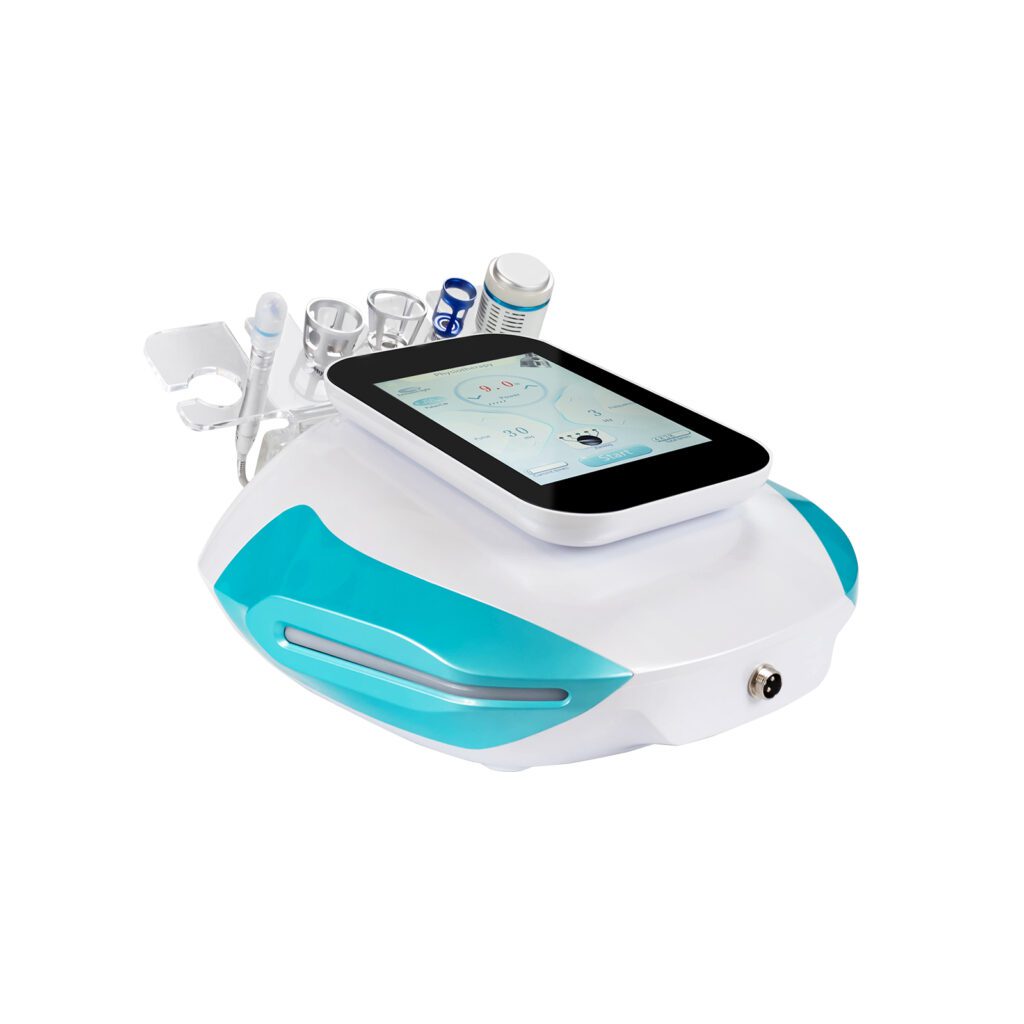
The official SHEFMON A0648 hydro microdermabrasion system page presents a nine-function facial system associated with hydro dermabrasion, vacuum, cleansing, extraction, hydration, and related functions.
For a new product in this category, a decision log could compare whether:
- one pump supports several functions or separate modules are used;
- bottles and waste handling remain inside the console or use an external arrangement;
- every function belongs in the first release;
- handles share storage and connection rules;
- cleaning is guided by software or documentation; and
- a compact enclosure justifies lower capacity or fewer functions.
The record should preserve power, vacuum, fluid, space, cleaning, production-test, cost, and service tradeoffs. These are hypothetical decisions, not disclosures about A0648 development.
39. A0426 Example: Hair-Removal Configuration Decision
The SHEFMON A0426 diode laser hair-removal system page publishes wavelength and spot-size choices together with cooling, touchscreen, and language information.
A decision record for a new product in this category could state:
- which wavelength and handpiece package belongs in the release;
- which spot sizes are standard or optional;
- which power and cooling tier supports the intended duty profile;
- whether several configurations share one model identity;
- which software and parameter map apply; and
- how service identifies replacement handpieces.
The rationale should connect buyer role and architecture capacity rather than approving every available option by default.
40. B0155 Example: Multifunction Body-System Decision
The official SHEFMON B0155 Desktop Endos Velapro listing describes a desktop multifunction arrangement with vacuum roller, RF, rotating massage, and 80K cavitation elements.
For a new multifunction body platform, a cross-functional decision log could evaluate:
- primary product role;
- required and supporting functions;
- shared power and subsystem capacity;
- permitted handle combinations;
- desktop stability and accessory storage;
- software mode transitions;
- separate and integrated production tests;
- training and service complexity; and
- overlap with specialized models.
The decision may retain fewer functions when that produces a clearer and more supportable product.
41. Common Decision-Log Failures
Avoid:
- logging every discussion and hiding material choices in volume;
- writing the decision as “approved as discussed”;
- presenting one preferred option as though alternatives were evaluated;
- mixing facts, assumptions, constraints, and preferences;
- recording approval without authority;
- deleting dissent;
- using a score without visible rationale;
- leaving conditional decisions open indefinitely;
- treating actions as decisions;
- changing the record after approval without history;
- failing to link requirements, risks, ECOs, BOMs, or verification;
- preserving an obsolete decision as active; and
- collecting decisions in personal files that production and service cannot access.
The log should reduce ambiguity, not create another disconnected document library.
42. Factory Development Decision-Log Checklist
- The entry covers one material decision or tightly related decision set.
- Decision ID, owner, status, project, product, configuration, and date are visible.
- The question and decision boundary are precise.
- Context, current baseline, requirements, interfaces, risks, and dependencies are linked.
- Facts, assumptions, constraints, preferences, and open questions are separated.
- Credible alternatives are included.
- Evaluation criteria were defined before the conclusion.
- Evidence includes configuration, date, source, and limitations.
- Contributors, reviewers, recommender, approver, implementers, and verifier are identified.
- Material dissent and its resolution are preserved.
- The decision statement names the selected option, scope, baseline, exclusions, and conditions.
- Rationale explains decisive evidence and accepted tradeoffs.
- Conditional items have owners, closure criteria, due stages, and blocked work.
- Actions link to the task system without replacing the decision.
- PRD, architecture, risk, verification, supplier, ECO, BOM, production, and service records are linked as applicable.
- Reopening triggers and review date are explicit.
- Superseded decisions remain preserved and connected to successors.
- Authorized teams can search and read the active decision.
FAQ
1. What is the main purpose of a beauty device development decision log?
It preserves the authorized choice, context, alternatives, evidence, rationale, conditions, and reopening triggers so cross-functional teams can implement and revisit the decision consistently.
2. Should every engineering choice receive a decision record?
No. Record material choices that affect product scope, architecture, interfaces, risk, verification, sourcing, production, service, release, or establish a precedent. Routine work governed by approved standards usually does not need a separate entry.
3. Is a decision log the same as an issue tracker?
No. An issue tracker records problems and actions. A decision log records the authorized path selected among alternatives and explains why. The issue and decision should reference each other where relevant.
4. Who owns a cross-functional decision record?
Choose one owner to define the question, coordinate evidence, maintain status, and connect implementation. Ownership does not grant authority to approve every technical, quality, commercial, or market aspect.
5. How should teams record disagreement?
Record the material concern, evidence, possible consequence, response, final authority, and any resulting condition or reopening trigger. Do not rewrite the record to imply unanimous agreement.
6. Can a decision be approved before every action is complete?
Yes, when the remaining work is bounded and the conditional decision states closure criteria, owners, allowed work, blocked work, verification, and consequence of failure. Fundamental feasibility or risk gaps may still block approval.
7. When should an approved decision be reopened?
Reopen it when a defined trigger occurs, such as changed requirements, failed verification, new risk evidence, supplier change, architecture revision, exceeded cost or schedule threshold, or expiration of a time-sensitive assumption.
8. How does a decision log connect to an ECO?
The decision log records why a direction was selected. The ECO releases the resulting part, document, software, process, inventory, and effectivity changes. Link both records so implementation remains connected to rationale.
9. Should old decisions be deleted after they are replaced?
No. Mark them superseded, preserve their scope and history, and link them to the active successor. Older prototypes, orders, and installed devices may still depend on the prior decision.
10. How can an OEM/ODM buyer participate in development decisions with SHEFMON?
Define the buyer’s requirements, supplied materials, approval roles, customization boundaries, sample stages, unresolved choices, and change authority. Then contact SHEFMON to discuss how buyer approvals and factory technical decisions should be coordinated.
Conclusion
Development decision logs give cross-functional beauty device teams a shared explanation of the choices that shape the product. They preserve more than the final answer: they retain the question, evidence, alternatives, authority, tradeoffs, conditions, and context that made the answer reasonable.
The most useful logs remain connected to implementation. Requirements, architecture, risk controls, prototypes, verification, suppliers, ECOs, BOMs, production methods, manuals, and service records should reference the decisions that govern them. When new evidence changes the context, the team can reopen or supersede the old entry without erasing history.
Explore the SHEFMON beauty device portfolio, review its OEM/ODM capabilities, or contact SHEFMON to discuss a standard configuration or a controlled product-development project.