










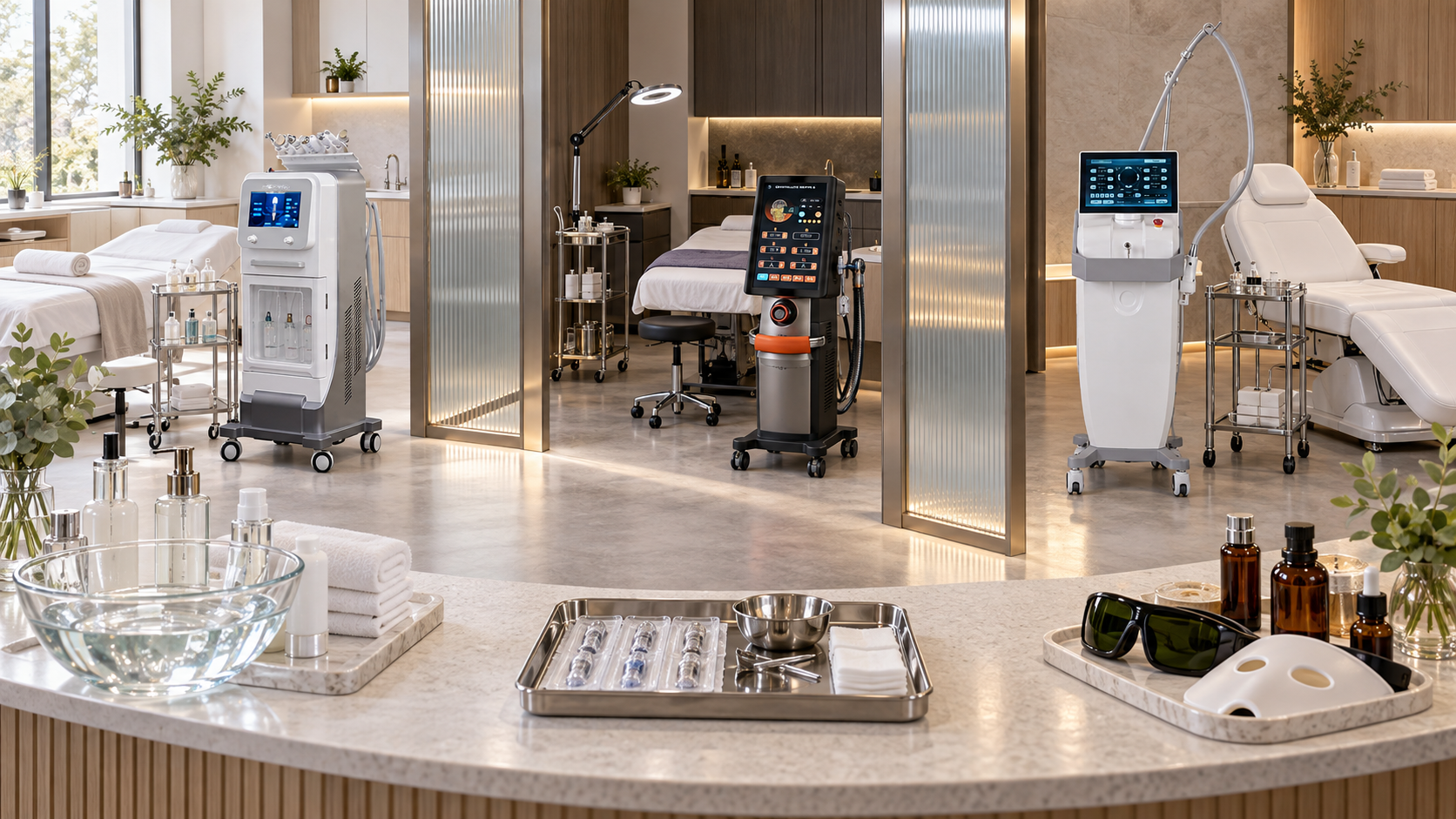
A product list organized only by technologies—hydro, RF, HIFU, laser, microneedling—makes sense to equipment specialists but often confuses salon buyers, clinic teams, and clients. A more useful system begins with the concern the client reports, clarifies the desired treatment goal, and then routes the enquiry to the appropriate service category and device.
Concern and goal are not the same. “My skin looks dull” is a concern. “I want a routine cleansing and hydration appointment” is a goal. The concern begins the conversation; consultation determines whether the goal is suitable and which service lane should handle it.
This guide shows how salons, skin clinics, med spas, and distributors can organize selected SHEFMON beauty devices using a four-layer system: concern, goal, service pathway, and model.
Executive Summary
- Use skin concerns as routing labels, not medical diagnoses.
- Separate the client’s stated concern from the treatment goal agreed during consultation.
- Organize every device through four fields: concern group, goal, service pathway, and model.
- Place A0648 in the cleansing, congestion-appearance, dullness, and hydration-maintenance group.
- Place A0272-F in a separate non-invasive facial tone and contour group.
- Place A0204 in a qualified focused-HIFU assessment group rather than routine facial maintenance.
- Place A0152 RF microneedling in an advanced clinical texture pathway with appropriate infection control and professional governance.
- Place A0532 in a specialist laser pathway for appropriately evaluated resurfacing or uneven-tone goals, with the delivered wavelength confirmed.
- Place A0423 and A0426 in a dedicated unwanted-hair-reduction group organized by body area.
- Add readiness tags for consultation, staff authorization, room, protective equipment, consumables, aftercare, and local rules.
- Give clients simple goal-led menu names while keeping technical and operational detail in internal service cards.
- When a client reports several concerns, choose one priority pathway first; do not convert the concern list into an automatic multi-device appointment.
1. Separate Skin Concern, Treatment Goal, and Device Choice
The organization system should answer three different questions.
| Layer | Question | Example |
|---|---|---|
| Skin concern | What does the client notice or dislike? | “My skin feels congested and looks dull.” |
| Treatment goal | What appropriate direction does the client want after consultation? | Routine cleansing and hydration-oriented maintenance |
| Device category | What functional approach can support that goal? | Hydro-based and vacuum-assisted facial care |
| Model | Which configured platform fits the business and service? | A0648 |
Skipping a layer creates weak decisions. A clinic that jumps from “dark spot” directly to a laser model has not yet established what the spot is, whether the request belongs in an aesthetic pathway, or whether the client’s proposed goal is suitable.
The same concern can also lead to different goals. A client describing laxity may want a gentle non-invasive facial technology or may ask about a focused-ultrasound procedure. Those routes require different assessment, staffing, room, and governance.
2. Use Concerns to Route Clients, Not Diagnose Them
Concern labels are useful for website navigation, intake forms, and front-desk routing. They should remain descriptive:
- congestion or visible pore appearance;
- dry, dull, or tired-looking skin;
- loss of facial tone or contour definition;
- firmness concerns;
- uneven texture or post-acne-mark appearance;
- uneven-looking tone or pigmentation concerns;
- unwanted facial or body hair; and
- reactive, irritated, changing, painful, bleeding, infected, or otherwise medically concerning skin.
The final group is not a device category. It is a defer, assess, or refer state. Beauty businesses should not turn a possible medical problem into a marketing tag or match it automatically to equipment.
Use wording such as “appearance of uneven tone” when discussing aesthetic goals. Avoid diagnosing acne, melasma, rosacea, infection, dermatitis, or other conditions unless the responsible professional is qualified and authorized to do so.
3. Build a Four-Layer Device Taxonomy
Assign every device four primary labels.
Label 1: Concern group
The concern group is written in client language and helps route an enquiry.
Label 2: Treatment goal
The goal describes the appropriate direction agreed after consultation, such as maintenance cleansing, non-invasive facial tone, focused rejuvenation assessment, clinical texture renewal, specialist uneven-tone assessment, or hair reduction.
Label 3: Service pathway
The pathway identifies the operating level:
- core maintenance;
- targeted non-invasive technology;
- specialist controlled service; or
- advanced clinical procedure.
Label 4: Device model
The model identifies the exact configured system, accessories, and operating documents used by the business.
This hierarchy keeps a client concern from becoming a self-selected procedure while still making the device portfolio searchable and easy to explain.
4. Master Concern-to-Goal Device Map
| Skin concern or client request | Appropriate goal direction | Service pathway | Relevant SHEFMON model | Required booking gate |
|---|---|---|---|---|
| Congested, dull, or dehydrated-looking skin | Cleansing, exfoliation, extraction, or hydration-oriented maintenance | Core maintenance | A0648 | Facial consultation or update |
| Loss of facial tone or contour definition | Non-invasive facial electrical-stimulation and RF route | Targeted non-invasive technology | A0272-F | Technology-specific consultation |
| Firmness concern with interest in focused ultrasound | Focused-HIFU assessment | Specialist or advanced pathway according to market | A0204 | Qualified assessment and configuration review |
| Texture or post-acne-mark appearance | Clinical RF microneedling assessment where appropriate | Advanced clinical procedure | A0152 | Professional assessment, consent, and clinical controls |
| Uneven-looking tone or resurfacing-style goal | Specialist thulium-laser assessment after appropriate evaluation | Specialist laser pathway | A0532 | Medical or specialist review where required; wavelength confirmation |
| Unwanted facial or body hair | Area-based professional hair reduction | Controlled laser pathway | A0423 or A0426 | Dedicated hair-reduction consultation |
| Reactive, injured, infected, changing, or unexplained skin concern | Defer, assess, or refer rather than select a device | Outside routine device menu | No automatic match | Appropriate professional evaluation |
This map supports routing and purchasing. It does not decide individual treatment or recommend that the listed devices be combined.
5. Organize Cleansing, Congestion, Dullness, and Hydration Around A0648
The A0648 product page presents a vertical nine-function hydradermabrasion platform with hydro facial and vacuum-assisted functions. It belongs in the core maintenance group rather than the advanced-procedure group.
Concern tags
- congestion appearance;
- visible pore-care interest;
- dull-looking skin;
- dry-looking skin; and
- routine facial maintenance.
Goal tags
- surface cleansing;
- exfoliation-oriented care;
- suitable extraction-related steps;
- hydration-oriented care; and
- recurring maintenance.
Client-facing menu examples
- Essential Device Cleansing Facial
- Hydration Maintenance Facial
- Pore-Care Consultation and Facial
- Signature Hydro Facial
Do not create nine services because the model is described as nine-function equipment. Several functions can become steps within one complete appointment. Internal service cards should identify the supplied handle, tips, solutions, filters, fluid paths, cleaning, preparation, records, and room reset.
6. Organize Facial Tone and Contour Around A0272-F
The A0272-F page describes a system combining high-intensity facial electrical stimulation with RF. Its goal is different from cleansing and hydration, so it needs a separate taxonomy entry.
Concern tags
- reduced facial tone appearance;
- contour-definition interest; and
- request for a non-invasive facial technology.
Goal tags
- facial electrical-stimulation and RF assessment;
- non-invasive facial tone service; and
- continuity review.
Service pathway
Place A0272-F under Targeted Non-Invasive Facial Technology, not under “deep cleansing” and not as an automatic premium step inside every A0648 appointment.
The device record should include the delivered console and stand arrangement, accessories, cables, contact materials where applicable, electrical requirements, operator positioning, current guidance, cleaning, consultation form, and permitted service names.
7. Organize Firmness Goals by Technology Level
“Firmness” is too broad to serve as one device category. Divide it into at least two goals.
| Client goal | Pathway | Model direction | Main distinction |
|---|---|---|---|
| Non-invasive facial tone and technology experience | Targeted non-invasive | A0272-F | Electrical stimulation combined with RF |
| Focused-ultrasound assessment | Specialist or advanced | A0204 | Configuration-dependent focused ultrasound with multiple handle and cartridge options |
The A0204 page lists standard and optional cartridges at different depths and multiple optional handles. The final quotation must identify which handles and cartridges are supplied.
Organize A0204 with tags for:
- qualified assessment;
- intended area;
- supplied handle;
- cartridge type and depth;
- shot tracking and replacement;
- professional authorization;
- consent and records;
- aftercare; and
- complication escalation.
Do not allow reception or website filters to route every “firming” enquiry directly to focused HIFU. The client’s requested intensity does not replace professional assessment.
8. Organize Texture and Post-Acne-Mark Goals Around Clinical Readiness
The A0152 RF microneedling page lists multiple needle configurations and adjustable penetration depths from 0.5mm to 7mm. Needle-based fractional RF belongs in an advanced clinical texture group.
Concern tags
- uneven texture appearance;
- post-acne-mark appearance;
- visible pore or surface-irregularity concern; and
- request for an advanced texture procedure.
Goal tags
- clinical texture assessment;
- RF microneedling procedure where appropriate; and
- structured recovery and follow-up.
Mandatory operational tags
- authorized professional;
- procedure room;
- sterile or single-use items as specified;
- infection-control process;
- sharps and waste route;
- needle or cartridge identification;
- depth and configuration record;
- consent and photography policy;
- aftercare; and
- complication response.
The U.S. FDA has issued a safety communication concerning reported risks from certain uses of RF microneedling. Businesses should also follow the rules and current authoritative guidance applicable in their own market.
A0152 should not appear in the same booking category as a basic exfoliating facial merely because both might be described with the word “texture.”
9. Organize Uneven-Tone and Resurfacing Goals Around A0532 Carefully
The A0532 desktop thulium-laser page belongs in a specialist laser group. Its product title references 1927nm and 1550nm, while the current detailed parameter section specifies a 1927nm thulium laser, 15W power, several scan shapes and modes, and single or continuous pulse modes. The quotation and technical file should resolve the exact delivered wavelength.
Concern tags
- uneven-looking tone after appropriate evaluation;
- selected pigmentation-appearance enquiry;
- resurfacing-style goal; and
- specialist laser consultation request.
Goal tags
- specialist laser assessment;
- configuration-specific thulium-laser service; and
- recovery and review pathway.
Exclusion routing
Do not match a new, changing, bleeding, painful, infected, or unexplained lesion to a cosmetic laser. The organization system should display Assess or Refer before it displays a model for such enquiries.
Specialist laser tags should include professional scope, local authorization, confirmed wavelength, protective eyewear, controlled room, ventilation or plume measures where required, consent, photography, settings records, aftercare, and adverse-event response. The FDA medical laser overview provides a general reference on laser uses and risks; market-specific requirements still apply.
10. Organize Unwanted Hair by Area and Laser Pathway
Unwanted hair is easier to organize by treatment area than by wavelength. SHEFMON’s Hair Removal category currently presents A0423 and A0426 as professional diode-laser options.
| Organization field | Example values |
|---|---|
| Concern | Unwanted facial hair, underarm hair, or body hair |
| Goal | Professional hair reduction after consultation |
| Area tag | Small, medium, large, or multi-area |
| Service pathway | Controlled laser hair-reduction service |
| Model | A0423 or A0426 with exact configuration recorded |
| Booking gate | New-client or new-area laser consultation |
Both product pages list 600W or 1200W handpiece options, 15 × 15mm, 15 × 20mm, and 15 × 30mm spot-size options, multi-wavelength positioning, and related cooling specifications. Confirm the actual wavelength arrangement, handpiece, spot size, voltage, accessories, and support package in writing.
Use client menu entries such as Hair Reduction Consultation, Small-Area Hair Reduction, Large-Area Hair Reduction, and Maintenance Review. Keep configuration and parameter decisions inside the professional workflow.
The American Academy of Dermatology laser hair removal FAQ notes that multiple treatments are commonly needed and that protective eyewear is required for people in the treatment room. Avoid fixed-session, painless, universal, or guaranteed-permanence claims.
11. Treat Sensitive or Reactive Skin as a Decision State
“Sensitive skin” should not map to one machine. It can describe a personal tendency, a temporary reaction, an active condition, or an undiagnosed problem.
Create decision-state tags such as:
- proceed within an approved low-complexity pathway;
- modify only under current professional guidance;
- postpone until the skin settles;
- request medical or specialist input; or
- refer because the concern falls outside the business’s scope.
The system should require a decision before a device appears. This prevents staff from treating sensitivity as a marketing opportunity for a “gentle” machine without understanding the client’s condition.
12. Add a Defer-or-Refer Category
Every concern-led catalog and menu needs an explicit route for enquiries that should not proceed to device selection.
Possible triggers include:
- a concern that appears medical rather than aesthetic;
- a new or changing lesion;
- broken, infected, actively inflamed, or non-healing skin;
- an adverse reaction requiring assessment;
- a medication, health history, or recent procedure needing further review;
- unrealistic expectations or pressure for a guaranteed result; and
- a requested procedure outside staff scope or local authorization.
Do not try to encode a complete medical screening tool into a marketing menu. The category simply tells staff to stop automated matching and involve the appropriate professional.
13. Set One Primary Goal for Multi-Concern Clients
Clients often mention dryness, pores, uneven tone, texture, fine lines, and firmness in one conversation. Organizing one device against every concern leads to an overloaded plan.
Use a priority sequence:
1. identify concerns that require deferral or professional evaluation; 2. clarify which concern matters most to the client now; 3. agree on one realistic treatment goal; 4. select the relevant service pathway; 5. record secondary concerns for later review; and 6. decide future steps after observing response and reassessing suitability.
One priority does not mean the clinic ignores the rest. It gives the first service a defined purpose and prevents the initial appointment from becoming an unverified multi-device protocol.
14. Build Client-Facing Menu Sections from Goals
Clients should see a concise menu. A practical structure is:
| Menu section | Example services | Primary device direction |
|---|---|---|
| Cleansing and Hydration | Essential Device Facial, Hydration Maintenance, Signature Hydro Facial | A0648 |
| Non-Invasive Facial Tone | Facial Technology Consultation, Facial Stimulation and RF Service | A0272-F |
| Focused Rejuvenation | Focused-Ultrasound Assessment and approved service | A0204 |
| Clinical Texture Services | RF Microneedling Assessment and procedure | A0152 |
| Specialist Tone and Resurfacing | Thulium-Laser Assessment and configuration-specific service | A0532 |
| Hair Reduction | Consultation, area-based services, maintenance review | A0423 or A0426 |
The public description should explain the goal, consultation requirement, and main technology in plain language. Model numbers can appear on detailed pages where they help transparency, but they should not be the only service name.
15. Create an Internal Device Library
The internal library should contain one record per model and delivered configuration.
| Record field | Purpose |
|---|---|
| Primary concern tags | Helps route client enquiries without diagnosing |
| Goal tags | States which treatment direction the device supports |
| Service pathway | Separates core, targeted, specialist, and clinical services |
| Approved service names | Prevents staff from inventing new uses or menu labels |
| Business type | Identifies whether the model fits a salon, med spa, skin clinic, or specialist practice |
| Configuration | Records handles, tips, cartridges, wavelengths, depths, spot sizes, software, and electrical version |
| Authorized staff | Connects the device to competency and professional-scope records |
| Room | Links to utilities, access, safety, storage, and cleaning requirements |
| Consumables | Controls approved items, stock, replacement, and expiry where relevant |
| Documents | Links manuals, service cards, consultation, consent, record, cleaning, and aftercare files |
| Support | Identifies warranty, maintenance, parts, fault, and escalation routes |
This library becomes the source for website content, booking categories, staff scripts, procurement, inventory, and quality review.
16. Add Service-Tier and Readiness Tags
Two devices can appear under a related concern while belonging to very different operational levels. Add tags that make the difference visible.
| Tag group | Example values |
|---|---|
| Service tier | Core maintenance, targeted non-invasive, specialist controlled, advanced clinical |
| Consultation | Standard update, technology-specific assessment, laser consultation, clinical assessment |
| Staff | Facial operator, authorized device operator, laser professional, clinical professional |
| Room | Facial room, controlled laser room, procedure room |
| Protective controls | Routine hygiene, wavelength-specific eyewear, sharps controls, infection-control protocol |
| Aftercare | Standard facial advice, technology-specific instructions, recovery plan, structured follow-up |
| Local review | Routine beauty scope, device-specific review, laser authorization, clinical procedure rules |
These tags prevent a search for “firmness” or “texture” from presenting all devices as equivalent.
17. Write a Goal-Led Service Card
Each bookable service should have an internal card containing:
- public service name;
- client concern language it may receive;
- agreed treatment goal;
- device model and exact configuration;
- service tier;
- consultation and authorization requirements;
- suitable area or service boundary;
- required room and protective controls;
- approved accessories and consumables;
- preparation, treatment allocation, cleaning, and reset;
- required records and photography policy;
- aftercare and follow-up;
- stop, postpone, and referral criteria; and
- claims staff may and may not use.
The card creates consistency between the website, front desk, treatment room, and purchasing team. It also makes it easier to retire or rename a service without losing the technical record.
18. Give Staff a Simple Routing Script
Reception should not recommend a procedure, but it can route the enquiry accurately.
Use a three-step conversation:
1. Clarify the concern: “What change are you noticing or hoping to address?” 2. Identify the goal family: “Are you looking for routine maintenance, a specific facial technology, a specialist skin assessment, or hair reduction?” 3. Book the right gate: “That category begins with the relevant consultation so the provider can confirm whether it fits.”
Avoid asking the client to choose a wavelength, depth, cartridge, or energy setting. Those are configuration and professional decisions.
19. Organize a Distributor Catalog the Same Way
Distributors can use the taxonomy to help B2B buyers find a sensible product shortlist.
For each device, publish:
- primary concern and goal groups;
- functional principle;
- appropriate buyer types;
- service tier;
- room and staff implications;
- exact configurable options;
- standard, optional, and buyer-provided items;
- recurring consumables;
- training and support pathway; and
- claims and applications that require market-specific confirmation.
A buyer choosing “texture” should see the difference between routine maintenance, RF microneedling, and specialist laser resurfacing pathways. A buyer choosing “firmness” should see why A0272-F and A0204 do not have the same readiness profile.
20. Use the Taxonomy for Buying Decisions
Before adding a model, run a gap report:
1. Which concern groups generate repeated enquiries? 2. Which treatment goals are currently unsupported? 3. Is an existing device already capable of supporting the goal through an approved service? 4. Would the new model duplicate a current pathway? 5. Does the business have the correct room, operator, consultation, and aftercare level? 6. Are configuration, consumables, maintenance, and support understood? 7. Can the business give the device one primary job and no more than a few launch services?
This process prevents a product demonstration from becoming the strategy. The machine is selected after the gap and pathway are clear.
21. Organize Portfolios by Business Type
Facial salon
Prioritize A0648 for maintenance and consider A0272-F for a distinct non-invasive facial technology. Refer concerns requiring specialist laser or clinical procedures unless the business separately meets all requirements.
Med spa
Use A0648 for maintenance, A0272-F for non-invasive facial technology, and one appropriately governed specialist lane such as diode-laser hair reduction or focused HIFU. Add clinical texture procedures only with the necessary professional controls.
Skin clinic
Organize maintenance, targeted facial technology, specialist laser, and advanced clinical procedures as separate lanes. A clinic may evaluate A0204, A0152, or A0532 according to qualified demand, exact configuration, room readiness, and follow-up capability.
Distributor
Create concern-led entry points, then filter by treatment goal, buyer type, service tier, model, and configuration. Do not show all “anti-aging” or “skin rejuvenation” devices as one interchangeable group.
22. Keep Portfolio Organization Separate from Treatment Combination
A clinic may organize A0648, A0272-F, A0204, A0152, and A0532 under related skin concerns. That does not mean the devices should be used together, in a particular order, or during one visit.
Maintain three separate records:
- Catalog map: which goals and buyers the device category may support;
- Service card: how one approved service is operated; and
- Individual plan: what is appropriate for a particular client after assessment.
Commercial memberships can give access to several menu lanes, but each appointment remains subject to its own eligibility and timing decision.
23. Audit the Organization System
Review the taxonomy regularly and ask:
- Can staff distinguish concern, goal, pathway, and model?
- Does every device have one primary role?
- Are any services duplicated under different names?
- Do advanced procedures appear clearly separate from maintenance?
- Does every specialist or clinical lane have the correct booking gate?
- Are configuration details current?
- Are only authorized staff linked to each service?
- Do room, protective, cleaning, and aftercare tags match actual practice?
- Are defer-and-refer cases captured?
- Do client questions show that menu names are clear?
- Are low-use devices attached to a real treatment goal?
- Have current local rules and device documents been reviewed?
Update the menu, catalog, and internal library together. A revised website category should not leave old booking names or service cards in circulation.
Frequently Asked Questions
1. What is the best way to organize beauty devices by skin concern?
Use four layers: the concern the client reports, the appropriate treatment goal, the service pathway, and the exact configured device. This preserves client-friendly navigation without allowing a concern label to become a diagnosis or self-selected procedure.
2. Which device category fits congestion, dullness, and hydration goals?
A0648 fits a core maintenance direction using selected hydro-based and vacuum-assisted facial functions. Build a few complete cleansing and hydration-oriented services rather than one menu item for every function.
3. How should facial firmness devices be organized?
Separate non-invasive facial tone from focused-ultrasound assessment. A0272-F belongs in a targeted electrical-stimulation and RF lane, while A0204 belongs in a higher-readiness focused-HIFU pathway.
4. Which device category fits texture and post-acne-mark concerns?
A0152 may fit an advanced clinical RF microneedling pathway after professional assessment. Because it is a needle-based RF procedure, it needs appropriate authorization, infection control, consumable and sharps management, consent, records, aftercare, and complication response.
5. How should uneven pigmentation concerns be organized?
Begin with an assessment or referral gate, especially for unexplained or changing areas. A0532 belongs in a specialist thulium-laser pathway only after appropriate evaluation and confirmation of the delivered wavelength and configuration.
6. How should hair removal devices be organized?
Use the concern “unwanted hair,” the goal “professional hair reduction,” and area tags such as small, medium, large, and multi-area. Then link the service to the configured A0423 or A0426 and its controlled laser workflow.
7. Is sensitive skin a beauty device category?
No. Treat sensitivity or reactivity as a decision state. The responsible professional may proceed within an appropriate pathway, modify, postpone, request further assessment, or refer. Do not automatically match it to a “gentle” device.
8. What should happen when a client has several skin concerns?
Screen for concerns requiring referral, agree on one priority goal, select the relevant pathway, and record secondary concerns for later review. Do not turn a long concern list into an automatic multi-device session.
9. Can salons and distributors use the same concern taxonomy?
Yes, but the output differs. A salon uses it for menus and booking routes. A clinic adds clinical and authorization controls. A distributor uses it to filter products by buyer type, service tier, room, configuration, and support needs.
10. What information should a buyer send SHEFMON for a goal-led recommendation?
Share the buyer type, current services, main client concerns, intended treatment goals, professional team, target country, room and utility information, preferred service tier, and models being considered. This supports a better category and configuration discussion.
Conclusion
Beauty devices become easier to select and explain when they are organized through concern, goal, pathway, and model. A0648 belongs in routine cleansing and hydration-oriented maintenance. A0272-F belongs in non-invasive facial tone. A0204 belongs in a qualified focused-HIFU route. A0152 fits an advanced clinical texture pathway, A0532 fits a specialist laser pathway, and A0423 or A0426 supports area-based hair reduction.
The organization system should also make professional boundaries visible. Sensitive, reactive, unexplained, or medically concerning skin must enter an assessment or referral route before any device is considered.
Explore the SHEFMON beauty device range or contact SHEFMON with your client concern groups, treatment goals, business type, rooms, staff, and target service level to build a more useful device shortlist.

























